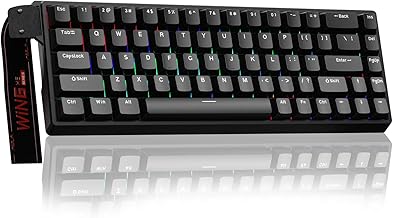
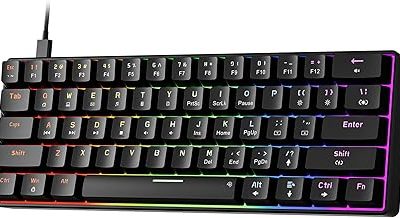
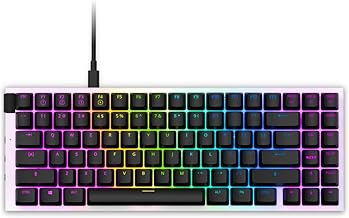
Our Top Picks
 Corsair K55 CORE RGB Membrane Wired Gaming Keyboard17.77"L x 5.57"W x 1.38"H1.7 PoundsCheck on Amazon
 Redragon K556 Wired RGB Mechanical Gaming KeyboardBrown Switch17.13 x 4.88 x 1.59 inches2.2 poundsCheck on Amazon
The Corsair K55 has long been the go-to recommendation for gamers who want RGB flair, media controls, and spill resistance without paying mechanical-keyboard prices. Now spanning the K55 RGB PRO, the streamlined CORE, and a tenkeyless CORE TKL, the lineup offers membrane comfort and gaming features at genuinely accessible prices. But how does a membrane board hold up in 2026, and which K55 is right for you?
This review and buyer’s guide dives into the Corsair K55 family, comparing its variants and weighing them against mechanical alternatives. Here is whether this budget gaming keyboard still earns a spot on your desk.
Corsair K55 CORE RGB Membrane Wired Gaming Keyboard – QWERTY US Layout – Quiet, Responsive Switches – Spill Resistance – Ten-Zone RGB – Media Keys – iCUE Compatible – PC, Mac – Black
One of the home product options compared in this guide.
View on Amazon
Corsair K55 CORE TKL RGB Gaming Keyboard – Tenkeyless, 8-Zone RGB, Quiet Membrane Keys, Spill Resistant, Media Keys, 1000Hz Polling – NA Layout – Black
One of the home product options compared in this guide.
View on AmazonRedragon K556 Wired RGB Mechanical Gaming Keyboard, 104-Key Aluminum Board | Rock-Solid Metal Build, 20 Backlits Immersive ESports Vibe, Hot-swap Comfortable Tactile Brown Switch for Long-Time Typing
One of the home product options compared in this guide.
View on Amazon
CORSAIR K70 CORE TKL RGB Tenkeyless Mechanical Gaming Keyboard – Black | QWERTY NA, Pre-Lubricated MLX Red v2 Linear Switches, Dual-Layer Sound Dampening, ABS Double-Shot Keycaps
One of the home product options compared in this guide.
View on Amazon
CORSAIR K70 PRO TKL RGB Magnetic-Mechanical Wired Gaming Keyboard – Black | QWERTY NA, Pre-Lubricated CORSAIR MGX Hyperdrive Adjustable Switches, Rapid Trigger Mode, 8000Hz Hyper-Polling
One of the home product options compared in this guide.
View on Amazon
Redragon Mechanical Gaming Keyboard with Red Switches, Wired Keyboard Mechanical with RGB Backlit, Fully Progammable, Durable Aluminum Frame, Anti-Ghosting for PC Windows Mac, K565, Black
One of the home product options compared in this guide.
View on Amazon
Corsair K70 CORE TKL Wireless RGB Tenkeyless Mechanical Gaming Keyboard | QWERTY NA, Pre-Lubricated CORSAIR MLX Red v2 Linear Switches, Dual-Layer Sound Dampening, ABS Double-Shot Keycaps, Black
One of the home product options compared in this guide.
View on AmazonCorsair K55 Review: The Short Verdict
Reviewers generally rate the Corsair K55 family as a good budget gaming keyboard, with quiet membrane keys, spill resistance, media controls and iCUE support at a low entry cost. The main trade-off is feel and durability: rubber-dome keys are less precise than mechanical switches.
- K55 RGB PRO: adds six macro keys and a dust and spill-resistance rating.
- K55 CORE RGB: the simpler full-size board with ten-zone lighting.
- K55 CORE TKL RGB: the compact tenkeyless version with eight-zone lighting.
🎮 Get More From Your Setup — Free
Prime Gaming gives you free PC games every month, in-game loot, and a free Twitch channel sub — plus fast free shipping on all the gear above. New members get a 30-day free trial.
Watch: Corsair k55 Rgb Keyboard Review: Review & Buyer’s Guide — Video Review
Design & Build
The K55 range keeps Corsair’s clean gaming aesthetic in a durable plastic chassis with practical, gamer-focused features. The K55 RGB PRO leads with IP42 dust and spill resistance, six dedicated macro keys with Elgato integration, and dynamic per-zone RGB, while the K55 CORE simplifies to ten-zone lighting and quiet switches at a lower price. The CORE TKL trims the number pad for a compact, eight-zone tenkeyless footprint ideal for smaller desks and low-sensitivity gamers who want more mouse room. All models include dedicated media keys and iCUE compatibility for customization. Build quality is solid for the price, though the membrane construction means a lighter, less premium feel than metal-framed mechanical boards.
Performance
As a membrane keyboard, the K55 delivers quiet, responsive keystrokes that many find comfortable for both gaming and long typing sessions, without the clatter of mechanical switches. The spill resistance is a genuine practical benefit for anyone who games with a drink nearby. The RGB PRO’s six macro keys with Elgato Stream Deck integration are a standout for streamers and MMO players, while iCUE lets you fine-tune lighting and macros across the range. The 1000Hz polling on the CORE TKL keeps inputs responsive. Membrane keys lack the precise actuation and durability rating of mechanical switches, so competitive players chasing the fastest response may notice the difference, but for most gamers the K55 performs admirably.
Pros & Cons
- Excellent value with gaming features at a budget price.
- Spill and dust resistance on the RGB PRO for durability.
- Dedicated macro and media keys with Elgato and iCUE integration.
- Quiet membrane switches comfortable for typing and gaming.
- Membrane feel lacks the precision of mechanical switches.
- Plastic build feels less premium than metal-framed boards.
- Lower durability rating than mechanical alternatives over years of heavy use.
Is the Corsair K55 Core RGB Gaming Keyboard a Good Keyboard?
Yes, for casual and budget-minded players, according to most published reviews. The K55 Core RGB is a wired, full-size membrane keyboard with ten-zone RGB, dedicated media and brightness keys, and spill resistance that the maker rates at 300ml.
What reviewers report on the spec sheet and in use:
- Typing feel: one outlet calls the keypresses smooth and responsive, while another finds the rubber domes a little muddy. Expect a soft, quiet action rather than a clicky one.
- Performance: 12-key rollover and a 1,000Hz polling rate are listed, which is enough for most games.
- Software: lighting and most macros rely on iCUE, and only one lighting profile is stored onboard.
- Missing features: wired only, with no USB passthrough and no wrist rest.
Choose it for shared spaces, dorms and first gaming setups. If you want fast, precise actuation or a wide choice of switches, a mechanical board is a better fit. Confirm current details on the maker page.
Corsair K55 Core TKL RGB Review: Who Should Buy It?
The K55 Core TKL RGB suits players who want the K55 Core experience in a smaller footprint. It drops the number pad, which frees desk space for mouse movement, and keeps quiet membrane keys, eight-zone RGB, media keys and spill resistance.
- Good for: small desks, low-sensitivity mouse players, and anyone who rarely uses a numpad.
- Skip if: you enter lots of numbers for work, or want mechanical switches and hot-swap flexibility.
Polling is listed at 1,000Hz, matching the full-size Core. Reviewers treat both Core models as the same keyboard in two sizes, so the choice mostly comes down to layout. Check the maker page for the current feature list.
Alternatives to Consider
If you want mechanical feel on a budget, the Redragon K556 offers a rock-solid aluminum board with hot-swap brown switches at a competitive price. Corsair’s own K70 CORE TKL and K70 PRO TKL step up to pre-lubed mechanical switches, SOCD, and rapid trigger for competitive players willing to spend more. Those who love the K55’s quiet membrane feel but want a smaller footprint should simply choose the CORE TKL over the full-size models.
Frequently Asked Questions
Is a membrane keyboard good for gaming?
Yes, for most gamers. Membrane boards like the K55 are quiet, comfortable, and responsive. Only competitive players chasing the fastest actuation will notice mechanical switches’ advantage.
Which K55 model should I buy?
The K55 RGB PRO is best for streamers and MMO players wanting macros and spill resistance, while the CORE offers great value and the CORE TKL suits compact setups.
Is the K55 spill resistant?
The K55 RGB PRO carries an IP42 dust and spill-resistance rating, a genuine practical benefit. Confirm the specific model, as resistance ratings vary across the range.
Can I customize the RGB and macros?
Yes, all K55 models are iCUE compatible, letting you customize per-zone lighting and program macros, with Elgato Stream Deck integration on the RGB PRO.
Verdict
The Corsair K55 remains a smart budget gaming keyboard, delivering RGB, media controls, and spill resistance at an accessible price. The K55 RGB PRO is our pick for its macro keys and durability, while the CORE TKL suits compact setups. Gamers craving mechanical feel should look at the Redragon K556 or Corsair’s K70 CORE TKL instead.