Key takeaways
- Clamp force: Too tight and your temples ache; too loose and the headset slips. Memory-foam pads help distribute pressure.
- Weight: Lighter sets fatigue you less over long sessions, which matters more than most buyers expect.
- Ear cup style: Over-ear cups that fully enclose the ear stay comfortable and isolate noise better than on-ear designs.
- Glasses: If you wear glasses, look for softer pads that seal without pressing the arms into your head.
What's inside
- Watch: How to Choose a Gaming Headset (2026 Guide) — Video Review
- Wired or Wireless: The First Decision
- Sound Quality and the Surround Sound Myth
- Comfort Is a Specification Too
- The Microphone Your Team Hears
- Match the Headset to Your Platform
- Tips
- Related Guides
- Frequently Asked Questions
- Conclusion
- Related Articles
- Related Guides
A gaming headset does two jobs at once: it feeds you the game’s audio with enough precision to locate a footstep, and it carries your voice to teammates clearly enough that they act on your calls. When either job fails, the whole experience suffers. Muddy sound hides positional cues, a harsh microphone makes you the player everyone mutes, and a poorly padded band turns a two-hour raid into a headache. Choosing well means balancing sound, comfort, connection, and microphone quality rather than chasing one flashy feature.
- Watch: How to Choose a Gaming Headset (2026 Guide) — Video Review
- Wired or Wireless: The First Decision
- Sound Quality and the Surround Sound Myth
- Comfort Is a Specification Too
- The Microphone Your Team Hears
- Match the Headset to Your Platform
- Tips
- Related Guides
- Frequently Asked Questions
- Conclusion
- Related Articles
- Related Guides
This 2026 guide explains the trade-offs that actually decide whether a headset is right for you, from wired versus wireless to the truth about surround sound. You will learn how to judge comfort before you buy, what makes a microphone sound good, and how to match a headset to your platform. The picks below range from budget wired options to premium wireless sets, giving you clear reference points across every price bracket.
As an Amazon Associate we earn from qualifying purchases at no extra cost to you. Product prices and availability are accurate as of the date shown and are subject to change.








⚡ Save on Your Next PC — Amazon Prime
Prime members get fast free shipping on the systems above, plus early access to Prime Day & Black Friday PC deals. New members get a 30-day free trial.
Watch: How to Choose a Gaming Headset (2026 Guide) — Video Review
Wired or Wireless: The First Decision
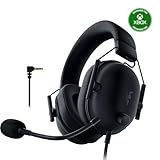
Wired headsets, like the Razer BlackShark V2 X or the JBL Quantum 100M2, plug in and simply work with zero latency and no batteries to charge. They are cheaper for the same audio quality and never die mid-match. Wireless sets such as the Turtle Beach Stealth 600 or Logitech G522 trade a little cost and charging discipline for freedom of movement and a tidy desk. Modern 2.4GHz wireless has negligible latency for gaming, so the real question is whether you value cable-free convenience enough to charge a device and pay the premium.
Sound Quality and the Surround Sound Myth
Good stereo imaging matters far more than a big surround-sound number on the box. Virtual 7.1 surround is processed in software and can actually smear positional accuracy if implemented poorly. What you want is a clean, well-tuned driver that reproduces footsteps, reloads, and directional cues distinctly. Bass should be present but not so boomy that it drowns detail. When you read reviews, weigh comments about positional clarity and imaging above the marketed channel count, because a sharp stereo signal beats a mushy virtual surround every time.
Comfort Is a Specification Too
- Clamp force: Too tight and your temples ache; too loose and the headset slips. Memory-foam pads help distribute pressure.
- Weight: Lighter sets fatigue you less over long sessions, which matters more than most buyers expect.
- Ear cup style: Over-ear cups that fully enclose the ear stay comfortable and isolate noise better than on-ear designs.
- Glasses: If you wear glasses, look for softer pads that seal without pressing the arms into your head.
The Microphone Your Team Hears
Your teammates never hear the game audio you enjoy; they only hear your mic. A good gaming microphone sounds clear, rejects background noise, and does not clip when you get loud in a clutch moment. Detachable or flip-to-mute booms add convenience. Noise-canceling mics, common on mid-range and premium sets, are worth it if you play in a noisy room. Before buying, hunt down a recorded mic sample rather than trusting the spec sheet, because microphone quality varies wildly even among headsets that sound identical on the audio side.
Match the Headset to Your Platform
Compatibility trips up more buyers than it should. A 3.5mm wired headset works almost universally across PC, consoles, and phones. USB and wireless dongles may be tuned for a specific platform, so a set built for Xbox might not pair the same way with a PlayStation or Switch. Check the listed platform support carefully, especially for wireless models, and confirm the connection type your PC or console actually offers. Buying the console-specific version of a headset ensures the wireless features and microphone work as intended.
Tips
- If you play across multiple devices, a 3.5mm wired headset is the safest universal choice.
- Prioritize comfort and mic quality over surround-sound marketing; those two decide daily satisfaction.
- Keep a wireless headset on a charging habit, topping it up between sessions so it never dies mid-game.
- Test the microphone with a friend or a recording early so you can return a set that sounds thin or noisy.
Frequently Asked Questions
Is wireless worth it for competitive gaming?
Modern 2.4GHz wireless has latency low enough that most players notice no disadvantage. The main trade-offs are cost and remembering to charge, not lag, so wireless is a fine competitive choice today.
Do I really need 7.1 surround sound?
Not necessarily. Well-tuned stereo often gives clearer positional audio than software surround. Treat virtual surround as a nice extra rather than a deciding feature, and prioritize driver quality and imaging.
Why do teammates say my mic sounds bad?
Microphone quality differs a lot between headsets, even good-sounding ones. A thin or noisy mic is usually the culprit. Look for a noise-canceling boom mic and test it with a recording before relying on it.
Are expensive headsets much better?
Higher price often buys better build, comfort, and wireless features rather than dramatically better sound. A solid budget wired headset can satisfy most players; pay more mainly for comfort, wireless, and mic upgrades.
Conclusion
The right gaming headset comes down to four things done well: clear positional sound, comfort that survives long sessions, a microphone your team actually hears, and a connection that fits your platform. Decide the wired-versus-wireless question first, treat surround sound as a bonus rather than a headline, and never skip the comfort and mic checks. Use the recommended headsets above as anchors across the price range, and you will land on a set that keeps both you and your teammates happy.