Our Top Picks
Online classes ask less of a laptop than most people expect, and more than a bargain machine usually delivers. The work itself is light: a video call, a browser with several tabs, a learning portal, and a word processor. The trouble is that all of these run at once, often for hours, and a laptop with too little memory or a missing webcam turns a routine lecture into a frozen screen. The right choice is not the fastest machine; it is the one that stays smooth through a full day of class. Parents often overspend on processors and underspend on memory, which is the reverse of what a lecture-heavy schedule needs.
This guide is written for parents buying for a student, for students buying on their own, and for anyone enrolling in a course who needs a dependable laptop in 2026 without overspending on power they will not use. It compares five laptops using only the facts in their listings. Where a listing does not mention a webcam, microphone, or battery life, the review says so, because those are the details that matter most for class. Accessories such as headsets and cooling stands are separate purchases and are left out of the comparison. Four of the five laptops list only 4GB or 8GB of memory, so if one detail decides your shortlist, let it be RAM, then the camera, then storage.
Quick Picks

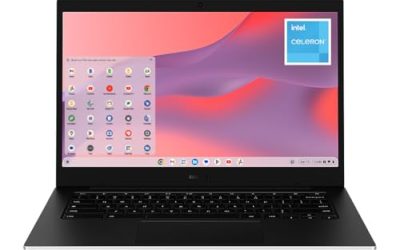
HP Rose Pink Student Laptop • Intel 4-Core Processor • 8GB RAM • Windows 11 • Microsoft 365 • Thin & Portable Laptop for School, Online Classes, Web Browsing & Everyday Use
One of the consumer electronics options compared in this guide.
View on Amazon
HP 2026 14" HD Laptop, Intel Dual-Core CPU, 4GB RAM & 64GB eMMC, Built-in Webcam with Microphone, Full I/O Ports, Microsoft 365, Lightweight Business & Student Notebook for Online Classes, LE Bundle
One of the consumer electronics options compared in this guide.
View on Amazon
14" AI Laptop | 2026-2027 Edition High Performance N150 4GB RAM 128GB UFS | 1-Year Office 365 | Fast Charge WIFI6 | Copilot AI Windows 11 Computer for Student Study Work Online Classes
One of the consumer electronics options compared in this guide.
View on Amazon
HP Royal Blue Student Laptop • Intel 4-Core Processor • 8GB RAM • Windows 11 • Microsoft 365 • Thin & Portable Laptop for School, Online Classes, Web Browsing & Everyday Use
One of the consumer electronics options compared in this guide.
View on Amazon
Laptop Cooling Pad with 3 Quiet Fans, 5-Level Height Adjustable Ergonomic Stand, 2 USB Ports & Phone Holder, Fits 12-17 Inch Laptops, Family-Friendly for Gaming/Work/Online Class,
One of the consumer electronics options compared in this guide.
View on Amazon| Product | Best for | Key spec from the title |
|---|---|---|
| HP Student Laptop (Rose Pink, 8GB) | Everyday classes and homework | Intel 4-core; 8GB RAM; Windows 11; Microsoft 365 |
| HP 14-Inch HD Laptop (4GB/64GB eMMC) | Video-call basics | Built-in webcam with microphone; full I/O ports |
| 14-Inch AI Laptop (N150) | Fast Wi-Fi on a budget | N150; 4GB; 128GB UFS; Wi-Fi 6; fast charge |
| HP Student Laptop (Royal Blue, 16GB) | Heavy multitasking | Intel 4-core; 16GB RAM; Windows 11 |
| HP 14-Inch Laptop (Celeron N4500) | Light coursework | Celeron N4500; 4GB; 64GB eMMC; Windows 11 |
How to Choose
Memory decides whether lectures stay smooth
Plan on 8GB of RAM as the comfortable minimum for online classes. A video call, a browser with a dozen tabs, and a document open together can consume 4GB quickly, and a laptop with that amount will slow or stutter. Sixteen gigabytes is worth the step up if the student also edits video, runs several programs, or plans to keep the laptop through college. Treat 4GB models as strictly light-duty machines, and expect them to need patience when a lesson, a chat window, and a quiz page are all open. Memory is also the one component that cannot be upgraded on most thin laptops, so the figure on the day you buy is the figure you live with.
Check the webcam, microphone, and ports
Many class platforms require a camera, and a few require a microphone that works without a headset. Look for a listing that mentions a built-in webcam and microphone, because some budget laptops omit the detail entirely. Ports matter too: a USB-A socket for a headset or mouse and a headphone jack save the cost of adapters. An HDMI output helps if the student presents on a larger screen. If the title says nothing about ports, look at the product images before deciding.
Storage type and size affect speed more than they seem
Class files are small, but the operating system and updates are not. A 64GB eMMC drive is the bare minimum for Windows and fills quickly; 128GB gives breathing room, and an SSD is faster still. Cloud storage can offset a small drive, but only if the home connection is reliable. When a listing says UFS, it is a faster flash type than basic eMMC, a useful detail on a budget laptop. Students who save large project files should also plan a USB drive or cloud folder as a backup.
Wi-Fi, battery, and screen size are the comfort factors
A 14-inch screen is a good compromise between portability and readability. Wi-Fi 6 helps in crowded homes and dorms where several devices share a router. Battery life is rarely given in the title, so look for fast charging or a stated runtime, and plan to keep the charger nearby. Sitting in class for several hours means the charger will often be plugged in anyway, so do not overpay for a battery claim. Skip gaming-style features, since they add cost without improving class performance. A comfortable keyboard matters more than most buyers expect, because note taking and essays mean thousands of keystrokes a week.
The 5 Best Options
HP Student Laptop (Rose Pink, 8GB)
This thin and portable HP notebook is sold with students in mind. The title lists an Intel 4-core processor, 8GB of RAM, Windows 11, and Microsoft 365, with online classes and web browsing named as target uses. It also comes in other colors, so choosing it is partly about style. For a younger student, that thin, portable shape is easy to carry from the kitchen table to a bedroom desk.
- Strength: 8GB of RAM meets the comfortable minimum for video calls and several tabs.
- Strength: a 4-core processor and a thin, portable build suit carrying it between rooms or classes.
- Trade-off: the title does not mention a webcam, microphone, or storage size, so confirm those before buying.
Skip it if you want a stated webcam or a larger memory figure.
HP 14-Inch HD Laptop (4GB/64GB eMMC)
The only laptop here that spells out a built-in webcam with a microphone. It also lists full I/O ports, an Intel dual-core CPU, 4GB of RAM, 64GB of eMMC storage, and Microsoft 365, in a lightweight business body. It is the most explicit option for video classes on a small budget. A parent who wants to avoid the guesswork about camera hardware will find this the least ambiguous listing of the five.
- Strength: the built-in webcam and microphone are named in the listing.
- Strength: full I/O ports reduce the need for adapters and dongles.
- Trade-off: 4GB of RAM and 64GB of eMMC can feel tight with many tabs and updates.
Skip it if the student multitasks heavily or stores lots of files locally.
14-Inch AI Laptop (N150)
This 14-inch laptop lists an N150 processor, 4GB of RAM, 128GB of UFS storage, Wi-Fi 6, fast charging, and Windows 11 with Copilot, plus a one-year Office 365 offer. Its title leans on features rather than a brand, which makes it a feature-rich option for connectivity-focused buyers. The one-year Office 365 mention is a plus for coursework, though buyers should confirm what happens when that year ends.
- Strength: Wi-Fi 6 and fast charging address two daily annoyances during online classes.
- Strength: 128GB of UFS storage is a step above the 64GB eMMC models here.
- Trade-off: 4GB of RAM limits multitasking, and the title names no recognizable laptop brand.
Skip it if you prefer an established brand or need more memory.
HP Student Laptop (Royal Blue, 16GB)
This is the same family as the Rose Pink model but with 16GB of RAM. The listing keeps the Intel 4-core processor, Windows 11, and Microsoft 365, and still names school and online classes as its purpose. It is the most future-proof memory configuration of the five, and a sensible pick for a student heading into college where assignments grow heavier every year.
- Strength: 16GB of RAM handles many tabs, a video call, and extra programs together.
- Strength: the memory headroom helps the laptop stay useful for several school years.
- Trade-off: the title is silent on webcam and storage, so check those before purchase.
Skip it if your classes are simple and you do not need the extra memory.
HP 14-Inch Laptop (Celeron N4500)
A plain, portable HP notebook in Snowflake White, with a Celeron N4500, 4GB of RAM, 64GB of eMMC storage, and Windows 11. The title mentions students, home office, and online use, so it is a basic option for light coursework and attendance. It suits a household that needs a second laptop for a sibling or a parent taking an occasional course, rather than a main workhorse.
- Strength: a 14-inch HP laptop with Windows 11 is simple and familiar.
- Strength: portable styling suits both home and campus.
- Trade-off: 4GB of RAM and a small drive limit how many things it can do at once.
Skip it if you need a heavier multitasking machine or a stated webcam.
Which One Fits Your Situation
Your child attends live video lessons all day
The HP Student Laptop with 16GB of RAM offers the most headroom, while the HP 14-Inch HD Laptop is the one that states a built-in webcam and microphone. Combined, those two cover the memory worry and the camera worry that cause most class-day problems.
You need a budget-tier laptop for a short course
The HP 14-Inch Laptop with the Celeron N4500 covers the basics, and the 14-Inch AI Laptop adds Wi-Fi 6 and fast charging for similar needs.
The laptop must last through high school
Choose the 16GB HP Student Laptop, because memory is the spec that ages the fastest, and a lesson that feels fine today can feel slow after two years of software updates.
Your home Wi-Fi is crowded
The 14-Inch AI Laptop lists Wi-Fi 6, which helps when several devices stream at the same time. Pair it with a seat near the router for the steadiest video lessons.
Common Mistakes
- Buying a 4GB laptop for a student who keeps many tabs and a video call open, then blaming the school’s software when it stutters.
- Assuming every laptop includes a webcam and microphone without checking, which leaves the student scrambling on the first day of class.
- Treating a bundled Microsoft 365 mention as a permanent license; confirm the term.
- Ignoring storage type, since a nearly full 64GB drive slows updates and leaves no room for course downloads.
- Spending on gaming features that do nothing for a lecture, while skimping on memory that would help every session.
Related guides
- Gaming Headset Noise Isolation Vs Active Noise Cancellation
- Does Gaming Headset Noise Cancellation Work On Microphone
- How Much Does It Cost To Run A Gaming Pc Per Month
Frequently Asked Questions
How much RAM do I need for online classes?
Eight gigabytes is a comfortable target. Four gigabytes can work for single-task use, while 16GB gives extra headroom for long study sessions. If the budget allows only one upgrade, choose memory first.
Do I need a separate webcam?
Only if the laptop does not list one. Check the product page, and keep a small external webcam as a backup if the built-in one is unclear. A webcam cover or a quick test call before the first class avoids surprises.
Is a Chromebook a better choice for online classes?
It can be, if the school’s tools run in a browser. If the course requires Windows software, a Windows laptop like those here is safer. Ask the school or instructor for the software list before you buy.
Does Wi-Fi 6 make a difference?
It helps most when your router supports it and many devices share it. On older routers, you will see little change, so the router matters as much as the laptop. A wired connection through an adapter is another option for exams.