Our Top Picks
 Legion Gaming XL Cloth Mouse Pad11.8L x 35.4W inches35.46 x 11.82 x 0.12 inches1.1 poundsCheck on Amazon
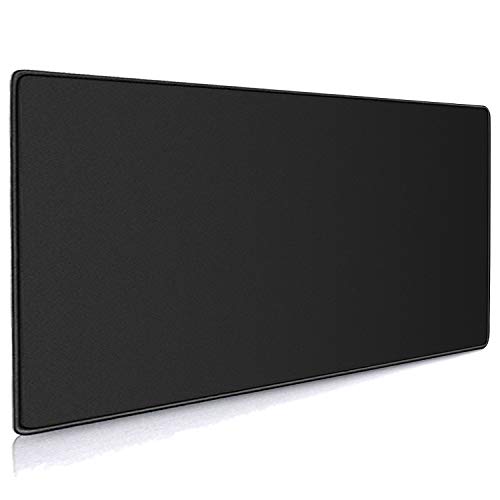 Cmhoo XXL Professional Large Mouse Pad & Computer15.7L x 35.4W inches35.4 x 15.7 x 0.12 inches1.29 poundsCheck on Amazon
The best gaming mousepads under $30 start with the Razer Gigantus V2 XXL, a thick cloth pad with a non-slip base and high-density foam. For a roomy desk mat on a smaller budget, the Lenovo Legion XL and KTRIO XXL are the safer picks. All six are compared from listing specifications.
A gaming mousepad is the most affordable upgrade that changes how a mouse feels, and a good one no longer needs a big budget. Every pick below is a cloth or cloth-style pad compared from listing specifications, so the specs quoted are what each listing states and nothing more. Where a size or weight is not listed, check the maker page before you buy. The order below runs roughly from the best-known brand to the plainest spec sheet, not from best to worst.
Quick Comparison
| Model | Key specs (per listing) | Best for |
|---|---|---|
| Razer Gigantus V2 (XXL) | XXL cloth, thick, non-slip base, high-density foam | Everyday FPS and desk coverage |
| Lenovo Legion Gaming XL | XL cloth, anti-fray, non-slip, water-repellent | Clean look, light spills |
| KTRIO Large Gaming Mouse Pad XXL | 31.5″ x 15.7″, micro-weave cloth, rubber base, stitched edges | Full keyboard-and-mouse desk mat |
| Cmhoo XXL Professional | 35.4″ x 15.7″, 0.12 in thick, black | Wide desks and ultrawide setups |
| BladeHawks RGB Extended | 31.5″ x 12″, 14 lighting modes, USB powered, waterproof surface | RGB desk setups |
| AREYLO Large Gaming Mouse Pad | 31.5″ x 15.7″, waterproof, stitched edges, rubber base | Basic XXL desk mat |
Razer Gigantus V2 Cloth Gaming Mouse Pad (XXL)
Listing specs: XXL size, cloth surface, thick build, non-slip base, high-density foam, black. Exact dimensions are not in the listing; check the maker page.
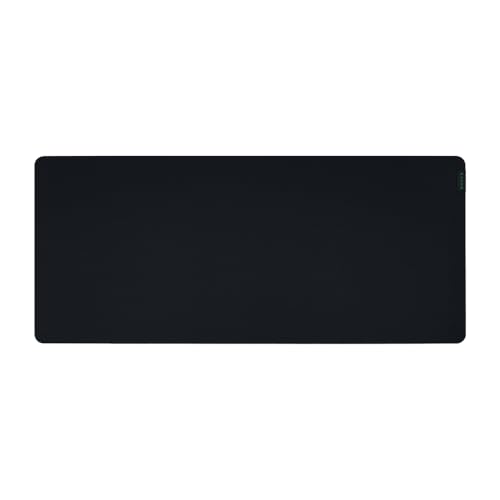
Razer Gigantus V2 Cloth Gaming Mouse Pad (XXL), Thick, Non-Slip Base, Black | High-Density Foam
Chosen because it specifies Thick and Non-Slip Base.
View on AmazonThe Gigantus V2 is the most established name here, and the listing leans on its thick high-density foam. That cushioning is the main reason to pick it: a thicker pad tends to feel softer under the wrist and keeps the surface flat on a slightly uneven desk.
The trade-off is that the listing gives only the size label, XXL, so work out the footprint yourself before ordering. Measure the space under your keyboard, because an XXL pad that fits a wide desk can still crowd a small one. Surface texture and glide speed are not described, so treat it as a general-purpose cloth pad rather than a dedicated speed or control surface. It suits players who want one pad for shooters, strategy games and office work alike.
Pros
- Thick foam cushioning per the listing
- Non-slip base keeps the pad in place
- Well-known gaming brand with a plain black look
Cons
- Exact dimensions not listed
- Surface texture details not listed
Lenovo Legion Gaming XL Cloth Mouse Pad
Listing specs: XL cloth pad, anti-fray edges, non-slip, water-repellent, model GXH0W29068, black. Thickness and dimensions are not listed.
Legion Gaming XL Cloth Mouse Pad, Anti-Fray, Non-Slip, Water-Repellent, GXH0W29068, Black
Chosen because it specifies Anti-Fray and Non-Slip.
View on AmazonThe Legion pad is the minimal choice: black cloth, anti-fray edges and a water-repellent finish, with no lighting or loud graphics. If your desk already has a dark theme, it disappears into the setup, which many buyers want.
Water repellency is useful for a coffee-side desk, though it is not the same as a fully waterproof claim, so wipe spills quickly and let the pad dry flat. The listing does not give dimensions or thickness, so confirm the XL size against your keyboard width on the maker page. It is the easiest pick for anyone who wants a dependable pad and does not care about extras.
Pros
- Anti-fray edges listed
- Water-repellent surface for desk spills
- Understated black design
Cons
- Dimensions and thickness not listed
- No extra features such as lighting
KTRIO Large Gaming Mouse Pad Desk Mat (XXL)
Listing specs: 31.5″ x 15.7″, black, micro-weave cloth, non-slip rubber base, stitched edges, water-resistant coating.
KTRIO lists a full spec set, which makes it easy to judge. At 31.5 by 15.7 inches it covers a keyboard and mouse together, and the stitched edges are there to resist fraying over time.
The micro-weave cloth surface is the part that matters for gaming sensors, since a consistent weave helps tracking, but the listing does not state a speed rating. Expect a middle-of-the-road glide rather than a slick or heavy-friction feel. If your desk is shallower than 15.7 inches, the pad will hang over the front edge, so check the depth first. On a deeper desk it is one of the more balanced options in this group, with a clear spec sheet and no gimmicks.
Pros
- Full dimensions listed
- Stitched edges and rubber base
- Water-resistant coating
Cons
- No glide or speed rating
- Large depth can overhang shallow desks
Cmhoo XXL Professional Large Mouse Pad
Listing specs: 35.4″ x 15.7″ x 0.12 in (90 x 40 cm), black, extra-extra-large mouse mat.
Cmhoo XXL Professional Large Mouse Pad & Computer Game Mouse Mat (35.4x15.7x0.12IN, 90x40 Black)
Chosen because it specifies 90x40 Black).
View on AmazonThe Cmhoo is the widest pad on this list at 35.4 inches, which suits a wide desk or a two-monitor layout where you sweep the mouse a long way. The 0.12 inch thickness is on the slim side, so it feels flatter than a foam-heavy pad.
The listing is short on materials, so base type, edge finish and surface treatment are not stated here. If those details matter, check the maker page. For buyers who mostly want length and a plain look, the dimensions are the main selling point, and the slim profile also pairs well with a low-profile keyboard. Because the listing is brief, it is best treated as a plain, wide mat rather than a feature-rich pad.
Pros
- Longest pad in this group
- Slim 0.12 inch profile
- Plain black look
Cons
- Base and edge details not listed
- Thinner than foam-heavy options
BladeHawks RGB Gaming Mouse Pad (Extra Large)
Listing specs: 31.5″ x 12″, black, LED lighting with 14 modes, USB powered, anti-slip rubber base, waterproof surface, covers keyboard and mouse.
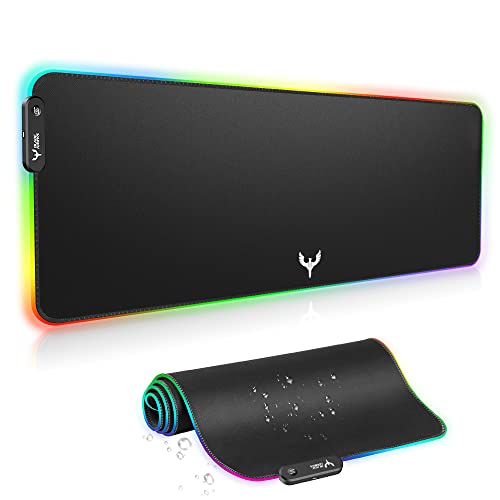
BladeHawks RGB Gaming Mouse Pad Extra Large Extended 31.5x12 Inch-Black | LED mouse pad with 14 lighting modes, covers keyboard & mouse, anti-slip rubber base, waterproof surface, USB powered
Chosen because it specifies LED mouse pad with 14 lighting modes and covers keyboard & mouse.
View on AmazonIf your desk glows, a lit pad finishes the look. BladeHawks lists 14 lighting modes, a USB power connection and an anti-slip rubber base, so the lighting runs from a spare port rather than a battery.
The depth is 12 inches, shallower than the 15.7 inch pads above, which makes it a better fit for a compact desk but leaves less room for a bigger mouse sweep. LED pads can also feel slightly different at the edge where the light strip sits, and the listing does not describe that. Expect a style-first pick with the same basic cloth-and-rubber construction as the others. Cable routing is worth planning, since the USB lead runs from the pad to the PC.
Pros
- 14 lighting modes listed
- USB powered, no battery
- Shallower 12 inch depth suits small desks
Cons
- Needs a free USB port
- Surface texture not described
AREYLO Large Gaming Mouse Pad (Waterproof, XXL)
Listing specs: 31.5″ x 15.7″, waterproof surface, stitched edges, non-slip rubber base, extended keyboard-pad size.

Large Gaming Mouse Pad, Waterproof Extra Large Mousepad with Stitched Edges | Mouse Pad Gaming, 31.5" x 15.7" Non-Slip Rubber Base Office Extended Big Long Keyboard Pad for Office Gamer Home XXL
Chosen because it specifies Waterproof Extra Large Mousepad with Stitched Edges and Mouse Pad Gaming.
View on AmazonAREYLO covers the same 31.5 by 15.7 inch footprint as KTRIO with a waterproof surface and stitched edges. The listing positions it for office and home use as well as gaming, so it works as a general desk mat.
The brand is less recognized than Razer or Lenovo, which is the main trade-off: there is little to go on beyond the listing. If you are comfortable with that, the spec sheet is competitive. Pick it over KTRIO if the waterproof wording matters to you, and pick KTRIO if you prefer an explicit micro-weave cloth description.
Pros
- Waterproof surface listed
- Stitched edges and rubber base
- Large footprint for keyboard and mouse
Cons
- Less recognized brand
- Few surface details beyond the basics
How to Choose Under $30
Size: match the pad to your desk depth
Measure the free depth in front of your monitor stand. A 15.7 inch pad needs roughly 16 inches of clear desk, while a 12 inch pad fits shallower desks. Width matters too: 31.5 inches covers a keyboard and mouse, and 35 inches or more suits a wide desk.
Surface: cloth for control, hard for speed
Cloth pads sit in the middle for most players. If you read “speed” or “control” advice, remember that a listing without a rating cannot tell you which one you are getting, so choose a known cloth brand when glide matters.
Home office and small spaces
For a home office, an extended pad doubles as a desk mat and protects the surface. In small spaces, a 12 inch depth or a plain XL pad saves room while still holding a mouse comfortably.
Gaming use: sensitivity and sweep
Low-sensitivity FPS players swing the mouse across a wide arc, so they gain the most from a pad that is at least 31.5 inches wide with a stable base. Higher-sensitivity players can get by with an XL pad. If you play both, the XXL cloth options give the most room without forcing a decision.
Care and lifespan
Stitched or anti-fray edges matter more over time than the surface print. Cloth pads collect skin oil and dust, so a pad you can wipe or rinse stays consistent longer. Listings that mention water resistance or waterproofing help here, though none of them describe a washing routine.
Which pick for which player
Choose the Razer Gigantus V2 for cushioning and brand familiarity, the Lenovo Legion for a plain look, KTRIO or AREYLO for a full-size desk mat, Cmhoo for sheer width, and BladeHawks when lighting and a shallower depth matter more than raw size. If two picks look equal on paper, the one with the dimensions you can verify on the listing is usually the safer purchase.
Thickness and base
A thicker pad cushions the wrist, while thin pads such as the 0.12 inch Cmhoo sit flat. Whichever you choose, look for a rubber or non-slip base so the pad does not creep during fast flicks.
FAQ
Is a bigger gaming mousepad always better?
No. Bigger covers more desk and gives room for low-sensitivity swipes, but it can overhang a shallow desk. Match the size to your desk depth, your monitor distance and how far you swipe the mouse in your favorite games.
Do I need an RGB mousepad for gaming?
No. Lighting is cosmetic and needs a USB port. A plain cloth pad performs the same for tracking, so choose RGB only if it fits your setup’s look and you have a spare USB port near the keyboard.
Are gaming mousepads good for a home office?
Yes. An extended pad protects the desk and gives a consistent surface for office work, and plain black designs blend into a professional desk. A water-repellent or waterproof surface also helps around coffee cups and notebooks.
Will a gaming mousepad fit a small desk?
Yes, if you choose the right depth. A 12 inch deep pad such as the BladeHawks fits compact desks, while 15.7 inch pads need more room. Measure the free depth before ordering.
How do I clean a cloth mousepad?
Check the maker’s care notes first. Many cloth pads can be gently hand-washed with mild soap and air-dried flat, but the listings here do not give care instructions, so check the maker page.
Last updated: November 2026
FAQ
Is a bigger gaming mousepad always better?
Do I need an RGB mousepad for gaming?
Are gaming mousepads good for a home office?
Will a gaming mousepad fit a small desk?
How do I clean a cloth mousepad?
More from Amazon
Programs that pair well with the guide above. Offers and eligibility are set by Amazon and may change.
Free shipping on eligible items, Prime Video and more. Eligible new members can start with a free trial.
Start a Prime free trialAd-free music streaming. Eligible new subscribers can start with a free trial.
Try Music Unlimited freeA Prime membership for ages 18-24 with a trial period. Eligibility is set by Amazon.
See Prime for Young AdultsAudiobooks and podcasts to listen to on the go. Eligible new members can start with a free trial.
Try Audible freeAs an Amazon Associate we earn from qualifying purchases.