Key takeaways
- Most thin-and-light laptops charge comfortably on 45 to 65 watts, many mainstream models want 65 to 100 watts.
Most thin-and-light laptops charge comfortably on 45 to 65 watts, many mainstream models want 65 to 100 watts, and powerful gaming or workstation laptops can ask for 140 watts or more. The number that matters is printed on the laptop’s original charger or in its spec sheet, and a USB-C charger should meet or exceed it.
The confusion comes from USB-C itself, which is only a connector shape. The same port can deliver a trickle for a phone or a large amount of power for a laptop, depending on the charger, the cable and the standards both ends support. This guide explains how to read the wattage you need, why a lower-powered charger sometimes still works, and what to check before you buy a replacement in 2026.
Start With the Wattage Your Laptop Was Designed For
Look at the label on your original power brick. You will see output lines such as voltage and amperage; multiply them to get watts. If the brick lists several voltage steps, the top one is the maximum. If you no longer have the brick, the manufacturer’s spec page for your exact model lists the supplied adapter rating.
Charging at the rated wattage keeps the battery filling at the designed speed even while you work. Using a weaker charger is possible in some cases, but the laptop may charge slowly, show a warning message, or fail to gain any charge when the processor and graphics are busy.
What Wattage Fits Which Laptop
| Laptop type | Typical charger range | What to expect |
|---|---|---|
| Ultraportable and tablet-style | 30 to 65 watts | Charges well during web and office tasks |
| Mainstream 13 to 15 inch | 65 to 100 watts | Handles light gaming and creative work while charging |
| Performance and creator | 100 to 140 watts | Needs higher-wattage USB-C chargers that support extended power |
| Gaming laptops | 180 watts and up | Often uses a barrel connector; USB-C may only trickle or top up |
These ranges are general. Always match your own model’s label rather than the category.
How USB-C Power Delivery Actually Works
The Charger and Laptop Negotiate
Power Delivery chargers talk to the device and agree on a voltage and current. A charger might offer several steps, for example a low voltage for phones and higher steps for laptops. The laptop requests what it needs, and the charger provides it only if it supports that step. That is why a small phone charger may power a tablet but not a performance laptop.
Higher Wattage Needs the Right Cable
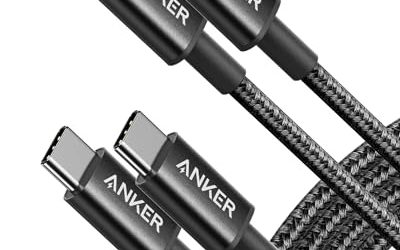
Cables are rated for how much current they carry. A cable meant for lower power can limit charging, while a cable rated for higher current and with the right chip allows more. Choose a cable whose listing states the wattage it supports, and replace frayed or unlabeled ones. Using a short, well-built cable also reduces voltage drop.
Extended Power and Newer Standards
Beyond 100 watts, a newer Extended Power Range specification allows chargers to deliver higher voltage. Check whether the listing names support for that range if your laptop needs more than 100 watts. Not every laptop with a USB-C port accepts this, so confirm in the manual that USB-C charging is supported and at what wattage.
Using a Lower or Higher Wattage Charger
A higher wattage charger than your laptop needs is generally safe, because the laptop only draws what it requires. This makes a single 100-watt charger a convenient companion for a phone, tablet and many laptops. A lower wattage charger may still work if the laptop is idle or asleep, but it can cause slow charging or battery drain under load.
If you game or edit video on a laptop, the processor and graphics draw heavily. A weak charger then cannot supply enough power, and the battery may fall even while plugged in. For travel, a compact charger at the proper rating beats a bulky one that is underpowered.
Before You Buy Checklist
- Find the wattage printed on your original charger or in the spec sheet.
- Confirm that the laptop’s USB-C port supports charging, not only data.
- Choose a charger rated at or above that number.
- Pick a cable that states the wattage and standard it supports.
- Check the number of ports if you plan to charge a phone at the same time and how power is shared.
- Look for safety markings such as overcurrent and overheating protection in the listing.
- Consider size and fold-away plugs if you travel.
Real-World Scenarios
The Commuter With a Thin Laptop
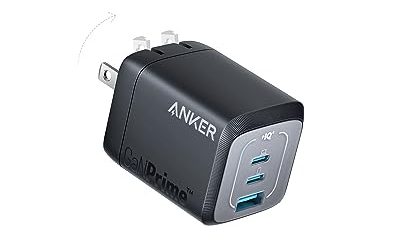
If your laptop ships with a compact charger in the lower wattage range, a small travel charger at the same rating is usually enough. You gain weight savings, and the same charger can often top up a phone and earbuds. Look for a folding plug and a cable that supports the matching wattage so your daily bag stays light.
The Student Who Games on a Mainstream Laptop
Mainstream laptops that run games while plugged in often need the higher end of the wattage range. If you want one charger for the dorm and the library, choose one at or above the laptop’s rating, and leave the bulky original at home for backup. Expect slower charging during intense play even with a proper charger, since the processor takes a large share of the power.
The Creator With a Powerful Machine
High-wattage laptops may accept USB-C charging at a lower rate than their barrel charger. That can be fine for travel, but plan to use the original charger for heavy workloads. Confirm in the manual what USB-C charging supports before you rely on it for rendering or long game sessions.
The Household With Many Devices
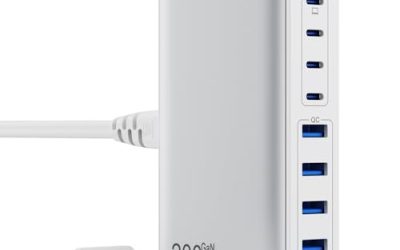
A multi-port charger can power a laptop, tablet and phone from one wall outlet. Compare the total output with the sum of your devices, and read how the charger divides power when several ports are used. A high-wattage single port that drops when a second device is attached may not satisfy your laptop.
Common Mistakes
The biggest mistake is assuming any USB-C charger will do. Wattage, cable rating and device support all play a part. Another is using a multi-port charger and forgetting that power is shared between ports, so the laptop port may drop to a lower output when a phone is also plugged in.
People also buy a cable with no wattage rating and then blame the charger for slow charging. Finally, some shoppers pick the highest wattage on the shelf without checking that it supports the voltage steps their laptop requests, which can waste money without improving charging speed.
Heat, Battery Care and Longevity
Chargers that run at a sensible fraction of their rating stay cooler and tend to last longer. Avoid covering a charger with bedding or stuffing it behind a couch, and unplug damaged units rather than keeping them in service. Laptops also manage battery health by slowing the final stretch of charging, so a few extra minutes to reach full is normal and not a sign of a faulty charger.
If you keep a laptop plugged in most of the day, check whether the manufacturer’s software offers a charge limit setting. That is a battery-care feature rather than a wattage matter, but it works alongside a correctly rated charger.
Related guides
- Gaming Headset Noise Isolation Vs Active Noise Cancellation
- Does Gaming Headset Noise Cancellation Work On Microphone
- Trackir Vs Vr Vs Webcam Head Tracking For Flight Sims
Frequently Asked Questions
Can I charge my laptop with a phone charger?
Sometimes. Many laptops accept a lower-wattage charger and charge slowly when idle, but demanding use can drain the battery faster than it fills. For regular charging, use a charger that meets your laptop’s rated wattage.
Is a higher wattage charger safe for my laptop?
Generally yes, since the laptop controls how much power it draws. Choose a charger with recognized protection features and a cable rated for the power level.
Why does my laptop charge slowly on USB-C?
Common causes include a charger below the rated wattage, a cable limited to lower power, a shared multi-port charger, or heavy use during charging. Check each part of the chain.
Do all USB-C ports on a laptop charge it?
Not always. Some ports are data only, while others support Power Delivery. The laptop manual or port labels usually show which port is meant for charging.
FAQ
Can I charge my laptop with a phone charger?
Is a higher wattage charger safe for my laptop?
Why does my laptop charge slowly on USB-C?
Do all USB-C ports on a laptop charge it?
More from Amazon
Programs that pair well with the guide above. Offers and eligibility are set by Amazon and may change.
Free shipping on eligible items, Prime Video and more. Eligible new members can start with a free trial.
Start a Prime free trialAd-free music streaming. Eligible new subscribers can start with a free trial.
Try Music Unlimited freeA Prime membership for ages 18-24 with a trial period. Eligibility is set by Amazon.
See Prime for Young AdultsAudiobooks and podcasts to listen to on the go. Eligible new members can start with a free trial.
Try Audible freeAs an Amazon Associate we earn from qualifying purchases.