Key takeaways
- Choose a standalone headset if you want to put on a visor and be in a game within a minute, with no cables, no tower and no extra setup.
Choose a standalone headset if you want to put on a visor and be in a game within a minute, with no cables, no tower and no extra setup. Choose a PC VR headset if you already own a capable gaming computer and care most about visual fidelity, large simulation titles and deep tweaking. Everything else in this decision is a variation on those two sentences.
The choice matters more than it used to, because the two categories have drifted toward each other. Many standalone units can now stream or tether to a computer, and several PC-first designs can run without a desktop in a limited way. That overlap makes spec sheets confusing in 2026, so this guide strips the decision down to the factors that actually change how you will play: where the processing happens, how you move around, what your existing hardware can do, and what you want to play most.
How the Two Types Actually Differ
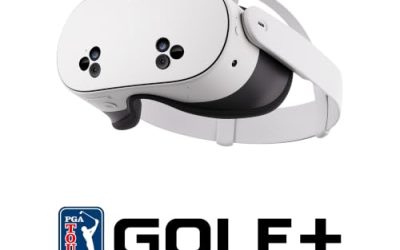
A standalone headset is a self-contained computer. The processor, battery, storage, tracking cameras and display all live inside the visor. You download games straight to the headset, and everything runs on a mobile-class chip similar in spirit to a phone or tablet processor. Because nothing is tied to a wall, you can play in a living room, a hotel room or a friend’s house.
A PC VR headset is mainly a display and a set of sensors. The heavy lifting is done by the graphics card in your computer, which means the visuals can be far more detailed than anything a battery-powered chip can draw. The cost of that power is a cable or a dedicated wireless adapter, a computer that meets the recommended specifications, and more time spent on drivers, settings and software updates.
Standalone vs PC VR at a Glance
| Factor | Standalone headset | PC VR headset |
|---|---|---|
| Setup effort | Low: charge, sign in, play | Higher: drivers, cable or adapter, software |
| Extra hardware needed | None | A gaming computer with a strong graphics card |
| Visual detail | Good, limited by mobile chip | Highest available, scales with your graphics card |
| Freedom of movement | Wireless by design | Tethered unless you add a wireless solution |
| Game library | Dedicated store, many fitness and casual titles | Large simulation, racing and mod-friendly catalog |
| Long-term upgrade path | Replace whole unit | Upgrade the graphics card, keep the headset |
| Battery life concern | Yes, a few hours per charge | No battery in the headset in most cases |
| Best for | Casual, fitness, social, travel | Sim racing, flight, high-end visuals |
Practical Factors That Decide It
Your Existing Computer
This is the single biggest filter. If your current machine is a laptop with integrated graphics, or a desktop several generations old, a PC headset will leave you disappointed or force an expensive upgrade before you play a single game. Check the headset maker’s published minimum and recommended graphics card list and compare it with what you own. If you fall short, a standalone model is the sensible starting point, and you can still add computer streaming later.
Room Size and Play Style
Fitness, boxing, rhythm and party titles reward free movement, and a cable gets in the way of a spin or a dodge. Seated or cockpit-style play, such as racing and flight, is the opposite: a cable is barely noticeable when you are strapped into a wheel stand. Clear a play area of roughly two meters by two meters for standing games, and note that standalone headsets are easier to move between rooms.
Comfort and Weight Balance
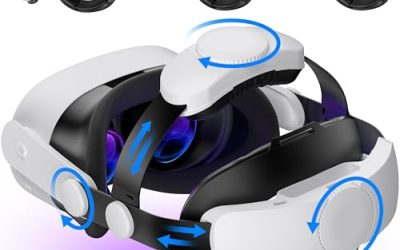
Standalone units pack a battery and chip into the visor, so the front tends to be heavier unless the strap balances it with a rear weight or battery pack. Lighter PC headsets keep the electronics off your face but pull on a cable. Look for adjustable head straps, a flip-up visor, enough lens adjustment for your eye spacing, and room for glasses if you wear them.
Longevity and Upgrades
A PC headset can stay useful for years because you improve the graphics card rather than the headset. A standalone unit is more like a console: the hardware is fixed, and when newer games demand more, you replace the whole thing. If you upgrade your computer regularly anyway, the PC route spreads the cost across hardware you already enjoy.
Which Games Pull You Toward Each Side
Standalone stores lean toward fitness apps, rhythm games, social worlds, short arcade experiences and ports of popular titles scaled down to run on mobile chips. They are easy to pick up, and the lower detail is often hidden by stylized art. If your goal is exercise, family fun or casual sessions, you will rarely feel the ceiling.
PC VR is where long, complex titles live: cockpit simulators with dozens of switches, racing sims with wheel and pedal support, large role-playing worlds with community modifications, and any game that benefits from sharp text and distant detail. Many players also like that PC software lets them adjust resolution scaling, refresh rate and graphics settings to match their hardware.
It is worth knowing that most standalone headsets can also run PC games through a cable or a wireless streaming app. That makes them a flexible middle route, though the picture is compressed and you still need the computer. Treat this as a bonus feature, not a replacement for a proper PC headset if image quality is your priority.
Before You Buy Checklist
- Compare your computer’s graphics card and processor with the headset’s published recommended list.
- Decide whether you play mostly standing and moving, or seated.
- Measure your play space and note where a cable would run.
- Check the headset’s support for glasses, and its adjustable lens spacing.
- Confirm which game stores and accounts the headset uses, and whether your favorite titles are listed.
- Look at the battery life listed for standalone models and whether an external battery strap is available.
- Consider storage size, since big VR games fill a standalone drive quickly.
- Check the return window and warranty terms of the retailer before opening the box.
Who Should Pick Which
Pick standalone if you are new to virtual reality, share a headset with family, want fitness and social apps, or do not own a gaming computer. It lowers the barrier to entry, and the wireless freedom is a genuine advantage that spec sheets undersell.
Pick PC VR if you already own a recent graphics card, enjoy simulation games, want the sharpest picture and the highest refresh rates, or like adjusting settings for the best result. You will accept a cable and some setup in return for the biggest ceiling in the hobby.
If you are torn, a standalone headset that supports computer streaming covers the widest range of situations, because you can start casually and add PC games when you are ready. Just do not expect streamed visuals to match a purpose-built PC headset on a direct connection.
Related guides
- Gaming Headset Noise Isolation Vs Active Noise Cancellation
- Does Gaming Headset Noise Cancellation Work On Microphone
- Trackir Vs Vr Vs Webcam Head Tracking For Flight Sims
Frequently Asked Questions
Can a standalone headset play PC VR games?
Many can, using a USB cable or a wireless streaming app connected to your computer. The game still runs on the computer, so you need a capable graphics card, and the image is compressed during transmission, which can soften detail slightly.
Is PC VR always higher quality than standalone?
The ceiling is higher, because a desktop graphics card has far more power than a mobile chip in a headset. In practice, quality depends on your graphics card, the headset display and the game, so a weak computer will not deliver the benefit.
Which type is better for motion sickness?
Neither type is inherently better. Comfort depends on stable frame rates, a headset refresh rate that suits you, correct lens spacing and the game’s movement style. A PC with a weak graphics card that drops frames can feel worse than a well-tuned standalone game.
Do I need to buy a new headset to upgrade performance?
For PC VR you can often upgrade only the graphics card and keep your headset. For standalone you would normally replace the whole unit when newer titles outgrow the chip, much like buying a new console generation.
FAQ
Can a standalone headset play PC VR games?
Is PC VR always higher quality than standalone?
Which type is better for motion sickness?
Do I need to buy a new headset to upgrade performance?
More from Amazon
Programs that pair well with the guide above. Offers and eligibility are set by Amazon and may change.
Free shipping on eligible items, Prime Video and more. Eligible new members can start with a free trial.
Start a Prime free trialAd-free music streaming. Eligible new subscribers can start with a free trial.
Try Music Unlimited freeA Prime membership for ages 18-24 with a trial period. Eligibility is set by Amazon.
See Prime for Young AdultsAudiobooks and podcasts to listen to on the go. Eligible new members can start with a free trial.
Try Audible freeAs an Amazon Associate we earn from qualifying purchases.