Key takeaways
- Find the best gaming monitor backlights for screen-synced glow, calm bias lighting, and immersive color behind your monitor, from budget to premium.
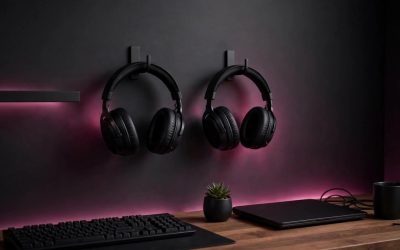
A good monitor backlight softens the contrast between a bright screen and a dark room, which can make long sessions feel easier on the eyes, and it throws color onto the wall behind the monitor, which makes the setup feel larger. The best options mount behind the screen, stay out of view during play, and either match the game on screen or hold a steady color.
As an Amazon Associate, we earn from qualifying purchases.
Table of Contents
- Quick Answer
- How to Choose a Gaming Monitor Backlight
- Govee Gaming Light for Monitor G1
- Philips Hue Play Gradient Lightstrip for PC
- Govee Smart LED Light Bars
- Philips Hue Play Light Bar Base Kit, 2-Pack
- Power Practical Luminoodle Bias Lighting, True White
- Screen Sync, Bias Light, or Both
- FAQ
- Conclusion
Quick Answer
For most PC gamers, the Govee Gaming Light for Monitor G1 is the most direct pick, because it is made for monitors, wraps all four sides of the screen, and reads on-screen color through desktop software. If you already use Philips Hue lighting, the Philips Hue Play Gradient Lightstrip for PC gives a smoother gradient and fits neatly into that system. For a simple, calm glow with no app or hub, the Power Practical Luminoodle in true white is the easiest option. The two light-bar picks suit gamers who want flexible placement behind or beside the monitor.
| Backlight | Best For | Sync Style | Fit |
|---|---|---|---|
| Govee Gaming Light for Monitor G1 | Screen-matched PC gaming | Desktop software color matching | 27 to 34 inch monitors |
| Philips Hue Play Gradient Lightstrip for PC | Smooth gradient in a Hue setup | Hue Sync desktop app | 24 to 27 inch monitors |
| Govee Smart LED Light Bars | Flexible bars behind a monitor | Music and scene modes, app control | Monitors under 45 inches |
| Philips Hue Play Light Bar Base Kit, 2-Pack | Premium Hue bars for gaming and media | Hue Sync app and Hue system | Behind or beside a monitor |
| Power Practical Luminoodle, True White | Simple bias lighting for eye comfort | Steady white glow, no sync | 24 to 29 inch screens |
How to Choose a Gaming Monitor Backlight
Start with fit. A strip made for a 27 to 34 inch monitor will not wrap neatly around a small 24 inch screen, and a short strip will leave gaps on a large ultrawide display. Measure the back of your monitor, check whether it is flat or curved, and confirm the listed size range matches.
Next, decide how the light should behave. Screen-synced backlights change color with the game, which feels immersive in action and racing games. A steady bias light holds one color, usually a neutral white, and is better for long sessions and competitive play. Music-reactive modes sit in between, pulsing with sound rather than following the picture.
Control matters too. Some kits need a desktop app on the PC, some need a smart-home hub, and some work with a remote or a simple switch. If you play on a console through the same monitor, a software-only sync kit will not follow the console picture, while a hub-based system or a steady light will work the same way for every source. Look for dimming and a mounting method that suits your monitor, and aim the light at the wall, not at your eyes.
Govee Gaming Light for Monitor G1
The Govee Gaming Light for Monitor G1 is built around one idea: the wall behind the monitor should show the colors on the screen. It uses desktop software to read pixel points on the display, divide the screen into ten areas, and push matching color out through the strip in real time, so explosions, skies, and dark corridors read differently on the wall.
The strip is made for 27 to 34 inch monitors, including curved models, and it wraps all four sides of the screen. High-density beads sit close together, which helps the glow look even. The kit runs from a wall adapter, and it works with the Govee Home app, desktop software, and DreamView, the feature that links several Govee lights together. It also supports Razer Chroma.
This is a mid-range pick for PC gamers who want visible screen sync without a camera or a separate sync box. The desktop software needs to be running for color matching, so it is best suited to a dedicated gaming PC.
Specs
| Feature | Detail |
|---|---|
| Type | RGBIC LED strip for monitors |
| Monitor fit | 27 to 34 inches, including curved monitors |
| Color matching | Desktop software, ten-area screen reading |
| Scene modes | 123 scene modes |
| Music modes | 11 music modes |
| Power | Wall adapter |
| Control | Govee Home app and Govee desktop software |
| Extra compatibility | DreamView and Razer Chroma |
Philips Hue Play Gradient Lightstrip for PC
The Philips Hue Play Gradient Lightstrip for PC is the premium choice for gamers who already live in the Philips Hue system. It mounts on the back of the monitor with included mounts, bends around corners, and produces several colors at once along a single strip, so the glow shifts smoothly from one side of the screen to the other.
The 24 to 27 inch version is the single-monitor model covered here. It offers white light from warm to cool white, plus millions of colors, and it reaches up to 800 lumens at 4000K. When paired with the Hue Sync desktop app, the strip flashes, dims, and brightens along with the action on screen, and it can work with other Philips Hue lights around the monitor.
A Hue Bridge is required for full functionality, including sync, automation, and remote control. That adds a step for anyone starting from scratch, but it also brings voice control and scenes in the Hue app. It is a strong fit for a tidy, single-monitor desk where the lighting is part of a wider smart-home setup.
Specs
| Feature | Detail |
|---|---|
| Type | Gradient LED lightstrip for PC monitors |
| Monitor fit | 24 to 27 inches, single monitor |
| Brightness | Up to 800 lumens at 4000K |
| White range | 2000K to 6500K |
| Power | 15 watts |
| Control | Hue app, with Hue Sync desktop app for screen sync |
| Hub | Hue Bridge required for full functionality |
| Voice control | Alexa, Google Assistant, and Apple HomeKit |
Govee Smart LED Light Bars
The Govee Smart LED Light Bars take a different approach from a strip. The kit includes two bars that can lay flat, stand upright, or mount behind a monitor or television using the included brackets. That flexibility suits gamers who do not want to stick a strip to the back of a monitor.
Each bar uses RGBICWW lighting, which combines color with independent warm and cool white, so the bars can show a rainbow-style effect, a single color, or a clean white glow. The listed brightness is 350 lumens, and the cord length is 106 inches, which gives room to place the bars on either side of a wide monitor. The bars are recommended for monitors under 45 inches, and they work over Wi-Fi with no hub required. A built-in microphone lets the bars react to music, movies, and game audio.
Control comes through the Govee Home app, with Alexa and Google Assistant voice control. Scene modes and a do-it-yourself mode cover static looks as well. This is a budget-friendly pick for a first backlight or a second monitor.
Specs
| Feature | Detail |
|---|---|
| Type | Pair of smart LED light bars |
| Monitor fit | Recommended for monitors under 45 inches |
| Light type | RGBICWW, with 16 million colors |
| Brightness | 350 lumens |
| Cord length | 106 inches |
| Control | Govee Home app, Alexa, and Google Assistant |
| Hub | No hub required, Wi-Fi control |
| Extra features | Music sync with built-in microphone, scene modes, do-it-yourself mode |
Philips Hue Play Light Bar Base Kit, 2-Pack
The Philips Hue Play Light Bar Base Kit in black includes two light bars, one power supply, two table stands, and two television mounting supports. The bars can sit on a desk, stand upright beside a monitor, or mount behind a screen, and the shared power supply keeps the wiring simple. A pair of bars can frame the screen without a strip stuck to the monitor.
Each bar uses 6.6 watts and produces up to 500 lumens, with white and color ambiance lighting that covers millions of colors and a wide white range. The bars work with the Hue app and the Hue Sync desktop app, so they can follow a game on a PC, shift with music, or hold a scene for work and video. They can also join automations with other Hue lights in the room.
A Hue Bridge is required for the full experience, including voice control and remote access. That makes this a premium pick, best for gamers who already own a bridge or plan to build a Hue setup around the desk. The bars are compact, at about 25.3 by 4.4 by 3.6 centimeters each.
Specs
| Feature | Detail |
|---|---|
| Type | Pair of smart LED light bars, base kit |
| Included | 2 light bars, 1 power supply, 2 table stands, 2 television mounts |
| Power per bar | 6.6 watts |
| Brightness per bar | Up to 500 lumens |
| Light type | White and Color Ambiance, millions of colors |
| Dimensions per bar | About 25.3 by 4.4 by 3.6 centimeters |
| Control | Hue app and Hue Sync desktop app |
| Hub | Hue Bridge required for full functionality |
Power Practical Luminoodle Bias Lighting, True White
The Power Practical Luminoodle in true white is the simplest backlight in this guide. It is a USB-powered LED strip that sticks to the back of the monitor with adhesive, plugs into a USB port, and gives a steady 6500K white glow. That neutral daylight white softens the edge of the screen, improves perceived contrast in a dark room, and does not distract from the game.
The strip in this listing is 78 inches long and is sized for 24 to 29 inch screens. It uses a simple inline control rather than an app, a hub, or desktop software, so it works the same way for a PC, a console, or a streaming device connected to the monitor. There is no screen sync and no color chasing: the light stays calm and consistent through long sessions and competitive matches where moving color would be a distraction.
This is a budget pick for eye comfort first and decoration second, and a good companion to a screen-synced kit.
Specs
| Feature | Detail |
|---|---|
| Type | USB-powered LED bias light strip |
| Color temperature | 6500K true white |
| Strip length | 78 inches |
| Screen fit | 24 to 29 inches |
| Power | USB powered |
| Mounting | Adhesive backing |
| Control | Inline control, no app or hub |
| Sync | No screen sync, steady white glow |
Screen Sync, Bias Light, or Both
Screen-synced backlights and steady bias lights solve different problems. Screen sync is about immersion: when the wall changes with the game, the room feels wider and the action feels closer, especially in dark, colorful games. Steady bias lighting is about comfort: a neutral glow behind the screen reduces the harsh edge between the display and a dark wall, which many gamers prefer for long sessions.
A practical setup can use both. Put a screen-synced strip behind the main gaming monitor, and use a steady white strip or a pair of bars on a second monitor. Keep the brightness moderate and aim the light at the wall. Desktop software sync only follows the PC, while a Hue setup with a bridge, a pair of bars, or a steady bias light works the same way for every source.
FAQ
What is a gaming monitor backlight?
A gaming monitor backlight is a strip or a set of bars that mounts behind a monitor and casts light onto the wall. It softens contrast in a dark room and adds color or a steady glow around the screen, without shining light toward the player.
Do monitor backlights reduce eye strain?
A steady bias light can make a bright screen feel less harsh in a dark room, because the wall behind the monitor is no longer black by comparison. It does not replace breaks, good brightness settings, or a comfortable viewing distance.
Should I choose screen sync or a steady bias light?
Choose screen sync for immersion in story-driven, action, and racing games, where changing color adds to the scene. Choose a steady bias light for competitive play, long sessions, and mixed work and gaming, where a calm glow is easier to ignore.
Do I need a hub for a gaming monitor backlight?
It depends on the product. The Govee picks work over Wi-Fi or USB with an app and no hub, and the Luminoodle needs no app at all. The Philips Hue picks need a Hue Bridge for full functionality, including sync, automation, and voice control.
Conclusion
The best gaming monitor backlights match the monitor, the way you play, and the system you already own. The Govee Gaming Light for Monitor G1 is the strongest all-round choice for PC gamers who want screen-matched color on a 27 to 34 inch monitor. The Philips Hue Play Gradient Lightstrip for PC is the smoothest option for a Hue setup, while the Govee Smart LED Light Bars offer flexible, budget-friendly placement. The Philips Hue Play Light Bar Base Kit suits a premium Hue desk, and the Luminoodle in true white is the simplest way to add calm bias lighting. Measure your monitor, decide between sync and steady light, and choose the kit that fits how you play.
|—|—|
FAQ
What is a gaming monitor backlight?
Do monitor backlights reduce eye strain?
Should I choose screen sync or a steady bias light?
Do I need a hub for a gaming monitor backlight?
More from Amazon
Programs that pair well with the guide above. Offers and eligibility are set by Amazon and may change.
Free shipping on eligible items, Prime Video and more. Eligible new members can start with a free trial.
Start a Prime free trialAd-free music streaming. Eligible new subscribers can start with a free trial.
Try Music Unlimited freeA Prime membership for ages 18-24 with a trial period. Eligibility is set by Amazon.
See Prime for Young AdultsAudiobooks and podcasts to listen to on the go. Eligible new members can start with a free trial.
Try Audible freeAs an Amazon Associate we earn from qualifying purchases.