Key takeaways
- Compare the best Lenovo Legion Go screen protectors for the original Go and the Legion Go Gen 2, from clear tempered glass to matte and film options.
The best Lenovo Legion Go screen protector for most players is the official Lenovo Screen Protector: it is cut for the original Legion Go, uses 0.33 mm glass rated at 9H hardness, and comes from the maker of the handheld itself. If you play in bright rooms or outdoors, the JSAUX Anti-Glare 2-Pack is the better pick for the original Legion Go, while owners of the newer Legion Go Gen 2 should look at the amFilm 2-Pack for clear glass, the ivoler 2-Pack for a guided install, or the Puccy Anti Blue Light 2-Pack for a flexible film option. The one rule that matters more than brand is model: glass cut for the original Legion Go does not fit the Gen 2, and neither fits the smaller Legion Go S.
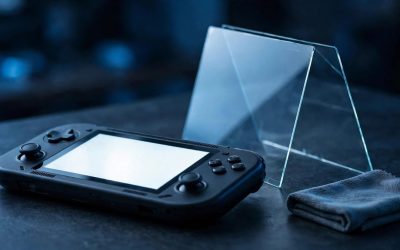
The Legion Go carries an 8.8-inch touch display that travels in bags, rests on tables, and gets handled for hours at a time, so it meets keys, zippers, dust, and fingernails far more often than a television ever does. A good glass sheet absorbs scratches and light impacts that would otherwise mark the display itself.
As an Amazon Associate, we earn from qualifying purchases.
Table of Contents
- How to Choose a Lenovo Legion Go Screen Protector
- The 5 Best Lenovo Legion Go Screen Protectors
- 1. Lenovo Screen Protector
- 2. JSAUX Anti-Glare Screen Protector, 2-Pack
- 3. amFilm Tempered Glass Screen Protector, 2-Pack
- 4. ivoler Screen Protector with Alignment Frame, 2-Pack
- 5. Puccy Anti Blue Light Screen Protector, 2-Pack
- Lenovo Legion Go Screen Protectors Compared
- How to Install a Lenovo Legion Go Screen Protector
- Frequently Asked Questions
- Conclusion
How to Choose a Lenovo Legion Go Screen Protector
Start with the model name, because screen size alone does not settle compatibility. The original Legion Go and the Legion Go Gen 2 both have 8.8-inch displays, yet makers sell glass for each one separately and state that it fits no other model. The Legion Go S has an 8-inch display and needs its own protector. Before ordering, check the listing for your exact model name.
Next, decide between clear glass, matte glass, and film. Clear tempered glass preserves the display most faithfully, with high transparency and a glossy surface close to the bare screen. Matte glass diffuses reflections, which helps in bright rooms and outdoors, but it can soften image sharpness slightly. A flexible film protector is thinner and lighter than glass and will not shatter, but it scratches more easily and offers less impact protection.
The 5 Best Lenovo Legion Go Screen Protectors
1. Lenovo Screen Protector
The official Lenovo Screen Protector is the best all-round choice for the original Legion Go. Made by the company behind the handheld and built from aluminosilicate glass, the material named in Lenovo’s own datasheet, it removes all guesswork about whether the cut matches the display.
The glass is 0.33 mm thick with a 9H hardness rating, so it adds scratch and impact protection without noticeable bulk, and the listing describes high transparency, so the display keeps its original color and brightness. The box includes the screen protector, two dust wipes, a dust removal sticker, and a dust removal cloth. This is a single-sheet pack, so there is no spare if the first attempt traps dust. Choose it if you own the original Legion Go and want the safest fit in this guide, and place it in the premium grouping for a first-party accessory.
Specs
| Specification | Detail |
|---|---|
| Brand | Lenovo |
| Material | Aluminosilicate glass |
| Hardness | 9H |
| Thickness | 0.33 mm |
| Finish | Clear, glossy |
| Pack size | 1 protector |
| Included tools | Dust wipes, dust sticker, cloth |
| Compatibility | Original Lenovo Legion Go |
| ASIN | B0CV8WMKS5 |
2. JSAUX Anti-Glare Screen Protector, 2-Pack
The JSAUX Anti-Glare protector is the best choice in this guide for original Legion Go owners who play near a window, under bright lighting, or outdoors. Glare can wash out dark scenes on a glossy display, and the matte finish on this glass diffuses reflected light so the image stays readable. The trade-off is plain: a matte surface may soften image sharpness slightly versus glossy clear glass, so it suits bright environments more than a dark room.
The listing describes 9H tempered glass with edge-to-edge coverage for the Lenovo Legion Go, and the sheet measures 20.5 by 12.6 centimetres, sized to the original handheld’s display area. The 2-pack gives you a spare sheet, so a flawed first attempt leaves a second try in the box. Thickness is not stated in the listing, so it is recorded as not stated here rather than assumed. Pick this protector if you own the original Legion Go and glare is your main problem, and place it in the mid-range grouping.
Specs
| Specification | Detail |
|---|---|
| Brand | JSAUX |
| Material | Tempered glass |
| Hardness | 9H |
| Thickness | Not stated |
| Finish | Matte anti-glare |
| Pack size | 2 protectors |
| Compatibility | Original Lenovo Legion Go |
| ASIN | B0CP2568W6 |
3. amFilm Tempered Glass Screen Protector, 2-Pack
The amFilm 2-Pack is the best clear-glass choice for the Legion Go Gen 2, the newer handheld also sold as the Legion Go 2. Its listing names the Gen 2 explicitly and describes full coverage for the 8.8-inch display, with transparent Ultra HD glass, anti-scratch protection, and an anti-fingerprint surface. The clear finish preserves the look of the Gen 2 display as closely as possible.
The pack includes an alignment tool in the box, which helps position the glass before it makes contact with the display, and the 2-pack format leaves a spare sheet for a second attempt or a later replacement. The listing does not state a hardness rating or a thickness figure, so both are recorded as not stated here. What the listing does confirm is the model fit: this glass is cut for the Legion Go Gen 2 and is not presented as fitting the original Legion Go or the Legion Go S. Choose amFilm if you own the Gen 2 and want clear glass with a spare sheet, and place it in the mid-range grouping.
Specs
| Specification | Detail |
|---|---|
| Brand | amFilm |
| Material | Tempered glass |
| Hardness | Not stated |
| Thickness | Not stated |
| Finish | Transparent Ultra HD clear |
| Pack size | 2 protectors |
| Installation aid | Alignment tool included |
| Compatibility | Lenovo Legion Go Gen 2 |
| ASIN |
4. ivoler Screen Protector with Alignment Frame, 2-Pack
The ivoler 2-Pack is the best choice in this guide for a first-time installer with a Legion Go Gen 2, because it pairs tempered glass with a full alignment frame. The frame fits over the handheld and holds the glass in position while the adhesive settles, which reduces the chance of a crooked install on a display as large as the Gen 2’s 8.8-inch screen.
The glass itself is described as transparent Ultra HD tempered glass with full coverage for the 8.8-inch display, plus anti-scratch and anti-fingerprint properties. The listing does not state a hardness rating or a thickness figure, so both are recorded as not stated here. The 2-pack format gives you a spare sheet, so a dusty first attempt does not leave the handheld unprotected. Compatibility is specific to the Legion Go Gen 2 handheld from 2025. Pick ivoler if you own the Gen 2 and want the easiest install in this guide, and place it in the budget grouping.
Specs
| Specification | Detail |
|---|---|
| Brand | ivoler |
| Material | Tempered glass |
| Hardness | Not stated |
| Thickness | Not stated |
| Finish | Transparent Ultra HD clear |
| Pack size | 2 protectors |
| Installation aid | Alignment frame included |
| Compatibility | Lenovo Legion Go Gen 2 |
| ASIN | B0FRFSGQWD |
5. Puccy Anti Blue Light Screen Protector, 2-Pack
The Puccy Anti Blue Light 2-Pack is the film option in this guide, and the right pick for Legion Go Gen 2 owners who want a lighter layer than glass. It is a TPU film guard rather than a tempered glass protector, which the listing states directly, so it will not shatter and it adds almost no thickness to the display. Film scratches more easily than glass and offers less impact protection, but it still guards the display against scuffs.
The listing’s special features are anti-blue light, touch sensitivity, anti-shatter construction, anti-fingerprint coating, a gloss finish, bubble-proof application, and scratch resistance. The box includes the screen protector, a microfiber cloth, and a dry wipe, and the 2-pack format leaves a spare film for a second attempt. Compatibility is specific to the Lenovo Legion Go Gen 2 with its 8.8-inch display, so it is not the listing for the original Legion Go. Choose Puccy if you own the Gen 2, prefer film to glass, and want the anti-blue light feature for long sessions, and place it in the budget grouping.
Specs
| Specification | Detail |
|---|---|
| Brand | Puccy |
| Material | TPU film |
| Hardness | Not stated |
| Finish | Gloss |
| Pack size | 2 protectors |
| Special features | Anti-blue light, touch sensitive, anti-shatter, anti-fingerprint |
| Included tools | Microfiber cloth, dry wipe |
| Compatibility | Lenovo Legion Go Gen 2 |
| ASIN | B0GGYNJ7S3 |
Lenovo Legion Go Screen Protectors Compared
| Product | Fits | Material | Finish | Pack | Installation aid | Best for |
|---|---|---|---|---|---|---|
| Lenovo Screen Protector | Original Legion Go | Aluminosilicate glass | Clear | 1 | Cleaning kit | Most original Go owners |
| JSAUX Anti-Glare | Original Legion Go | Tempered glass | Matte anti-glare | 2 | Not stated | Bright rooms and outdoors |
| amFilm | Legion Go Gen 2 | Tempered glass | Clear | 2 | Alignment tool | Gen 2 owners wanting clear glass |
| ivoler | Legion Go Gen 2 | Tempered glass | Clear | 2 | Alignment frame | First-time installers |
| Puccy Anti Blue Light | Legion Go Gen 2 | TPU film | Gloss | 2 | Cleaning kit | Film fans and long sessions |
How to Install a Lenovo Legion Go Screen Protector
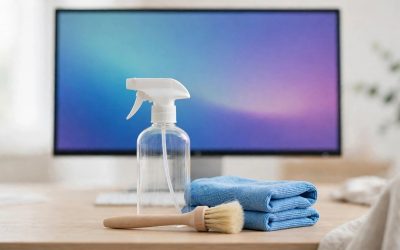
Good installation is mostly preparation. Power off the handheld or lock the screen, wash and dry your hands, and work in a room with still air, away from open windows and fans. Wipe the display with the included cleaning wipe, then with the microfiber cloth, and hold the screen up to a light to check for dust, because a single speck trapped under the glass becomes a visible bubble.
If your protector includes an alignment frame or guiding tool, fit it over the handheld first. Peel the backing from the glass or film, hold it by the edges, and lower it into the frame without touching the adhesive side. If there is no frame, line the protector up with the display edges by eye, starting from one edge and lowering it slowly.
Frequently Asked Questions
Do Lenovo Legion Go screen protectors fit the Legion Go Gen 2 and the Legion Go S?
No, not interchangeably. The original Legion Go and the Legion Go Gen 2 both have 8.8-inch displays, yet makers sell glass for each one separately and state that it fits no other model. The Legion Go S has an 8-inch display and needs its own protector. Check the listing for your exact model name before ordering.
Is tempered glass or a plastic film better for the Lenovo Legion Go?
Tempered glass is the better choice for most players. It is rated at 9H hardness where the listing states a rating, resists scratches from everyday objects, adds a layer of impact protection, and feels close to the bare display. Plastic film is thinner and lighter and will not shatter, but it scratches more easily and offers less impact protection. Four of the five protectors in this guide use glass, and the Puccy pick is the film alternative.
Will a screen protector affect touch sensitivity on the Lenovo Legion Go?
A well-made tempered glass protector at around 0.33 mm thick should not noticeably affect touch sensitivity, and the listings in this guide state that touch response is maintained. The Puccy film is listed as touch sensitive as well. Touch problems usually come from a protector that is too thick, poorly aligned, or lifting at an edge, so a clean install matters as much as the material itself.
A well-made tempered glass protector at around 0.33 mm thick should not noticeably affect touch sensitivity, and the listings in this guide state that touch response is maintained. The Puccy film is listed as touch sensitive as well. Touch problems usually come from a protector that is too thick, poorly aligned, or lifting at an edge, so a clean install matters as much as the material itself.
Should I choose a clear or an anti-glare screen protector?
Choose clear glass if you play mostly indoors and want the sharpest image with the most faithful colors. Choose matte anti-glare glass if you play near windows, under bright lights, or outdoors, because it diffuses reflections that would otherwise wash out the display. Anti-glare glass can soften sharpness slightly, and the JSAUX pick in this guide is the matte option for the original Legion Go.
Conclusion
The best Lenovo Legion Go screen protector for most players is the official Lenovo Screen Protector for the original Legion Go: first-party fit, 0.33 mm glass at 9H hardness, and a full cleaning kit in the box. Original Go owners who fight glare should pick the JSAUX Anti-Glare 2-Pack instead. Legion Go Gen 2 owners have three good options: the amFilm 2-Pack for clear glass with an alignment tool, the ivoler 2-Pack for the easiest install with its alignment frame, and the Puccy Anti Blue Light 2-Pack for a light film alternative. Check the listing for your exact model name before ordering, and fit the protector soon, before the display picks up its first scratch.
|—|—|
FAQ
Do Lenovo Legion Go screen protectors fit the Legion Go Gen 2 and the Legion Go S?
Is tempered glass or a plastic film better for the Lenovo Legion Go?
Will a screen protector affect touch sensitivity on the Lenovo Legion Go?
Should I choose a clear or an anti-glare screen protector?
More from Amazon
Programs that pair well with the guide above. Offers and eligibility are set by Amazon and may change.
Free shipping on eligible items, Prime Video and more. Eligible new members can start with a free trial.
Start a Prime free trialAd-free music streaming. Eligible new subscribers can start with a free trial.
Try Music Unlimited freeA Prime membership for ages 18-24 with a trial period. Eligibility is set by Amazon.
See Prime for Young AdultsAudiobooks and podcasts to listen to on the go. Eligible new members can start with a free trial.
Try Audible freeAs an Amazon Associate we earn from qualifying purchases.