Our Top Picks
 HP EliteDesk 800 G2 Desktop Mini Business PC16 GB DDR4 RAM, 240 GB SSD7.2 x 7.2 x 1.9 inchesCheck on Amazon
 ASUS V500 Business Tower Desktop Computer • 10-core32GB RAM | 1TB SSD24 x 12 x 6 Inches13.23 poundsCheck on Amazon
A business desktop under 500 dollars is a different purchase from a home desktop under 500 dollars. The machine has to open the same spreadsheet at nine in the morning that it opened at five the evening before, survive a dozen browser tabs, a video call and an accounting package, and then do it again for years without drama. That cap forces a real decision: do you accept an older, renewed office mini with a proven business pedigree, or do you take a newer tower with fresher silicon and a more generic badge? The seven listings below sit on both sides of that line, and the right side depends on what your office actually does all day.
This guide is written for small-business owners, bookkeepers, front-desk setups, remote contractors and anyone equipping a spare desk. Because the cap is tight, the details that matter are the ones a listing title can actually confirm: processor generation, memory capacity, whether the drive is solid state, what video outputs exist, and whether a monitor or Windows 11 Pro is part of the deal. Everything here is based on the listed specs, so confirm the current configuration against your own budget cap before you commit. Where a title is silent on something, such as an exact processor or a Windows edition, this guide says so rather than guessing, and you should ask the seller the same question before ordering.
Quick Picks

Acer Aspire Business Desktop | 16GB DDR5 RAM, 1TB Storage(512GB SSD & 500GB HDD) | Intel 4-core i3 (Beat i5-12400T) | WiFi6+Bluetooth5.1 | Keyboard+Mouse | Windows 11 Pro
One of the consumer electronics options compared in this guide.
View on AmazonHP EliteDesk 800 G2 Desktop Mini Business PC, Intel Quad-Core i5-6500T up to 3.1G, 16GB DDR4, 240GB SSD, VGA, DP, Win 11 Pro 64 bit (Renewed)
One of the consumer electronics options compared in this guide.
View on Amazon
HP Business Tower Desktop PC, Intel i5 Processor, 32GB RAM, 1TB SSD | Windows 11, Copilot AI, WiFi Adapter, Keyboard & Mouse Included, Smooth Multitasking, Office Productivity & Data Processing
One of the consumer electronics options compared in this guide.
View on Amazon
HP ProDesk 600 G3 Desktop Mini Business PC with 21.5" FHD Monitor, Intel Quad Core i5-6500T, 16GB DDR4 RAM, 256GB SSD, DisplayPort, WiFi, BT, Windows 11 Pro(Renewed)
One of the consumer electronics options compared in this guide.
View on AmazonASUS V500 Business Tower Desktop Computer • 10-core Intel Core i7-13620H • 16GB DDR5 • 512GB SSD • Office 365 for The Web • HDMI + DisplayPort, Wi-Fi 6 • Windows 11
One of the consumer electronics options compared in this guide.
View on Amazon
HP Business Mini Desktop PC, Intel Core i5, 8GB DDR4 RAM, 256GB PCIe SSD | WiFi, Bluetooth, Dual DisplayPort, Windows 11 Pro, 1L Compact Computer
One of the consumer electronics options compared in this guide.
View on Amazon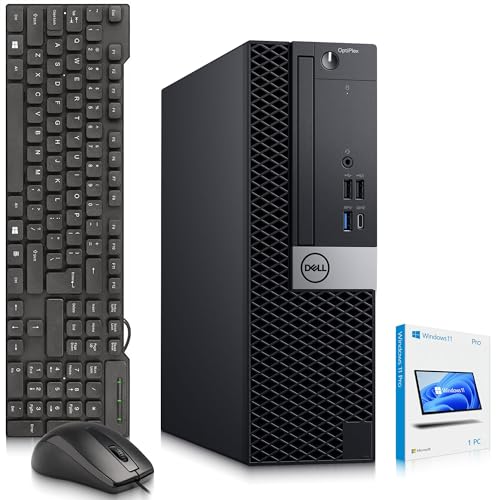
Dell OptiPLex 5060 SFF Desktop Computer PC — Intel Core i5-8500 8th Gen — 16GB DDR4 RAM — 128GB SSD — 500GB HDD — Keyboard & Mouse — Wi-Fi — Business Desktop Computer — Window 11 Pro (Renewed)
One of the consumer electronics options compared in this guide.
View on Amazon| Product | Best for | Key spec taken from the title |
|---|---|---|
| HP EliteDesk 800 G2 Mini | Tight desks, steady office tasks | Quad-core i5-6500T, 16GB DDR4, 240GB SSD, Windows 11 Pro, renewed |
| HP Business Tower i5 | Heavy multitasking on a budget cap | Intel i5, 32GB RAM, 1TB SSD, Windows 11 |
| HP ProDesk 600 G3 Mini with monitor | Buyers who need a screen included | Quad-core i5-6500T, 16GB DDR4, 256GB SSD, 21.5-inch FHD monitor |
| ASUS V500 Business Tower | Newest processor in the group | 10-core Core i7-13620H, 16GB DDR5, 512GB SSD |
| HP Business Mini | Smallest footprint, dual displays | Core i5, 8GB DDR4, 256GB PCIe SSD, dual DisplayPort, 1L case |
| Dell OptiPlex 5060 SFF | Lots of local file storage | Core i5-8500, 16GB DDR4, 128GB SSD plus 500GB HDD |
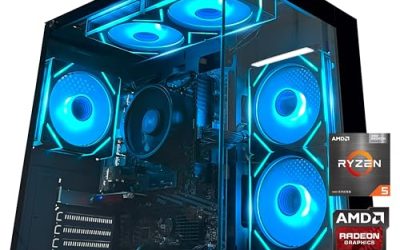
| HP OmniDesk Business Tower | Modern AMD platform with DDR5 | Ryzen 5 8500G, 16GB DDR5, 512GB SSD plus 512GB external |
The 7 Best Options
Two listings from the original shortlist were left out: one Acer tower whose title leans on a processor comparison that cannot be verified from the listing, and a second HP ProDesk tower variant that pairs the same memory class as another pick with a hard drive only. The seven below cover mini, small form factor and tower layouts.
HP EliteDesk 800 G2 Mini
The EliteDesk line is the one that facilities managers keep buying, and this renewed mini shows why. The title lists a quad-core Intel Core i5-6500T that boosts up to 3.1GHz, 16GB of DDR4, a 240GB SSD, VGA and DisplayPort outputs, and Windows 11 Pro 64-bit. That combination is enough for email, web apps, document work and a point-of-sale front end, which is the daily diet of most small offices. Because it is a renewed unit, it also leaves more of the cap free for a monitor or a warranty.
- 16GB of memory is a comfortable amount for an office machine, with room for a browser, a mail client and a line-of-business app at once.
- Windows 11 Pro is named in the title, which matters for domain joins, BitLocker and remote desktop.
- The mini chassis uses little desk space, and DisplayPort plus VGA covers both newer and older screens.
- The processor is an older generation, so heavy spreadsheets or large photo libraries will feel slower than on the newer picks.
- Renewed means the condition grade and return window matter more than usual; read both before ordering.
Think of it as the dependable default: nothing about it is exciting, and that is exactly what a shared office wants from a machine that nobody should have to think about. Skip it if you plan to edit video or run several virtual machines. Compared with the next pick, it trades raw memory and storage for a smaller body and a more proven business design.
HP Business Tower i5
This tower makes its case with numbers a spreadsheet user can appreciate: an Intel i5 processor, 32GB of RAM and a 1TB SSD, with Windows 11, a WiFi adapter, and a keyboard and mouse included. The title does not give a processor model, so judge it on the memory and storage, which are the generous part. For a bookkeeper with enormous workbooks, a paralegal with hundreds of open documents or a designer-adjacent office that keeps many apps resident, 32GB is the headline feature.
- 32GB of RAM leaves a lot of headroom for multitasking and for software updates running behind the scenes.
- A 1TB SSD holds a full year of client files without reaching for an external drive.
- Keyboard, mouse and a WiFi adapter are listed, so the box is usable on day one.
- The title names no exact processor, so you cannot compare it directly against the other quad-core and 10-core options.
- A tower takes more floor or desk space than the minis and small form factor models.
If your accounting or practice-management software lists minimum processor requirements, ask the seller for the exact chip in writing, because a family name alone cannot settle that question. Skip it if the desk is cramped or you need a confirmed processor model for software compatibility. Against the ProDesk mini that follows, it offers more memory and storage but no included screen.
HP ProDesk 600 G3 Mini with Monitor
Here the monitor is part of the deal. The title lists a ProDesk 600 G3 desktop mini with a 21.5-inch FHD monitor, a quad-core Intel Core i5-6500T, 16GB DDR4, a 256GB SSD, DisplayPort, WiFi and Bluetooth. For someone fitting out a new workstation from scratch, a bundle removes one purchase and one compatibility question. A full HD panel of this size is plenty for documents, spreadsheets and a pair of windows side by side.
- A complete screen-and-computer package suits a new employee or a home office with nothing yet on the desk.
- WiFi and Bluetooth are listed, so a wireless keyboard and headset connect without extra dongles.
- 256GB of SSD storage is a step up from the smallest drives in this group.
- The i5-6500T is an older quad-core chip, so it is a light-duty processor by current standards.
- The title is cut off before the Windows edition, so confirm which version ships before buying.
The bundle also suits a school office, a clinic reception or a family bookkeeping corner, where one person sets up a workstation and nobody wants to troubleshoot cables. Skip it if you already own good monitors, since the bundled screen then adds little. Compared with the EliteDesk mini, it shares the processor and memory class but adds the display and a slightly larger drive.
ASUS V500 Business Tower
The ASUS V500 is the outlier in this group because of its silicon. The title lists a 10-core Intel Core i7-13620H, 16GB of DDR5, a 512GB SSD, Office 365 for the web, HDMI plus DisplayPort, and Wi-Fi. A 10-core processor is a big step up from the quad-core chips elsewhere on this page, and DDR5 means the memory platform is current rather than legacy. This is the pick for an office that expects to keep the computer for a long time or runs heavier software such as accounting suites alongside many browser tabs.
- A 10-core processor gives far more headroom for multitasking and background tasks than the quad-core options.
- DDR5 memory and a 512GB SSD put it on a more modern platform.
- HDMI and DisplayPort outputs make dual-monitor setups straightforward.
- The Office listing refers to the web version, so desktop Office apps are not implied.
- Memory is 16GB; heavy users may want to check whether it can be expanded.
Buyers who run a line-of-business suite, a browser full of web tools and a conferencing app together are the people this chip is meant for, and they are also the people most likely to notice the difference over a three- to five-year lifespan. Skip it if your tasks are light and a smaller machine will do. Against the HP Business Mini, it offers much more processing power in exchange for a bigger case.
HP Business Mini
If desk space is the constraint, this is the pick. The title describes a 1L compact computer with an Intel Core i5, 8GB of DDR4, a 256GB PCIe SSD, WiFi, Bluetooth, dual DisplayPort outputs and Windows 11 Pro. A one-liter chassis tucks behind a monitor or under a stand, which suits reception desks, shared workstations and point-of-sale counters. The dual DisplayPort outputs also make it a natural fit for a two-screen setup without a separate graphics card.
- The 1L form factor is the smallest in the group and mounts out of the way.
- Dual DisplayPort supports two monitors for reference-and-work layouts.
- A PCIe SSD and Windows 11 Pro are both named in the title.
- 8GB of RAM is the lowest capacity here and can feel tight with many browser tabs.
- The title gives no processor generation, so performance is harder to judge than on the named-model picks.
It is also the kind of machine that disappears into a kiosk, a hospitality counter or a back-office shelf, where nobody sees it and everybody relies on it. Skip it if you multitask heavily or keep dozens of tabs open. Compared with the EliteDesk mini, it is similar in size but gives up memory in exchange for a PCIe drive and a second display output.
Dell OptiPlex 5060 SFF
The OptiPlex 5060 small form factor is a classic corporate fleet machine. The title lists an 8th Gen Intel Core i5-8500, 16GB of DDR4, a 128GB SSD plus a 500GB hard drive, keyboard and mouse, Wi-Fi, and a business-oriented software setup. The two-drive layout is its distinguishing feature: the SSD handles the operating system and applications, while the hard drive holds archives, scanned documents and older project files. That split is a sensible way to get both fast boot times and bulk storage under a tight cap.
- An 8th Gen i5-8500 is a newer generation than the 6500T chips used in the HP minis.
- The SSD-plus-HDD pairing gives quick boot times and 500GB of bulk space.
- Keyboard, mouse and Wi-Fi are listed, so the setup is nearly complete.
- The 128GB SSD is small, so installed applications can crowd the system drive.
- A small form factor case is larger than a mini and allows less tidy placement.
For a records-heavy desk, such as insurance, property management or a small clinic, that second drive is quietly the most useful part of the listing. Skip it if you want a single large SSD and no spinning drive. Compared with the HP Business Tower, it has a newer named processor but far less memory and flash storage.
HP OmniDesk Business Tower
The OmniDesk is the AMD option and the only one with a modern integrated-graphics chip named in its title. It lists a Ryzen 5 8500G that boosts up to 5GHz, 16GB of DDR5, 1TB of storage described as a 512GB SSD plus a 512GB external drive, WiFi 6, Bluetooth 5.4 and Radeon 740M-class graphics. The platform is current, so it has the longest useful runway of the picks here, and the integrated graphics handle multi-monitor office work and light creative tasks without a separate card.
- The Ryzen 5 8500G on DDR5 is the newest platform on the page.
- WiFi 6 and Bluetooth 5.4 cover modern wireless peripherals and networks.
- Integrated Radeon graphics means no extra card is needed for displays.
- The storage is split between an internal SSD and an external drive, which is less tidy than a single internal 1TB drive.
- The title is truncated near the end, so confirm the operating system edition before buying.
A buyer who expects to keep the machine into the next hardware cycle should weigh that platform age heavily, since memory and processor generations tend to age out together. Skip it if you want Windows 11 Pro confirmed in the title or need an all-internal storage layout. It sits at the top of the list for platform age, with the ASUS V500 as its closest rival.
Who Needs a Business Desktop at This Level
A business desktop at this cap is not a bargain gaming rig and it is not a throwaway. It is a tool bought to reduce friction in daily work, and some buyers benefit far more than others.
Small offices outfitting several desks
When you are buying three or five identical computers, the minis and small form factor models win on space and on uniformity. Matching the same model makes support easier, because one set of drivers and one set of spare parts covers everything. The renewed HP minis fit this pattern especially well.
Solo owners and freelancers
If one computer carries invoicing, mail, video calls and a handful of creative apps, memory and a fast drive matter more than a badge. A bigger memory pool, such as the 32GB tower, or a newer processor, such as the 10-core ASUS, keeps one machine useful longer.
Reception, retail and shared stations
Counters and front desks need tiny cases, reliable boot behavior and dual outputs. Here the one-liter HP mini and the OptiPlex small form factor shine, since they hide behind a display and take little power from a shared circuit. These stations also tend to be touched by several people a day, so a plain, familiar Windows 11 Pro setup beats anything exotic, and a spare unit on a shelf is cheap insurance against a dead counter.
How to Choose a Business Desktop
Processor generation and core count
For office work, four modern cores are the floor and six to eight are comfortable. The older i5-6500T and 6500 chips are quad-core and fine for light tasks, while the 8th Gen i5-8500, the Ryzen 5 8500G and the 10-core i7-13620H move progressively up. If a listing says only Intel i5 with no model number, treat it as unknown and ask the seller for the exact chip before buying. Also remember that the “T” suffix on the i5-6500T marks a lower-power part, which keeps small cases cooler and quieter at the cost of some peak speed.
Memory capacity and type
Aim for 16GB as the working minimum for 2026 office use, and 32GB if you keep large spreadsheets, a long list of browser tabs or virtual machines open. 8GB works for a single-purpose counter machine but runs out fast under real multitasking. DDR5 platforms are newer than DDR4, but capacity matters more to daily use than the memory generation. Ignore claims of “up to” memory speeds unless the title also names the standard, and remember that two modules working together generally behave better than one.
Storage type and size
An SSD is non-negotiable for the system drive; a hard drive as the only drive makes a business machine feel slow. For the operating system and applications, 256GB is workable and 512GB is comfortable. A mixed SSD-plus-HDD layout is fine when the hard drive holds archives rather than active software. Ignore the combined total in a title if part of it is an external drive, because that capacity can be unplugged and forgotten.
Ports and display outputs
Count your monitors first. DisplayPort and HDMI are the modern connectors; VGA is a legacy output that suits older screens. If you plan two displays, confirm the machine lists two digital outputs, as the dual-DisplayPort mini and the HDMI plus DisplayPort ASUS do. Also check for enough USB ports for a keyboard, mouse, scanner and a card reader. Wired Ethernet is another quiet advantage for a shared office, since it avoids the dropped calls that crowded wireless networks cause; the titles here mention WiFi, so confirm the Ethernet port if you want it.
Operating system and manageability
Windows 11 Pro supports BitLocker, domain join and remote desktop, which small offices often need later. Windows Home lacks several of these. If the title only says Windows 11, check which edition ships. Also confirm any Office offering: a web-only version is not the same as desktop applications. Copilot branding in a title is a software feature, not a hardware spec, so do not weigh it against processor and memory.
Condition, warranty and where budget models cut corners
Renewed units are a legitimate way to reach business-class hardware under a cap, but they vary by seller. Look for a stated return window and warranty length. Budget models trim corners in three places: tiny system SSDs, single-channel memory, and a lack of a second display output. Ignore marketing phrases such as comparisons to other processors, and look at the actual model number, capacity and ports instead.
Mini PC vs Tower: The Choice Every Buyer Faces
The seven picks fall into three body styles, and the choice of body style often decides the purchase before any spec comparison begins.
| Factor | Mini (1L to compact) | Small form factor | Tower |
|---|---|---|---|
| Desk or shelf space | Smallest, can mount behind a monitor | Moderate | Largest |
| Internal storage expansion | Limited | Usually room for a second drive | Most room |
| Typical processor in this group | Older quad-core or unnamed i5 | 8th Gen i5 | Newest chips, up to 10 cores |
| Memory in this group | 8GB to 16GB | 16GB | 16GB to 32GB |
| Best for | Shared desks, counters, tidy setups | Mixed storage needs | Heavy multitasking, longer lifespan |
When a mini wins
Choose a mini when space, noise and power draw are the main concerns, or when you are placing many identical units across a floor and want them to look and behave the same. Reception counters, kitchens converted into offices and hot-desking benches all favor a computer that hides behind a screen. The trade-off is that these cases leave little room for upgrades, so buy the memory and drive size you will need at purchase time. The mini also tends to run quieter, which matters in an open-plan room or a consulting room where a fan whine is noticed.
When a tower wins
Choose a tower when the machine must last or work harder. The towers here carry the newest processors and the most memory, and larger cases generally leave room for a second drive. If you run accounting software with large datasets or spend the day inside many applications at once, the extra size is worth it. Towers are also easier to service: swapping a drive or adding memory rarely requires special tools, and a larger case keeps components cooler during long working days.
Setup, Compatibility and Upgrade Tips
What to check before buying
Confirm the exact processor model, the operating system edition and the number of display outputs. Check that your monitors use a connector the machine offers; an older VGA screen needs the VGA port, while newer screens want DisplayPort or HDMI. If you rely on specific software, verify that it supports Windows 11, since several of these machines ship with it. For renewed units, read the seller condition grade and warranty length.
What to upgrade first
Memory is usually the most useful upgrade, and drive space comes next. A machine with 8GB gains the most from a move to 16GB, while a small system SSD can be paired with an additional drive where the case allows. Mini cases may limit these upgrades, so leave expansion for the tower and small form factor options. Do not rush into a processor swap, since older platforms limit which chips fit. Before any upgrade, back up your data and note your Windows license type, so a drive replacement does not become a lost afternoon.
Common compatibility traps
Memory is not interchangeable across generations: DDR4 modules do not fit DDR5 slots, and small form factor and mini machines often use laptop-size modules. Watch for external drives sold as part of a storage total, since an external drive is not the same as an internal one. Finally, confirm the wireless adapter if you depend on a particular WiFi standard, because the picks list different versions.
Which One Fits Your Situation
You are equipping a new hire with nothing on the desk
The HP ProDesk 600 G3 Mini with its included 21.5-inch monitor is the cleanest option, since the display, wireless and a 256GB SSD arrive together.
You run a heavy spreadsheet or document workload
The HP Business Tower with 32GB of RAM and a 1TB SSD is the pick, because memory is the bottleneck in large workbooks and long document queues.
You want the machine to last the longest
The ASUS V500 Business Tower, with its 10-core Core i7-13620H and DDR5 memory, or the HP OmniDesk with its Ryzen 5 8500G, offers the freshest platforms in the group.
You have almost no desk space
The HP Business Mini, a 1L computer with dual DisplayPort outputs, slides behind a screen and still drives two displays.
Common Mistakes
- Buying on processor marketing language rather than a named model, which hides the real generation.
- Settling for 8GB of memory on a machine that will carry many browser tabs.
- Counting an external drive as internal storage when adding up capacity.
- Ignoring the operating system edition, then finding BitLocker or domain join unavailable.
- Skipping the return window and warranty on a renewed unit.
- Forgetting to match the display connectors on the computer to the monitors on the desk.
Related guides
- How Much Does It Cost To Run A Gaming Pc Per Month
- Motherboard Fan Headers And Rgb Headers Explained
- Keyboard And Mouse Combos For Budget Builds
Frequently Asked Questions
Is a renewed business desktop a good idea under 500 dollars?
It can be, because business-class hardware is built for long service. The risk is variation between sellers, so look for a stated condition grade, a return window and a warranty before ordering.
How much RAM does a business desktop need?
Sixteen gigabytes is a comfortable working minimum for office use. Choose 32GB if you keep very large files or many applications open, and treat 8GB as suitable only for single-purpose stations.
Do I need Windows 11 Pro instead of Home?
Pro adds BitLocker disk encryption, domain join and remote desktop hosting. If you handle client records or plan to manage several machines, those features are worth having.
Can these desktops run two monitors?
Many can. The HP Business Mini lists dual DisplayPort and the ASUS V500 lists HDMI plus DisplayPort, but you should confirm output counts for any model before buying a second screen.
Is an older quad-core processor still usable?
For email, web apps and document editing it is still workable. It will feel slow under heavy spreadsheets, large photo libraries or many simultaneous applications, where a newer chip is a better fit.
Mini or tower for a small office?
Choose a mini when space and uniformity matter and the work is light. Choose a tower when you need the most memory, the newest processor or room for a second drive.
Final Words
The best business desktop under 500 dollars is the one that matches how your office really works, not the one with the longest spec line. Light, space-bound desks suit the HP minis, big files suit the 32GB tower, and long-term value points to the ASUS V500 or the Ryzen-based OmniDesk. Read the processor model, memory, drive type, display outputs and operating system edition in each listing, and confirm the condition on any renewed unit. A careful look at those basics will serve you far better than a flashy headline.