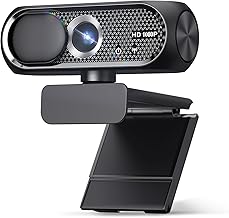
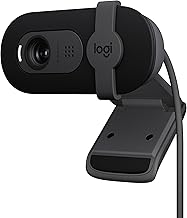
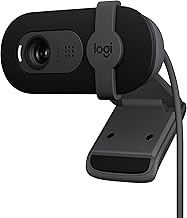
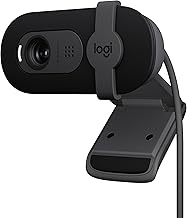
Making eye contact on video calls is surprisingly hard, because your camera sits above the screen while your gaze naturally drifts to the faces you are talking to. The result is that you always appear to be looking away. Eye-contact webcams solve this either with clever software correction or, more effectively, by physically positioning the lens in the center of your screen so you look directly at your audience.
For remote workers, streamers, and anyone who lives on Zoom and Teams, genuine eye contact makes a real difference to how engaged and confident you appear. Below we explain what to look for, review the best options, and answer the questions that come up most when shopping for one.
Our top picks
 iContact Camera Pro 4K HD Webcam with
- Eye Contact webcam for Better Communication: Boost engagement,…
- Compact 4K Ultra HD Sensor: WIth resolution far…
- Dual Noise-Cancelling Microphones: The two built-in microphones deliver…

As an Amazon Associate we earn from qualifying purchases at no extra cost to you.
🎮 Get More From Your Setup — Free
Prime Gaming gives you free PC games every month, in-game loot, and a free Twitch channel sub — plus fast free shipping on all the gear above. New members get a 30-day free trial.
Watch: Best Eye Contact Webcam — Video Review
How to Choose an Eye-Contact Webcam
- Correction method: Center-screen cameras deliver true eye contact; software correction is a lighter-touch alternative.
- Resolution: 1080p is the baseline; 4K adds sharpness for professional presentation.
- Microphone quality: Look for noise-cancelling mics so you sound as good as you look.
- Autofocus: Reliable autofocus keeps you sharp as you move or lean in.
- Compatibility: Ensure plug-and-play support for Zoom, Teams, Meet, and your OS.
The Best Eye-Contact Webcams Reviewed
iContact Camera Pro 4K
The iContact Camera Pro is the premium pick, a 4K webcam with true eye contact, a noise-cancelling mic, and Zoom certification, bundled here with a light panel. It works seamlessly with Teams, Meet, and streaming platforms, and its plug-and-play USB design suits both Mac and PC. For polished, professional calls where eye contact matters most, it is the standout.
JOYUSING FlexCam10 4K
The JOYUSING FlexCam10 is a versatile 4K eye-contact webcam with four modes in one, PDAF autofocus, dual noise-cancelling mics, and a 79-degree field of view. Its flexibility makes it great for conferencing, streaming, and document capture, and the sharp 4K sensor keeps you crisp on Zoom, Teams, and Google Meet alike.
4K Center Screen Webcam
This 4K center-screen webcam takes the physical approach, positioning the lens in the middle of your display so your gaze lands directly on the camera. With a noise-reducing mic and a USB Type-C and A adapter, it delivers genuine eye contact for meetings without relying on software trickery.
1080p Center Screen Webcam
The 1080p center-screen model offers the same true eye-contact positioning at a friendlier price, with autofocus and a noise-reducing mic. Its plug-and-play design works across Zoom, Teams, Mac, and PC, making it an accessible way to fix your on-camera gaze for remote work.
ProMini Web Camera
The ProMini is the compact, budget-friendly option, designed for meetings on laptops and small screens. It is the pick for those who want a simple, portable webcam upgrade over a built-in laptop camera without the bulk or cost of a premium 4K center-screen system.
Frequently Asked Questions
How do eye-contact webcams actually work?
Two ways. Center-screen cameras place the lens in the middle of your display so you look right at it, giving true eye contact. Others use software to subtly adjust your gaze. The physical approach is generally more convincing.
Do I need 4K, or is 1080p enough?
1080p is perfectly clear for most meetings. Step up to 4K, as with the iContact Pro or JOYUSING FlexCam10, if you want maximum sharpness for professional presentation or streaming.
Will a center-screen camera block my view?
It sits in front of part of your screen, so it covers a small area. Most users find the trade-off worthwhile for genuine eye contact, and you can position it over less critical screen space.
Are these compatible with Zoom and Teams?
Yes. The models here are plug-and-play and work with Zoom, Teams, Google Meet, and similar platforms on both Windows and Mac, with no special software required.
Final Thoughts
For genuine eye contact on video calls, the iContact Camera Pro 4K is the top premium pick, while the JOYUSING FlexCam10 offers 4K versatility for conferencing and streaming. Budget-minded buyers who want true center-screen eye contact should choose the 1080p center-screen webcam. Whichever you pick, appearing to look your audience in the eye makes every call more engaging and professional.