Our Top Picks
The best Linux operating system for gaming depends on how much setup you want: Bazzite suits players who want a console-like, ready-made gaming install, Nobara suits those who want a Fedora-based system tuned for gaming and streaming, CachyOS suits tinkerers who want an Arch-based system with performance-focused kernels and packages, Pop!_OS and Linux Mint suit newcomers who value a friendly desktop, and SteamOS-style setups suit living-room and handheld play.
At a Glance
| Distribution | Base (maker-listed) | Best for | Key stated gaming features | Limits |
|---|---|---|---|---|
| Bazzite | Fedora Atomic via Universal Blue | Ready-to-play desktops, handhelds and home theater PCs | Steam with HDR and VRR, Lutris, Nvidia drivers included, Steam Gaming Mode, rollback of up to 90 days | Image-based system works differently from classic package installs; Nvidia builds described as beta in places |
| Nobara | Fedora with RPMFusion and its own repos | Gaming, streaming and content creation with little setup | Steam and Proton-GE ready, tuned NVIDIA and AMD drivers, preconfigured WINE and OBS | Hobby project independent from Fedora |
| CachyOS | Arch Linux | Enthusiasts who want speed tuning | Packages built for x86-64-v3, v4 and Zen4, custom kernel with BORE, EEVDF and sched-ext options, 17 or more desktop options | Rolling release; needs comfort with Arch tools |
| Pop!_OS | Ubuntu-compatible, built by System76 | Newcomers who want driver convenience | Steam access, auto-tiling, full-disk encryption | Feature details vary by release |
| Linux Mint | Debian and Ubuntu | Windows switchers who want stability | Gaming support via Steam and launchers; current release listed as 22.3 | Not a gaming-specific distro |
What Matters for Gaming on Linux
Graphics drivers
AMD and Intel GPUs use open-source Mesa drivers that ship with most distributions, so they tend to be the least troublesome. NVIDIA owners should look for distros that include proprietary drivers out of the box. Bazzite lists built-in Nvidia drivers plus the latest Mesa for AMD and Intel, and Nobara says its NVIDIA and AMD drivers are tuned for gaming.

20,000 + Games Handheld Game Console 4 Inch IPS Linux Gaming Console | 64GB Card Rechargeable Portable Video Game Console for Adults Travel Games Gift
Picked as a relevant option in this category.
View on Amazon
R36MAX 2 Retro Handheld Console, 4.5" IPS HD Portable Gaming Emulator, Detachable Grip, 20000+ Classic Arcade Games, Open Source Linux & 4000mAh Battery (Black-128G)
Chosen because it specifies 4.5" IPS HD Portable Gaming Emulator and Detachable Grip.
View on Amazon
R40MAX Retro Gaming Console,4.0" IPS HD Linux Gaming System,Hand Held Video Game with RK3326 Quad-Core Processor,4000mAh Battery,Handheld Games for Adults-Red 64GB
Chosen because it specifies 4.0" IPS HD Linux Gaming System and Hand Held Video Game with RK3326 Quad-Core Processor.
View on Amazon
R40PRO Retro Handheld Game Console, 4.0 Inch Portable Open Source Linux Gaming System, 720x720 IPS HD Display, RK3326 64-Bit Quad-Core Processor, 4000mAh Power Pocket Video Game, Blue 64GB
Chosen because it specifies 4.0 Inch Portable Open Source Linux Gaming System and 720x720 IPS HD Display.
View on Amazon20,000 + Games Handheld Game Console 4 Inch IPS Linux Gaming Console | 64GB Card Rechargeable Portable Video Game Console for Adults Travel Games Gift
Picked as a relevant option in this category.
View on AmazonR36MAX 2 Retro Handheld Console, 4.5" IPS HD Portable Gaming Emulator, Detachable Grip, 20000+ Classic Arcade Games, Open Source Linux & 4000mAh Battery (Black-128G)
Chosen because it specifies 4.5" IPS HD Portable Gaming Emulator and Detachable Grip.
View on AmazonR40MAX Retro Gaming Console,4.0" IPS HD Linux Gaming System,Hand Held Video Game with RK3326 Quad-Core Processor,4000mAh Battery,Handheld Games for Adults-Red 64GB
Chosen because it specifies 4.0" IPS HD Linux Gaming System and Hand Held Video Game with RK3326 Quad-Core Processor.
View on AmazonR40PRO Retro Handheld Game Console, 4.0 Inch Portable Open Source Linux Gaming System, 720x720 IPS HD Display, RK3326 64-Bit Quad-Core Processor, 4000mAh Power Pocket Video Game, Blue 64GB
Chosen because it specifies 4.0 Inch Portable Open Source Linux Gaming System and 720x720 IPS HD Display.
View on AmazonProton and Wine support
Steam’s Proton compatibility layer lets many Windows games run without extra setup. Nobara includes Proton-GE ready for use, and Bazzite bundles Steam and Lutris, which handles non-Steam launchers such as Epic, GOG and others the maker lists. Compatibility varies by game, and titles with kernel-level anti-cheat may not run at all.
Update model
Rolling releases such as CachyOS bring new kernels and drivers fast but need regular maintenance. Atomic or image-based distros like Bazzite swap whole system images and allow rollbacks, which reduces the risk of a bad update. Traditional point releases such as Linux Mint change less often, which favors stability.
Controller and handheld support
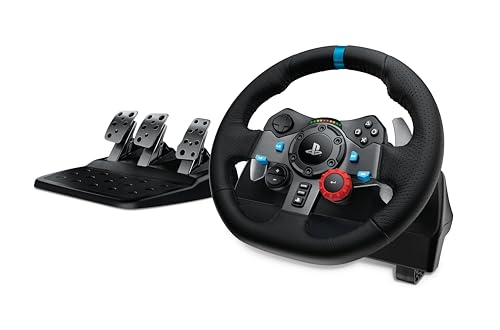
Bazzite lists support for Xbox, PlayStation, Nintendo and steering wheel controllers and has a handheld edition. Nobara has Steam-HTPC and Steam-Handheld editions for controller navigation and smaller screens. Controllers like the 8BitDo Ultimate 2 Wireless list SteamOS 3.7.13 or newer as compatible.
Hardware age and desktop environment
KDE Plasma and GNOME are the main choices. Bazzite offers both. CachyOS supports 17 or more desktops and window managers including KDE Plasma, GNOME, COSMIC and Hyprland. Choose what feels familiar.
Detailed Picks
Bazzite: closest to a console experience
The maker describes a gaming-focused OS for desktops, laptops, handhelds, tablets and home theater PCs, built on Fedora Atomic with Universal Blue. It pairs a SteamOS-like Gaming Mode, Decky Loader plugin support and Waydroid for Android apps with wide hardware compatibility. Image-based updates with up to 90 days of rollback and SELinux security are listed. It fits players who dislike tinkering.
Nobara: Fedora tuned for gaming and creators
Nobara is described as a Fedora-based desktop tuned for gaming, streaming and content creation, built on Fedora’s stable packages with RPMFusion and its own repositories. It includes multimedia codecs, WINE and OBS preconfigured. The maker stresses graphical options over long terminal commands. It is a solid pick for streamers who want OBS ready on day one.
CachyOS: performance-focused Arch
CachyOS describes itself as a fast OS based on Arch Linux. Packages are compiled for x86-64-v3, x86-64-v4 and Zen4 with LTO, and its custom kernel offers a tuned EEVDF scheduler with BORE, sched-ext, BMQ and RT variants. A graphical Calamares installer and a command-line installer are offered. The maker does not make specific gaming claims on its front page, so treat performance gains as workload-dependent. Best for users comfortable with Arch.
Pop!_OS: friendly and driver-focused
System76 describes Pop!_OS as productive and personal, with auto-tiling, full-disk encryption and no user data collection, and notes you can access a Steam library without fussing with drivers. It is built in-house by System76 and tools that work on Ubuntu work on it. A good choice for people who want a polished desktop first.
Linux Mint: stable and beginner-friendly
Mint’s developers emphasize an out-of-the-box experience and stability with minimal maintenance. The site lists gaming support through Steam and launchers. It is not tuned for gaming specifically, but it is a calm base for players moving from Windows who mostly use Steam.
Pick X If You Want Y
| Pick | If you want |
|---|---|
| Bazzite | A near-console gaming setup with easy rollback and handheld support |
| Nobara | Gaming plus streaming tools preconfigured on Fedora |
| CachyOS | A tuned Arch system and a choice of kernels and desktops |
| Pop!_OS | An easy desktop with convenient driver handling and tiling |
| Linux Mint | A stable Windows-like desktop with simple upkeep |
Hardware Notes
A recent AMD GPU is typically the smoothest on Linux because of open-source drivers, while NVIDIA GPUs work well on distros that ship current proprietary drivers. Check the distro’s hardware notes for very new GPUs and Wi-Fi chips, because a newer kernel may be needed. Keep a separate drive or partition for Linux so Windows stays untouched if you dual boot, and back up your data before changing partitions.
Budget Tiers
All the distributions here are free to download. The real cost is time: Bazzite and Nobara cost the least setup time, Pop!_OS and Mint sit in the middle for gaming-specific tuning, and CachyOS demands the most familiarity.
Alternatives
- SteamOS: the Steam Deck’s operating system; for desktop PCs, compatible SteamOS-style distros like Bazzite offer a similar interface.
- Ubuntu, Fedora Workstation or openSUSE: mainstream options with wide documentation if you want to build your own gaming setup.
- Staying on Windows for specific games: useful for titles with anti-cheat that blocks Linux.
Limits and Caveats
Linux gaming is strong but not universal. Some multiplayer titles rely on anti-cheat systems that block Linux or Proton, and a few launchers or peripherals’ companion software only run on Windows. Before switching, look up your most-played games on community compatibility databases and the Steam Deck verification status, which is a useful proxy for Proton support. Keep Windows available, on a second drive or a spare partition, for titles that will not run.
How to Try a Distro Safely
Most distributions publish a live image you can boot from a USB drive without changing the installed system. Write the image to a USB stick, boot it, and test your GPU output, Wi-Fi, audio and controller before installing. When you are ready, install to a separate SSD where possible so Windows remains bootable, and back up files first. For atomic distros such as Bazzite, rollbacks make later experiments less risky, while on rolling systems such as CachyOS it is wise to keep a snapshot or backup before big updates.
Desktop and Handheld Setups
If you play on a TV, Bazzite’s Steam Gaming Mode and Nobara’s Steam-HTPC edition focus on controller navigation. On a handheld, the Bazzite handheld edition and Nobara’s Steam-Handheld edition target smaller screens. For a regular desktop with a mouse and keyboard, KDE Plasma editions provide a familiar layout, and GNOME-based options suit those who like a simpler workflow.
Gaming Tools Worth Knowing
Steam handles most Proton games and includes Steam Input for controller mapping. Lutris organizes non-Steam launchers and Wine prefixes, and Bazzite lists it as pre-installed. Heroic Games Launcher covers Epic and GOG libraries on many systems. MangoHud displays frame rate and temperatures in an overlay, and GameMode applies performance tweaks while a game runs. Decky Loader, which Bazzite lists in Gaming Mode, adds community plugins for handheld use. Install only from the distro’s official sources or the tool’s own project pages.
Choosing Between Stability and Fresh Software
New GPUs often need recent kernels and Mesa versions, so a fast-moving distribution such as CachyOS or an atomic Fedora-based one such as Bazzite is useful for cutting-edge hardware. If you value fewer surprises, Linux Mint’s slower cycle is calmer. Pop!_OS sits between the two. Whatever you pick, keep system updates regular and read release notes for GPU driver changes.
Frequently Asked Questions
Can Linux run Windows games?
Many, through Steam’s Proton and Wine. Compatibility differs by title, and some online games with anti-cheat software do not run. Check each game’s status before switching.
Is Linux faster than Windows for gaming?
Results vary by game, GPU and driver. Some distributions advertise tuned kernels, but the gains depend on workload, so treat any distro’s performance claims cautiously.
Which Linux distro is best for beginners?
Linux Mint and Pop!_OS are common beginner picks for their friendly desktops, while Bazzite appeals to gamers who want a ready-to-play setup.
Do I need an AMD GPU?
No. NVIDIA works with proprietary drivers, which several gaming distros include. AMD and Intel use open-source Mesa drivers that are usually simple to maintain.
Can I dual boot with Windows?
Yes. Install Windows first, then Linux on a separate drive or partition, and back up important files before changing anything.
Does Linux support game controllers?
Yes. Bazzite lists support for Xbox, PlayStation, Nintendo and steering wheel controllers, and Steam Input handles many others.
FAQ
Can Linux run Windows games?
Is Linux faster than Windows for gaming?
Which Linux distro is best for beginners?
Do I need an AMD GPU?
Can I dual boot with Windows?
Does Linux support game controllers?
More from Amazon
Programs that pair well with the guide above. Offers and eligibility are set by Amazon and may change.
Free shipping on eligible items, Prime Video and more. Eligible new members can start with a free trial.
Start a Prime free trialAd-free music streaming. Eligible new subscribers can start with a free trial.
Try Music Unlimited freeA Prime membership for ages 18-24 with a trial period. Eligibility is set by Amazon.
See Prime for Young AdultsAudiobooks and podcasts to listen to on the go. Eligible new members can start with a free trial.
Try Audible freeAs an Amazon Associate we earn from qualifying purchases.