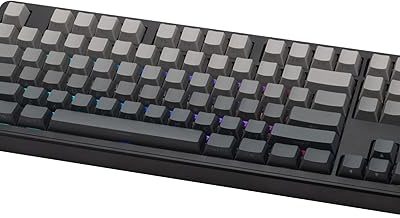
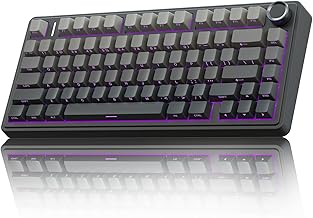
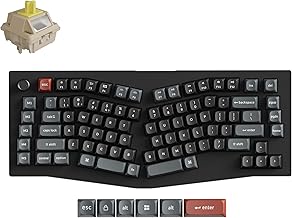
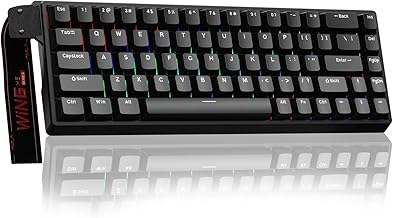
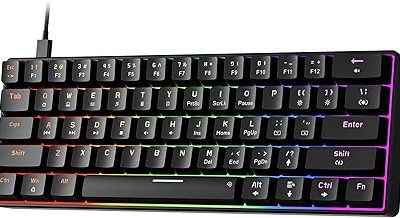
Our Top Picks
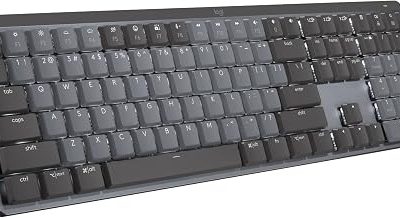
 Logitech Signature Slim K950 Wireless Keyboard with Quiet1 Count (Pack Of 1)1.5 poundsCheck on Amazon
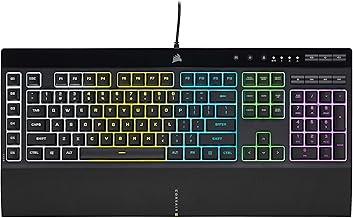
 Corsair K55 CORE RGB Membrane Wired Gaming Keyboard17.77"L x 5.57"W x 1.38"H1.7 poundsCheck on Amazon
The best quiet keyboards are the ones that remove the hard plastic-on-plastic slap of a keystroke, either with silent mechanical switches that carry built-in dampeners or with low-profile and membrane designs that never produce a loud bottom-out. This guide ranks seven options for late-night gaming, shared rooms, streaming and office use, then explains what actually makes a board quiet.
Quick answer: pick a silent-switch mechanical board if you want a real mechanical feel with less noise, a quiet membrane board if the lowest sound and budget matter most, and a low-profile wireless board if you type all day and want near-silent keys.
Quiet Keyboards at a Glance
Every pick below is listed with its switch type as the maker describes it, so you can compare sound character quickly. The quietest keyboards in this list are not always the most satisfying to type on, which is why the table also shows the feel.
| Keyboard | Type | Connection | Best for |
|---|---|---|---|
| SOLAKAKA KI99 Pro | Silent mechanical, hot-swappable | Wireless | Quiet mechanical feel with RGB |
| Cherry KC 200 MX | Silent Red mechanical | Wired | Office desk, clean look |
| ProtoArc K310 Pro | Linear and quiet, low profile | Bluetooth and 2.4G | Multi-device typing |
| AULA F99 Pro Silent | Silent linear, gasket structure | Tri-mode wireless | Soft, muted typing sound |
| Logitech Signature Slim K950 | Low-profile, quiet typing | Wireless, 3 devices | All-day work and gaming lobby chat |
| Corsair K55 CORE | Quiet membrane | Wired | Budget gaming with low noise |
| SteelSeries Apex 3 | Whisper Quiet switch | Wired | Gaming with a wrist rest |
How We Chose These Keyboards
This is a research-based guide. We did not use these keyboards ourselves. We compared maker specifications, product listings and published switch guides, and we kept only boards where the listing explicitly describes quiet, silent or whisper-quiet operation. We favored a spread of price tiers, layouts and connection types, and limited each brand to two entries so the list is not dominated by one catalog.
We also leaned on switch-level facts from published guides: silent switches add small rubber or silicone pads that soften both the downstroke and the return, which is why they sound different from regular switches. Where a listing did not state a spec, we say it is not listed and suggest checking the maker.
The 7 Best Quiet Keyboards
SOLAKAKA KI99 Pro Wireless Mechanical Keyboard (Silent Switch)

SOLAKAKA KI99 Pro Wireless Mechanical Keyboard with Quiet Switch, Hot Swappable Pre-Lubed Switches with RGB Backlit, Gasket Structure Computer Gaming Keyboard (BlackBlue, Silent Switch)
Chosen because it specifies Hot Swappable Pre-Lubed Switches with RGB Backlit and Gasket Structure Computer Gaming Keyboard (BlackBlue.
View on AmazonThe SOLAKAKA KI99 Pro is a wireless mechanical keyboard listed with a quiet silent switch, pre-lubed hot-swappable switches, a gasket structure and RGB backlighting. It is marketed as a gaming keyboard, which makes it a rare option that combines a quieter switch with the look of a typical gaming board. The listing shows a black-blue and a green-white colorway.
If you want a mechanical typing feel without the clatter, this is the most feature-rich board on the list. A gasket structure generally adds cushioning under the plate, and pre-lubed switches reduce scratchiness, so the combination aims at a smooth, muted sound rather than a sharp click.
- Switch: silent switch, pre-lubed, hot-swappable
- Connection: wireless; exact modes listed on the maker page
- Backlight: RGB
- Structure: gasket mount
- Battery capacity: not listed here, check the maker
Best for: people who want a mechanical board for gaming and typing that will not wake the house.
Skip if: you need a wired-only board or you dislike gasket-style flex.
Pros
- Silent switch option listed directly
- Hot-swappable, so you can change switches later
- Pre-lubed for smoother travel
- Looks like a regular gaming board
Cons
- Brand is less established than the big peripheral makers
- Wireless and battery details need checking before purchase
Cherry KC 200 MX Silent Red Mechanical Keyboard
The Cherry KC 200 MX is a wired mechanical keyboard with MX2A Silent Red switches, an aluminum surface, USB-A connection and a black and bronze finish. It is described as an office keyboard with quiet keys, and its restrained design suits a shared desk more than a gamer setup.
Cherry created the MX switch family, and the silent variant is built around dampening both the downstroke and the return. Published guides rate the earlier MX Silent Red at 45 cN of operating force with 1.9 mm pre-travel and 3.7 mm total travel; the MX2A generation may differ slightly, so check the maker for current numbers.
- Switch: MX2A Silent Red, linear
- Connection: wired, USB-A
- Surface: aluminum top
- Layout: full size
- Use: office and everyday typing, usable for gaming
Best for: office desks, shared rooms and anyone who values a clean look over RGB.
Skip if: you want wireless, a knob, or a gamer-style lighting show.
Pros
- Trusted switch brand
- Linear Silent Red is light and smooth
- Premium-feeling aluminum surface
- No battery to manage
Cons
- Wired only
- Minimal gaming features
- Hot-swap support is not listed
ProtoArc K310 Pro Bluetooth Mechanical Keyboard (Linear and Quiet)

ProtoArc K310 Pro Backlit Bluetooth Mechanical Keyboard, Linear and Quiet | Aluminum Wireless Mechanical Keyboard, 3 Devices Bluetooth & 2.4G, Programmable Keys, Rechargeable, Low Profile, Full Size
Chosen because it specifies Linear and Quiet and Aluminum Wireless Mechanical Keyboard.
View on AmazonThe ProtoArc K310 Pro is a backlit mechanical keyboard that pairs with three devices over Bluetooth and also supports 2.4G. The listing calls its switches linear and quiet, and it adds an aluminum build, programmable keys, rechargeable battery and a low-profile, full-size layout.
Low-profile mechanical keys travel a shorter distance, which helps keep bottom-out noise down. Together with the quiet linear switches, this makes the K310 Pro a sensible pick for someone who splits time between a desktop, laptop and tablet.
- Switch: linear, quiet, low profile
- Connection: Bluetooth for 3 devices plus 2.4G
- Layout: full size with number pad
- Build: aluminum
- Extras: programmable keys, backlight, rechargeable
Best for: hybrid work-and-play setups where one keyboard has to follow you between devices.
Skip if: you want tall, deep keycaps or hot-swappable switches (not listed).
Pros
- Multi-device pairing
- Low-profile design is easy on wrists
- Programmable keys
- Rechargeable battery
Cons
- Low-profile feel is not for everyone
- Sound will still be louder than membrane boards
AULA F99 Pro Wireless Mechanical Keyboard (Silent Version)

AULA F99 Pro Wireless Mechanical Keyboard-Silent Version,BT5.0/2.4GHz/USB-C Hot Swappable Custom Keyboard,Gasket Structure,Pre-lubed Linear Switches RGB Backlit Computer Gaming Keyboards,White
Chosen because it specifies BT5.0/2.4GHz/USB-C Hot Swappable Custom Keyboard and Gasket Structure.
View on AmazonThe AULA F99 Pro silent version is a tri-mode wireless mechanical keyboard with Bluetooth 5.0, 2.4GHz and USB-C connections. It uses pre-lubed linear switches in a gasket structure, supports hot-swapping, and adds RGB backlighting in a white colorway.
Many gasket boards are chosen for a soft, deeper sound, and the silent version aims to push that even lower. For gamers who like a custom-style board but live with other people, this is an easier compromise than a loud clicky switch.
- Switch: pre-lubed linear, silent version
- Connection: Bluetooth 5.0, 2.4GHz, USB-C
- Structure: gasket
- Hot-swappable: yes
- Backlight: RGB
Best for: anyone who wants a custom-feel keyboard with a muted sound profile.
Skip if: you need a compact layout, since this is a larger 99-key style board.
Pros
- Tri-mode connectivity
- Hot-swappable and pre-lubed
- Gasket feel
- Silent option, not just a regular linear
Cons
- Size takes desk space
- Battery runtime not listed here
Logitech Signature Slim K950 Wireless Keyboard
Logitech Signature Slim K950 Wireless Keyboard with Quiet Typing - Graphite | Full size, sleek design with number pad, laptop-style typing, pair up to 3 multi-OS devices, Multi-OS, Windows, Mac, Chrome
Chosen because it specifies Graphite and Full size.
View on AmazonThe Logitech Signature Slim K950 is a full-size wireless keyboard with quiet typing and a number pad. It uses a sleek, laptop-style layout, pairs with up to three devices, and works across Windows, Mac and Chrome.
This is not a mechanical keyboard, and that is exactly why it is quiet. Low-travel, laptop-style keys do not produce the sharp bottom-out of a mechanical switch, so it suits long typing sessions and voice calls.
- Type: low-profile, laptop-style keys
- Connection: wireless, up to 3 devices
- Layout: full size with number pad
- OS support: Windows, Mac, Chrome, multi-OS
- Gaming features: none listed
Best for: remote workers and casual players who want the lowest typing sound.
Skip if: you want gaming-specific features like adjustable actuation or macro keys.
Pros
- Very quiet laptop-style typing
- Slim, desk-friendly profile
- Pairs with three devices
- Full number pad
Cons
- Not built for gaming
- Little customization
Corsair K55 CORE RGB Membrane Gaming Keyboard
Corsair K55 CORE RGB Membrane Wired Gaming Keyboard – QWERTY US Layout – Quiet, Responsive Switches – Spill Resistance – Ten-Zone RGB – Media Keys – iCUE Compatible – PC, Mac – Black
Chosen because it specifies QWERTY US Layout and Quiet.
View on AmazonThe Corsair K55 CORE is a wired membrane gaming keyboard with quiet, responsive switches, spill resistance, ten-zone RGB, media keys and iCUE compatibility for PC and Mac.
Membrane boards are naturally softer, and Corsair pairs that with gaming extras such as RGB zones and software support. It is a sensible starting point if you want a quiet gaming board without moving to a mechanical build.
- Type: membrane
- Connection: wired
- Lighting: ten-zone RGB
- Extras: media keys, spill resistance
- Software: iCUE compatible
Best for: first gaming keyboards, dorm rooms and budget-minded players.
Skip if: you want hot-swappable switches or a crisp mechanical response.
Pros
- Quiet membrane keys
- RGB and software support
- Spill-resistant design
- Straightforward plug and play
Cons
- Membrane feel is mushier
- No wireless
SteelSeries Apex 3 Gaming Keyboard
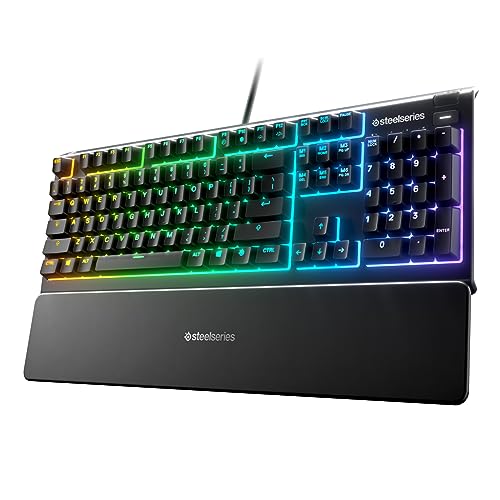
SteelSeries Apex 3 Gaming Keyboard - Black | 10-Zone RGB Illumination – IP32 Water Resistant – Premium Magnetic Wrist Rest (Whisper Quiet Gaming Switch)
Chosen because it specifies Black and 10-Zone RGB Illumination.
View on AmazonThe SteelSeries Apex 3 is a wired gaming keyboard with whisper quiet gaming switches, 10-zone RGB illumination, IP32 water resistance and a magnetic wrist rest.
SteelSeries uses a quiet switch here and pairs it with a wrist rest, which makes long sessions more comfortable. It is a strong all-rounder for people who want a gaming-brand keyboard that still behaves in a quiet room.
- Switch: whisper quiet gaming switch
- Connection: wired
- Lighting: 10-zone RGB
- Durability: IP32 water resistant
- Comfort: magnetic wrist rest
Best for: gamers who want a quiet full-size board with a proper wrist rest.
Skip if: you need a compact or wireless board.
Pros
- Quiet switches
- Wrist rest included
- Water resistance rating
- Recognizable brand
Cons
- Full size takes space
- Not a true mechanical feel
Also Consider
AULA Wireless Silent Membrane Keyboard

AULA Wireless Keyboard Silent Membrane Computer Keyboards with Number Pad | RGB Backlit,98 Keys Compact,2000mAh Quiet Keyboard,White&Retro Blue&Brown,Tri-Mode BT/2.4GHz/USB-C Connection,Ergonomic
Chosen because it specifies RGB Backlit and 98 Keys Compact.
View on AmazonA 98-key compact keyboard with silent membrane keys, RGB backlight and tri-mode Bluetooth, 2.4GHz and USB-C connection. It carries a 2000mAh battery and suits shared rooms. Check the maker for exact runtime.
TECKNET Wired Keyboard with Silent Typing
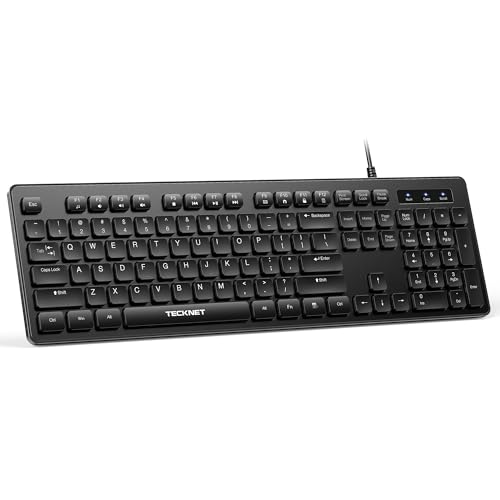
TECKNET Wired Keyboard, Silent Typing, Full-Size Layout, Black | Spill-Resistant Design, USB-A Plug & Play, Slim Membrane Keys, Office Ready, PC, Laptop & Mac Compatible
Chosen because it specifies Silent Typing and Full-Size Layout.
View on AmazonA full-size wired keyboard with slim membrane keys, silent typing, spill-resistant design and plug-and-play USB-A. It is office oriented and offers no gaming features, which keeps it simple for a quiet workstation.
Logitech MX Keys S

Logitech MX Keys S Wireless Keyboard Low Profile Fluid Precise - Graphite | USB-C rechargeable, 10 days battery, Pairs 3 devices, Smart backlit keys adapt to environment, Logi Bolt USB receiver
Chosen because it specifies Graphite and USB-C rechargeable.
View on AmazonA wireless low-profile keyboard with USB-C charging, a listed battery life of ten days, pairing for three devices, smart backlighting and a Logi Bolt receiver. It is a premium typing keyboard rather than a gaming one.
Quietest Keyboards: What Actually Makes One Quiet
The quietest keyboards avoid or soften the two main noise sources: the key bottoming out and the key returning to its resting position. That is true whether you pick membrane, scissor or silent mechanical.
Silent switches
Silent mechanical switches add small rubber or silicone pads to the sliding stem so that both contact points land on something soft. O-rings only dampen the downstroke, so dedicated silent switches are usually much quieter. They still produce some stem scratch, and the sound is a muted thud rather than silence.
Quiet membrane and low-profile keys
Membrane and scissor keyboards have less travel and softer contact, so they are typically quieter than any mechanical option. The trade-off is a mushier feel and, for gaming, fewer features like adjustable actuation.
Case, plate and keycaps
Foam, a gasket mount and thicker keycaps absorb sound. A hard metal plate with thin ABS caps can ring even with silent switches, so the whole stack matters, not only the switch.
Best Silent Switches
The best silent switches for most people are linear silent reds, because their light, smooth stroke combines well with dampeners. Cherry MX Silent Red and Gateron Silent Red are the most commonly named examples, while heavier silent blacks suit people who bottom out hard.
| Switch style | Feel | Noise level | Good for |
|---|---|---|---|
| Silent linear (red style) | Light, smooth | Lowest of the mechanicals | Gaming and shared rooms |
| Silent heavier linear (black style) | Firmer | Low | Heavy typists |
| Silent tactile | Small bump | Low to medium | Typing with feedback |
| Membrane or scissor | Soft | Lowest overall | Office and budget builds |
Satisfying Keyboards That Are Not Loud
Satisfying keyboards usually combine a deep, round sound, often called thock, with a smooth stroke. You can get that without noise by choosing gasket mounts, pre-lubed linear switches and PBT keycaps, which is the recipe behind boards such as the AULA F99 Pro and SOLAKAKA KI99 Pro above.
- Choose a linear or silent switch rather than a clicky blue-style switch.
- Look for foam or a gasket structure in the product description.
- Prefer thicker keycaps, which lower pitch.
- Use a desk mat to absorb the last bit of bottom-out noise.
Buying Guide: Thresholds That Matter
- Shared room or streaming: pick silent switches or membrane. A microphone near a standard mechanical board will pick up every keystroke.
- Gaming first: pick a silent linear mechanical or a gaming membrane with a wrist rest. Skip low-profile office boards if you want macro keys.
- Typing first: low-profile boards such as the K950 or MX Keys S reduce fatigue and noise.
- Wireless: look for Bluetooth plus 2.4G. Check the battery claim on the maker page since listings differ.
- Customization: hot-swap support lets you replace switches later, which is useful if the first set does not suit you.
- Layout: full size has a number pad, 75 to 80 percent saves space, and 60 percent saves the most but loses function keys.
Wired, 2.4G or Bluetooth: does it change noise?
Connection type does not change how loud a key is. It does change how convenient the board is. Wired boards never need charging, 2.4G receivers usually respond faster for gaming, and Bluetooth is best for switching between a laptop and a tablet. If you play competitive games, prefer wired or 2.4G and keep Bluetooth for work.
Matching noise level to your situation
Not every home needs the quietest possible board. Use the table below to decide how much quiet you actually need before giving up feel or features.
| Situation | What matters | Suggested type |
|---|---|---|
| Sleeping partner or baby nearby | Lowest possible sound | Membrane or low-profile board, or silent switches with a desk mat |
| Open office or shared flat | No clatter during calls | Silent linear mechanical or scissor board |
| Streaming with a desk mic | Keystrokes must not leak | Silent switches, foam, mic on an arm away from the board |
| Solo gaming room | Feel and speed first | Any board you like, silent optional |
Switch weight and fatigue
Lighter switches such as silent reds need less force, so your fingers tire less during long sessions, but they also make accidental presses easier. Heavier silent blacks feel more deliberate and resist bottoming out, which can lower noise further if you type hard. Pick light for fast gaming and heavier for careful typing.
Keycap material and sound
Thicker PBT keycaps usually sound deeper and lower than thin ABS caps. Several boards in this list use PBT or double-shot caps, but not every listing states the keycap material, so confirm it on the maker page if sound character matters to you.
Hot-swap: a safety net for quiet builds
Hot-swappable boards let you pull switches out without soldering. If you buy a board with ordinary linear switches and find it too loud, you can replace them with silent switches later. This is why the SOLAKAKA KI99 Pro and AULA F99 Pro are friendlier choices for people who are still exploring what they like. Always check that the replacement switch uses the same pin type, because three-pin and five-pin switches are not interchangeable on every board.
Cleaning and maintenance
Dust and debris add scratchiness that makes any keyboard sound louder. Blow out the board every few months, wipe keycaps with a slightly damp cloth, and keep drinks away from membrane boards that are not rated as spill resistant. Boards with a stated spill or water-resistance rating, such as the Corsair K55 CORE and SteelSeries Apex 3, are more forgiving of accidents, but the rating is not a reason to be careless.
Quick tip: dampen what you have
If you already own a loud board, O-rings, a foam mat under the keyboard and a thicker desk pad can cut perceived noise. They help the downstroke more than the return, so a true silent switch is still the better fix.
Can a quiet keyboard be good for competitive gaming?
Yes, as long as the switch is linear and the board reports inputs quickly. Silent linear switches have the same actuation force as their regular versions, and the dampeners only absorb the impact sound. The difference you may notice is slightly shorter travel on some designs. For fast shooters, a wired or 2.4G connection is the safer choice, while Bluetooth is better kept for work devices.
Common mistakes when buying a quiet keyboard
- Assuming every board marketed as quiet uses dampened switches. Some are simply membrane boards, which is fine, but the feel is very different from mechanical.
- Ignoring the keycaps and case. A silent switch inside a hollow, thin-plastic case can still ring.
- Choosing a clicky switch for the sound and then regretting it in a shared room.
- Skipping the return policy details. Feel is personal, so check the seller terms before you commit.
- Forgetting layout. A 60 percent board saves space but removes the arrow and function keys many people use daily.
Quiet keyboards and desk setup
The surface under the keyboard changes the sound as much as the switch. A large desk mat or a thin foam pad absorbs bottom-out and keeps vibration from carrying through a hollow desk. If the desk is shared with a monitor arm or a mic, a mat also keeps the keyboard from sliding. Combine this with a quiet mouse and you can lower the total noise of the whole setup, not only the keystrokes.
Frequently Asked Questions
What are the best quiet keyboards for gaming?
Silent linear mechanical boards and quiet gaming membranes are the best fit. In this list, the AULA F99 Pro silent version, SOLAKAKA KI99 Pro, Corsair K55 CORE and SteelSeries Apex 3 lead for gaming.
What are the quietest keyboards overall?
Low-profile membrane and scissor keyboards are typically the quietest, because their keys travel less and land softly. Silent mechanical boards come next and are much quieter than ordinary mechanical ones.
Are silent switches really silent?
No. Silent switches reduce the impact noise on both the downstroke and the return, but you still hear a muted thud and some stem scratch. They are quiet, not silent.
What are the best silent switches?
Linear silent reds are the most popular because they are light and smooth. Cherry MX Silent Red and Gateron Silent Red are commonly named, and heavier silent blacks suit heavy typists.
Do silent switches feel worse than regular ones?
They can feel slightly softer or shorter, because the dampeners shorten travel by a fraction of a millimeter on some designs. Most people adapt quickly, and pre-lubing helps.
What makes a keyboard satisfying without being loud?
A gasket mount, foam, pre-lubed linear switches and thick PBT keycaps produce a deep, round sound at lower volume. Avoid clicky switches, which are loud by design.
Will a quiet keyboard work for streaming?
Yes, especially with silent switches or membrane keys. Your microphone will still pick up some sound, so pairing it with a desk mat and a mic placed away from the keyboard helps.
Which One Should You Buy?
- Best overall quiet mechanical: AULA F99 Pro silent version for a gasket feel and tri-mode wireless.
- Best for features at a low noise level: SOLAKAKA KI99 Pro.
- Best for a clean office look: Cherry KC 200 MX.
- Best for multi-device typing: ProtoArc K310 Pro or Logitech Signature Slim K950.
- Best budget gaming: Corsair K55 CORE or SteelSeries Apex 3.
Sources
- Keychron, Cherry mechanical switch guide
- VoltCave, Cherry MX Red vs Silent Red comparison
- KeebScout, Best silent mechanical switches guide
- Maker product pages and listings for each keyboard named above
Last updated: November 2026
FAQ
Wired, 2.4G or Bluetooth: does it change noise?
Can a quiet keyboard be good for competitive gaming?
What are the best quiet keyboards for gaming?
What are the quietest keyboards overall?
Are silent switches really silent?
What are the best silent switches?
Do silent switches feel worse than regular ones?
What makes a keyboard satisfying without being loud?
More from Amazon
Programs that pair well with the guide above. Offers and eligibility are set by Amazon and may change.
Free shipping on eligible items, Prime Video and more. Eligible new members can start with a free trial.
Start a Prime free trialAd-free music streaming. Eligible new subscribers can start with a free trial.
Try Music Unlimited freeA Prime membership for ages 18-24 with a trial period. Eligibility is set by Amazon.
See Prime for Young AdultsAudiobooks and podcasts to listen to on the go. Eligible new members can start with a free trial.
Try Audible freeAs an Amazon Associate we earn from qualifying purchases.