Key takeaways
- Choose a mousepad size by how far you move your mouse, and a surface by whether you want speed or control.
Choose a mousepad size by how far you move your mouse, and a surface by whether you want speed or control. Low-sensitivity players who swing the whole arm need a large desk-sized mat, while high-sensitivity wrist players can use a smaller pad. A smooth speed surface helps fast flicks, and a textured control surface helps stops and tracking.
That is the short version, but the details matter because a pad that fights your grip style can make aim feel inconsistent even with a good mouse. This guide covers size options, surface types, base and edge details, and how to match them to your hand, mouse and desk in 2026, so you can narrow the field before you shop.
Start With Your Movement Style
Watch how you move your mouse in a game. Do you pivot from the wrist for small flicks, or sweep from the elbow and shoulder for long tracking motions? Players with low sensitivity settings and wide arm movements need many inches of space, and running out of pad mid-swing is disorienting. Players with high sensitivity use small motions and often prefer a compact pad that leaves room for the keyboard.
Also think about your keyboard and desk. A very large pad that slides under the keyboard can be comfortable for typing and gaming, but only if the surface is even and the desk is deep enough. If the pad is too wide for the desk, it will hang over the edge and may catch your elbow.
Mousepad Sizes Compared
| Size category | Typical use | Good for | Trade-off |
|---|---|---|---|
| Small or compact | Small desks, travel, wrist aim | High sensitivity and light movement | Little room for arm sweeps |
| Medium | General desk use | Mixed games and office work | May feel tight for low sensitivity |
| Large | Dedicated mouse area | Arm aim and shooters | Needs desk depth beyond keyboard |
| Extended or desk mat | Keyboard and mouse together | Tidy setups and long sessions | Takes the full desk width; harder to clean |
Surface Types and What They Do
Speed Surfaces
Speed surfaces are smooth and low in friction, so the mouse glides with little effort. They suit quick flicks and games where fast repositioning matters. The trade-off is that stopping precisely takes practice, and a very slick surface can feel slippery for people who tense their grip.
Control Surfaces
Control surfaces have more texture and friction. They make starting and stopping easier and help with micro-adjustments, tracking and crosshair placement. They can feel slow for large sweeps and may wear mouse feet faster. Players who like deliberate aim often prefer them.
Hybrid Surfaces
Balanced designs aim for moderate glide with some stopping power. If you are unsure, this is a safe starting point, since it avoids both extremes and suits a wide range of games.
Hard Pads and Glass or Plastic
Rigid surfaces are very smooth and consistent, but they can be noisy and often need compatible mouse feet. They may also wear feet quickly and show fingerprints. Consider them if you want maximum glide and do not mind the maintenance.
Base, Edge and Material Details
A rubber base keeps the pad from sliding, especially on glossy desks. Check that the base grips your desk surface and does not curl at the corners. Stitched edges resist fraying, though some players find them slightly raised against the wrist; flat edges can lie better but fray sooner on cheaper models. Cloth is the most common material and is generally easy to clean by hand washing, though you should dry it fully before use. Thickness affects wrist height; thicker pads add cushioning and may offer stability on uneven desks, but they raise your hand slightly.
Sensor compatibility is usually a non-issue with modern optical mice, though glass or reflective surfaces may confuse some sensors. Check the listing for tracking compatibility if you choose an unusual material.
Before You Buy Checklist
- Measure your desk space and how far you move the mouse.
- Decide between speed, control or balanced glide.
- Check that the pad’s base grips your desk surface.
- Confirm the edge style and thickness you prefer.
- Look at cleaning instructions in the listing.
- Check return terms in case the surface feels wrong.
Match the Pad to Your Mouse and Grip
Mouse Weight and Feet
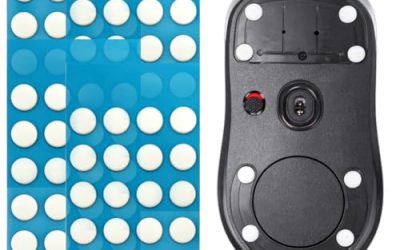
Lightweight mice glide easily and can feel overly slippery on a speed surface, so some players pair them with a more textured pad. Heavier mice benefit from smoother surfaces that reduce effort. Mouse feet matter too: smooth glass-like feet glide well on most cloth surfaces, while worn or rough feet can feel scratchy and inconsistent. Keep spare feet if you swap pads often.
Grip Style and Sweat
Palm grip users rest more of their hand on the mouse and often prefer a pad with moderate glide. Claw and fingertip grips use less hand contact and can handle faster surfaces. If your hands sweat, a surface that resists moisture and washes easily helps, and a pad with a flat edge avoids rubbing the wrist.
Game Type
Tactical shooters reward stopping power and consistent control, while fast arena games reward quick repositioning. Strategy and office use matter less for surface type, so a medium, balanced pad is usually fine. If you play several genres, pick based on the game you spend the most time in and accept small trade-offs for others.
Desk and Room Conditions
Glass, glossy or uneven desks affect how well the pad stays put. A thicker pad can smooth out small bumps, while a thin pad on a textured desk may pick up the pattern. Dry air can add static to some cloth surfaces, which attracts dust, so clean the pad every few weeks to keep tracking consistent.
Common Mistakes
The most common mistake is buying too small, then running out of room during tracking. Another is choosing a surface by looks alone without considering your grip and sensitivity. Some buyers ignore the base and end up with a pad that creeps across a smooth desk. Others forget about wrist height and buy a thick pad that raises the hand uncomfortably. And a few replace the pad when the real issue is worn mouse feet or a dirty sensor.
Testing a Pad After You Buy
Give a new pad a few days before judging it. Fresh surfaces can feel different once they settle, and your aim also needs time to adapt to a new glide level. During that period, do some simple checks. Make slow and fast swipes and see whether the cursor stops where you intend. Hold the mouse still and see whether the pad shifts under your hand. Try tracking a moving target in an aim trainer or a favorite game and note whether the pad feels consistent across its whole area.
If the pad curls at the edges, press it flat under a heavy book for a day. If it smells strongly of rubber, air it out before use. When the surface feels wrong after a fair trial, use the return window rather than forcing yourself to adapt to something you dislike.
Keep your mouse sensitivity in mind as well. If you change pad size, you may also want to adjust sensitivity slightly so that your usual swipe distance matches the new surface. Small changes can improve comfort without any extra spending.
Related guides
- Gaming Headset Noise Isolation Vs Active Noise Cancellation
- Does Gaming Headset Noise Cancellation Work On Microphone
- Trackir Vs Vr Vs Webcam Head Tracking For Flight Sims
Frequently Asked Questions
Is a bigger mousepad always better?
No. A big pad helps low-sensitivity players, but it can be inconvenient on a small desk. Choose the size that matches your movement and desk space.
Which surface is better for shooters?
It depends on your style. Control surfaces help precise stops and tracking, while speed surfaces help quick flicks. Many players try a balanced surface first.
Can I wash a cloth mousepad?
Many can be hand washed with mild soap and air dried. Check the listing for care instructions, since some coatings or bases may not tolerate machine washing.
How often should I replace a mousepad?
When the surface wears smooth, frays or no longer tracks consistently. Regular cleaning extends life, but heavy daily use eventually wears any pad.
FAQ
Is a bigger mousepad always better?
Which surface is better for shooters?
Can I wash a cloth mousepad?
How often should I replace a mousepad?
More from Amazon
Programs that pair well with the guide above. Offers and eligibility are set by Amazon and may change.
Free shipping on eligible items, Prime Video and more. Eligible new members can start with a free trial.
Start a Prime free trialAd-free music streaming. Eligible new subscribers can start with a free trial.
Try Music Unlimited freeA Prime membership for ages 18-24 with a trial period. Eligibility is set by Amazon.
See Prime for Young AdultsAudiobooks and podcasts to listen to on the go. Eligible new members can start with a free trial.
Try Audible freeAs an Amazon Associate we earn from qualifying purchases.