Key takeaways
- Room-scale VR at home needs a clear, roughly rectangular patch of floor, good lighting for the headset's tracking cameras or sensors.
Room-scale VR at home needs a clear, roughly rectangular patch of floor, good lighting for the headset’s tracking cameras or sensors, and a boundary set in the headset so you stop before you hit anything. A space about the size of a small bedroom floor is enough for many games, but you can start smaller if you stick to titles that do not require walking around.
The steps below cover choosing the space, preparing the room, setting up tracking and the play area, and handling the cable, comfort and safety details that trip up first-time users. It applies to standalone and PC-connected headsets alike, with notes where they differ.
Pick the Right Space
Room-scale means you can move physically through a play area, so the room itself matters more than any setting. Measure the free floor and note the ceiling height, because overhead swings from tall players can hit lights and fans.
How Much Space You Need
Seated and standing experiences work in a small area. Games that ask you to dodge, duck and step often work best with a few feet of clear space in each direction. Check the minimum play area stated by your headset maker and by the games you want to play, since some titles ask for more than others.
Floor and Surroundings
Choose a floor that is flat and not slippery. Socks on polished wood can slide, and thick rugs create tripping edges. Remove cords, shoes and low tables. Keep pets and children out while you play.
Lighting and Surfaces
Camera-tracked headsets prefer evenly lit rooms with visible textures. Very dark rooms and large mirrors or glass walls can confuse tracking. Cover or avoid reflective surfaces, and keep direct sunlight from shining on the headset lenses, which can damage the display.
Prepare and Clear the Room
- Move furniture to the walls or out of the room.
- Secure or remove anything fragile, including lamps, framed pictures and screens.
- Look up, and check fans and low light fixtures.
- Check the floor for cables, toys and small objects.
- Decide where you will stand when you start so you can always find the same spot.
A short walk around the empty room with a clear head is worth doing before you put the headset on. Once the display is on your face, it is easy to forget what the real room contains.
Set Up Tracking and the Play Area
Follow your headset’s setup process in the companion app or on the device. Standalone headsets generally scan the room using onboard cameras and ask you to draw the boundary on the floor with a controller. PC-connected headsets may use onboard cameras or external base stations, which need stable mounting at opposite corners of the play space, angled slightly downward.
| Setup type | Tracking source | Main setup task | Watch out for |
|---|---|---|---|
| Standalone headset | Cameras on the headset | Draw the boundary on the floor | Poor lighting reduces tracking quality |
| PC headset with onboard cameras | Cameras on the headset | Run room setup in the PC software | USB or cable bandwidth limits |
| Base station system | External stationary sensors | Mount stations at opposing corners | Vibrating mounts and reflective surfaces |
When drawing the boundary, leave a margin between the line and the nearest wall or object. Your arms extend farther than you expect during active games, and the boundary only warns you; it does not stop you. Test the boundary by walking to its edge slowly and checking that the warning appears.
Comfort, Cables and Safety
Adjust the headset so the lenses sit centered in front of your eyes and the image looks sharp. Many headsets offer an interpupillary distance adjustment, and a clear image reduces eye strain and nausea. Tighten the strap enough to stay stable without pressing your face.
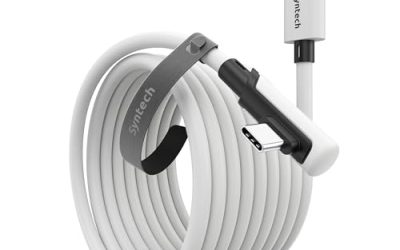
If you use a tethered headset, plan for the cable. Hang it from a ceiling hook or use a pulley to keep it above you, or keep track of where it lies by feel. Wireless streaming adds freedom but depends on a strong router connection.
Start with short sessions, and build up gradually. If you feel dizzy, nauseated or unwell, stop and rest. Some people are more sensitive to motion in VR than others, and the maker’s health and safety guide gives age and medical guidance. In 2026 most headsets include passthrough that lets you check the room without removing the device, which is worth setting up as a quick shortcut.
Choosing Games and Locomotion for Your Space
Once the room is ready, match the games to the space you have. Titles that ask you to swing your arms widely, such as sword fighting or boxing, need a bigger clear radius than ones where you stand in place and aim. Check the store listing, which usually labels each game as seated, standing or room-scale.
Locomotion options let you cover large virtual distances in a small real room. Teleportation jumps you between points and tends to be gentle on the stomach. Smooth movement with a thumbstick feels more natural to experienced players, but it can cause discomfort for newcomers. Many games let you choose, along with comfort tools such as vignettes that narrow your view while moving.
Consider how to reset your position. When you drift toward the edge of the play area, most games offer a recenter option or a prompt to turn around. Learn that control early, since it saves you from walking into a wall or tangling a cable.
Finally, keep sessions social when you can. A friend or family member can act as a spotter, warn you if you stray out of bounds, and make the whole experience more fun. Take the headset off every so often to rest your eyes, drink some water and let your balance reset.
Before You Start Checklist
- Measure the floor area and ceiling height.
- Check the minimum play area stated by your headset and games.
- Charge the headset and controllers, and have spare batteries ready.
- Clear and light the room evenly.
- Tell others in the home that you are about to play.
- Download the companion app and any required updates beforehand.
- Keep a cloth for cleaning the lenses, using the method the maker recommends.
Network, Updates and Maintenance
If you stream a PC game to a standalone headset, a strong wireless connection is the biggest factor in quality. Use a router that supports a current wireless standard, put it in the same room as the play space if you can, and prefer the less crowded wireless band. Connect the PC to the router by cable rather than wireless to reduce delay.
Keep software up to date, since updates often improve tracking and fix comfort issues. Wipe the lenses gently with a dry microfiber cloth, never with harsh cleaners, and store the headset away from windows so sunlight cannot focus through the lenses and harm the display. Clean the face cushion regularly if several people share the headset, and use disposable covers if you wish.
Finally, set rules for children. Check the age guidance from the headset’s maker, supervise sessions and keep them short.
Related guides
- Gaming Headset Noise Isolation Vs Active Noise Cancellation
- Does Gaming Headset Noise Cancellation Work On Microphone
- Trackir Vs Vr Vs Webcam Head Tracking For Flight Sims
Frequently Asked Questions
How big does a room-scale VR space need to be?
It depends on the headset and the games you play. Many experiences work within a modest area, while movement-heavy titles benefit from more clear floor. Check your headset’s guide for its stated minimum.
Can I do room-scale VR in a small room?
Yes, with limits. Choose seated or standing games, use smooth or teleport locomotion, and move furniture aside each time you play.
Do I need base stations?
Only if your headset uses them. Many current headsets track with built-in cameras and do not need external stations.
Why does my boundary keep disappearing or resetting?
Poor lighting, moved furniture or a tracking glitch can cause it. Redraw the boundary, improve lighting and restart the headset if the problem repeats.
FAQ
How big does a room-scale VR space need to be?
Can I do room-scale VR in a small room?
Do I need base stations?
Why does my boundary keep disappearing or resetting?
More from Amazon
Programs that pair well with the guide above. Offers and eligibility are set by Amazon and may change.
Free shipping on eligible items, Prime Video and more. Eligible new members can start with a free trial.
Start a Prime free trialAd-free music streaming. Eligible new subscribers can start with a free trial.
Try Music Unlimited freeA Prime membership for ages 18-24 with a trial period. Eligibility is set by Amazon.
See Prime for Young AdultsAudiobooks and podcasts to listen to on the go. Eligible new members can start with a free trial.
Try Audible freeAs an Amazon Associate we earn from qualifying purchases.