Key takeaways
- Buy the Nintendo Switch OLED if you want to play on a TV, share controllers with friends or use detachable Joy-Con controllers.
Buy the Nintendo Switch OLED if you want to play on a TV, share controllers with friends or use detachable Joy-Con controllers. Choose the Switch Lite if the console will be used almost entirely in handheld mode, you want the smallest and most portable option, and you do not need docked play.
Both run the same Switch library for handheld play, so the choice is less about games and more about how and where you play. This guide compares screen, controllers, docking, battery, size and who each model suits, so you can pick without guessing.
The Core Difference
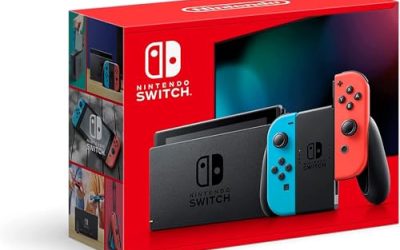
The OLED model is a hybrid: a handheld that docks to a TV, with detachable Joy-Con that slide off and work as two separate controllers. The Lite is a dedicated handheld with the controls built into the body. It cannot output to a TV, and its controls cannot be detached.
That single distinction decides most buying choices. If you ever imagine putting a game on a big screen, the Lite cannot do it without a different console. If the screen in your hand is all you ever want, the OLED’s extra features go unused.
Side-by-Side Comparison
| Feature | Switch OLED | Switch Lite |
|---|---|---|
| Play modes | TV, tabletop and handheld | Handheld only |
| Screen | Larger OLED panel with vivid color and deep blacks | Smaller LCD panel |
| Controllers | Detachable Joy-Con | Built-in, not detachable |
| Dock | Included, with a wired network port | No dock, no TV output |
| Size and weight | Larger and heavier | Smaller and lighter |
| Local multiplayer | Easy, with two Joy-Con shared | Needs extra controllers purchased separately |
| Kickstand | Wide, adjustable | None |
| Best for | Households and flexible play | Solo commuters and kids |
Detailed Decision Points
Screen Quality
The OLED model has a larger display with strong contrast and rich color, which suits games with moody lighting or bright art styles. The Lite has a smaller LCD screen. It looks fine for everyday handheld play, but the difference is noticeable if you compare them side by side.
Portability and Comfort
The Lite is smaller and lighter, which helps in a bag or for younger players with smaller hands. Its one-piece body also feels sturdy with no sliding rails. The OLED is bigger, and some players find it more comfortable for long sessions because there is more to hold, though others prefer the compact Lite.
Multiplayer and Family Use
Many Switch games are designed around sharing a pair of Joy-Con, such as party and sports titles. The OLED handles these directly. On a Lite you would have to buy extra controllers and connect to a TV through another console, which is not possible without a second system. Families with several players should lean toward the OLED.
Game Compatibility
Some games require detachable controllers or tabletop and TV modes, and these are not fully playable on the Lite. Check the box or store listing of the games you plan to buy, because a few titles are not supported in handheld-only mode.
Who Should Pick Which
- Pick the OLED if you want one console for the living room and travel.
- Pick the OLED if you play with a partner, friend or children on the same system.
- Pick the Lite for a dedicated personal handheld, a child’s first console or a second Switch for commuting.
- Pick the Lite if your budget is the priority and TV play does not matter.
Think about the long run. If your household already has one Switch connected to a TV, a Lite can make sense as a second unit so two people can play different games at once. If this is your only console, the flexibility of the OLED is usually safer, since it covers every mode.
In 2026 both consoles remain part of the same Switch family, and games work across them where the hardware allows. Check the latest details on the maker’s site before buying, as stock and bundles change.
Battery, Storage and Accessories
Battery life is one place where the models differ in ways that matter on a long trip. The Lite’s smaller screen and simpler design generally let it run for a similar or slightly longer time per charge than the standard model, depending on the game, brightness and wireless use. The OLED has a larger screen to power, though the panel is efficient. In practice, both last through a typical commute or a short flight, and a portable charger solves long journeys.
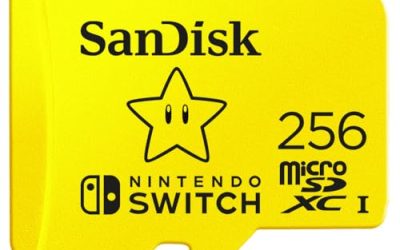
Storage also deserves a thought. Digital games and updates fill the internal memory quickly, and both consoles accept a memory card to expand it. The OLED model comes with more built-in storage than the original Switch, which helps if you prefer downloads. Whichever you pick, budget for a card if you plan to buy games digitally rather than on cartridges.
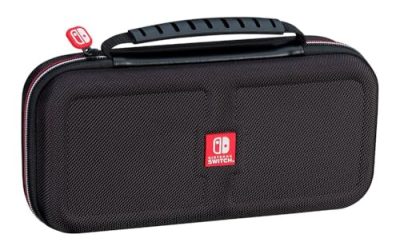
Accessories shape the experience too. A protective case and screen protector suit both consoles, especially for a child. On the OLED, extra Joy-Con pairs or a pro-style controller make docked play more comfortable. On the Lite, a carrying case with space for cartridges tends to be the most useful add-on, along with a stand if you like to prop it on a table. Because the Lite has no kickstand, a simple third-party stand or case that folds into one is worth considering for long sessions.
Finally, consider how long you expect to keep the console. Both can serve for years, but buyers who want a single device that adapts as their circumstances change, from a bedroom to a living room, usually find the OLED more future-proof. Buyers with a clear handheld-only routine get the same game library on the Lite with a smaller footprint.
Before You Buy Checklist
- Decide whether you will ever want to play on a TV.
- Check whether your favorite games require detachable controllers.
- Think about who else in the household will play.
- Plan for storage, such as a memory card, if you will download many games.
- Consider a case and screen protector, especially for a child.
- Confirm the seller offers returns and a manufacturer warranty.
Common Mistakes When Choosing
- Buying the Lite and later wanting to play on a TV, which forces a second purchase.
- Assuming the screen size difference is minor, then finding the smaller display tiring for text-heavy games.
- Overlooking that some multiplayer games need extra controllers on the Lite.
- Forgetting storage, then running out of room after a few downloads.
- Skipping a protective case for a console that will travel in a bag or be handled by a child.
Spending a few minutes on your actual routine prevents most of these. Picture a typical week: where you play, with whom and for how long. If the answer is consistently “alone, on the go”, the Lite fits neatly. If the answer includes a couch, a TV or a friend, the OLED earns its place.
Another practical angle is the age of the player. Younger children often do well with the Lite because it survives backpacks and has no small parts to lose, while teenagers and adults who may want a TV session now and then usually appreciate the flexibility of the hybrid. Households with limited screens may even find the OLED reduces TV conflicts, since a player can simply switch to handheld mode.
Related guides
- Gaming Headset Noise Isolation Vs Active Noise Cancellation
- Does Gaming Headset Noise Cancellation Work On Microphone
- Trackir Vs Vr Vs Webcam Head Tracking For Flight Sims
Frequently Asked Questions
Can the Switch Lite connect to a TV?
No. It has no video output and no dock, so it plays on its built-in screen only.
Is the OLED screen worth the upgrade?
For many players, yes. The display is larger and offers deeper contrast. If you rarely play handheld, the screen matters less than the dock and controllers.
Which is better for kids?
The Lite is smaller and sturdier in one piece, making it a common choice for children. If siblings will share and play together, the OLED’s detachable controllers are handier.
Do the two consoles play the same games?
Mostly, yes, since they share the Switch library. A few games depend on detachable controllers or TV mode, so read the compatibility notes on each title.
FAQ
Can the Switch Lite connect to a TV?
Is the OLED screen worth the upgrade?
Which is better for kids?
Do the two consoles play the same games?
More from Amazon
Programs that pair well with the guide above. Offers and eligibility are set by Amazon and may change.
Free shipping on eligible items, Prime Video and more. Eligible new members can start with a free trial.
Start a Prime free trialAd-free music streaming. Eligible new subscribers can start with a free trial.
Try Music Unlimited freeA Prime membership for ages 18-24 with a trial period. Eligibility is set by Amazon.
See Prime for Young AdultsAudiobooks and podcasts to listen to on the go. Eligible new members can start with a free trial.
Try Audible freeAs an Amazon Associate we earn from qualifying purchases.