Key takeaways
- Buy the PS5 Slim if you want the standard PlayStation 5 experience at the lower cost.
Buy the PS5 Slim if you want the standard PlayStation 5 experience at the lower cost, and choose the PS5 Pro if you own a capable 4K TV and care about higher image quality and smoother performance in supported games. Both play the same library, so the choice is about visual polish versus value.
This comparison covers what separates the two consoles, how much it matters on different TVs, and which buyer each one suits. It sticks to the broad differences the maker has published, because exact results vary by game and display.
What Actually Differs
The Pro uses a more powerful graphics system than the Slim, along with a newer approach to upscaling that aims to sharpen images and support higher frame rates or ray tracing effects in games that include Pro support. The Slim runs the same games, just without those enhancements. Games do not become different titles; they look and run a bit better on the Pro when the developer supports it.
Differences also appear in storage, the disc drive and accessories. Check the current configuration of each model before buying, since bundles and included items change over time.
Comparison Table
| Area | PS5 Slim | PS5 Pro |
|---|---|---|
| Target buyer | Most players who want the full library | Enthusiasts with high-end TVs |
| Graphics power | Standard PS5 level | Stronger, with enhanced upscaling |
| Game library | Complete PS5 library | Complete PS5 library, with Pro-enhanced titles |
| Disc drive | Available in a disc version, or add one to the digital model | Check the configuration, since the drive may be sold separately |
| Storage | Varies by version | Generally larger by default |
| Cost | Lower | Higher |
| TV needed | Any 4K or HD set works | 4K TV recommended to see the gains |
| Size | Compact, slimmer design | Slightly different design, check dimensions before buying |
Which Buyer Gets More From Each
When the Slim Is the Smarter Buy
If you play on a 1080p display, a modest TV or a monitor, much of the Pro’s advantage never reaches your eyes. The Slim also suits families, casual players and anyone who plays a mix of older and newer games. The money saved can go toward games, a second controller or extra storage.
When the Pro Makes Sense
A 4K television with a high refresh rate and good HDR can show the benefits of the extra graphics power. Players who want frame rates and image quality at their best in demanding games will notice more. Pro buyers also tend to keep their console longer, so the premium spreads over the years.
The Importance of Your TV
Your display is part of the equation. A console is only as sharp as the screen it feeds. Check your TV’s resolution, refresh rate and HDMI features before deciding that the Pro will transform your games. If the TV cannot show the improvement, put the money elsewhere.
Game Support Is Not Universal
Not every game has Pro enhancements. Many titles run the same on both machines, so check the games you play most to see whether they list Pro support. A Pro is a better purchase if several of your favorites advertise it.
What to Consider Beyond Performance
- Storage: consider how many large games you will keep installed, and whether you will add an expansion drive.
- Disc or digital: physical discs can be resold or lent, while digital libraries are easier to manage.
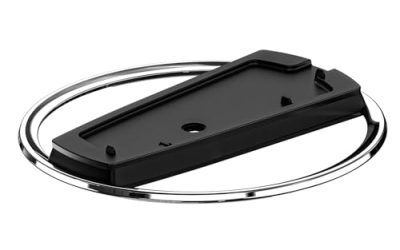
- Accessories: some items such as stands may be sold separately, so check what the box includes.
- Resale and upgrades: the Pro holds its appeal for players who like to buy near the top of a console generation.
In 2026 both consoles are widely available, and promotions come and go, so compare the listings for the exact configuration you want rather than assuming the sticker difference is constant.
How the Upgrade Shows Up in Real Play
Understanding what the Pro changes helps you judge whether the gap is worth paying for. In games with Pro support, developers can aim for sharper image reconstruction, steadier frame rates or richer lighting effects such as ray tracing. In some titles the options appear as a choice of modes, letting you pick between visual quality and smoothness. In others the Pro simply holds a higher frame rate where the Slim dips.
The size of the improvement varies widely. A fast competitive shooter might benefit most from a smoother frame rate, while a cinematic adventure might gain from crisper detail and better lighting. Games that have not been updated for the Pro generally run as they do on the Slim, so the extra power sits idle. Before buying, scan the settings menus in reviews and the maker’s list of enhanced games to see how many of your favorites include special modes.
Another consideration is longevity. Developers target the base console first, because it has the larger audience, so the Slim will remain supported for years. The Pro is an optional step up, not a requirement to keep playing new releases. That reality makes the Slim a safe choice for most households, and the Pro a deliberate choice for players who value the extra polish.
Also think about noise, heat and placement. Check the physical dimensions against your entertainment unit, and make sure there is room for ventilation. Both consoles should sit with airflow around them, and neither belongs in a closed cabinet without space.
Before You Buy Checklist
- Confirm your TV’s resolution and refresh rate.
- List the games you play and check for Pro support.
- Decide on disc or digital.
- Check what accessories are included.
- Set a total budget including a second controller and storage.
- Buy from a seller with clear return and warranty terms.
Common Mistakes When Choosing
- Paying for the Pro while playing on a TV that cannot show the extra detail.
- Assuming every game gains from the Pro, when only enhanced titles do.
- Ignoring the disc drive question and discovering later that an accessory must be bought separately.
- Forgetting extra storage and controllers in the total budget.
- Buying from a marketplace seller with unclear warranty coverage.
A calm approach helps here. Write down your TV model, your top five games and how you prefer to buy them. If most of those answers point to a basic display and casual play, the Slim is the sensible fit. If they point to a premium TV and a love of visual quality, the Pro starts to make sense.
Also consider the bigger picture of the PlayStation ecosystem. Controllers, headsets and many accessories work with either console, so you are not locked into a decision by peripherals. Your saved games and purchases follow your account too, which means upgrading from a Slim to a Pro later is feasible if your needs change. That flexibility reduces the pressure to buy the top model on day one.
Finally, think about timing. Console generations have long lifespans, and prices for both models shift with promotions across the year. If you can wait, watch for bundles that include a game you were going to buy anyway, since that is often the most sensible way to save.
A Quick Way to Decide
If you only remember one rule, make it this: buy the Pro when your TV and your favorite games clearly use what it adds, and buy the Slim in every other case. The Slim is the safe default, and the savings are real. The Pro is a considered upgrade for a specific kind of player, not a necessity.
Related guides
- Gaming Headset Noise Isolation Vs Active Noise Cancellation
- Does Gaming Headset Noise Cancellation Work On Microphone
- Trackir Vs Vr Vs Webcam Head Tracking For Flight Sims
Frequently Asked Questions
Do PS5 Slim and PS5 Pro play the same games?
Yes. Both play the full PS5 library, and the Pro adds enhancements to games that support them.
Do I need a 4K TV for the Pro?
You can use it on any TV, but a 4K set with a good refresh rate and HDR is where the extra capability becomes visible.
Can the Slim add a disc drive later?
The digital version of the Slim can take a separate disc drive. Check the maker’s current accessory list for compatibility.
Is the Pro worth it for casual players?
Usually not. If you play occasionally or on a basic display, the Slim delivers the same games at a lower cost.
FAQ
Do PS5 Slim and PS5 Pro play the same games?
Do I need a 4K TV for the Pro?
Can the Slim add a disc drive later?
Is the Pro worth it for casual players?
More from Amazon
Programs that pair well with the guide above. Offers and eligibility are set by Amazon and may change.
Free shipping on eligible items, Prime Video and more. Eligible new members can start with a free trial.
Start a Prime free trialAd-free music streaming. Eligible new subscribers can start with a free trial.
Try Music Unlimited freeA Prime membership for ages 18-24 with a trial period. Eligibility is set by Amazon.
See Prime for Young AdultsAudiobooks and podcasts to listen to on the go. Eligible new members can start with a free trial.
Try Audible freeAs an Amazon Associate we earn from qualifying purchases.