Key takeaways
- Deep, granular control over scaling, filtering, and geometry
- Reliable deinterlacing and 240p line-multiplication
- Active firmware development that keeps adding features
- Broad analog input support in one compact unit
Under the hood, retro upscaling is a surprisingly deep technical challenge: deinterlacing 480i, multiplying 240p lines cleanly, and doing it all without adding latency that ruins the feel of the original hardware. The RetroTink 4K, the most capable consumer upscaler available in 2026, tackles every one of those problems with a level of engineering that reads more like professional video equipment than a gaming accessory. For the technically minded player, it is a fascinating and genuinely powerful tool.
This review digs into the features that matter to enthusiasts: the processing pipeline, the depth of configuration, the firmware ecosystem, and how it stacks up against the open-source and budget hardware that many hobbyists start with before upgrading.
Our top picks
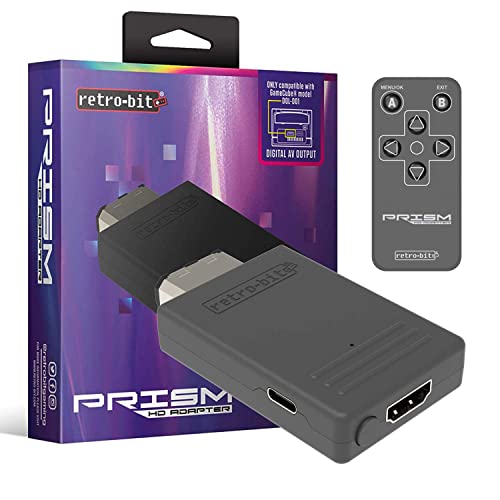 Retro-Bit Prism HDMI Adapter for GameCube
- Compatible with GameCube
- Customizable on screen display
- USB-C data port for easy installation of firmware…
 Kaico OSSC 1.8 Open Source Scan Converter
- DO NOT PURCHASE THIS UNLESS YOU UNDERSTAND WHAT…
- Revision v1.8 - Works with the updated firmware…
- Does not work with a Nintendo N64, a…
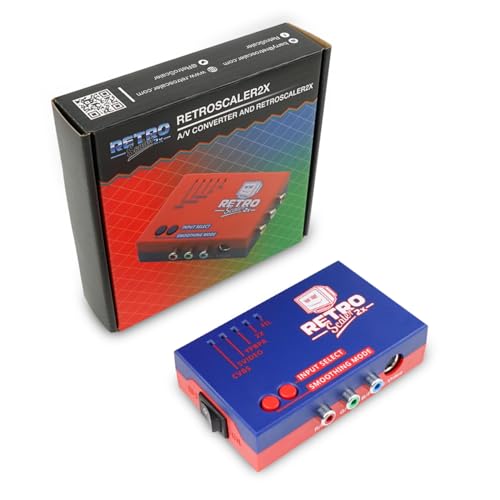 RetroScaler2x AV/SV/YPBPR to HDMI™ Converter
- Supports 240p/480i/288p/576i NTSC/PAL sources to converter to 480p/576p…
- Compatible with N64/NGC/SNES/SFC/PS1/PS2/Dreamcast/Saturn, and Genesis/MD
- By putting the RetroScaler2X into pass-through mode, incoming…
| Product | Key specs | |
|---|---|---|
| Retro-Bit Prism HDMI Adapter for GameCube | Compatible with GameCube Customizable on screen display USB-C data port for easy installation of firmware… | Check price |
| Kaico OSSC 1.8 Open Source Scan Converter | DO NOT PURCHASE THIS UNLESS YOU UNDERSTAND WHAT… Revision v1.8 - Works with the updated firmware… Does not work with a Nintendo N64, a… | Check price |
| RetroScaler2x AV/SV/YPBPR to HDMI™ Converter | Supports 240p/480i/288p/576i NTSC/PAL sources to converter to 480p/576p… Compatible with N64/NGC/SNES/SFC/PS1/PS2/Dreamcast/Saturn, and Genesis/MD By putting the RetroScaler2X into pass-through mode, incoming… | Check price |
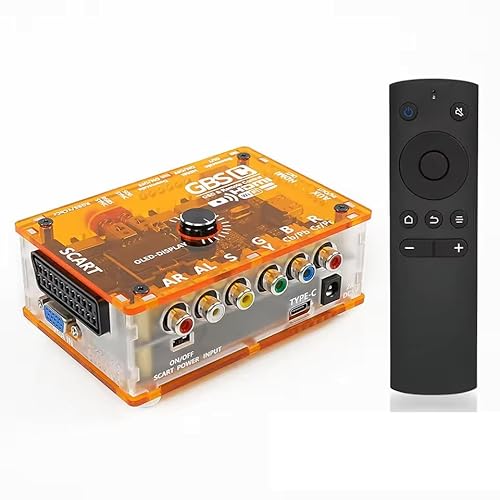 TicKnot ODV-GBS-C Mini Video Converter RGBS Scart/YPbPr TicKnot ODV-GBS-C Mini Video Converter RGBS Scart/YPbPr | All-in-One Retro to Modern: Accepts RGBS / YPbPr… True CRT Compatibility: Outputs authentic 240p analog (RGBS/YPbPr… Sharper, More Authentic Picture: Image Sharpness Enhancement plus… | Check price |
 Mcbazel ODV-GBS-C RGBS/SCART/YPbPr/VGA to HDMI/VGA Scan Converter Mcbazel ODV-GBS-C RGBS/SCART/YPbPr/VGA to HDMI/VGA Scan Converter | Supported Input Interfaces: This converter accepts ONLY these… Designed for classic retro gaming consoles Lag-Free Signal Processing & Supported Resolutions:Supports 240p, 480i,… | Check price |
 AV/S-Video/YPbPr to HDMI Converter AV/S-Video/YPbPr to HDMI Converter | [Zero Latency Line-Doubling Technology] Revive your classic consoles… [Universal Retro Console Compatibility] Designed for retro gaming… [Dual Visual Modes: Smooth & Pass-Through] Customize your… | Check price |
 ClearClick AV to HDMI Converter 3.0 ClearClick AV to HDMI Converter 3.0 | AV To HDMI Converter 3.0 - Convert &… Upscaler Compatible with VCR, VHS, Camcorders, Hi8, Gaming… NEW! Remote Control Included - Fine Tune Your… | Check price |
As an Amazon Associate we earn from qualifying purchases at no extra cost to you.
⚡ Save on Your Next PC — Amazon Prime
Prime members get fast free shipping on the systems above, plus early access to Prime Day & Black Friday PC deals. New members get a 30-day free trial.
Watch: Retrotink 4K Review — Video Review
Design & Build
The RetroTink 4K packs an enormous amount of processing into a small, actively cooled aluminum enclosure. The real story is the feature set: per-console profiles, adjustable scanline and shadow-mask emulation, granular aspect-ratio and cropping control, and a firmware system updated via SD card that regularly ships new capabilities for free. A front display and remote expose these options without a computer, and the input array covers HDMI, component, RGB, and composite so almost any analog source is supported. It is a platform as much as a product.
Performance
Technically, the results are outstanding. The scaler locks onto 240p and 480i sources reliably, deinterlaces cleanly, and outputs a razor-sharp image with configurable filtering that can mimic a CRT or present pristine pixels, depending on your taste. Latency measurements land low enough that the device is trusted by the shmup and fighting-game communities, where a frame of delay is unacceptable. Against a basic RGBS-to-HDMI converter that simply passes a fixed signal, the RetroTink offers a depth of control and a cleanliness of output that hobbyists will immediately appreciate.
Pros & Cons
- Deep, granular control over scaling, filtering, and geometry
- Reliable deinterlacing and 240p line-multiplication
- Active firmware development that keeps adding features
- Broad analog input support in one compact unit
- Feature depth can overwhelm newcomers
- Premium price sits well above entry-level converters
- Getting optimal results rewards time spent in the menus
Alternatives to Consider
Many enthusiasts cut their teeth on open-source and budget hardware. The Kaico OSSC 1.8 Open Source Scan Converter remains a beloved zero-lag line multiplier with HDR mode and image filters, and the TicKnot ODV-GBS-C and Mcbazel ODV-GBS-C scan converters bring flexible RGBS, SCART, and component input to HDMI at a low price. For simpler pipelines, the Retro-Bit Prism handles GameCube natively, the Tengchi RCA to HDMI converter covers composite sources, and the RetroScaler 2X line doubler and its RetroScaler2x sibling add basic no-lag doubling for PS2, N64, Dreamcast, and Saturn on a tight budget.
Frequently Asked Questions
How often does the firmware update?
Updates arrive regularly and are applied via SD card, frequently adding new profiles, filters, and refinements at no extra cost.
Can it deinterlace 480i properly?
Yes. Clean 480i deinterlacing is one of its strengths, handling console sources that trip up cheaper converters.
Does it support custom scanline profiles?
It offers extensive scanline and shadow-mask controls that you can tune and save per console for an authentic CRT look.
Is it hard to configure?
There is a learning curve, but the front display, remote, and community profiles make dialing in each system approachable.
Verdict
For the technically curious retro gamer, the RetroTink 4K is a remarkable piece of engineering that rewards every hour spent exploring its menus with a near-perfect image and imperceptible lag. Beginners may prefer to start with the OSSC or a GBS-C converter, but anyone chasing the definitive analog-to-digital pipeline in 2026 will find this the most powerful tool on the market.