Key takeaways
- Wired security cameras are better when you want maximum reliability and continuous recording and can run cable.
Wired security cameras are better when you want maximum reliability and continuous recording and can run cable, while wireless cameras are better when you want easy placement, renter-friendly installation and a quick start. Neither type is universally superior, and the right pick depends on your building, your network and how much installation work you are willing to do.
The words “wired” and “wireless” are also slightly misleading. A wireless camera usually still needs power, either from a battery or a plug, and a wired camera may carry only video or both video and power over one cable. Understanding what actually travels over the wire, and what travels over Wi-Fi, makes the decision far clearer. This guide walks through the differences with the practical trade-offs buyers care about in 2026.
What “Wired” and “Wireless” Really Mean
A wired camera connects to a recorder or network switch by cable. The most common design uses a single network cable that carries both data and power, often called power over Ethernet. Others use coaxial cable for video plus a separate power lead. Either way, the video travels over a physical link rather than through the air.
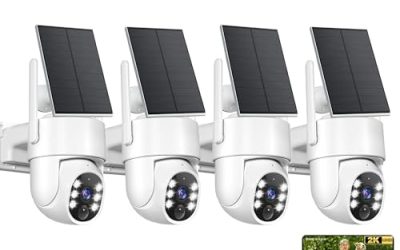
A wireless camera sends video to your router or a base station over Wi-Fi or a similar radio link. Power comes from a rechargeable battery, a solar panel add-on, or a wall adapter. Some systems use a dedicated hub with its own radio band, which helps avoid crowding your home network.
Wired vs Wireless Side by Side
| Factor | Wired | Wireless |
|---|---|---|
| Signal reliability | Very stable, not affected by Wi-Fi interference | Depends on signal strength and congestion |
| Installation | Harder, requires cable runs and drilling | Easier, mount and connect |
| Power | Continuous, often over the same cable | Battery recharge or plug-in adapter |
| Placement flexibility | Limited by cable length and routes | High, limited by signal range |
| Video quality headroom | Higher bandwidth for sharp, continuous video | Often compressed to save bandwidth and battery |
| Security against tampering | Harder to jam | Radio signals can be disrupted |
| Renter friendliness | Often not allowed to drill | Usually fine, with no wiring |
| Ongoing maintenance | Low once installed | Battery charging and signal checks |
Practical Considerations
Your Building and Layout
Brick, concrete, metal siding and long distances weaken Wi-Fi signals. If the spot you need to watch, such as a detached garage or the far end of a yard, is a long way from your router, a wireless camera may drop out, and a wired run will be steadier. In a small apartment with a thin wall between camera and router, wireless typically performs fine.
Power and Maintenance
Battery cameras are convenient but need recharging, and the frequency depends on motion events, video quality settings and temperature. Cold weather shortens battery runtime. Plug-in wireless models skip this chore but need an outlet nearby. Wired power-over-cable models eliminate battery worry entirely, which many homeowners find the strongest argument for them.
Video Quality and Recording Style
Wired systems can record continuously to a local recorder, so you can scrub through a full day of footage. Many battery cameras record only when they detect motion to conserve power, which means you might miss moments before or after an event. Check whether a camera offers pre-roll, which captures a few seconds before the trigger.
Privacy and Storage
Both types can store video locally on a card or recorder, or in a cloud subscription. Local storage avoids monthly fees and keeps footage in your possession, but it can be stolen along with the device. Cloud storage survives theft but may require an ongoing plan. Review the manufacturer’s account security options, such as two-factor sign-in, before buying.
Common Weak Points
Wireless cameras can be affected by a weak router, crowded channels or a mesh network that hands the camera between nodes. Signal drops often appear as delayed alerts or missing clips. Placing the camera closer to a router or adding an extender or dedicated hub can help, though that adds cost and complexity.
Wired cameras have different pain points. Running cable through walls, attics or conduit takes planning, and an outdoor cable run needs weather-resistant routing. If a cable is cut or a connector corrodes, the camera goes dark until you repair it. Professional installation can solve this but adds expense.
Placement and Coverage Tips
Where you mount a camera matters as much as which type you buy. Aim for a height of about two and a half to three meters at entry points, angled slightly downward so faces are visible and the lens is out of casual reach. Avoid pointing straight at the sun or at bright street lights, which wash out detail and trigger false motion alerts.
Cover the places intruders and deliveries actually use: the front door, the back door, ground-floor windows, the garage and the driveway. A few well-placed cameras beat many cameras with overlapping views. If you are using wireless cameras, walk the planned spot with your phone and check the signal bars before you mount, because a camera that works on the bench may struggle behind a brick wall.
Think about neighbors and the law as well. Point cameras at your own property rather than at windows next door, and check local rules about recording audio and about signs. When in doubt, ask a local installer or your municipality about what is allowed in your area.
Before You Buy Checklist
- Map the places you want covered and measure the distance to your router or recorder.
- Check whether you own the property or need landlord permission to drill.
- Decide how you want footage stored: local card, local recorder, cloud or a mix.
- Look at the camera’s weather rating if it will be mounted outdoors.
- Confirm night-vision type, field of view and whether it offers two-way audio.
- Check how motion detection can be tuned to avoid constant alerts from trees or traffic.
- See whether the system requires a subscription for core features.
- Note how many cameras the hub or recorder can support, in case you add more later.
Which Setup Suits Which Home
Renters, apartment dwellers and anyone who wants a weekend project usually do best with wireless. Mounting is quick, and you can take the camera with you when you move. A battery model works well for a front door or a back patio where a power outlet is out of reach.
Owners of larger properties, shops and homes with a long list of areas to cover often prefer wired. A central recorder with continuous recording and stable connections suits anyone who wants a reliable record rather than occasional clips. If you are building or renovating, running cable before the walls are closed is relatively cheap compared with doing it afterward.
A mixed approach is common and sensible. Use wired cameras on the most critical areas, such as entry doors and driveways, and add wireless cameras where cable is impractical, such as a shed or the side yard. Keep both on the same app if the manufacturer supports it, so you can check every view in one place.
Related guides
- Gaming Headset Noise Isolation Vs Active Noise Cancellation
- Does Gaming Headset Noise Cancellation Work On Microphone
- Trackir Vs Vr Vs Webcam Head Tracking For Flight Sims
Frequently Asked Questions
Are wireless cameras easier to hack than wired ones?
Any camera connected to a network can be targeted, so security depends on strong passwords, firmware updates and two-factor sign-in more than on the cable. Wired cameras are harder to jam physically, but they still need good account hygiene.
Do wireless cameras work if the internet goes down?
Many will keep recording locally to a card or hub if the internet drops, though live viewing and alerts will stop until the connection returns. Check the listing to see whether local storage is supported.
How far can a wireless camera be from the router?
It varies with walls, interference and the camera’s radio. Open-air distance is far greater than distance through brick or metal, so test signal strength at the planned mounting spot before you drill any holes.
Is professional installation worth it for wired cameras?
It can be, especially for multiple cameras, attic or wall runs, and outdoor conduit. If you are comfortable with basic cable work and have the right tools, a careful do-it-yourself job is possible, but follow local codes and safety practices.
FAQ
Are wireless cameras easier to hack than wired ones?
Do wireless cameras work if the internet goes down?
How far can a wireless camera be from the router?
Is professional installation worth it for wired cameras?
More from Amazon
Programs that pair well with the guide above. Offers and eligibility are set by Amazon and may change.
Free shipping on eligible items, Prime Video and more. Eligible new members can start with a free trial.
Start a Prime free trialAd-free music streaming. Eligible new subscribers can start with a free trial.
Try Music Unlimited freeA Prime membership for ages 18-24 with a trial period. Eligibility is set by Amazon.
See Prime for Young AdultsAudiobooks and podcasts to listen to on the go. Eligible new members can start with a free trial.
Try Audible freeAs an Amazon Associate we earn from qualifying purchases.