Key takeaways
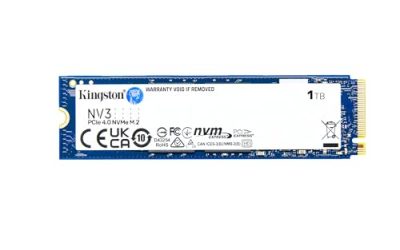
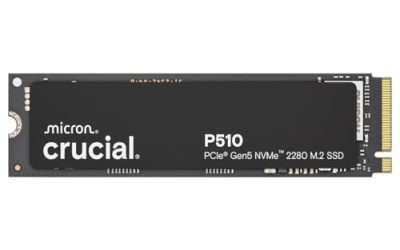
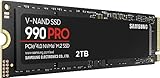
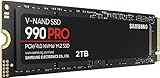
- Interface and bandwidth: SATA III is capped at 6Gb/s, which translates to roughly 550MB/s in practice. NVMe runs over PCIe lanes, delivering anywhere from 3,500MB/s on Gen3 to well past 12,000MB/s on Gen5 drives.
- Real-world game loading: The gap on paper is enormous; the gap in-game is not. Most titles load only a few seconds faster on NVMe, because decompression and CPU work — not raw read speed — are the bottleneck. DirectStorage-enabled games widen that gap, but they’re still the minority.
- Compatibility: SATA works in virtually every desktop, laptop, external enclosure and NAS built in the last fifteen years. NVMe needs a free M.2 slot and, for full speed, adequate PCIe lanes.
- Cost per terabyte: SATA remains the cheapest way to add reliable flash storage, particularly in multi-packs. That advantage compounds when you’re filling four bays rather than one slot.
- Heat and power: Fast NVMe drives run hot and often need a heatsink; Gen5 models can throttle without one. SATA drives sip power and stay cool, which matters in laptops and always-on systems.
- Installation: NVMe is a single screw and no cables. SATA needs a data cable, a power cable and a mounting point — trivial in a desktop, more awkward in a compact case.
Every gaming build eventually runs into the same fork in the road: do you spend on an NVMe drive that plugs straight into the motherboard, or a 2.5″ SATA SSD that costs less per gigabyte and works in almost anything? Both are solid-state, both are dramatically faster than the mechanical drives they replaced, and both will run your library without complaint. The difference is bandwidth — and what you actually get for it once you’re past the spec sheet.
In 2026 the calculus has shifted slightly. Modern titles routinely ship at 120GB or more, streaming asset systems like DirectStorage are finally common rather than a curiosity, and mid-range motherboards now offer two or three M.2 slots as standard. That makes NVMe the obvious home for your OS and your two or three most-played games. But it also means most players run out of M.2 slots long before they run out of games to install — which is exactly where a good SATA SSD earns its place.
Our top picks
 fanxiang S101 1TB SSD SATA SSD 1TB
- The fanxiang 1TB SSD 2.5 Inch SATA SSD…
- Compared to HDDs, the 1TB SATA SSD boots…
- The 2.5 SATA SSD 1TB incorporates 3D NAND…
 TEAMGROUP T-Force Vulcan Z 1TB SLC Cache
- [Gaming & PC Upgrade] Boost your PC with…
- [High-Speed SLC Cache] Features a built-in SLC Cache…
- [Universal Compatibility] Standard 2.5-inch 7mm slim design fits…
 Gigastone 【NAS Certified】 1TB High Endurance SSD
- [High Endurance Grade] : No.1 NAS SSD choice…
- [For Heavy Workloads] : Superior durability designed for…
- [Wide Compatibility] : Rugged secure data consolidation for…
| Product | Key specs | |
|---|---|---|
| fanxiang S101 1TB SSD SATA SSD 1TB | The fanxiang 1TB SSD 2.5 Inch SATA SSD… Compared to HDDs, the 1TB SATA SSD boots… The 2.5 SATA SSD 1TB incorporates 3D NAND… | Check price |
| TEAMGROUP T-Force Vulcan Z 1TB SLC Cache | [Gaming & PC Upgrade] Boost your PC with… [High-Speed SLC Cache] Features a built-in SLC Cache… [Universal Compatibility] Standard 2.5-inch 7mm slim design fits… | Check price |
| Gigastone 【NAS Certified】 1TB High Endurance SSD | [High Endurance Grade] : No.1 NAS SSD choice… [For Heavy Workloads] : Superior durability designed for… [Wide Compatibility] : Rugged secure data consolidation for… | Check price |
 Gigastone 【NAS Certified】 1TB High Endurance SSD Gigastone 【NAS Certified】 1TB High Endurance SSD | [High Endurance Grade] : No.1 NAS SSD choice… [For Heavy Workloads] : Superior durability designed for… [Wide Compatibility] : Rugged secure data consolidation for… | Check price |
 Gigastone 1TB SATA SSD 2.5 inch SSD Gigastone 1TB SATA SSD 2.5 inch SSD | [Gaming Grade] : No.1 Gaming PC & PS4… [Game Professionals] : Powerful Storage with Fastest Game… [Advanced Technology] : 3D NAND with SLC Cache… | Check price |
 Gigastone 1TB Game Turbo SSD Gigastone 1TB Game Turbo SSD | [Time-saving] : Read speed up to 550 MB/s [Advanced Technology] : 3D NAND with SLC Cache… [Compatibility] : 2.5" SSD 7mm design fits PS4… | Check price |
 ORICO 1TB SATA SSD 2.5 Inch Internal ORICO 1TB SATA SSD 2.5 Inch Internal | 3D-NAND Technology: The 2.5-inch SATA SSD utilizes advanced… Ultra-fast speed: Sequential read and write performance levels… High-Performance: Solid state internal drive has the characteristics… | Check price |
 Crucial BX500 1TB 3D NAND SATA 2.5-Inch Crucial BX500 1TB 3D NAND SATA 2.5-Inch | Boot up faster 300% faster than a typical hard drive Improves battery life because it’s 45x more energy… | Check price |
As an Amazon Associate we earn from qualifying purchases at no extra cost to you.
⚡ Save on Your Next PC — Amazon Prime
Prime members get fast free shipping on the systems above, plus early access to Prime Day & Black Friday PC deals. New members get a 30-day free trial.
Watch: NVMe vs SATA SSD: 2026 Speed Comparison — Video Review
Quick Verdict
Choose NVMe if you’re building or upgrading a modern desktop, want the fastest possible boot and level loads, and have a free M.2 slot to fill — it’s the better primary drive, full stop. Choose SATA if you’re expanding a library, upgrading an older laptop or pre-built, replacing a console drive, or building a NAS, where cost per terabyte and universal compatibility matter more than peak sequential throughput.
Key Differences
- Interface and bandwidth: SATA III is capped at 6Gb/s, which translates to roughly 550MB/s in practice. NVMe runs over PCIe lanes, delivering anywhere from 3,500MB/s on Gen3 to well past 12,000MB/s on Gen5 drives.
- Real-world game loading: The gap on paper is enormous; the gap in-game is not. Most titles load only a few seconds faster on NVMe, because decompression and CPU work — not raw read speed — are the bottleneck. DirectStorage-enabled games widen that gap, but they’re still the minority.
- Compatibility: SATA works in virtually every desktop, laptop, external enclosure and NAS built in the last fifteen years. NVMe needs a free M.2 slot and, for full speed, adequate PCIe lanes.
- Cost per terabyte: SATA remains the cheapest way to add reliable flash storage, particularly in multi-packs. That advantage compounds when you’re filling four bays rather than one slot.
- Heat and power: Fast NVMe drives run hot and often need a heatsink; Gen5 models can throttle without one. SATA drives sip power and stay cool, which matters in laptops and always-on systems.
- Installation: NVMe is a single screw and no cables. SATA needs a data cable, a power cable and a mounting point — trivial in a desktop, more awkward in a compact case.
NVMe SSDs: Peak Performance Where It Counts
An NVMe drive is the right answer for your boot volume. Windows feels sharper, shader compilation and game patching finish noticeably quicker, and large file operations — moving a 90GB install between folders, extracting a mod pack, capturing gameplay footage — happen at speeds SATA physically cannot reach. If you stream, record or edit alongside gaming, that headroom is genuinely useful rather than theoretical.
The caveat is diminishing returns. Jumping from a hard drive to any SSD is transformative; jumping from SATA to Gen4 NVMe is a refinement. Gen5 drives are faster again, but in gaming benchmarks the difference over Gen4 is frequently within a second. Buy NVMe for your primary drive and your most-played titles, then stop paying the premium — the money is better spent on capacity elsewhere.
SATA SSDs: The Smart Way to Add Capacity
SATA is where value lives. A drive like the TEAMGROUP T-Force Vulcan Z 1TB or the fanxiang S101 1TB delivers around 520–550MB/s with 3D NAND TLC and SLC caching — more than enough for any game that isn’t leaning on DirectStorage, and roughly ten times what a 7,200RPM hard drive manages on random reads. For older laptops and pre-builts with no M.2 slot at all, it’s not a compromise; it’s the entire upgrade.
It’s also the sensible choice for bulk and always-on storage. The Gigastone Game Turbo 1TB two-pack is an easy way to add 2TB of library space in one go, while the NAS Certified 1TB High Endurance models — available singly or as a 2-Pack — are rated for 24/7 operation with a five-year warranty, making them well suited to RAID arrays and home servers. The standard Gigastone 1TB SATA SSD, meanwhile, remains a straightforward HDD or console drive replacement at around 530MB/s.
Which Should You Buy?
- For a new gaming desktop: Pick NVMe for the OS and main games, then add SATA later for overflow storage.
- For an older laptop or pre-built: Pick SATA — the fanxiang S101 or T-Force Vulcan Z will transform a system that still ships with a mechanical drive.
- For maximum library space on a budget: Pick SATA in multi-packs; the Gigastone Game Turbo 2-Pack gets you 2TB for less than a single fast NVMe drive.
- For a NAS or 24/7 server: Pick SATA, specifically the Gigastone NAS Certified High Endurance drives with their five-year warranty.
- For content creation alongside gaming: Pick NVMe — scratch disk and export performance genuinely benefit from the bandwidth.
Frequently Asked Questions
Will games load faster on NVMe?
Slightly, in most cases. Expect a one- to three-second improvement in typical titles. Games built around DirectStorage show larger gains, but the difference between SATA SSD and NVMe is far smaller than the difference between a hard drive and any SSD.
Can I use both in the same PC?
Yes, and it’s the ideal setup. Run Windows and your current rotation on NVMe, keep the rest of your library on one or more SATA drives. Steam supports multiple library folders, so moving games between them takes a couple of clicks.
Is SATA still worth buying in 2026?
Absolutely. It remains the cheapest reliable flash storage available, it works in hardware that NVMe simply can’t, and for the majority of games the performance difference is imperceptible during play.
Does SLC caching actually matter?
It helps. SLC caching lets a TLC drive absorb bursts of writes at high speed before folding the data into slower storage — useful when installing large games or copying big files. Sustained writes beyond the cache will slow down, but that’s rare in gaming use.
Final Verdict
NVMe wins on raw performance and should be your primary drive if your hardware supports it, but SATA is far from obsolete — it’s the most cost-effective way to expand a library, the only option for many older systems, and the safer pick for always-on NAS duty. For most gamers in 2026 the correct answer isn’t one or the other: it’s a modest NVMe boot drive paired with as much SATA capacity as your budget and drive bays allow.