Key takeaways
- Capacity: With games often exceeding 100GB, 2TB is a comfortable target for a growing library, while 1TB suits smaller collections.
- Form factor: Full-size M.2 2280 drives fit desktops and most laptops; compact 2230 drives are needed for the Steam Deck, ROG Ally, and similar handhelds.
- Speed: PCIe Gen4 NVMe drives offer the fastest load times, though even Gen3 is plenty quick for gaming; SATA and portable SSDs trade speed for convenience.
- Internal versus portable: Internal drives give the best speed and value per terabyte; portable SSDs let you move a library between PCs and consoles easily.
- Compatibility: Confirm your device supports the drive’s interface and size before buying, especially for handhelds with strict 2230 requirements.
What's inside
Modern games are enormous. A single AAA title can eat well over 100GB, so a serious Steam library quickly outgrows a small boot drive. A large, fast SSD keeps your favorite games installed and loading quickly, whether that is an internal NVMe drive in your PC, a compact 2230 stick for a Steam Deck or handheld, or a portable SSD you carry between machines. In 2026 capacities are up and prices per terabyte keep falling.
This roundup covers storage aimed at housing a big Steam library, spanning internal M.2 drives, handheld-friendly 2230 sticks, and portable SSDs. We weighed capacity, read and write speed, form factor, and value, since the goal is fitting more games at fast load times without breaking the bank. A couple of accessories in the list, like docks and cables, we note as companions rather than primary picks.
As an Amazon Associate we earn from qualifying purchases at no extra cost to you.
![SABRENT Rocket Q4 2230 NVMe SSD 2TB – PCIe Gen4 M.2 Internal SSD for Steam Deck, ROG Ally, Surface Pro, Mini PCs – DRAM-Less QLC, Up to 5GB/s, Single-Sided, Compact Form Factor [SB-213Q-2TB]](https://m.media-amazon.com/images/I/41QldUwQDlL._SL160_.jpg)


⚡ Save on Your Next PC — Amazon Prime
Prime members get fast free shipping on the systems above, plus early access to Prime Day & Black Friday PC deals. New members get a 30-day free trial.
Watch: Best SSD for a Large Steam Library — Video Review
How to Choose
- Capacity: With games often exceeding 100GB, 2TB is a comfortable target for a growing library, while 1TB suits smaller collections.
- Form factor: Full-size M.2 2280 drives fit desktops and most laptops; compact 2230 drives are needed for the Steam Deck, ROG Ally, and similar handhelds.
- Speed: PCIe Gen4 NVMe drives offer the fastest load times, though even Gen3 is plenty quick for gaming; SATA and portable SSDs trade speed for convenience.
- Internal versus portable: Internal drives give the best speed and value per terabyte; portable SSDs let you move a library between PCs and consoles easily.
- Compatibility: Confirm your device supports the drive’s interface and size before buying, especially for handhelds with strict 2230 requirements.
The Best Picks Reviewed
SABRENT Rocket Q4 2230 NVMe SSD 2TB (PCIe Gen4)
The Rocket Q4 packs a full 2TB into the compact 2230 form factor, making it a top upgrade for the Steam Deck, ROG Ally, and similar handhelds. Its PCIe Gen4 speeds keep load times fast, and 2TB is enough to keep a large portion of your Steam library installed on the go.
Silicon Power 2TB UD90 2230 NVMe Gen4 SSD (Up to 5,000MB/s)
Another excellent 2230 option, the Silicon Power UD90 offers 2TB and quoted reads up to 5,000MB/s at a competitive price. It is a strong value pick for handheld gamers who want maximum capacity and fast Gen4 performance in a tiny drive.
Transcend ESD420 1TB Magnetic External SSD (Up to 2000MB/s)
For a portable library you can move between devices, the ESD420 offers 1TB at up to 2000MB/s in a compact magnetic enclosure. It is handy for carrying games between a desktop, laptop, or console without opening any hardware.
WD SN740 512GB M.2 2230 NVMe PCIe Gen4 SSD
The WD SN740 is a reliable OEM 2230 drive that suits handhelds needing a dependable, single-sided upgrade. At 512GB it is a budget-friendly step up from tiny stock storage, and WD’s reputation for reliability adds peace of mind.
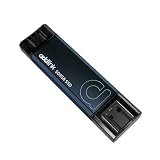
Addlink P50 500GB Mini Portable SSD (1050MB/s, USB 3.2 Gen 2)
The Addlink P50 is a thumb-drive-sized portable SSD offering 500GB at USB 3.2 Gen 2 speeds with both Type-C and Type-A connectors. It is a convenient way to carry a selection of games or overflow storage between systems.
Frequently Asked Questions
How much SSD space do I need for a Steam library?
It depends on how many big titles you keep installed. With AAA games often over 100GB, 2TB is a comfortable target for an active library, while 1TB works if you rotate a smaller selection.
Do I need a 2230 drive for a Steam Deck?
Yes. The Steam Deck and many handhelds use the compact 2230 form factor, so a full-size 2280 drive will not fit. Drives like the SABRENT Rocket Q4 and Silicon Power UD90 are made for this size.
Is a portable SSD good enough for gaming?
Portable SSDs are great for storing and moving games, and many titles run acceptably from a fast USB SSD. For the best load times, though, an internal NVMe drive is faster and better value per terabyte.
Does PCIe Gen4 matter for load times?
Gen4 offers the fastest transfers, but even Gen3 NVMe drives load games very quickly, so the real-world difference in gaming is modest. Capacity and reliability often matter more than chasing the highest speeds.
Final Thoughts
For handheld gamers the 2TB SABRENT Rocket Q4 and Silicon Power UD90 are the standout 2230 picks, giving your Steam Deck room for a big library. The WD SN740 is a reliable budget 2230 choice, while the Transcend ESD420 and Addlink P50 portable SSDs let you carry games between machines. Match the form factor to your device and pick the capacity your library needs, and you will spend less time waiting and more time playing.