Key takeaways
- Install your OS and most-played games on an NVMe SSD for the snappiest experience.
- Start at 1TB minimum; choose 2TB if you keep a large library installed at once.
- A good PCIe 4.0 drive is plenty for gaming; PCIe 5.0 is rarely worth the premium alone.
- Pair an SSD with a cheap HDD for bulk storage of archived games and media.
What's inside
Storage does not change your frame rate, but it changes almost everything else about how a game feels to load, install, and stream. In 2026, with game installs ballooning past 100GB and modern engines streaming assets on the fly, the difference between a fast SSD and an old hard drive is impossible to ignore. Choosing the right storage is one of the easiest ways to make a gaming PC feel snappy.
This guide compares SSDs and HDDs for gaming, explains the different SSD tiers you will see, and helps you decide how to split your budget between fast game storage and cheap bulk capacity. By the end you will know exactly what to buy and how much of it you actually need.
As an Amazon Associate we earn from qualifying purchases at no extra cost to you. Product prices and availability are accurate as of the date shown and are subject to change.


⚡ Save on Your Next PC — Amazon Prime
Prime members get fast free shipping on the systems above, plus early access to Prime Day & Black Friday PC deals. New members get a 30-day free trial.
Watch: SSD vs HDD for Gaming: Which Do You Need? — Video Review
The Core Difference
A hard disk drive (HDD) uses spinning platters and a moving read head, while a solid state drive (SSD) uses flash memory with no moving parts. That makes SSDs many times faster at loading data, which translates to shorter game load screens, faster world streaming, and quicker installs. HDDs are slower but far cheaper per terabyte, which is their one remaining advantage in a gaming build.
Why Games Need an SSD in 2026
Modern games are built with fast storage in mind. Many stream textures and world data continuously as you move, and on a slow HDD this causes visible texture pop-in, longer loads, and even stutter. An NVMe SSD like the Kingston NV3 or the WD_Black SN7100 eliminates most of that, and some newer titles now list an SSD as a hard requirement rather than a recommendation. For your actively played games, an SSD is no longer optional.
SATA, PCIe 4.0, and PCIe 5.0 Explained
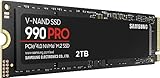
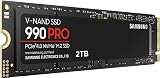
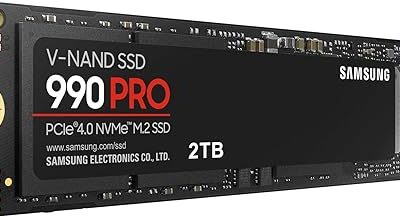
Not all SSDs are equal. SATA SSDs are the slowest tier but still vastly quicker than any HDD. NVMe drives on PCIe 4.0, such as the Samsung 990 PRO, offer very high speeds that suit gaming perfectly. The newest PCIe 5.0 drives like the Samsung 9100 PRO push read speeds even higher, but for gaming specifically the real-world load-time difference over a good PCIe 4.0 drive is small, so you rarely need to pay the premium unless you also do heavy content work.
How Much Capacity to Buy
With individual games passing 100GB, capacity fills fast. A 1TB NVMe SSD is a sensible starting point and holds a healthy library of active titles; a 2TB drive like the Samsung 990 PRO 2TB is the comfortable choice if you keep many large games installed at once. Buying too small means constantly uninstalling and re-downloading games, which quickly becomes a chore.
The Best of Both Worlds
You do not have to choose one type. A popular approach is a fast NVMe SSD as your primary drive for the operating system and the games you play most, paired with a large, cheap HDD for archived titles, recordings, and media you access less often. This gives you SSD speed where it matters and inexpensive bulk storage where it does not, making the most of your budget.
Tips
- Install your OS and most-played games on an NVMe SSD for the snappiest experience.
- Start at 1TB minimum; choose 2TB if you keep a large library installed at once.
- A good PCIe 4.0 drive is plenty for gaming; PCIe 5.0 is rarely worth the premium alone.
- Pair an SSD with a cheap HDD for bulk storage of archived games and media.
Frequently Asked Questions
Does an SSD increase FPS?
Not directly. Your GPU and CPU determine frame rate. But an SSD slashes load times, reduces texture pop-in, and prevents streaming stutter, so games feel far smoother overall.
Is PCIe 5.0 worth it for gaming?
For gaming alone, usually not. A quality PCIe 4.0 drive like the Samsung 990 PRO delivers nearly the same load times, so save the premium unless you also do heavy content creation.
Can I still use an HDD for games?
You can for older or less demanding titles, but many 2026 games stream assets and expect SSD speeds. Keep an HDD for archives and put active games on an SSD.
How much SSD storage do I need?
1TB is a solid minimum, but with games regularly exceeding 100GB, 2TB is the more comfortable choice if you like keeping a big library installed without constant uninstalls.
Conclusion
For gaming in 2026, an NVMe SSD is essential for your operating system and active games, with a good PCIe 4.0 drive hitting the sweet spot of speed and value. Start with at least 1TB, step up to 2TB if your library is large, and add a cheap HDD for bulk storage. That setup delivers fast loads and stutter-free streaming without overspending.