Our Top Picks
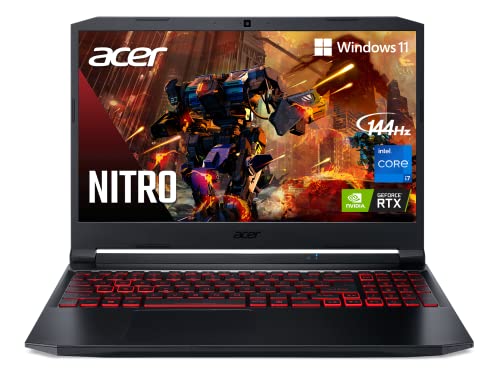 Acer Nitro 5 AN515-57-79TD Gaming Laptop15-15.99 inches14.31 x 10.04 x 0.94 inches4.8 poundsCheck on Amazon
 Acer Nitro 5 AN515-58-57Y8 Gaming Laptop15.6'' | RTX 3050 Ti14.19 x 1.06 x 10.67 inches5.51 poundsCheck on Amazon
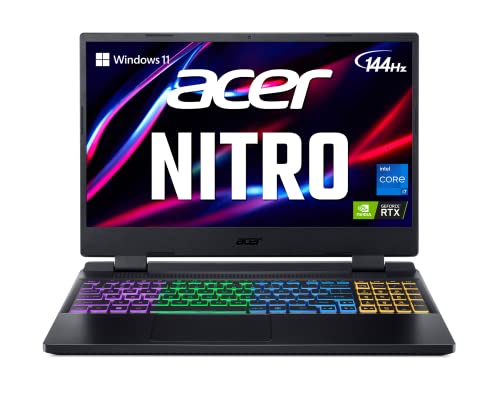 acer Nitro 5 AN515-58-725A Gaming Laptop16GB DDR4 | 512GB14.19 x 10.67 x 1.06 inches5.51 poundsCheck on Amazon
The Acer Nitro 5 AN515-57 is a 2021-generation budget gaming laptop that still plays current games at 1080p with adjusted settings, but it is now a previous-generation model, so it only makes sense as a used or clearance buy, and most new buyers are better served by its successor line, the Nitro V 15. The AN515-57 pairs an 11th generation Intel Core H-series processor with a GeForce RTX 30-series laptop GPU in a 15.6-inch body with a 144 Hz screen and notably friendly upgrade options. This guide covers what the maker and reviewers list, how to upgrade it, its limits, and what to buy instead.
Is the AN515-57 still sold and supported?
The AN515-57 belongs to the 2021 Nitro 5 generation. Listings still turn up on the maker’s store pages and in retail stock in some regions, but Acer’s current budget gaming line is the Nitro V 15, which reviewers describe as sitting below the Nitro 5 in the lineup when it launched. The practical advice is to treat the AN515-57 as a previous-generation laptop: it can be a good deal on the used or clearance market, yet new buyers should compare it with newer machines that have modern graphics features and newer processors. Configurations vary by year, region and SKU.
Acer Nitro 5 AN515-57-79TD Gaming Laptop | Intel Core i7-11800H | NVIDIA GeForce RTX 3050 Ti Laptop GPU | 15.6" FHD 144Hz IPS Display | 8GB DDR4 | 512GB NVMe SSD | Killer Wi-Fi 6 | Backlit Keyboard
Chosen because it specifies Intel Core i7-11800H and NVIDIA GeForce RTX 3050 Ti Laptop GPU.
View on AmazonAcer Nitro 5 AN515-58-57Y8 Gaming Laptop | Intel Core i5-12500H | NVIDIA GeForce RTX 3050 Ti Laptop GPU | 15.6" FHD 144Hz IPS Display | 16GB DDR4 | 512GB Gen 4 SSD | Killer Wi-Fi 6 | Backlit Keyboard
Chosen because it specifies Intel Core i5-12500H and NVIDIA GeForce RTX 3050 Ti Laptop GPU.
View on Amazon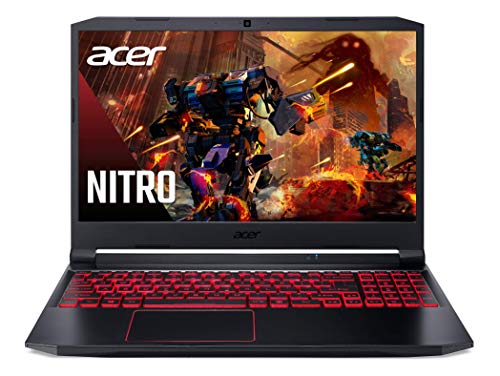
Acer Nitro 5 AN515-55-53E5 Gaming Laptop | Intel Core i5-10300H | NVIDIA GeForce RTX 3050 GPU | 15.6" FHD 144Hz IPS Display | 8GB DDR4 | 256GB NVMe SSD | Intel Wi-Fi 6 | Backlit Keyboard
Chosen because it specifies Intel Core i5-10300H and NVIDIA GeForce RTX 3050 GPU.
View on Amazonacer Nitro 5 AN515-58-725A Gaming Laptop | Intel Core i7-12700H | NVIDIA GeForce RTX 3060 Laptop GPU | 15.6" FHD 144Hz 3ms IPS Display | 16GB DDR4 | 512GB Gen 4 SSD | Killer Wi-Fi 6 | RGB Keyboard
Chosen because it specifies Intel Core i7-12700H and NVIDIA GeForce RTX 3060 Laptop GPU.
View on AmazonSpecifications reviewers and Acer list
| Part | Reported specification | Notes |
|---|---|---|
| Processor | Core i5-11400H (6 cores, 2.70 GHz base, up to 4.50 GHz turbo, 12 MB cache); Core i7 options also exist | H-series 11th generation chip |
| Graphics | GeForce RTX 3050 Ti Laptop reviewed in 75 W form with 4 GB of memory; another reviewer notes the 3050 Ti spans roughly 60 to 80 W | Power limit differs between laptops and affects performance |
| Display | 15.6-inch Full HD IPS, 144 Hz | Acer UK store listing |
| Memory | Two SODIMM slots, standard 2×8 GB on some SKUs, 32 GB maximum per Acer | Some SKUs ship with a single stick |
| Storage | Two M.2 slots with RAID 0 support; NanoReview also lists a 2.5-inch bay | Confirm the bay on your SKU |
LaptopMedia reviewed a model with the i5-11400H, a 75 W RTX 3050 Ti, 16 GB of RAM and a 512 GB SSD, and titled the review “this one has improved” relative to earlier Nitro 5 designs. UltrabookReview covered a Core i7 plus RTX version. Notebookcheck’s collection page lists a powerful processor, a strong GPU and good value among the positives. Because reviewers use different games and settings, no frame rate numbers are quoted here.
Upgrading the AN515-57
This is the model’s best selling point against many newer budget gaming laptops. Acer lists two memory slots with a 32 GB maximum, and LaptopMedia says the two SODIMM slots take up to 32 GB of DDR4-3200. NanoReview lists a 64 GB maximum, but its evidence is only a user upgrade to 32 GB with a 2×16 GB kit, so treat 32 GB as the safe figure unless Acer’s manual for your SKU says otherwise.
- Memory: if your unit has a single 8 GB stick, adding a matching second module restores dual-channel mode. UltrabookReview observes that a dual-rank DDR4-3200 kit may help a little, though the effect is smaller on Intel than on AMD versions.
- Storage: two M.2 slots let you add a second SSD for game libraries.
- Warranty and safety: power off, unplug the charger and follow the maker’s service manual. Opening the base may affect warranty terms in some regions, so check before you do it.
Strengths
- Easy memory and storage upgrades.
- 144 Hz IPS display suited to esports-style games.
- Capable RTX graphics for 1080p play at medium settings in many titles, according to reviewers.
- Rich port selection typical of the Nitro line.
Limits
- Only 4 GB of video memory on the RTX 3050 Ti, which can restrict texture settings in newer games.
- Older architecture: it lacks the newest upscaling and frame generation features found on RTX 40 and 50-series laptops.
- Battery life and weight: as with most gaming laptops, reviewers describe modest runtimes away from the charger.
- Display: a standard gaming IPS with limited colour gamut, which is fine for play but not for colour work.
- Age: a 2021 design may show wear on used units, and battery health varies.
Buying tiers (new versus used)
| Tier | What it looks like | Advice |
|---|---|---|
| Budget | Used AN515-57 with i5-11400H and RTX 3050 Ti | Check battery health and fan noise; plan a RAM top-up |
| Mid-range | New Nitro V 15 with RTX 4050 class graphics | Newer features and warranty |
| Premium | Current Nitro or other brand with RTX 5050 or higher | Best for long-term use |
The successor: Nitro V 15
The Nitro V 15 ANV15-51 is commonly described as the budget successor. Reviewers list a GeForce RTX 4050 Laptop GPU with 6 GB of GDDR6 at about 75 W in reviewed units, a Core i5-13420H, 16 GB of DDR5 in one review unit, a 15.6-inch 1080p 144 Hz IPS panel, a 57 Wh battery, HDMI 2.1, Thunderbolt 4, three full-size USB ports and Ethernet. RAM is upgradeable and there are two M.2 slots. PCWorld gave it 3.5 stars and called it the very bottom of the budget gaming market; another reviewer praised the balanced configuration and cooling but noted the plastic body and narrow-gamut display. A 2024 refresh, the ANV15-52, keeps the RTX 4050 with a 165 Hz panel, and reports describe a later version with an RTX 5050 with 8 GB of GDDR7 and DLSS 4 Multi Frame Generation. A Nitro V 16 line also exists, which reviewers’ sites list alongside the 15-inch models.
Pick this if, pick that if
| If you want | Choose | Reason |
|---|---|---|
| Lowest cost gaming laptop with upgrade room | Used AN515-57 | Two RAM slots and two M.2 slots |
| Warranty and newer GPU features | Nitro V 15 (RTX 4050 or newer) | Current generation |
| More video memory for newer games | RTX 5050 8 GB class laptop | 8 GB of GDDR7 reported on the latest Nitro V |
| Light travel use and gaming | Thin-and-light with discrete GPU | Lower weight, but usually less upgrade room |
What to check on a used unit
- Confirm the exact part number and GPU, because the AN515-57 was sold with several processor and graphics combinations.
- Look at battery health and charger output.
- Listen for fan noise and watch temperatures under load.
- Check hinges and keyboard condition.
- Confirm that Windows is activated and that the SSD is healthy.
Settings that suit the RTX 3050 Ti class
With 4 GB of video memory and a 1080p panel, the practical approach is to prioritise texture quality within the memory limit and use upscaling where the game offers it. Many modern titles list their video memory use in the graphics menu, and staying inside the 4 GB budget avoids stutter caused by data spilling into system memory. NVIDIA upscaling such as DLSS is available on RTX 30-series laptop GPUs, although the newest frame generation features arrive on later generations, as the maker describes in its RTX 40 and 50 materials. Capping the frame rate near the 144 Hz refresh limit also reduces heat and fan noise.
Thermal care matters on any older gaming laptop. Keep the intake and exhaust vents clear, use a hard surface, and consider cleaning dust from the fans if the machine is second hand and you are comfortable following the service manual with the power disconnected. If temperatures or noise seem unusual, contact the maker or a qualified technician rather than forcing the issue. Overclocking and aggressive undervolting can cause instability and may affect warranty terms, so keep adjustments conservative.
Frequently Asked Questions
Is the Acer Nitro 5 AN515-57 still worth buying?
As a used or discounted laptop it can offer solid 1080p gaming and easy upgrades. As a new purchase, newer Nitro V models offer newer graphics and warranty coverage. The AN515-57 is a 2021 design.
Can I upgrade the RAM on an AN515-57?
Yes. Acer lists two memory slots with a maximum of 32 GB, and LaptopMedia says they take DDR4-3200. Some sources claim 64 GB works, but the evidence shown is only a 32 GB upgrade.
What graphics does it use?
Reviewed configurations use the GeForce RTX 3050 Ti Laptop GPU with 4 GB of memory, with power levels reported between about 60 and 80 W. Other configurations exist, so confirm your SKU.
What is the Nitro 5 successor?
Acer’s Nitro V 15 and later Nitro V models sit in the budget slot. The ANV15-51 uses an RTX 4050, and later versions reportedly add an RTX 5050.
Does it have a good display for esports?
The 144 Hz Full HD IPS panel suits fast games. Colour coverage is described as ordinary, so it is better for play than for design work.
How many storage drives can I install?
Acer-side reviews mention two M.2 slots with RAID 0 support, and NanoReview adds a 2.5-inch bay. Check the service manual for your SKU before buying drives.
FAQ
Is the AN515-57 still sold and supported?
Is the Acer Nitro 5 AN515-57 still worth buying?
Can I upgrade the RAM on an AN515-57?
What graphics does it use?
What is the Nitro 5 successor?
Does it have a good display for esports?
How many storage drives can I install?
More from Amazon
Programs that pair well with the guide above. Offers and eligibility are set by Amazon and may change.
Free shipping on eligible items, Prime Video and more. Eligible new members can start with a free trial.
Start a Prime free trialAd-free music streaming. Eligible new subscribers can start with a free trial.
Try Music Unlimited freeA Prime membership for ages 18-24 with a trial period. Eligibility is set by Amazon.
See Prime for Young AdultsAudiobooks and podcasts to listen to on the go. Eligible new members can start with a free trial.
Try Audible freeAs an Amazon Associate we earn from qualifying purchases.