Key takeaways
- Check five pairings before you click buy: processor to motherboard socket and chipset, memory type to motherboard.
Check five pairings before you click buy: processor to motherboard socket and chipset, memory type to motherboard, graphics card length and power needs to the case and power supply, cooler height and mounting to the case and socket, and storage interface to the motherboard slots. If all five line up, the rest of the build will almost always fit and boot.
Compatibility mistakes are the most common reason a new build stalls on day one, and they are easy to avoid with a methodical checklist. This guide walks through each pairing, tells you which numbers to compare, and explains how to double-check with published specification sheets and compatibility lists before ordering parts in 2026.
Gather the Spec Sheets First
Open the manufacturer pages for your processor, motherboard, case, power supply, cooler and graphics card. Download or bookmark the specification sheets and manuals. Those pages list the details that matter: socket type, supported memory, maximum cooler height, maximum graphics card length, power connector types and supported storage standards. Retail listings sometimes simplify these details or leave them out.
Keep a small notes file or spreadsheet with one row per part. Writing the key numbers side by side reveals conflicts quickly.
The Compatibility Checklist Table
| Pairing | What to compare | Where to find it |
|---|---|---|
| Processor and motherboard | Socket type, chipset support, firmware version needed | Motherboard processor support list |
| Memory and motherboard | Memory generation, speed, capacity per slot, number of slots | Motherboard memory support list |
| Graphics card and case | Card length, thickness, slot count, clearance | Case and card specifications |
| Power supply and parts | Total wattage, connector types, cable count | Power supply and graphics card specs |
| Cooler and case | Cooler height, radiator size, mounting kit for the socket | Cooler and case specifications |
| Storage and motherboard | Drive form factor, interface, number of slots | Motherboard manual |
| Motherboard and case | Form factor such as ATX or smaller | Case specification |
Walking Through Each Check
Processor, Socket and Chipset
The processor must fit the physical socket on the motherboard, but that is only half the story. The motherboard chipset and firmware must also support that specific processor model. Many boards need a firmware update to recognize newer chips, and some listings state this requirement. Look for the processor support list on the board maker’s page and confirm that your exact model appears and what firmware version it requires.
Memory Type, Speed and Capacity
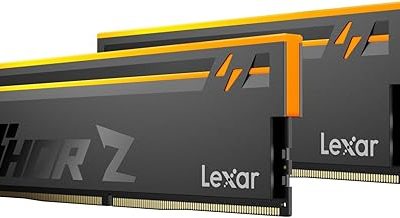
Memory generations are not interchangeable, so the module type must match the motherboard slot design. Check maximum supported capacity, supported speeds and how many sticks the board accepts. Running more modules can lower the maximum stable speed on some boards. If the memory kit is rated above what the board officially supports, it may run at a lower speed or need profile settings enabled in firmware.
Graphics Card Size and Power
Check the card’s length and thickness against the case’s maximum supported card length and slot space. Modern cards can occupy multiple slots and extend close to the front fans or drive cages. Also confirm the power connectors the card needs and that your power supply has them, rather than relying on adapters that may strain cable ratings. The manufacturer’s recommended power supply wattage is a useful minimum.
Cooler Height and Mounting
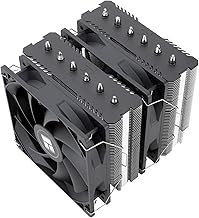
Tower air coolers have a maximum height for each case. Radiators for liquid coolers need a supported mounting spot and clearance from memory and the top of the case. Confirm that the cooler includes brackets for your socket, since a cooler designed for a different socket may not mount without an additional kit.
Storage and Expansion
Compact drives that attach directly to the motherboard come in different lengths and interface types. Check the slot description for the form factor and interface, and note whether using one slot disables a neighboring port, a trade-off some boards document in the manual. For larger drives, make sure the case has the right bays.
Verify With Compatibility Tools and Lists
Use a public parts-picker tool or the motherboard’s qualified vendor list to catch problems automatically. These tools flag socket mismatches, power shortfalls and clearance conflicts. They are not perfect, so treat their results as a guide and confirm borderline cases against the specification pages.
If a part appears on neither the support list nor in a tool, search owner forums for reports of that exact pairing. Take note of firmware requirements, since those are the quiet cause of many boot problems.
Before You Buy Checklist
- Confirm processor and motherboard compatibility, including firmware.
- Match memory generation and check supported speeds.
- Compare graphics card length with case clearance.
- Count the power connectors your parts need and confirm the power supply has them.
- Verify cooler height and socket mounting hardware.
- Check storage slot types and quantity.
- Match motherboard size to the case.
- Save the return policy for each part in case something does not fit.
Extra Checks That Prevent Surprises
Power Connectors and Cable Lengths
Even with enough wattage, the right connectors need to reach the right places. Count the processor power connectors the motherboard needs, the graphics card connectors and the storage or fan connectors. Modular power supplies let you add only the cables you need, but check that the included cable set matches your parts. In a large case, cable length can also matter, especially for top-mounted power supplies.
Front Panel and Case Ports
Case front ports use specific header types on the motherboard. A case with a modern front USB-C connector needs a matching header on the board, or the port will not work. Check the motherboard manual for the headers it offers and the case manual for the connectors it uses.
Wireless, Audio and Extras
Some motherboards include wireless adapters and others do not. If you rely on Wi-Fi or Bluetooth, confirm that the board includes them or plan for an add-in card or adapter. Also check how many fan headers the board provides if you plan on a case with many fans, and whether the case includes a fan controller or hub.
Operating System and Drivers
Make sure the operating system you plan to use supports your hardware. Some new chips need recent versions or updated drivers. Download installation media and drivers before the build arrives, because network drivers may not be built into the installer for very new network chips.
Common Mistakes
Many first-time builders buy a processor and board with the same socket and assume they work together, forgetting firmware. Others pick a large cooler or graphics card without checking case clearance. Some choose memory by capacity alone and ignore type, or buy a power supply with enough wattage but not the right connectors. Another quiet error is forgetting operating system or driver support for newer hardware, which can complicate setup.
A Sample Order of Operations
Pick the motherboard and processor together, then choose memory from the board’s supported list. Next select the case, verifying the board size and graphics card clearance, followed by the power supply and cooler. Finish with storage. Buying in this order means each choice narrows the next, and you rarely end up with a part that does not fit. Hold off on payment until you have rechecked the full list on one page.
Related guides
- Gaming Headset Noise Isolation Vs Active Noise Cancellation
- Does Gaming Headset Noise Cancellation Work On Microphone
- Trackir Vs Vr Vs Webcam Head Tracking For Flight Sims
Frequently Asked Questions
Do I need to check every part against every other part?
Not every pair, but the main links above cover almost all issues. The motherboard sits at the center of most of them, so start there and work outward.
Can I use a PC parts picker website instead?
It helps and catches many conflicts, but it can lag behind new releases and firmware changes. Use it alongside the manufacturer pages.
What if a part is borderline on clearance?
Treat borderline as a mismatch, especially for cooler height and graphics card length, since cable routing needs extra space. Choose a part with a comfortable margin.
Is a bigger power supply always safer?
A supply with some headroom is wise, but connector types and quality matter as much as wattage. Pick a reputable design with the connectors your parts need.
FAQ
Do I need to check every part against every other part?
Can I use a PC parts picker website instead?
What if a part is borderline on clearance?
Is a bigger power supply always safer?
More from Amazon
Programs that pair well with the guide above. Offers and eligibility are set by Amazon and may change.
Free shipping on eligible items, Prime Video and more. Eligible new members can start with a free trial.
Start a Prime free trialAd-free music streaming. Eligible new subscribers can start with a free trial.
Try Music Unlimited freeA Prime membership for ages 18-24 with a trial period. Eligibility is set by Amazon.
See Prime for Young AdultsAudiobooks and podcasts to listen to on the go. Eligible new members can start with a free trial.
Try Audible freeAs an Amazon Associate we earn from qualifying purchases.