Key takeaways
- Resolution: 1080p is the reliable standard, while 4K adds detail if your calls or streams demand it
- Built-in microphone: integrated mics with noise reduction save you from buying separate audio gear
- Field of view: a narrower FOV frames one person tightly, while wider angles capture more of the room
- Privacy features: a physical privacy shutter or cover protects you when the camera isn’t in use
- Compatibility: confirm plug-and-play support for Zoom, Teams, Meet, and your operating system
What's inside
A good webcam has become essential for remote work, streaming, and staying connected, but you don’t need to spend a fortune to look sharp on camera. The affordable webcam market is packed with capable options that deliver crisp 1080p or even 4K video, clear audio, and privacy features once reserved for premium models. The challenge is knowing which budget picks actually deliver.
This roundup gathers affordable webcams that punch above their price, spanning reliable 1080p workhorses to surprising 4K options, so you can find one that makes you look professional without breaking the bank.
As an Amazon Associate we earn from qualifying purchases at no extra cost to you. Product prices and availability are accurate as of the date shown and are subject to change.


🎮 Get More From Your Setup — Free
Prime Gaming gives you free PC games every month, in-game loot, and a free Twitch channel sub — plus fast free shipping on all the gear above. New members get a 30-day free trial.
Watch: Best Affordable Webcam — Video Review
How to Choose an Affordable Webcam
- Resolution: 1080p is the reliable standard, while 4K adds detail if your calls or streams demand it
- Built-in microphone: integrated mics with noise reduction save you from buying separate audio gear
- Field of view: a narrower FOV frames one person tightly, while wider angles capture more of the room
- Privacy features: a physical privacy shutter or cover protects you when the camera isn’t in use
- Compatibility: confirm plug-and-play support for Zoom, Teams, Meet, and your operating system
The Best Affordable Webcams Reviewed
Logitech Brio 101
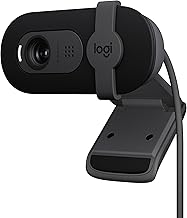
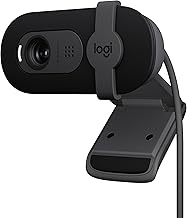
The Logitech Brio 101 brings trusted Logitech quality to the budget tier, with Full HD 1080p video, auto light correction, a built-in mic, and a privacy shutter. Its broad compatibility with Teams, Meet, and Zoom makes it a dependable, no-fuss pick for professional meetings and everyday video calls.
EMEET C960
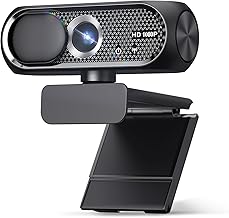
The EMEET C960 delivers sharp 1080p video with dual microphones and a wide 90-degree field of view, ideal for capturing more of your space or a small group. With plug-and-play USB connectivity and both Type-A and adapter support, it’s a versatile, wallet-friendly choice for conferencing.
NexiGo N60
The NexiGo N60 is a perennial budget favorite, offering 1080p video, software control, and a built-in privacy cover. Its simple plug-and-play setup and reliable performance across Zoom, Skype, and Teams make it a great entry point for anyone upgrading from a laptop’s built-in camera.
AOC 4K Webcam
The AOC 4K webcam steps up the resolution dramatically while staying accessible, adding a noise-canceling mic, a 90-degree FOV, and a privacy cover. For those who want extra sharpness for streaming or detailed presentations, it delivers 4K clarity with convenient plug-and-play operation.
Logitech C920x
The Logitech C920x is a legendary value pick, providing crisp 1080p at 30fps, clear audio, and automatic light correction. Its long-proven reliability and compatibility with all major platforms have made it a staple for streamers and remote workers seeking dependable quality on a budget.
Frequently Asked Questions
Is 1080p enough, or do I need 4K?
For most video calls and streaming, 1080p looks sharp and professional. 4K adds noticeable detail for high-quality streams or presentations, but it requires more bandwidth and processing, so 1080p remains the practical choice for many.
Do affordable webcams have good microphones?
Many budget webcams include decent built-in mics, and models with dual microphones or noise reduction perform well for calls. For professional streaming or recording, a dedicated microphone still offers superior audio.
Why does a privacy shutter matter?
A physical privacy shutter or cover physically blocks the lens when you’re not on camera, protecting against accidental exposure or unauthorized access. It’s a simple, valuable feature found on most quality affordable webcams.
Are these webcams easy to set up?
Yes. Nearly all affordable webcams are plug-and-play over USB, requiring no drivers for basic use. They work immediately with Zoom, Teams, Meet, and similar apps on Windows and Mac.
Final Thoughts
You don’t need to overspend for great video quality. The Logitech C920x and Brio 101 remain reliable 1080p standouts, the NexiGo N60 is an excellent budget entry, and the AOC 4K webcam delivers impressive sharpness for the price. Match resolution, field of view, and privacy features to your needs, and any of these will have you looking sharp on every call.