
Our Top Picks
A CPU that throttles from overheating is reaching its maximum junction temperature (Tjmax) and cutting clock speed and voltage to protect itself, and the fastest fix is to find out why heat is not leaving the chip: a loose or wrong-mounted cooler, dried or badly applied paste, a clogged radiator or heatsink, a dead pump or fan, or a case with poor airflow. Throttling is a safety feature rather than a fault in the processor, but if it happens during normal games it means the cooling setup is not keeping up.
What thermal throttling actually is
Every modern desktop processor has a temperature sensor array and a firmware limit. Reviewers describe Tjmax as the ceiling the chip watches for; as the reading approaches it, the processor lowers frequency and voltage to shed heat. Intel and AMD publish different numbers. Reporting on recent platforms says Intel 12th to 14th Gen parts are rated at 100 degrees Celsius, while AMD Ryzen 7000 and 9000 chips are rated at 95 degrees Celsius, and X3D models with stacked cache have a lower limit on some generations. The exact figure for your processor is on the maker’s specification page, listed as the maximum operating or junction temperature.

Black Plastic CPU Cooler Fan for Desktop Computers Quiet Air Cooling | Helps Prevent Overheating and Thermal Throttling, Supports Stable Gaming Setups, Suitable for Processors and PC Builders
Chosen because it specifies Helps Prevent Overheating and Thermal Throttling and Supports Stable Gaming Setups.
View on Amazon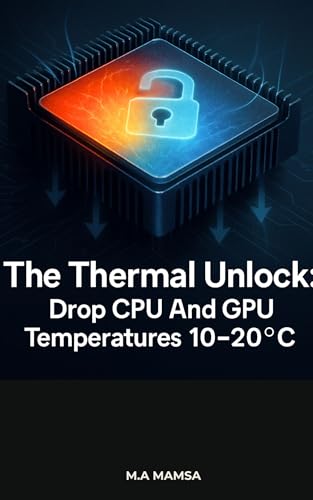
The Thermal Unlock: How to Drop CPU and GPU Temperatures by 10–20°C and Eliminate Thermal Throttling
Chosen because it specifies 20°C and Eliminate Thermal Throttling.
View on Amazon
Dual for cpu for gpu Fan for TUF FX505DT FX505DD Quiet Dual for(B) | Dual fan set, fits FX505/FX705, reduces overheating, prevents throttling, stable gaming performance
Chosen because it specifies Dual fan set and fits FX505/FX705.
View on Amazon
Dual for cpu for gpu Fan for TUF FX505DT FX505DD Quiet Dual for(A) | Dual fan set, fits FX505/FX705, reduces overheating, prevents throttling, stable gaming performance
Chosen because it specifies Dual fan set and fits FX505/FX705.
View on AmazonOne important point for AMD owners: Ryzen 7000 and later are designed to boost until they hit either a power limit or around 95 degrees Celsius. AMD has described that behaviour as intended under heavy all-core loads. A reading in the 90s during a stress test is therefore not automatically a sign of damage. What matters is whether clocks fall below the expected range while the temperature sits at the limit during real use.
Thermal throttling versus other kinds
Not every clock drop is a heat problem. A CPU can also slow down because it has reached a power limit or a current limit, even at modest temperatures. Mixing the two up leads people to buy a bigger cooler for a problem that a BIOS setting would fix. The table below separates the common cases.
| Symptom | Likely cause | What to check |
|---|---|---|
| Clocks fall as temperature nears the maker’s limit | True thermal throttling | Cooler mounting, paste, fans, case airflow |
| Clocks drop at moderate temperature, package power stuck at a cap | Power limit throttling | BIOS power limit settings, motherboard defaults |
| Clocks drop with VRM or current flags set in monitoring tools | Current or power delivery limit | Motherboard VRM cooling, BIOS limits |
| Short spikes to the limit, then recovery | Boost behaviour, not a fault | Compare against the maker’s stated boost design |
| Stutters only in one game | Game or driver issue, background task | Other software, GPU load, storage |
How to confirm it is throttling
Use a monitoring tool that exposes per-core clocks, package temperature and throttling flags. HWiNFO is widely used for this because it lists fields such as thermal throttling status and power limit exceeded flags, and tools from the processor makers show similar data. Watch the readings while a game or an all-core stress workload runs for several minutes, not just a few seconds, because boost headroom hides problems at the start.
- Note idle temperature after the system has been on for a few minutes with nothing open.
- Start a sustained load and log temperature, clocks and package power together.
- Look for the moment clocks drop. If temperature is near the limit at that moment, it is thermal. If power is at a cap while temperature is lower, it is a power limit.
- Stop the test if temperatures stay pinned at the limit with clocks collapsing and fans at full speed, and fix the cooling before running more load.
Common causes and fixes in order of likelihood
1. Cooler mounting and contact
The most frequent cause reported by reviewers and cooler makers is poor contact between the heat spreader and the cooler base. Uneven mounting pressure, a missed protective film on the cooler base, or screws tightened unevenly can all cause it. Power the system down, unplug it, reseat the cooler following the cooler’s manual, and tighten the mounting hardware gradually in a cross pattern as the instructions describe.
2. Thermal paste
Paste that is old, too thick, or missing in the middle of the contact area raises temperatures. Clean both surfaces with isopropyl alcohol and apply a fresh, thin amount in the pattern the cooler maker suggests. Modern pastes differ, so follow the paste maker’s guidance rather than a rule of thumb from a forum.
3. Fans, pumps and dust
Dust-clogged fins and filters are an easy fix. For liquid coolers, confirm the pump header is receiving the right signal and that the pump is actually running, since a failed pump can send a CPU to its limit within seconds. If the pump is not moving, stop use and contact the cooler maker.
4. Case airflow
A chassis with restrictive front panels, no exhaust, or cables blocking intake can recirculate hot air. Make sure the radiator or tower cooler gets fresh air and that the exhaust path is open.
5. Cooler class too small for the chip
High-end processors can produce large amounts of heat under sustained load. A budget single-tower cooler paired with a flagship chip may hit the limit regularly, while mid-range and premium air coolers or larger liquid coolers give more headroom. Match the cooler’s stated capacity from the maker to the processor’s rated power rather than relying on marketing names alone.
6. BIOS settings that push too hard
Some motherboards ship with settings that remove power limits or add automatic overclocking, which increases heat. Check the board manual for the setting names, because menu labels differ between makers. Be aware that BIOS changes and overclocking can cause instability and may affect warranty, so keep adjustments conservative and change one item at a time.
Settings that reduce heat without much performance loss
- Lower the package power limit slightly. Reviewers frequently note that the last few percent of boost clock costs a large share of the extra power and heat.
- On AMD, a negative curve optimizer offset or an eco-style power mode, where the motherboard offers it, reduces heat; stability needs to be confirmed by extended use.
- On Intel, setting power limits to the cooler’s sustained capacity rather than unlimited reduces thermal peaks.
- Improve fan curves so fans ramp earlier rather than waiting until the limit is reached.
Decision table: what to do first
| If this describes you | Start with |
|---|---|
| New build, temperatures spike within seconds | Reseat the cooler, check the base film and pump or fan connection |
| Older system, temperatures crept up over months | Clean dust, replace paste |
| Temperatures high only in a small case | Improve airflow or choose a lower-profile, lower-power configuration |
| Flagship chip with a budget cooler | Move to a larger cooler class or cap power |
| Clocks low but temperatures modest | Look at power limits, not cooling |
Common mistakes
- Assuming any reading in the 90s is damage. Maker designs allow operation up to the stated limit, though constantly sitting there during games points to a cooling shortfall.
- Relying on one sensor or a single short test. Sustained load shows the real picture.
- Replacing the cooler before checking mounting contact.
- Disabling protection settings. Turning off thermal protection is not a fix and risks hardware damage.
- Changing several BIOS items at once, which makes the cause impossible to isolate.
When to stop and ask for help
Unplug the system before touching anything inside, and never open a power supply. If the machine shuts down by itself, shows a burning smell, or temperatures stay at the limit with fans and pump confirmed working, contact the cooler or processor maker, or a qualified technician. A bent socket pin, damaged cooler or defective sensor is better handled by support than by further experiments.
Frequently Asked Questions
Is thermal throttling bad for my CPU?
Throttling itself is the protection working as designed, so it is not damaging on its own. It does lower performance, and constantly running at the limit suggests the cooling needs attention. The maker’s stated maximum temperature is the number to compare against.
What temperature does a CPU start to throttle?
It varies by chip. Reporting on recent platforms lists 100 degrees Celsius for many Intel generations and 95 degrees Celsius for Ryzen 7000 and 9000, with some X3D models lower. Some processors begin trimming boost clocks a few degrees earlier, so check the maker’s specification page for your exact model.
Can a power limit make the CPU slow even when it is cool?
Yes. Intel uses limits often called PL1 and PL2, and AMD uses PPT, TDC and EDC. When the chip reaches one of these, it lowers clocks regardless of temperature, which is why monitoring flags matter.
Does a better cooler stop throttling?
Often, but not always. On Ryzen, a better cooler tends to let the chip sustain higher power before it reaches its temperature target, so performance rises rather than temperatures dropping dramatically. If the cause is a power limit or poor mounting, a new cooler alone may not change much.
Should I undervolt or lower power limits?
It can help in a hot or small case, and reviewers often report small performance cost for notable heat reduction. Any BIOS change can cause instability and may affect warranty, so make small adjustments and follow the motherboard manual.
Could the sensor be wrong?
It can be misread rather than wrong. Different tools show different sensors, and some motherboards show a control temperature that differs from the die reading. Compare two tools and cross-check against fan behaviour and case temperature.
FAQ
Is thermal throttling bad for my CPU?
What temperature does a CPU start to throttle?
Can a power limit make the CPU slow even when it is cool?
Does a better cooler stop throttling?
Should I undervolt or lower power limits?
Could the sensor be wrong?
More from Amazon
Programs that pair well with the guide above. Offers and eligibility are set by Amazon and may change.
Free shipping on eligible items, Prime Video and more. Eligible new members can start with a free trial.
Start a Prime free trialAd-free music streaming. Eligible new subscribers can start with a free trial.
Try Music Unlimited freeA Prime membership for ages 18-24 with a trial period. Eligibility is set by Amazon.
See Prime for Young AdultsAudiobooks and podcasts to listen to on the go. Eligible new members can start with a free trial.
Try Audible freeAs an Amazon Associate we earn from qualifying purchases.




