Key takeaways
- Hardware cost: G-Sync Ultimate uses a proprietary NVIDIA scaler chip that raises monitor prices by $100 or more; FreeSync adds essentially nothing.
- GPU compatibility: FreeSync works with AMD cards and, since driver support opened up, NVIDIA GPUs too; native G-Sync modules require an NVIDIA card.
- Certification strictness: Every G-Sync module is factory-validated by NVIDIA, while FreeSync tiers (standard, Premium, Premium Pro) vary in quality between panels.
- Variable refresh range: Premium tiers of both support Low Framerate Compensation, but cheap FreeSync monitors may only sync within a narrow window like 48-144Hz.
- HDR handling: FreeSync Premium Pro and G-Sync Ultimate both add HDR tone-mapping; base tiers do not.
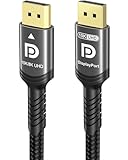
- Connection: G-Sync historically favored DisplayPort, and using a VESA-certified cable like the IVANKY or Maxonar DP 1.4 helps both technologies hit their rated refresh rates.
What's inside
Screen tearing is one of the most distracting problems in fast-paced gaming, and in 2026 the two technologies that fix it are still AMD FreeSync and NVIDIA G-Sync. Both synchronize your monitor’s refresh rate to your graphics card’s frame output, eliminating tearing and reducing stutter without the input lag that traditional V-Sync introduces. The question is which one deserves a spot on your desk.
The short version: the two feel nearly identical when they work, but they differ in cost, hardware requirements, and how strictly each is certified. This guide breaks down where each shines so you can match the right adaptive-sync tech to your GPU and budget in 2026.
As an Amazon Associate we earn from qualifying purchases at no extra cost to you.







⚡ Save on Your Next PC — Amazon Prime
Prime members get fast free shipping on the systems above, plus early access to Prime Day & Black Friday PC deals. New members get a 30-day free trial.
Watch: FreeSync vs G-Sync: Which Is Better? — Video Review
Quick Verdict
For most players, FreeSync (and the “G-Sync Compatible” certification that runs on the same VESA Adaptive-Sync standard) is the smarter buy in 2026. It adds little or no cost to a monitor, works with both AMD and modern NVIDIA cards, and delivers tear-free gameplay on panels like the ASUS TUF Gaming VG27AQ3A and LG 27GS75Q-B. Dedicated G-Sync Ultimate modules still hold a slight edge in variable-overdrive and low-framerate handling, but you pay a premium for a difference most eyes won’t catch.
Key Differences
- Hardware cost: G-Sync Ultimate uses a proprietary NVIDIA scaler chip that raises monitor prices by $100 or more; FreeSync adds essentially nothing.
- GPU compatibility: FreeSync works with AMD cards and, since driver support opened up, NVIDIA GPUs too; native G-Sync modules require an NVIDIA card.
- Certification strictness: Every G-Sync module is factory-validated by NVIDIA, while FreeSync tiers (standard, Premium, Premium Pro) vary in quality between panels.
- Variable refresh range: Premium tiers of both support Low Framerate Compensation, but cheap FreeSync monitors may only sync within a narrow window like 48-144Hz.
- HDR handling: FreeSync Premium Pro and G-Sync Ultimate both add HDR tone-mapping; base tiers do not.
- Connection: G-Sync historically favored DisplayPort, and using a VESA-certified cable like the IVANKY or Maxonar DP 1.4 helps both technologies hit their rated refresh rates.
AMD FreeSync
FreeSync is built on the open VESA Adaptive-Sync standard, which is exactly why it caught on so widely. Because there is no licensing chip to buy, manufacturers can add it to budget and mid-range panels at almost no cost. That is how a 27-inch QHD 180Hz display like the LG 27GS75Q-B or the ASUS TUF VG27AQ3A can offer tear-free gaming without a premium price tag.
The catch is consistency. FreeSync comes in tiers, and a bargain monitor might only sync between 48Hz and its max refresh, meaning framerates below that window can reintroduce stutter. Look for “FreeSync Premium” or “Premium Pro” badges, which guarantee at least 120Hz at 1080p plus Low Framerate Compensation. Paired with a certified DisplayPort 1.4 cable, a good FreeSync panel is indistinguishable from G-Sync in day-to-day play.
NVIDIA G-Sync
Native G-Sync relies on a dedicated module inside the monitor that NVIDIA validates itself, so the variable-overdrive tuning and the sync range are rarely a gamble. On premium displays this shows up as cleaner motion at very low framerates and better ghosting control across the whole refresh range. G-Sync Ultimate adds validated HDR on top.
The trade-offs are price and flexibility. The module raises the cost of a monitor noticeably, and you need an NVIDIA GPU to unlock the full feature set. NVIDIA also maintains a “G-Sync Compatible” list of FreeSync monitors that pass its testing, which blurs the line further; a Samsung Odyssey G5 running Adaptive-Sync over DisplayPort can deliver a G-Sync-grade experience without the chip.
Which Should You Buy?
- Buy FreeSync/G-Sync Compatible if you want the best value and own either an AMD or modern NVIDIA card.
- Buy native G-Sync if you own an NVIDIA GPU, chase competitive perfection, and want factory-validated motion tuning.
- Prioritize the tier (Premium/Ultimate) over the brand name, since a low-end version of either underwhelms.
- Match your GPU’s real framerate to the monitor’s sync range so you actually stay inside the adaptive window.
- Use a VESA-certified DisplayPort 1.4 cable to guarantee the panel hits its rated Hz and HDR mode.
Frequently Asked Questions
Can I use FreeSync with an NVIDIA graphics card?
Yes. NVIDIA drivers let you enable adaptive sync on most FreeSync monitors, and many are officially “G-Sync Compatible.” You simply turn it on in the NVIDIA Control Panel.
Does G-Sync reduce input lag?
It eliminates the added lag of traditional V-Sync while removing tearing, so within its refresh range it feels more responsive than V-Sync. It does not lower lag below an uncapped, tearing display, however.
Do I need a special cable for either technology?
You need a cable that supports the monitor’s refresh rate, usually DisplayPort 1.4 for QHD high-refresh panels. A VESA-certified cable avoids handshake failures that can disable adaptive sync entirely.
Is there any visual difference between the two?
When both are working within their sync range, they look effectively identical to most players. Differences appear mainly at very low framerates or in HDR, where validated modules can be slightly cleaner.
Final Verdict
In 2026, adaptive sync is close to a solved problem, and the technology matters less than the tier and panel quality. FreeSync (or its G-Sync Compatible equivalent) is the value pick that fits nearly any build, while native G-Sync Ultimate remains a luxury for NVIDIA owners who want guaranteed tuning. Buy the best panel you can afford, confirm it carries a Premium or Ultimate badge, connect it with a certified DisplayPort cable, and you will never think about screen tearing again.