Our Top Picks
 SAMSUNG 34" ViewFinity S50GC Series Ultra-WQHD Monitor34- in Flat8.7 x 32.1 x 18 inches10.8 poundsCheck on Amazon
 INNOCN 49" Curved Gaming Monitor 144Hz Ultrawide 32:949 Inch6.28 x 45.5 x 14.57 inchesCheck on Amazon
 Samsung 34' Odyssey G5 Ultra-Wide Gaming Monitor with34-inch10.73 x 31.75 x 18.71 inches12.3 PoundsCheck on Amazon
For most trading desks, a 34-inch ultrawide with a 3440×1440 panel is the best single monitor, because it fits several chart windows side by side with sharp text and no bezel gap. If you want more room, a 49-inch 32:9 screen replaces two monitors, while a pair of 24-inch or 27-inch screens suits a tight budget. This roundup covers ten monitors, from a cheap 22-inch add-on to two 49-inch panels, and judges them on size, pixel density, ports and eye comfort. It is equipment advice only, not market advice, and nothing here suggests a monitor will change results. Color and speed figures are seller claims.
Quick picks
SAMSUNG 34" ViewFinity S50GC Series Ultra-WQHD Monitor, 100Hz, 5ms, HDR10, AMD FreeSync, Eye Care, Borderless Design, PIP, PBP, LS34C502GANXZA, 2023, Black
One of the home product options compared in this guide.
View on AmazonINNOCN 49" Curved Gaming Monitor 144Hz Ultrawide 32:9 WDFHD 3840 x 1080P, R1800, 99% sRGB, HDR400, USB Type C, DisplayPort, HDMI, Built-in Speakers, Height/Tilt Adjustable - 49C1G
One of the home product options compared in this guide.
View on Amazon
Sceptre 34-inch Curved ultrawide WQHD Monitor (3440 × 1440), R1500, up to 180Hz/165Hz, DisplayPort x2, 99% sRGB, 1ms, Built-in Speakers, Machine Black, 2025 (C345B-QUT168)
One of the home product options compared in this guide.
View on Amazon
LG 34SR60QC-W 34-inch QHD (3440x1440) Curved Smart Monitor with Streaming, UltraWide Screen, webOS, HDR10, 100Hz, Built-in Speaker, AirPlay2, Screen Share, Bluetooth, ThinQ App, White
One of the home product options compared in this guide.
View on Amazon
Sceptre New 22-Inch Gaming Monitor, FHD 1080p, Up to 144Hz, HDMI, DisplayPort, Built-in Speakers, Machine Black (E225W-FW144 Series, 2026)
One of the home product options compared in this guide.
View on AmazonSamsung 34' Odyssey G5 Ultra-Wide Gaming Monitor with 1000R Curved Screen | 165Hz, 1ms, FreeSync Premium, Large Display, Eye Comfort, Multiple Ports, WQHD (LC34G55TWWNXZA)
One of the home product options compared in this guide.
View on Amazon
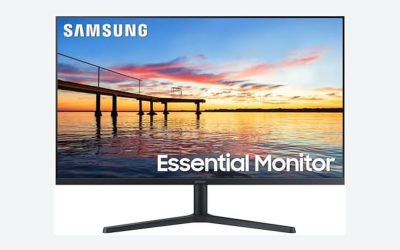
Samsung 27" (S30GD) Essential Monitor with IPS Panel | 100Hz Refresh Rate, Tilt Only Stand, Ergonomic Design, Advanced Eye Care, Game Mode, LS27D304GANXZA
One of the home product options compared in this guide.
View on Amazon
Dell 34 Monitor S3425DW, WQHD VA, 120Hz, FreeSync Premium, Eye Comfort | HDR10, Anti-Glare, 300 cd/m2 Brightness, 3,000:1 Contrast, 95% DCI-P3, 2x10W Speakers, USB-C 65W Power Delivery
One of the home product options compared in this guide.
View on Amazon
Dell 24 Monitor - SE2426H - 23.8-inch FHD (1920x1080) 144Hz 1ms Display, in-Plane Switching (IPS) Technology, AMD FreeSync™, TÜV 3-Star 2X HDMI, Tilt
One of the home product options compared in this guide.
View on Amazon
Amzfast 49 Inch Curved Monitor 120Hz DQHD (5120x1440) Ultrawide Gaming Monitor, 120% sRGB, 1500R, 1ms MPRT, HDR, Adaptive Sync, PIP/PBP, Height Adjustable, HDMI 2.0/DP 1.4, VESA 75x75, AMZG49C7U
One of the home product options compared in this guide.
View on Amazon- Dell S3425DW – best all-round ultrawide, with USB-C and 65W power delivery
- Samsung ViewFinity S50GC – best for splitting the screen with PIP and PBP
- Sceptre 34-inch C345B-QUT168 – best budget-minded 34-inch ultrawide
- Amzfast 49-inch AMZG49C7U – best single-screen replacement for dual 27-inch monitors
- INNOCN 49C1G – best for sheer width, with lower pixel density
- Samsung Odyssey G5 LC34G55TWWNXZA – best for traders who also game
- LG 34SR60QC-W – best for streaming and smart features on a 34-inch screen
- Samsung S30GD 27-inch – best simple IPS single screen
- Dell SE2426H – best low-cost second or third screen
- Sceptre E225W-FW144 22-inch – cheapest add-on screen
Comparison table
| Model | Size and shape | Key specs as stated in the title | Best for |
|---|---|---|---|
| Dell S3425DW | 34 in ultrawide, WQHD VA | 120Hz, FreeSync Premium, HDR10, 95% DCI-P3, USB-C 65W, 2x10W speakers | All-round ultrawide |
| Samsung ViewFinity S50GC | 34 in ultrawide, Ultra-WQHD | 100Hz, 5ms, HDR10, FreeSync, PIP, PBP, Eye Care | Split-screen work |
| Sceptre C345B-QUT168 | 34 in curved, 3440×1440 | R1500, up to 180Hz/165Hz, 2x DisplayPort, 99% sRGB, 1ms | Value ultrawide |
| Amzfast AMZG49C7U | 49 in curved, 5120×1440 | 120Hz, 1500R, 1ms MPRT, PIP/PBP, HDMI 2.0, DP 1.4, VESA 75×75 | Dual-monitor replacement |
| INNOCN 49C1G | 49 in curved, 3840×1080 | 144Hz, R1800, 99% sRGB, HDR400, USB-C, DisplayPort, HDMI | Wide timelines |
| Samsung Odyssey G5 | 34 in curved, WQHD | 1000R, 165Hz, 1ms, FreeSync Premium | Trading and gaming |
| LG 34SR60QC-W | 34 in curved, 3440×1440 | webOS, HDR10, 100Hz, speaker, AirPlay 2, Bluetooth | Smart extras |
| Samsung S30GD | 27 in, resolution not stated | IPS, 100Hz, tilt-only stand, Eye Care | Simple single screen |
| Dell SE2426H | 23.8 in, 1080p | IPS, 144Hz, 1ms, FreeSync, 2x HDMI, tilt | Extra screen |
| Sceptre E225W-FW144 | 22 in, 1080p | Up to 144Hz, HDMI, DisplayPort, speakers | Cheapest add-on |
The ten monitors
Dell S3425DW
Dell lists a 34-inch WQHD VA monitor with 120Hz, FreeSync Premium, HDR10, anti-glare treatment, 300 cd/m2 brightness, 3,000:1 contrast, 95% DCI-P3, 2x10W speakers and USB-C with 65W power delivery. That last item matters for traders on laptops, since one cable can carry video, power and peripherals. The VA panel’s strength is contrast; its weakness is wider viewing angles, which matter less when you sit centered. Two 10W speakers and 95% DCI-P3 are extras for media, while the main benefit for trading is the combination of width and a sensible price tier. Check the stand for height adjustment on the listing, because the title does not mention it.
Pros
- USB-C with 65W power delivery for laptop desks
- Eye comfort and anti-glare features suit long sessions
Cons
- VA panels can look different at the edges of a wide screen
- 300 cd/m2 is adequate rather than bright in a sunny room
Who it’s for: a single-screen trading desk with a laptop. Who should skip it: people who need more width than 34 inches.
Samsung ViewFinity S50GC
A 34-inch Ultra-WQHD monitor with 100Hz, 5ms, HDR10, AMD FreeSync, Eye Care, borderless design, and both PIP and PBP. Picture-by-picture shows two sources side by side, which is handy if you run a desktop and a laptop on one screen. The title says 2023, so confirm you are buying the current model sold under the LS34C502GANXZA number. With PBP you can keep a work laptop on the left half and a personal desktop on the right, switching input sources without swapping cables. Always confirm the stand supports height adjustment, since the title does not say.
Pros
- PIP and PBP for two computers on one display
- Eye Care and a borderless look
Cons
- Panel type and stand adjustments are not in the title
- No USB-C mentioned
Who it’s for: a trader who runs two computers. Who should skip it: laptop users needing one-cable charging.
Sceptre 34-inch Curved Ultrawide C345B-QUT168
A 34-inch curved ultrawide at 3440×1440 with R1500 curvature, 180Hz or 165Hz depending on the connection, two DisplayPort inputs, 99% sRGB, 1ms and built-in speakers. The title contains a garbled character in the resolution and mentions 2025, so verify the exact model on the listing. The 1500R curve is gentle enough for a 34-inch width. The two refresh figures in the title usually point to different rates over different connections, so check which cable and graphics output you will use. The gentle curve and sRGB claim make it a friendly choice for chart work.
Pros
- Sharp 3440×1440 at a 34-inch width
- High refresh rate for mouse and chart scrolling
Cons
- Two DisplayPort inputs and no HDMI or USB-C in the title
- Panel type is not stated
Who it’s for: a desktop trader who wants width at a lower cost. Who should skip it: laptop users who need USB-C.
Amzfast 49-inch AMZG49C7U
A 49-inch curved DQHD monitor at 5120×1440, 120Hz, 1500R, 120% sRGB, 1ms MPRT, HDR, adaptive sync, PIP and PBP, a height-adjustable stand, HDMI 2.0, DisplayPort 1.4 and a VESA 75×75 pattern. At 5120×1440 it is the same height in pixels as the 34-inch models but far wider, equivalent to two QHD monitors without a gap. Brand familiarity is low, so read the return and warranty terms. Your graphics output must support 5120×1440 at the refresh rate you want, and the DisplayPort 1.4 input is the safer route. A 120% sRGB claim is a wide gamut statement, not a sign of accuracy.
Pros
- Roughly two 27-inch QHD screens in one panel
- Height adjustment and PBP for split use
Cons
- Large desk footprint and deep desk needed
- Lesser-known brand, and HDR on this class is modest
Who it’s for: traders wanting one giant canvas. Who should skip it: small desks.
INNOCN 49C1G
A 49-inch curved 32:9 monitor at 3840×1080 with 144Hz, R1800, 99% sRGB, HDR400, USB Type-C, DisplayPort, HDMI, speakers and a height and tilt adjustable stand. The pixel count is 1080 tall, so on a 49-inch screen the density is only about 82 pixels per inch, similar to a 27-inch 1080p monitor. Text is readable but visibly coarser than 3440×1440 or 5120×1440. USB-C helps laptops, but the title does not give a power delivery wattage, so confirm it. A 32:9 panel at this height suits tall-narrow windows poorly, so plan your layouts as wide rows.
Pros
- Very wide, with USB-C in the title
- Height adjustment included
Cons
- Low pixel density for small chart text
- Large and not suited to shallow desks
Who it’s for: traders who prize width over sharpness. Who should skip it: those who read small text.
Samsung Odyssey G5 LC34G55TWWNXZA
The listing writes “34′” instead of inches. It lists an ultrawide WQHD gaming monitor with 1000R curve, 165Hz, 1ms, FreeSync Premium, eye comfort and multiple ports. A 1000R curve is tighter than the Sceptre and some users find it strong on text-heavy screens. It makes sense when the same screen is also for gaming. The listing title mentions eye comfort and multiple ports without naming them, so open the listing for the port list and stand range. The strong curve pulls the edges toward you, which some people like for immersion and others find tiring for text.
Pros
- High refresh rate for mixed trading and gaming
- Ultrawide WQHD width
Cons
- Tight 1000R curve can feel distorting for straight chart lines
- Stand and ports are not detailed in the title
Who it’s for: traders who also play. Who should skip it: those who prefer flat text.
LG 34SR60QC-W
A 34-inch curved QHD UltraWide at 3440×1440 with webOS, streaming, HDR10, 100Hz, a built-in speaker, AirPlay 2, screen share, Bluetooth and the ThinQ app, in white. The smart features turn it into a TV-like display that can run apps without a computer. For a trading desk that is a plus for background news and a risk for distraction. Built-in apps can be handy for a news channel, but they also need updates and an internet connection, and any smart platform adds a login to manage. Check the listing for how the monitor behaves as a plain PC display.
Pros
- 3440×1440 at 34 inches
- Screen share and AirPlay for phones
Cons
- Smart platform adds software you may not need
- Panel type and ports are not fully stated
Who it’s for: home offices that mix work and media. Who should skip it: traders who want a plain monitor.
Samsung S30GD 27-inch
The listing shows a 27-inch Essential Monitor with an IPS panel, 100Hz, a tilt-only stand, advanced eye care and a game mode, model LS27D304GANXZA. The title gives no resolution, so check it, since 1080p at 27 inches is only about 82 pixels per inch. It suits a simple single-screen or dual-screen setup. Game mode and eye care appear in the title, but the main reason to consider this model is simplicity. If the listing shows 1080p, treat it as a secondary display; a higher resolution would raise it.
Pros
- IPS panel at a modest tier
- Eye care features
Cons
- Tilt-only stand
- Resolution not stated
Who it’s for: entry-level setups. Who should skip it: multi-window desks.
Dell SE2426H
A 23.8-inch Full HD IPS monitor with 144Hz, 1ms, AMD FreeSync, a TUV 3-Star rating, two HDMI ports and a tilt stand. The title includes garbled characters. At about 93 pixels per inch it is sharper than a 27-inch 1080p screen and is a sensible second or third display for an order ticket or news feed. Two HDMI ports allow two sources. A pair of these side by side makes a compact two-screen row on a narrow desk, and the TUV 3-Star label is an eye-comfort rating, which suits long sessions (check the listing for what it covers). Because the listing title includes unreadable characters, confirm the model number before ordering.
Pros
- Small footprint, good for multi-screen rows
- Two HDMI inputs
Cons
- 1080p at the size limits workspace
- Tilt-only stand
Who it’s for: a budget side screen. Who should skip it: primary-screen use.
Sceptre E225W-FW144
A 22-inch 1080p monitor with up to 144Hz, HDMI, DisplayPort and built-in speakers, listed with 2026 in the title. At about 100 pixels per inch, small text is relatively crisp for the price. The title gives no panel type or stand adjustment, so check the listing. It works best as a cheap add-on, such as a dedicated window for a watchlist. Because 2026 appears in the title, confirm that the series number and ports match what you expect. For a budget watchlist screen it is hard to beat on price tier, but do not rely on it as your only monitor.
Pros
- Low-cost entry point
- DisplayPort and HDMI available
Cons
- Small workspace on its own
- Panel type not stated
Who it’s for: tight budgets and extra screens. Who should skip it: single-screen desks.
How we picked these
We compared the ten listings on screen size, shape, resolution, pixel density, ports, panel claims and stands, using published specifications, manufacturer documentation and buyer reviews. Specific figures come only from listing titles, and anything missing is marked “check the listing”. Nobody on the team used or measured these units. We flagged garbled titles and brands with limited track records, and we did not give any market or investing advice.
What to look for in a trading monitor
Size, shape and your window count
Start by counting the windows you keep open: charts, order ticket, watchlist, news and chat. A 34-inch ultrawide handles three or four comfortably, a 49-inch 32:9 handles five or six, and a pair of 24-inch screens handles about the same as a 34-inch. Choose the shape that matches your desk depth, because a 49-inch panel needs more distance to view the edges.
Pixel density and text clarity
Trading is reading, so pixel density matters more than refresh rate. The table below is calculated from size and resolution, not taken from any listing.
| Screen | Approx. pixels per inch |
|---|---|
| 22 in, 1920×1080 | 100 |
| 23.8 in, 1920×1080 | 93 |
| 27 in, 1920×1080 | 82 |
| 34 in, 3440×1440 | 110 |
| 49 in, 3840×1080 | 82 |
| 49 in, 5120×1440 | 108 |
Values near 100 or above give crisp small text, and values near 82 look coarser.
Panel type, curve and eye comfort
IPS gives even colors from the sides, VA gives deeper blacks, and either works for charts. A curve of 1500R or gentler suits wide screens, while 1000R is tight. Look for flicker-free backlights and low-blue-light modes, which several listings advertise as Eye Care. Anti-glare coatings help near windows. Take regular breaks, since no monitor setting replaces them.
Ports, graphics card and cables
Check that your computer can output the resolution: 5120×1440 needs DisplayPort 1.4 or a compatible HDMI port at the stated rate. USB-C with power delivery helps laptops, and PIP or PBP helps if two computers share a screen. Older laptops with HDMI 1.4 may be capped at a lower refresh rate on wide panels.
Stand, mounting and desk depth
Height adjustment keeps the top edge near eye level, a basic ergonomic aim. Several of these listings give tilt only, so a VESA arm is the fix, and the Amzfast title states a 75×75 pattern. Wide panels also need a stable desk, so check the weight and footprint.
A worked example: three desk plans
Say you keep two charts, an order ticket, a watchlist and a news feed open. On a single 34-inch 3440×1440 screen, split it into thirds: charts on the left and center, ticket and watchlist on the right, with news on a laptop beside it. On a 49-inch 5120×1440 panel, use four columns and keep news in the fourth. With two 24-inch screens, put charts on one and everything else on the other. If any plan leaves a window overlapping another, move up one size tier.
What to check on each listing
- Exact resolution, not just the word ultrawide or QHD
- Ports that match your computer, including USB-C wattage for laptops
- Whether the stand adjusts for height or only tilts
- Warranty length, return window and seller, especially for lesser-known brands
Mistakes buyers make
The biggest mistake is paying for refresh rate and ignoring pixel density. A 49-inch 3840×1080 screen sounds big but shows text no sharper than a 27-inch 1080p one. Other errors include buying a wide screen without measuring the desk, forgetting that a laptop may not drive 5120×1440, and choosing a tight 1000R curve for text-heavy work. Buyers also skip checking whether the stand adjusts, then find the top of the screen sits too low. Finally, some trust titles with garbled characters or different years without opening the listing. Another trap is ignoring desk depth: a 49-inch panel placed too close forces your eyes and neck to sweep across the width, which is tiring over a long session. Sit at least arm’s length away and tilt the screen slightly back.
Verdict
The Dell S3425DW is the best all-round choice here, with USB-C and anti-glare comfort in a 34-inch frame. The Samsung S50GC suits two-computer setups, and the Amzfast 49-inch is the stronger pick if you want one wide canvas. For budgets, combine a Dell SE2426H or Sceptre 22-inch beside a primary screen. Confirm each unit’s details on the listing before ordering. If you want the sharpest text on a budget, the 34-inch 3440×1440 models are the safe middle, and the 49-inch screens are better only if you have a deep desk and a graphics output that can drive them.
Related guides
- Motherboard Fan Headers And Rgb Headers Explained
- Monitors For Photo And Video Editing
- Motherboards For Ryzen 7 5800X3D
Frequently asked questions
Is one ultrawide monitor better than two regular monitors for trading?
It depends on your layout. One ultrawide removes the bezel gap, needs a single cable and keeps a long chart continuous, but two screens let you dedicate each one to a task and replace one without losing both. A 34-inch 3440×1440 panel feels like two small screens side by side, while a 49-inch 32:9 model replaces two 27-inch monitors. Compare your window count before choosing.
How many monitors do you need for stock trading?
There is no fixed number. Many traders start with one large screen or two medium ones, then add a third when charts, news, an order ticket and a watchlist no longer fit without overlapping. Count the windows you keep open at the same time, and let that decide. More screens add cost, desk space and graphics card demands, so grow only when you hit a real limit.
Do you need a high refresh rate for trading?
Not really. Charts and order tickets are mostly static text, so 60Hz or 100Hz is enough. Higher refresh rates such as 144Hz make mouse movement and scrolling smoother, which some people like, but they do not change what the market shows. Spend first on size, resolution, text clarity and eye comfort. A fast panel is a bonus if the monitor also serves as a gaming display.
What resolution is best for reading small chart text?
Pixel density matters more than the headline resolution. A 34-inch ultrawide at 3440×1440 is noticeably sharper per inch than a 49-inch screen at 3840×1080 or a 27-inch screen at 1080p. If you read small tickers, depth charts or tables, choose a higher pixel density and set Windows display scaling so text is comfortable. Sharper text reduces squinting over a long session.
Are curved monitors good for trading?
A gentle curve helps on wide screens because the edges sit closer to your eyes, which reduces head movement across a 34-inch or 49-inch panel. On a 22-inch or 27-inch screen a curve adds little. Curved panels can distort straight lines on charts slightly and are harder to wall mount. Pick curvature by width, and read the radius, such as 1500R or 1800R, on the listing.