Key takeaways
- Buying a controller with no support for your games.
- Ignoring battery type until the first long session.
- Using cheap Bluetooth dongles that cause dropouts.
- Not checking stick drift warranty terms.
- Choosing based on looks rather than comfort.
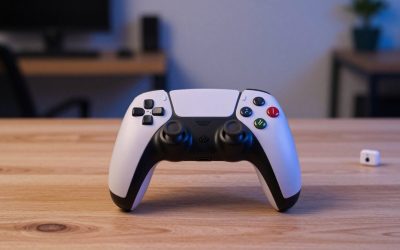
The best PC controller for most players is the Xbox Wireless Controller, because Windows and Steam support it with almost no setup, but a DualSense, an 8BitDo pad or a basic wired option may suit you better depending on your games and your budget. Check the connection method, battery type and button layout before you buy, and make sure the games you play list your pad as supported.
| Pick | Best for | Key feature |
|---|---|---|
| Xbox Wireless Controller | Plug-and-play PC gaming | Native Windows support over USB, Bluetooth or wireless adapter |
| Sony DualSense Wireless Controller | Players who want haptics and adaptive triggers | Detailed vibration and trigger feedback in supported games |
| 8BitDo Pro 2 Bluetooth Controller | Retro and indie fans | Customizable with back buttons and software |
| Logitech F310 Gamepad | Low-cost wired play | Simple USB pad that works with many older games |
| Razer Wolverine V2 Chroma | Fast, clicky inputs | Mecha-tactile buttons and extra triggers |
| PowerA Enhanced Wired Controller | Backup or kids’ controller | Wired reliability with a familiar layout |
1. Xbox Wireless Controller
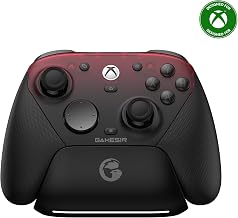
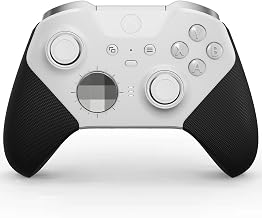
This is the default recommendation for PC because it just works. Windows recognizes it instantly, Steam games usually map it correctly out of the box, and you can connect it with a USB cable, Bluetooth or a dedicated wireless adapter. The shape is comfortable for a wide range of hand sizes. The weak points are the AA battery habit unless you add a rechargeable pack, and the lack of advanced features such as back paddles. Compare with the Elite line if you want customization. Check the Xbox Wireless Controller.
2. Sony DualSense Wireless Controller
The DualSense brings haptic feedback and adaptive triggers that some PC games support, plus a built-in rechargeable battery and a good touchpad. It suits players who like the PlayStation layout or want richer feedback. The caveat is PC support: Steam handles it well, but some games, particularly those outside Steam, may only show Xbox button prompts, and advanced features are not universal. The battery life is acceptable but not exceptional. View the Sony DualSense.
3. 8BitDo Pro 2 Bluetooth Controller
8BitDo has built a reputation for versatile controllers with retro styling. The Pro 2 offers Bluetooth, USB, back buttons and software for customizing profiles. It suits players who enjoy platformers, fighting games and indie titles, and want to remap buttons without extra hardware. It uses a different layout from the Xbox pad, and software setup takes a moment. Check the mode switch so that it is in the right mode for your platform. See the 8BitDo Pro 2.
4. Logitech F310 Gamepad
The F310 is an old, simple wired gamepad with a straightforward layout. It supports both XInput and DirectInput modes, which helps with older games. It is inexpensive and a decent backup. The build and feel are basic, with a stiff D-pad and plastic that does not feel premium. For long sessions, a more comfortable controller is a better investment. Browse the Logitech F310.
5. Razer Wolverine V2 Chroma
Razer’s wired Wolverine is built for people who want responsive buttons and extra inputs. It has two extra remappable triggers and RGB lighting, and the mecha-tactile face buttons are crisp. It suits competitive players who want a wired connection and a different feel. It is heavier than some pads, the lights are a matter of taste and the wired design means tethering to the PC. Check the Razer Wolverine V2 Chroma.
6. PowerA Enhanced Wired Controller
PowerA makes licensed wired controllers in many designs. They are an inexpensive option for a second player, a child or a spare. They use a familiar layout and a long cable. Build quality is more modest than the first-party pads, and the triggers and sticks may feel less refined. Treat it as a backup rather than a main pad. View the PowerA Enhanced Wired Controller.
How to Choose a PC Controller
Connection
Wired connections have no latency or battery concerns. Bluetooth is convenient but varies in quality between adapters. A dedicated wireless dongle is typically the most stable wireless option.
Layout and feel
Xbox-style asymmetrical sticks and PlayStation-style symmetrical sticks both work, so pick the one your hands prefer. Try to check D-pad quality if you play platformers or fighting games.
Battery
Rechargeable batteries are convenient but eventually wear out. AA-powered pads let you swap quickly but require a stock of batteries or a charging kit.
Software support
Check whether the controller uses XInput, which is the standard most PC games understand. Some games do not support other protocols natively, though Steam Input can translate them.
Setting Up a Controller on PC
For Steam, open Big Picture or the controller settings, connect the pad and follow the prompts. Steam Input can remap buttons and handle many controllers. For non-Steam games, connect the controller through Windows Bluetooth settings or plug it in and test in the Game Controller panel. If a game does not recognize the controller, try launching it through Steam as a non-Steam shortcut so that Steam Input can translate it. Update firmware with the manufacturer’s tool when available, because updates can fix connection issues.
Which Games Actually Need a Controller?
Not every PC game benefits from a gamepad, so it helps to think about your library. Racing games, platformers, sports titles and most action-adventure games feel natural on a controller, because analog sticks and triggers give smooth control over speed and direction. Fighting games depend on a good D-pad or an arcade stick, so check the D-pad quality on any pad you consider. Strategy games, first-person shooters at a competitive level and many simulation games are usually better with a keyboard and mouse, although a controller with gyro or aim assist can be fun for relaxed play.
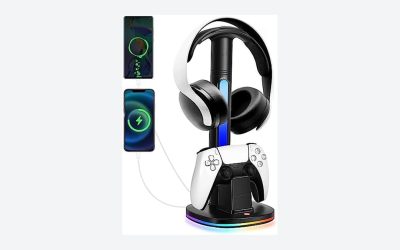
Couch co-op and living-room PC setups are another reason to own a controller. Many PC gamers connect a computer to a television and play from the sofa, where a wireless pad is far more comfortable than a keyboard. In that setup, a stable wireless connection and a good battery matter more than extra buttons. A charging dock or rechargeable pack keeps the pad ready, and a second controller makes local multiplayer easy.
Finally, think about future-proofing. If you also own a console, choosing a controller that works across platforms may save money. Xbox pads work on Xbox consoles and PC, while DualSense works on PlayStation and PC. If you play on a handheld PC or a laptop, a controller with Bluetooth is a convenient travel companion. Whatever you choose, keep the manufacturer’s software or Steam Input handy for remapping when a game does not behave as expected.
Common Mistakes
- Buying a controller with no support for your games.
- Ignoring battery type until the first long session.
- Using cheap Bluetooth dongles that cause dropouts.
- Not checking stick drift warranty terms.
- Choosing based on looks rather than comfort.
Frequently Asked Questions
Can I use a PS5 controller on PC?
Yes, via USB or Bluetooth, with Steam supporting most features. Some games lack native support.
Do I need a wireless adapter for Xbox controllers?
Not if you use USB or Bluetooth, but the adapter can give a more stable connection.
Why does my controller disconnect?
Interference, low batteries or Bluetooth issues are common causes. Try a wired connection or adapter.
Are third-party controllers any good?
Many are, particularly from 8BitDo and Razer, but check reviews for specific models.
Conclusion
Choose the Xbox controller for simplicity, DualSense for feedback, 8BitDo for versatility, Razer for responsive buttons and Logitech or PowerA for a cheap wired spare. Confirm compatibility with your library first.
As an Amazon Associate we earn from qualifying purchases.
FAQ
Which Games Actually Need a Controller?
Can I use a PS5 controller on PC?
Do I need a wireless adapter for Xbox controllers?
Why does my controller disconnect?
Are third-party controllers any good?
More from Amazon
Programs that pair well with the guide above. Offers and eligibility are set by Amazon and may change.
Free shipping on eligible items, Prime Video and more. Eligible new members can start with a free trial.
Start a Prime free trialAd-free music streaming. Eligible new subscribers can start with a free trial.
Try Music Unlimited freeA Prime membership for ages 18-24 with a trial period. Eligibility is set by Amazon.
See Prime for Young AdultsAudiobooks and podcasts to listen to on the go. Eligible new members can start with a free trial.
Try Audible freeAs an Amazon Associate we earn from qualifying purchases.