Our Top Picks
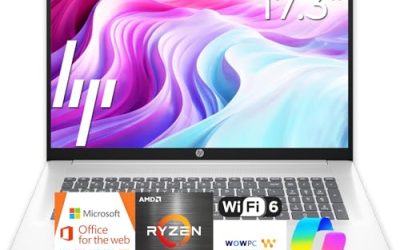
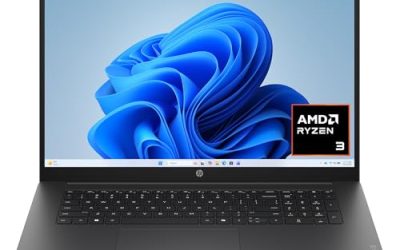
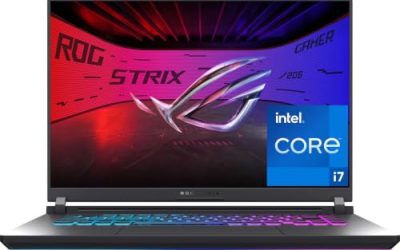
 ASUS 2025 TUF Gaming A18 18” WUXGA 144Hz16GB | 1TB SSD15.71 x 11.14 x 1.05 inches2.6 KilogramsCheck on Amazon
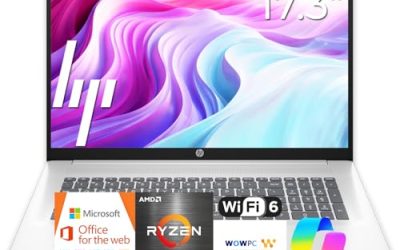
 ASUS TUF 16" Ryzen 7 Premium Gaming Laptop16GB RAM | 1TB SSD13.98 x 9.92 x 0.87 inches4.85 poundsCheck on Amazon
The best gaming laptops under $1600 are the Lenovo LOQ with an RTX 5060 for a balanced 15.6 inch build, the ASUS TUF A18 with an RTX 5060 for a large 18 inch screen, and the msi Katana 15 with an RTX 4070 and a QHD panel for sharper visuals. Choose by GPU, screen resolution and cooling first.
Every pick below is compared from listing specifications: processor, graphics card, memory, storage, display size and refresh rate as the seller states them. We did not use these laptops, so we make no claims about frame rates, fan noise or battery life, and anything a listing does not state is marked as not listed. Check the maker page for the port list, battery capacity and weight before you buy. This guide covers laptops in the upper middle of the market, roughly the 1300 to 1600 range, where RTX 50-series and RTX 4070 machines sit.
Quick Comparison
| Model | Key specs per listing | Best for |
|---|---|---|
| Lenovo LOQ 15.6 (RTX 5060) | Ryzen 7 250, RTX 5060, 16GB RAM, 512GB, 15.6 in FHD 144Hz IPS | Balanced 1080p play |
| ASUS TUF Gaming A18 | Ryzen 7 260, RTX 5060, 16GB DDR5, 1TB NVMe, 18 in WUXGA 144Hz, RJ-45 | Big screen and storage |
| Alienware 16 Aurora | Core 7 240H, RTX 5060, 16GB DDR5, 1TB SSD, 2560×1600 120Hz 16:10 | Sharper 16:10 screen |
| msi Katana 15 | Core i7-13620H, RTX 4070, 16GB DDR5, 1TB NVMe, 15.6 in QHD 165Hz, Cooler Boost 5 | Highest-tier GPU in the group |
| ASUS TUF 16 (Radeon) | Ryzen 7 7735HS, Radeon RX 7700S, 16GB DDR5, 1TB SSD, 16 in FHD+ 165Hz | AMD graphics and a fast panel |
| Lenovo LOQ (Core i7, RTX 5050) | Core i7-13650HX, RTX 5050, 16GB, 1TB, 15.6 in FHD 144Hz, G-Sync | High-core-count CPU |
Lenovo LOQ 15.6 With RTX 5060: Balanced 1080p Pick
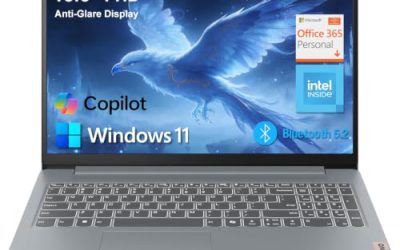
Specs from the listing: 15.6 in IPS FHD 144Hz, AMD Ryzen 7 250, 16GB RAM, 512GB storage, NVIDIA GeForce RTX 5060, Luna Grey.
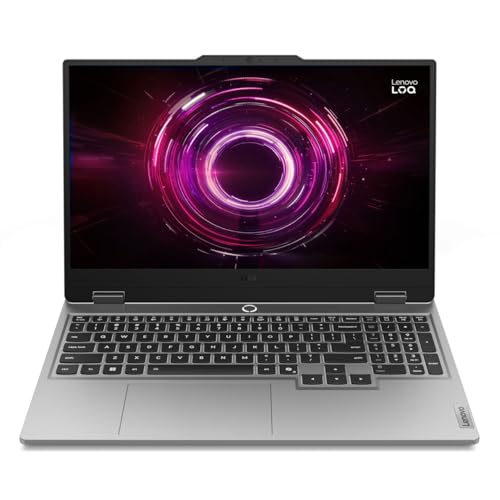
Lenovo LOQ 15.6" IPS LCD FHD 144Hz AI-Powered Gaming Notebook AMD Ryzen 7 250 16GB RAM 512GB NVIDIA GeForce RTX 5060 Luna Grey
Picked as a relevant option in this category.
View on AmazonThis LOQ is the entry into RTX 5060 territory in this guide, and it pairs the GPU with a 1080p 144Hz IPS screen, a sensible match because the GPU is not pushed to high resolutions. The Ryzen 7 250 is the listed processor, and 16GB of memory is typical for modern games. The main trade-off is storage: 512GB fills quickly with large installs, so plan for an external or second drive. The listing does not mention a keyboard type, port list or battery size, so those are not listed. It is a good fit for a student or a player who wants a current GPU without chasing the largest screen.
- Pros: RTX 5060 graphics with a 144Hz IPS screen.
- Pros: 16GB of memory.
- Pros: familiar 15.6 inch size.
- Cons: 512GB storage is small for large games.
- Cons: ports and battery not listed.
ASUS TUF Gaming A18: Large Screen, RTX 5060 and 1TB
Specs from the listing: 18 in WUXGA 144Hz IPS, 8-core AMD Ryzen 7 260, NVIDIA GeForce RTX 5060, 16GB DDR5, 1TB NVMe SSD, Wi-Fi, RJ-45, Bluetooth, webcam, HDMI 2.1, RGB backlit keyboard, Windows 11 Home.
ASUS 2025 TUF Gaming A18 18” WUXGA 144Hz IPS Laptop 8-Core AMD Ryzen 7 260 NVIDIA GeForce RTX 5060 16GB DDR5 1TB NVMe SSD WiFi AX RJ-45 BT Webcam HDMI2.1 RGB Backlit KB Windows 11 Home w/RE USB
Picked as a relevant option in this category.
View on AmazonThe TUF A18 trades portability for a big 18 inch display and a 1TB drive, which is twice the storage of the base LOQ. HDMI 2.1 and RJ-45 are listed, so it supports a wired network and an external display. The 16:10 WUXGA panel is 1920×1200, so the pixel count is only a bit above full HD, and the larger size suits a desk-bound player who wants a screen closer to a small monitor. Expect a heavier body, though the listing does not give weight. This is the pick for someone who plays mostly at home and wants more screen and storage.
- Pros: 18 in screen with 144Hz.
- Pros: 1TB NVMe storage and DDR5 memory.
- Pros: HDMI 2.1 and RJ-45 listed.
- Cons: weight and battery not listed, and the size limits portability.
- Cons: WUXGA resolution is not QHD.
Alienware 16 Aurora With RTX 5060: Sharper 16:10 Screen
Specs from the listing: Alienware 16 Aurora, RTX 5060, Intel Core 7 240H, 2560×1600 display, 120Hz, 16:10, 16GB DDR5 RAM, 1TB SSD, Windows 11 Home, backlit keyboard, blue.
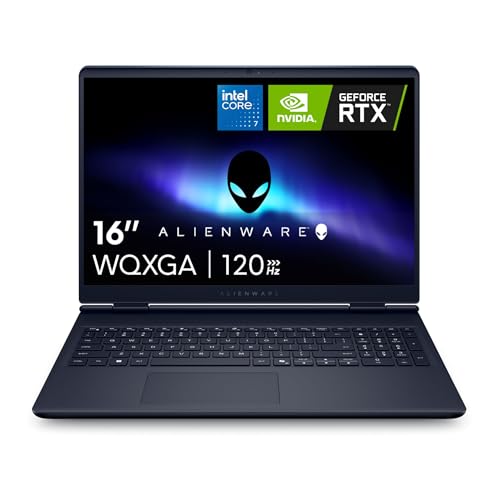
Alienware 16 Aurora Gaming Laptop, NVIDIA RTX 5060, Intel Core 7 240H | 2560x1600 Display, 120Hz, 16:10, 16GB DDR5 RAM, 1TB SSD, Windows 11 Home, Backlit Keyboard, Blue
Chosen because it specifies NVIDIA RTX 5060 and Intel Core 7 240H.
View on AmazonThe Aurora is the pick for players who care about image sharpness. The 2560×1600 panel is a step above full HD and suits 1440p-style gaming, and the 16:10 shape adds vertical room for work and browsing. The 120Hz refresh rate is lower than the 144Hz or 165Hz screens of other picks, which matters mainly for fast shooters. With an RTX 5060 driving more pixels, you may need to lower settings in demanding titles, a trade-off to keep in mind. The 1TB SSD and 16GB DDR5 are solid. The listing does not give weight, ports or cooling details, so they are not listed.
- Pros: 2560×1600 16:10 display.
- Pros: 1TB SSD and 16GB DDR5.
- Pros: RTX 5060 graphics.
- Cons: 120Hz is lower than other picks.
- Cons: ports, weight and cooling not listed.
msi Katana 15: RTX 4070 With a QHD 165Hz Panel
Specs from the listing: 15.6 in 165Hz QHD, Intel Core i7-13620H, NVIDIA GeForce RTX 4070, 16GB DDR5, 1TB NVMe SSD, Cooler Boost 5, Windows 11, model B13VGK-2000US, black.

msi Katana 15 15.6” 165Hz QHD Gaming Laptop: Intel Core i7-13620H, NVIDIA Geforce RTX 4070, 16GB DDR5, 1TB NVMe SSD, Cooler Boost 5, Win 11: Black B13VGK-2000US
Chosen because it specifies NVIDIA Geforce RTX 4070 and 16GB DDR5.
View on AmazonThe Katana 15 carries the highest-tier GPU named in this group, the RTX 4070, and pairs it with a QHD 165Hz screen. That combination suits 1440p play, and the older Core i7-13620H is still a capable gaming processor. It is an older-generation model, so it lacks the newer RTX 50-series features, but the GPU tier is higher on paper than the 5060 models here. The listing names Cooler Boost 5, but does not describe how it performs, so we cannot judge noise or thermals. It is the pick for a player who wants the most graphics power under this budget and a sharp panel.
- Pros: RTX 4070 graphics.
- Pros: QHD 165Hz display.
- Pros: 1TB NVMe storage.
- Cons: older platform than the RTX 50-series models.
- Cons: cooling performance not described.
ASUS TUF 16 With Radeon RX 7700S: AMD Graphics and 165Hz
Specs from the listing: 16 in FHD+ 165Hz, AMD Ryzen 7 7735HS, AMD Radeon RX 7700S, 16GB DDR5, 1TB SSD, RGB backlit keyboard, Windows 11 Pro.
ASUS TUF 16" Ryzen 7 Premium Gaming Laptop, 16" FHD+ 165Hz, AMD Ryzen 7 7735HS (Beats Intel i7-13700H), AMD Radeon RX 7700S (Beats GeForce RTX 4060), 16GB DDR5 RAM, 1TB SSD, RGB Backlit KB, W11 Pro
Chosen because it specifies 16" FHD+ 165Hz and AMD Ryzen 7 7735HS (Beats Intel i7-13700H).
View on AmazonThis TUF 16 takes a different route, using an AMD Radeon graphics card instead of an NVIDIA one. The listing compares it with a GeForce RTX 4060 in its own marketing language, which is a seller claim we cannot verify, so check independent benchmarks if that matters to you. The 16 in FHD+ panel runs at 165Hz, a fast refresh rate for esports-style play. Memory is 16GB DDR5 and storage is 1TB. The main trade-off is feature support: NVIDIA-only features such as DLSS are not available on Radeon cards. It suits a player who values refresh rate and storage over NVIDIA features.
- Pros: 165Hz FHD+ screen.
- Pros: 1TB SSD and 16GB DDR5.
- Pros: Windows 11 Pro listed.
- Cons: no NVIDIA features such as DLSS.
- Cons: performance claims are seller wording.
Lenovo LOQ With Core i7-13650HX and RTX 5050: CPU-Heavy Pick
Specs from the listing: Intel Core i7-13650HX, 15.6 in FHD IPS 144Hz, GeForce RTX 5050, 16GB memory, 1TB storage, G-Sync, Luna Grey.

Lenovo LOQ AI-Powered Gaming Laptop - Intel Core i7-13650HX, 15.6" FHD IPS 144Hz Display, GeForce RTX 5050, 16GB Memory, 1TB Storage, G-Sync, Luna Grey
Chosen because it specifies Intel Core i7-13650HX and 15.6" FHD IPS 144Hz Display.
View on AmazonThis LOQ gives the strongest processor in the group on paper, since the HX series is the higher-power Intel line, and pairs it with an RTX 5050 and 1TB of storage. That balance favors players who stream or run background tasks next to a game, where processor cores matter. The RTX 5050 is a step below the 5060, so it is more suited to 1080p play. G-Sync is listed, which helps smooth frame delivery on the 144Hz panel. The listing does not give battery, ports or weight, so confirm them on the maker page. It is a good pick for creator-leaning gamers.
- Pros: HX-series processor.
- Pros: 1TB storage and G-Sync listed.
- Pros: 144Hz IPS screen.
- Cons: RTX 5050 is a lower GPU tier.
- Cons: ports and battery not listed.
How to Choose Gaming Laptops Under $1600
GPU tier first
For full HD at high settings, an RTX 5050 or 5060 is a practical target. For QHD or 2560×1600, step up to an RTX 4070 class card, as in the Katana 15. The GPU decides more than any other spec.
Screen resolution and refresh rate
Aim for at least 144Hz on a 1080p panel. A QHD or 2560×1600 screen looks sharper but asks more of the GPU. Match the screen to the card: 1080p with an RTX 5050 class, QHD with an RTX 4070 class.
Memory and storage
Treat 16GB of memory as the floor. For storage, 1TB is a better target than 512GB, because modern games often take 100GB or more each.
Cooling and ports
Thermal design matters under load, but most listings only name features such as Cooler Boost 5. Check reviews for fan noise and look for HDMI 2.1, RJ-45 and USB-C if you use external displays or wired internet.
Weight, battery and upgrade room
Gaming laptops are heavy and their batteries drain fast under load, so most players game plugged in. If you carry the laptop daily, prefer a 15.6 in body over an 18 in one and look for a listed weight on the maker page. Also check for an open second M.2 slot and whether the RAM is soldered, because that decides how long the machine stays useful.
Gaming Laptops for Streaming, 1440p and Students
Gaming laptops for streaming
Streaming adds a video encode load, so the Core i7-13650HX LOQ and the 1TB models are good fits. Look for RJ-45 and HDMI 2.1 like the TUF A18 if you stream from a desk.
Gaming laptops for 1440p
The msi Katana 15 with a QHD 165Hz screen and the Alienware 16 Aurora at 2560×1600 are the two listed options for sharper play. Expect to adjust settings on the RTX 5060 model.
Gaming laptops for students
Students may value a smaller 15.6 in body, so the Lenovo LOQ models are more portable than an 18 in machine. The 16:10 Alienware panel also gives more vertical space for documents.
FAQ
Is an RTX 5060 laptop enough for 1440p?
It can handle 1440p in many games with settings adjusted, but an RTX 4070 class card gives more headroom. Check game-specific reviews if you plan to play new releases at high settings.
Is 16GB of RAM enough for gaming?
Yes, 16GB is a common baseline for current games. Heavy multitasking or streaming may benefit from 32GB, though none of the picks here lists more than 16GB.
Is a higher refresh rate worth it?
For fast shooters, yes, because 144Hz and 165Hz look smoother than 60Hz. The GPU must also deliver enough frames, so match the panel to the card.
Should I buy an older RTX 4070 or a newer RTX 5060?
The RTX 4070 has a higher tier, while the RTX 5060 is newer. Compare independent benchmarks for your games, since the listings only name the cards.
Do these laptops have upgradeable storage?
Not listed. Check the maker page for open M.2 slots, since many gaming laptops allow an extra SSD but listings rarely say so.
Last updated: November 2026
FAQ
Is an RTX 5060 laptop enough for 1440p?
Is 16GB of RAM enough for gaming?
Is a higher refresh rate worth it?
Should I buy an older RTX 4070 or a newer RTX 5060?
Do these laptops have upgradeable storage?
More from Amazon
Programs that pair well with the guide above. Offers and eligibility are set by Amazon and may change.
Free shipping on eligible items, Prime Video and more. Eligible new members can start with a free trial.
Start a Prime free trialAd-free music streaming. Eligible new subscribers can start with a free trial.
Try Music Unlimited freeA Prime membership for ages 18-24 with a trial period. Eligibility is set by Amazon.
See Prime for Young AdultsAudiobooks and podcasts to listen to on the go. Eligible new members can start with a free trial.
Try Audible freeAs an Amazon Associate we earn from qualifying purchases.