
Key takeaways
- Switch type: Linear switches suit fast gaming, tactile switches add a bump for typing, and Hall effect magnetic switches let you tune actuation depth per key for a competitive edge.
- Hot-swap sockets: A hot-swap PCB lets you change switches without soldering, so you can refine the feel over time instead of buying a whole new board.
- Connectivity: Wired keeps latency lowest and is preferred for competitive play; decide if you need wireless for a cleaner desk before paying extra.
- Layer access: Because arrows and function keys live on a secondary layer, look for clear legends or solid onboard software so the shortcuts are easy to learn.
- Build and keycaps: A steel or aluminum plate and PBT keycaps resist flex and shine; these upgrades separate a board that lasts years from one that feels hollow.
What's inside
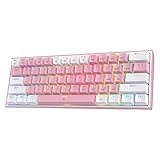
A 60% keyboard strips a full-size layout down to just the essentials, roughly 61 keys, by dropping the number pad, function row, arrow cluster, and navigation block. What you lose in dedicated keys you gain in desk space and mouse room, and for gaming that matters more than most people expect. A compact board lets you angle your mouse hand closer to your body, which reduces shoulder strain during long sessions and gives low-sensitivity players the sweep they need for flick shots.
In 2026 the 60% category has exploded thanks to hot-swap sockets and Hall effect magnetic switches, so you no longer have to choose between compact and feature-rich. We rounded up the boards that deliver the best mix of build quality, switch feel, and value, from sub-$40 backlit starters to analog Hall effect competition boards with adjustable actuation. Here is how to pick, followed by our top picks for the year.
As an Amazon Associate we earn from qualifying purchases at no extra cost to you.







⚡ Save on Your Next PC — Amazon Prime
Prime members get fast free shipping on the systems above, plus early access to Prime Day & Black Friday PC deals. New members get a 30-day free trial.
Watch: Best Compact 60% Keyboard for Gaming — Video Review
How to Choose
- Switch type: Linear switches suit fast gaming, tactile switches add a bump for typing, and Hall effect magnetic switches let you tune actuation depth per key for a competitive edge.
- Hot-swap sockets: A hot-swap PCB lets you change switches without soldering, so you can refine the feel over time instead of buying a whole new board.
- Connectivity: Wired keeps latency lowest and is preferred for competitive play; decide if you need wireless for a cleaner desk before paying extra.
- Layer access: Because arrows and function keys live on a secondary layer, look for clear legends or solid onboard software so the shortcuts are easy to learn.
- Build and keycaps: A steel or aluminum plate and PBT keycaps resist flex and shine; these upgrades separate a board that lasts years from one that feels hollow.
The Best Picks Reviewed
HyperX Alloy Origins 60
The premium all-rounder. A rock-solid aluminum body, double-shot PBT keycaps, and bright per-key RGB make this feel far more expensive than it is. Onboard memory stores your layers so the arrow and media shortcuts travel with the board, and HyperX’s linear switches are smooth out of the box.
AULA WIN60 HE (Hall Effect)
For competitive players, magnetic Hall effect switches are the headline feature. You can set actuation as shallow as a fraction of a millimeter for lightning resets or deeper to avoid accidental presses, plus rapid trigger keeps re-firing near-instant. It brings analog tuning to a genuinely affordable price.
Redragon K617 Hot-Swap RGB
The value champion for tinkerers. A true 60% hot-swap board with RGB that lets beginners swap switches with zero soldering. It is an ideal first mechanical board because you can experiment with different switch feels cheaply until you find your preference.
MageGee MK-Box 60%
The no-frills starter. If you just want to try the 60% form factor without spending much, the MK-Box delivers backlighting and a compact layout at the lowest tier of pricing. It is a great dorm, travel, or secondary board.
AULA WIN68 HE
A slightly roomier take that keeps dedicated arrow keys while staying compact, again using Hall effect magnetic switches. It is the pick for players who love analog actuation but are not ready to give up arrows to a function layer.
Frequently Asked Questions
Is a 60% keyboard bad for gaming?
Not at all. Most game actions live on the left half of the keyboard, which a 60% keeps intact. The extra mouse space is a real advantage for low-sensitivity aiming, and arrow or function keys are one layer key away when you need them.
What is a Hall effect switch?
Hall effect switches use magnets and sensors instead of physical metal contacts, so they never wear out from friction and let you adjust exactly how far you press before a key registers. That adjustability is why they have become popular for competitive gaming.
How do I press arrow keys on a 60%?
Arrows live on a secondary function layer, usually mapped to a cluster like I/J/K/L or the navigation keys while holding a Fn key. After a day or two the muscle memory sets in and it feels natural.
Wired or wireless for competitive play?
Wired is still the safe choice for competition because it eliminates any wireless latency and battery worries. Modern 2.4GHz wireless is excellent, but for ranked play a wired connection removes one variable entirely.
Final Thoughts
The 60% form factor is no longer a compromise. Between hot-swap boards that let you fine-tune switch feel and Hall effect models that bring adjustable analog actuation to affordable prices, there is a compact keyboard for every budget and play style. Prioritize switch type and build quality, make sure the layer legends work for you, and enjoy the extra mouse real estate on your desk.









