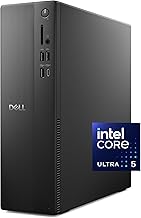
The best mini PC kit for most buyers in 2026 is a barebone Ryzen box such as the Minisforum UM870 Slim, because it gives you an 8-core processor and Radeon 780M graphics while letting you choose your own RAM and SSD. If you want a lower-power kit, the ASUS NUC 14 Pro or NUC 15 Pro family adds Thunderbolt 4 and a toolless case. Buy a ready-to-run model only when you do not want to install memory and storage yourself.
What “Mini PC Kit” Actually Means
A mini PC kit is a compact computer sold barebone: the chassis, motherboard, processor, cooling and power supply come assembled, but you add DDR5 or DDR4 SO-DIMM memory, an M.2 SSD and an operating system. Retailer listings for ASUS NUC 14 Pro models, for example, state that memory and storage are sold separately. A ready-to-run mini PC ships with all of that installed and Windows activated.
Kits suit gamers for three reasons. You choose capacity instead of accepting whatever the bundle includes, you can reuse an SSD or RAM from an older machine, and you avoid paying for a license you may not want if you plan to run Linux or SteamOS-style setups. The trade-off is time: expect 10 to 15 minutes of assembly and a Windows install from a USB drive.
Quick Comparison of Mini PC Kit Picks
| Pick | Best for | Processor | Memory support | Storage | Price range |
|---|---|---|---|---|---|
| Minisforum UM870 Slim | Best overall value | Ryzen 7 8745H, Radeon 780M | SO-DIMM, up to 96GB | 2 x M.2 | Mid-range |
| ASUS NUC 14 Pro (Tall or Slim) | Best for expansion and ports | Core 3 100U up to Core Ultra 5 125H (Pro+) | 2 x SO-DIMM, DDR5-5600, up to 96GB | Triple storage design | Budget to mid-range |
| ASUS NUC 15 Pro | Best newest platform | Core Ultra 5 225H to Core Ultra 7 255H and 265H | DDR5-6400, up to 96GB | PCIe 5.0 x4 main slot on Ultra chips | Mid-range to upper-mid |
| Minisforum UM890 Pro (barebone) | Best for performance | Ryzen 9 8945HS, Radeon 780M | DDR5-5600, up to 96GB | 2 x M.2 PCIe 4.0 | Mid-range |
| ASUS NUC 14 Essential | Best budget kit | Intel N-series | Single DDR5-4800 slot | Single M.2 | Budget |
Prices change often and memory costs have been unusually high through 2026, so check current listings and price the whole build, not just the barebone box.
Best Overall: Minisforum UM870 Slim
The UM870 Slim pairs a Ryzen 7 8745H with Radeon 780M graphics and is sold without RAM, SSD or operating system. Listings describe HDMI, DisplayPort and USB4 outputs, a 2.5G Ethernet port and support for up to 96GB of SO-DIMM memory. For gaming, the 780M is an integrated GPU, so think esports titles, older AAA games and 1080p at low-to-medium settings, plus cloud gaming and emulation. Trade-off: it is a slim chassis, so sustained loads are louder than on larger boxes.
Best for Ports and Expansion: ASUS NUC 14 Pro
ASUS took over the NUC line from Intel, and the NUC 14 Pro keeps the format that made kits popular. Barebone versions use a toolless case, support up to 96GB of DDR5-5600 across two SO-DIMM slots, and offer Thunderbolt 4, Wi-Fi 6E and a triple storage design. The Pro+ version uses a Core Ultra 5 125H. Its Intel Arc graphics are fine for light gaming, but a Ryzen 780M kit generally has more graphics headroom. Pick this when ports, quiet operation and easy servicing matter more than frame rates.
Best Newest Platform: ASUS NUC 15 Pro
The NUC 15 Pro (Cyber Canyon) uses Core Ultra Series 2 processors from the Core Ultra 5 225H to the Core Ultra 7 265H, with DDR5-6400 support up to 96GB, Wi-Fi 7, Bluetooth 5.4, Thunderbolt 4 and 2.5Gb Ethernet. The main M.2 slot is PCIe 5.0 x4 on Core Ultra chips. It comes in Slim (about 117 x 112 x 37 mm) and Tall (about 54 mm) versions, and ships with a 120W power supply. It is the kit to buy if you want a platform that will still feel current in three or four years.
Best for Performance: Minisforum UM890 Pro Barebone
The UM890 Pro uses a Ryzen 9 8945HS (8 cores, 16 threads, up to 5.2GHz) with Radeon 780M graphics. According to the manufacturer, it supports DDR5-5600 up to 96GB, two M.2 PCIe 4.0 slots, two 2.5G Ethernet ports, an OCuLink port and two USB4 ports. OCuLink is the standout for gamers: it lets you connect an external graphics card dock, which turns the kit into a compact desktop with a real GPU later. It measures about 127 x 130 x 66.6 mm.
Best Budget Kit: ASUS NUC 14 Essential
The NUC 14 Essential is a barebone kit with an Intel N-series processor, a single DDR5-4800 memory slot and a single storage slot, with triple display support, 2.5G LAN and Wi-Fi 6E per the listing. It is aimed at browsing, streaming, media playback, retro emulation and light cloud gaming. Trade-off: one memory slot means single-channel memory, which limits integrated graphics throughput.
Worked Example: Memory and Power Planning
Integrated graphics borrow system memory, so capacity matters more than on a desktop with a graphics card. If you assign 4GB to the iGPU on a 16GB kit, Windows and your game share the remaining 12GB. A modern game plus a browser and launcher often wants 12GB or more, so 32GB is the safer choice for a Ryzen kit.
Power cost is easy to estimate. A mini PC idling at 15W and running 24 hours a day uses 15 x 24 x 365 = 131.4 kWh a year. At 15 cents per kWh, that is about 20 in yearly electricity. Gaming at 60W for three hours a day adds 60 x 3 x 365 = 65.7 kWh, or roughly 10 more. Either way, running costs are small next to a tower PC.
Kit vs Ready-to-Run: Decision Matrix
| Your situation | Better choice | Why |
|---|---|---|
| Spare DDR5 SO-DIMMs or an NVMe drive | Kit | Reuse parts and skip paying for them twice |
| Want 64GB or more | Kit | Most bundles top out at 16GB or 32GB |
| Planning Linux or a media server | Kit | No Windows license included or needed |
| Never opened a PC | Ready-to-run | No installation, drivers pre-set |
| Need it working today | Ready-to-run | Ships activated |
How to Choose a Mini PC Kit
Check the memory type and slot count
Some current mini PCs solder LPDDR5X memory to the board, so the amount you order is permanent. A true kit uses SO-DIMM slots. Confirm DDR4 versus DDR5 before buying memory, because they are not interchangeable.
Match graphics to your games
Radeon 780M is the entry point for playable 1080p at reduced settings. Intel Arc graphics on Core Ultra chips are competitive on newer platforms, but Intel N-series graphics are for media and light titles only.
Look for upgrade ports
OCuLink or Thunderbolt 4 / USB4 gives you a path to an external GPU later. Two M.2 slots let you add storage without replacing the first drive.
Plan the cooling
Slim chassis save desk space but run louder under load. Taller cases, like the NUC Tall versions, leave room for a third storage slot and calmer fans.
Frequently Asked Questions
Is a mini PC kit the same as a barebone mini PC?
Yes. Both terms mean the computer arrives without RAM, storage and an operating system. You add those parts yourself before first boot.
What do I need to buy besides the kit?
You need SO-DIMM memory of the correct type, an M.2 NVMe SSD, and a Windows or Linux installer on a USB drive. A keyboard, mouse and monitor are also required, as with any PC.
Can a mini PC kit play modern games?
Ryzen 780M and Intel Arc kits handle esports titles and older games at 1080p with reduced settings, with results varying by game, memory speed and patch. For heavier titles, use OCuLink with an external graphics dock or cloud gaming.
How much RAM should I install?
Install 32GB for gaming on integrated graphics, because the GPU shares that memory. 16GB works for emulation, streaming and office use.
Are barebone mini PCs hard to build?
No. Most need a screwdriver or none at all, as with the toolless ASUS NUC chassis. Installing two memory sticks and an SSD typically takes 10 to 15 minutes.
Which is better, Intel or AMD in a kit?
AMD Ryzen 8000-series kits generally offer stronger integrated graphics. Intel Core Ultra kits offer Thunderbolt 4, Wi-Fi 7 on newer models and lower idle power.
Bottom Line
Choose the UM870 Slim for value, the UM890 Pro if you want OCuLink for a future external GPU, and an ASUS NUC 14 or 15 Pro if you prefer polished ports and servicing. Specs and kit contents vary by seller, so confirm that RAM, SSD and operating system are excluded or included before you order.