Shopping for a gaming PC under $2,000 in 2026 is harder than it should be. Spec sheets are packed with model numbers that look similar but perform very differently, and it’s easy to overpay for a flashy case while the GPU inside quietly bottlenecks everything else. The graphics card is still the single biggest factor in your frame rate, yet plenty of prebuilds pair a modest GPU with an expensive CPU you’ll never fully use.
This guide cuts through that. We’ve focused on prebuilt desktops that land comfortably under the $2,000 ceiling and deliver genuine value at their price point, whether you’re targeting high-refresh 1080p esports, a smooth 1440p experience, or a first step into VR. Below you’ll find our top picks, the specs that actually matter, and answers to the questions buyers ask most.
Our top picks
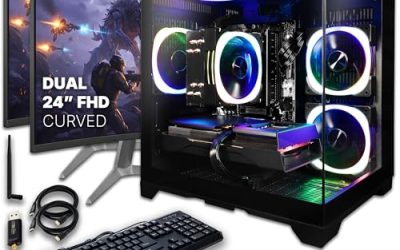
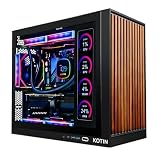
 KOTIN Prebuilt Gaming PC RTX 5070 12GB
Built-in 11.3 inch smart display shows live temps and usage
850W 80+ Gold PSU leaves headroom for upgrades
Arrives fully assembled with Windows 11 Home installed
Monitor must connect to the graphics card, not motherboard ports
360mm liquid cooler takes up significant case space
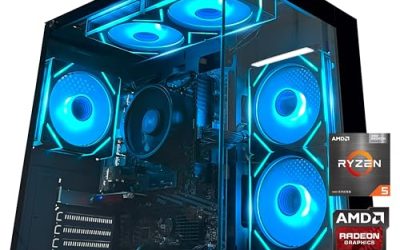
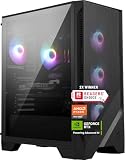
 msi Codex Z2 Gaming Desktop: AMD R7-8700F
8-core, 16-thread CPU handles gaming and streaming together
2TB SSD offers generous room for a large game library
Four system fans help manage heat during long sessions
At over 21 pounds, it's a bulky desktop to relocate
RGB lighting options are limited to preset cycling modes
 KOTIN Gaming PC Desktop
- High-FPS Gaming PC Performance: AMD Ryzen 7 8700F…
- 16GB DDR5 + 1TB Gen4 NVMe SSD: 16GB…
- Cool, Clean Gaming Tower Build: A CPU air…
 Alienware Aurora Gaming Desktop
RTX 5070 GPU is built on NVIDIA's Blackwell architecture
Command Center lets you customize lighting and power modes
Includes 1 year of Dell onsite service
At nearly 34 pounds, this tower is heavy to move
1TB storage may fill quickly with modern game libraries
 YAWYORE Gaming PC
8-core, 16-thread CPU handles multitasking smoothly
RTX 5060 supports DLSS 4 multi frame generation
32GB of RAM pairs with a 1TB NVMe SSD
Uses DDR4 memory rather than newer DDR5
Packaging foam must be removed before first use
 The Horizon Autherium Dragon RGB I9 RTX
- System: Core i9 Unlocked OC CPU | Premium…
- Graphics: NVIDIA GeForce RTX 5070 OC 12GB |…
- Cooling & Design: 360mm Liquid Cooling | Intelligently…
As an Amazon Associate we earn from qualifying purchases at no extra cost to you.
⚡ Save on Your Next PC — Amazon Prime
Prime members get fast free shipping on the systems above, plus early access to Prime Day & Black Friday PC deals. New members get a 30-day free trial.
Watch: Best Gaming PC Under $2000 — Video Review
How to Choose Gaming PC Under $2000
- Prioritize the GPU: Your graphics card determines your frame rate more than any other component. Under $2,000, aim for an RTX 5060 Ti or better for 1440p gaming; an RTX 5070 is the sweet spot if your budget stretches that far.
- Match resolution to hardware: An RTX 3050 or RTX 5060 is well suited to 1080p high-refresh play. For 1440p at high settings, step up to the 5060 Ti or 5070 rather than relying on upscaling to rescue a weaker card.
- Don’t overspend on the CPU: A Ryzen 7 or Core Ultra 7 is more than enough for gaming. Paying extra for a top-tier processor rarely adds frames if the GPU is the limiting factor.
- Insist on 32GB DDR5 where possible: 16GB still works, but 32GB of DDR5 has become the comfortable baseline for modern titles, streaming, and background apps. It’s also the upgrade people regret skipping first.
- Check storage and upgrade headroom: A 1TB NVMe SSD fills fast with today’s install sizes, so 2TB is worth the premium. Also confirm the power supply and case leave room for a future GPU swap.
The Best Picks Reviewed
KOTIN Prebuilt Gaming PC – RTX 5070, Ryzen 7 9700X
This is the most balanced build on the list, pairing an RTX 5070 with a current-generation Ryzen 7 9700X, 32GB of DDR5, and a 1TB SSD. It’s a genuine 1440p high-settings machine with enough CPU headroom to stay relevant for years, and it represents excellent value against comparable branded systems.
MSI Codex Z2 – R7-8700F, RTX 5070
MSI’s Codex Z2 brings the same RTX 5070 class of performance with a generous 2TB NVMe SSD, 32GB of DDR5, front USB Type-C, and Windows 11 Home preinstalled. The extra storage and established build quality make it the pick for anyone who wants a polished, VR-ready system without hunting for upgrades on day one.
Alienware Aurora – RTX 5070, Core Ultra 7 265F
The Aurora is the premium option here, combining an RTX 5070 with Intel’s Core Ultra 7 265F inside Dell’s refined chassis with proper airflow and cable management. You pay a modest premium for the brand and support network, but the thermal engineering and warranty coverage justify it for buyers who value peace of mind.
KOTIN Gaming PC – Ryzen 7 8700F, RTX 5060 Ti
Stepping down to the RTX 5060 Ti keeps this build noticeably cheaper while still handling 1440p at high settings in most titles and demolishing 1080p esports. The 16GB of DDR5 is the one obvious compromise, but it’s a straightforward and inexpensive upgrade later.
YAWYORE Gaming PC – Ryzen 7 5700X, RTX 5060
This is the value entry point, matching a proven Ryzen 7 5700X with a current-generation RTX 5060 for strong 1080p performance at a price that leaves budget for a good monitor. The older AM4 platform limits long-term CPU upgrades, but for high-refresh 1080p gaming today it punches well above its cost.
Frequently Asked Questions
Is $2,000 enough for a good gaming PC in 2026?
Comfortably, yes. At this budget you can get an RTX 5070-class GPU with 32GB of DDR5, which handles 1440p at high settings in virtually every modern title and provides a solid VR experience.
Should I buy a prebuilt or build my own?
Prebuilts have closed much of the price gap and come with a single warranty covering the whole system. Building your own still offers more component control and often better value, but only if you’re comfortable troubleshooting hardware yourself.
Is 16GB of RAM still enough for gaming?
For most games at 1080p, yes. But 32GB has become the practical standard for 1440p gaming alongside streaming, browsers, and voice chat, so it’s worth prioritizing if the price difference is small.
Can these PCs run VR headsets?
Any system here with an RTX 5060 Ti or higher will handle current VR titles well. The RTX 5070 builds, including the MSI Codex Z2, are the safest choice for demanding VR experiences.
Final Thoughts
For most buyers, the KOTIN RTX 5070 build offers the strongest overall value under $2,000, with a current-generation Ryzen 7 9700X and 32GB of DDR5 backing up a capable GPU. If you want more storage and a more established brand behind the build, the MSI Codex Z2 is the better-rounded pick, while the YAWYORE RTX 5060 system remains the smartest choice for budget-focused 1080p gamers who want to spend the savings on a high-refresh monitor.