Shopping for a gaming desktop under $1,000 in 2026 means navigating a market where GPU pricing swings week to week, prebuilt configurations hide their weak points in the spec sheet, and the difference between a great buy and a regrettable one often comes down to a single component. Many machines advertised in this bracket pair a respectable graphics card with a bottlenecked CPU, thin storage, or a power supply that leaves no headroom for future upgrades.
This guide cuts through that noise. We’ve focused on prebuilt systems that deliver genuine 1440p gaming performance, sensible component pairings, and enough room to grow. Below you’ll find our current picks, what to prioritize when comparing similar-looking builds, and answers to the questions buyers ask most often at this price point.
Our top picks
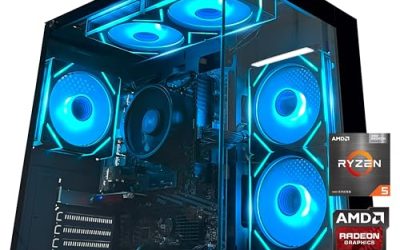
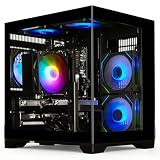
 msi Codex Z2 Gaming Desktop: AMD R7-8700F
8-core, 16-thread CPU handles gaming and streaming together
2TB SSD offers generous room for a large game library
Four system fans help manage heat during long sessions
At over 21 pounds, it's a bulky desktop to relocate
RGB lighting options are limited to preset cycling modes
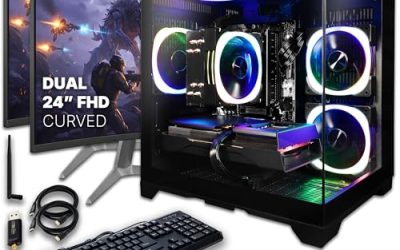
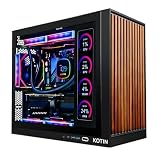
 KOTIN Prebuilt Gaming PC RTX 5070 12GB
Built-in 11.3 inch smart display shows live temps and usage
850W 80+ Gold PSU leaves headroom for upgrades
Arrives fully assembled with Windows 11 Home installed
Monitor must connect to the graphics card, not motherboard ports
360mm liquid cooler takes up significant case space
 Alienware Aurora Gaming Desktop
RTX 5070 GPU is built on NVIDIA's Blackwell architecture
Command Center lets you customize lighting and power modes
Includes 1 year of Dell onsite service
At nearly 34 pounds, this tower is heavy to move
1TB storage may fill quickly with modern game libraries
 msi Codex Z2 Gaming Desktop: AMD Ryzen
- Powerful Processor: AMD Ryzen R7-8700F delivers high-performance computing…
- Modern Operating System: Enjoy the latest generation of…
- Advanced Graphics Card: NVIDIA GeForce RTX 5060Ti provides…
 YAWYORE Gaming PC
8-core, 16-thread CPU handles multitasking smoothly
RTX 5060 supports DLSS 4 multi frame generation
32GB of RAM pairs with a 1TB NVMe SSD
Uses DDR4 memory rather than newer DDR5
Packaging foam must be removed before first use
 STGAubron Gaming PC Desktop
- This Gaming PC Desktop is well-suited for a…
- This high-performance Gaming Computer Desktop is capable of…
- PC Gaming System: This gaming computer desktop is…
 iBUYPOWER Element Gaming PC Desktop Computer AMD
Ryzen 9 7900X pairs with a 12GB RTX 5070 GPU
Comes with a free RGB gaming keyboard and mouse
Ships without bloatware preinstalled
At 36 pounds, this is a heavy desktop tower
Only one Ethernet port for wired networking
 iBUYPOWER Element SE Gaming PC Desktop Computer
- AMD Ryzen 5 8400F, NVIDIA GeForce RTX 3050…
- Connectivity: 6 x USB 3.1 | 1x RJ-45…
- Special Add-Ons: Tempered Glass RGB Gaming Case |…
As an Amazon Associate we earn from qualifying purchases at no extra cost to you.
⚡ Save on Your Next PC — Amazon Prime
Prime members get fast free shipping on the systems above, plus early access to Prime Day & Black Friday PC deals. New members get a 30-day free trial.
Watch: Best Gaming PC Under $1000 — Video Review
How to Choose Gaming PC Under $1000
- GPU first, always: The graphics card determines your frame rates more than any other part. At this budget, an RTX 5070 or 5060 Ti class card is the sweet spot for high-refresh 1080p and solid 1440p play. Don’t accept an older-generation card just to get a flashier CPU.
- Balanced CPU pairing: A modern 8-core chip like a Ryzen 7 or Core Ultra 7 is more than enough. Anything weaker will hold back a capable GPU in CPU-heavy titles such as competitive shooters and simulation games.
- 32GB DDR5 is the new baseline: 16GB still works, but 32GB gives you comfortable headroom for modern titles, background apps, and streaming. If a system ships with 16GB, confirm there’s a free DIMM slot for a cheap upgrade later.
- Storage capacity and type: Insist on NVMe SSD storage, not SATA or mechanical drives. A 1TB drive fills up fast with today’s install sizes, so 2TB is worth paying for if the price difference is modest.
- Upgrade headroom: Check the power supply wattage, case airflow, and whether the motherboard uses standard form factors. A prebuilt with proprietary parts can trap you into buying a whole new system in three years.
The Best Picks Reviewed
MSI Codex Z2 (RTX 5070, 32GB, 2TB)
This is the most complete package in the group, pairing an RTX 5070 with a Ryzen 7 8700F, 32GB of DDR5, and a generous 2TB NVMe drive that removes any storage anxiety. It’s the configuration we’d point most buyers toward, since nothing here is obviously compromised to hit the price.
KOTIN Prebuilt RTX 5070 / Ryzen 7 9700X
The Ryzen 7 9700X is a newer, more efficient chip than most CPUs you’ll find in this bracket, making this the stronger choice for CPU-bound esports titles and anyone who streams while playing. The 1TB drive is the only real trade-off against the MSI, and it’s an easy fix down the line.
Alienware Aurora (RTX 5070, Core Ultra 7 265F)
Dell’s Aurora brings the best build quality, thermals, and warranty support of any system here, with an Intel Core Ultra 7 265F that handles multitasking and content work capably. Just verify the exact memory and storage configuration before buying, as Alienware offers several trims and only some land under $1,000.
MSI Codex Z2 (RTX 5060 Ti, 16GB, 1TB)
Stepping down to the RTX 5060 Ti saves meaningful money while still delivering excellent 1080p performance and playable 1440p in most titles. The 16GB of DDR5 is the main limitation, but adding another 16GB later is one of the cheapest upgrades in PC building.
YAWYORE Gaming PC (Ryzen 7 5700X, RTX 5060)
This is the value entry point of the list, using an older but still capable Ryzen 7 5700X alongside a current-generation RTX 5060 for strong 1080p gaming. It’s the right pick if you’re building toward a 1080p high-refresh monitor and want to keep several hundred dollars in your pocket.
Frequently Asked Questions
Can a $1,000 gaming PC handle 1440p in 2026?
Yes, comfortably. An RTX 5070-equipped system will run most current titles at 1440p with high settings and upscaling enabled, typically well above 60fps. Very demanding path-traced games will require dropping settings or leaning on frame generation.
Is a prebuilt worth it, or should I build my own?
Building your own can still save money, but the gap has narrowed considerably as prebuilt vendors buy components in bulk. Prebuilts also come with a single point of warranty support, which is worth real money if something fails in year one.
How much does the CPU actually matter for gaming?
Less than the GPU at 1440p and above, but it matters enormously in competitive shooters, strategy games, and simulators that lean on single-thread performance. Any modern 8-core chip in this list will avoid bottlenecking these GPUs in the vast majority of games.
What should I upgrade first on a budget prebuilt?
Storage and memory, in that order, since both are inexpensive and immediately noticeable. Older prebuilts with a small SSD paired with an aging GPU, such as an RX 580 based system, are better replaced outright than upgraded piecemeal.
Final Thoughts
For most buyers, the MSI Codex Z2 with the RTX 5070, 32GB of DDR5, and a 2TB drive is the easiest recommendation here, offering the fewest compromises for the money. The KOTIN build with the Ryzen 7 9700X is the better pick if you want the most modern CPU and don’t mind starting with 1TB of storage, while the Alienware Aurora earns its place for anyone who values premium construction and dependable manufacturer support over raw specifications.