Our Top Picks
The best software for a gaming PC is a short list: the GPU driver app from your graphics card maker, a game launcher such as Steam, a monitoring tool such as HWiNFO, an optional tuning tool such as MSI Afterburner, and Discord for voice chat, all downloaded only from the official maker sites. Everything beyond that is optional, and many “booster” or “optimizer” apps add more risk than benefit.
The Essential Gaming PC Software List
| Category | Software | What it does | Needed? |
|---|---|---|---|
| GPU driver | NVIDIA app, AMD Software: Adrenalin Edition, Intel Arc driver software | Installs graphics drivers, game-ready updates and per-game settings | Yes |
| Chipset driver | AMD chipset driver or Intel driver and support tool | Updates platform drivers and power plans | Yes |
| Game launcher | Steam, Epic Games Store, GOG Galaxy, Xbox app, EA app, Ubisoft Connect | Buys, installs and updates games | Depends on your library |
| Monitoring | HWiNFO, HWMonitor, Task Manager | Shows temperatures, clocks, fan speeds and load | Recommended |
| GPU tuning and overlay | MSI Afterburner with RivaTuner Statistics Server | Fan curves, undervolting, on-screen stats | Optional |
| Voice chat | Discord | Voice and text for groups | Optional |
| Capture | OBS Studio, NVIDIA app recording, AMD Adrenalin recording | Records or streams gameplay | Optional |
| Peripheral software | Maker apps from Logitech, Razer, Corsair, SteelSeries and others | Mouse, keyboard and lighting settings | Only if needed |
GPU Driver Apps
The single most useful program on a gaming PC is the driver software for your graphics card. Nvidia’s current app combines driver updates, game optimization settings and recording features, and replaces the older GeForce Experience for most users. AMD provides Adrenalin Edition with driver updates, performance tuning and features such as Radeon Super Resolution and its frame generation tools. Intel Arc users get a similar driver package from Intel.

HOENGAGER Panorama Prebuilt Gaming PC, AMD Ryzen 7 5700X, GeForce RTX 5060, 32GB DDR4 RAM, 1TB NVMe SSD, 240mm AIO & Software Controlled ARGB Fans, Windows 11 Desktop Computer, White
One of the home product options compared in this guide.
View on AmazonHOENGAGER Panorama Prebuilt Gaming PC, AMD Ryzen 7 5700X, GeForce RTX 5060, 16GB DDR4 RAM, 1TB NVMe SSD, 240mm AIO & Software Controlled ARGB Fans, Windows 11 Desktop Computer, White
One of the home product options compared in this guide.
View on Amazon
CyberPowerPC Gaming PC, AMD Ryzen 7 8700F, GeForce RTX 5060 Ti 8GB | Gamer Master, 16GB DDR5, 1TB PCIe 4.0 SSD, WiFi Ready & Windows 11 Home (GMA2900A3)
One of the home product options compared in this guide.
View on Amazon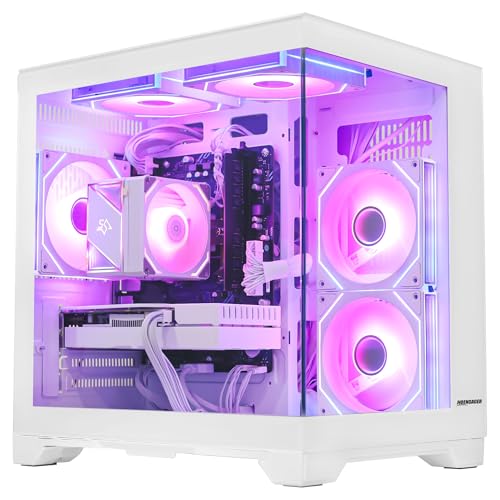
King Gaming PC Desktop, AMD Ryzen 5 5500 6-Core 3.6GHz, RX 6500 XT 4GB, 16GB DDR4 RAM, 1TB NVMe SSD, Software-Controlled Lighting, Windows 11, Prebuilt Computer for 1080p Gaming & Streaming, White
One of the home product options compared in this guide.
View on AmazonAlways download these from the maker’s own website. Keep the driver current when you install a new game or a new GPU, but if a recent driver causes crashes, makers and reviewers commonly advise rolling back to the previous stable version and reporting the issue.
Monitoring Tools: HWiNFO and Alternatives
HWiNFO is widely used by reviewers for sensor logging. It reports CPU and GPU temperatures, clock speeds, power draw and fan speeds. Use it to check whether your system runs hot, whether a cooler is mounted correctly, and whether the GPU is hitting its power limit. Windows Task Manager also shows CPU, GPU and memory load without installing anything and is enough for casual use.
When reading sensor values, remember that maker-defined limits vary. The CPU or GPU maker’s spec page lists the maximum safe temperature for your specific chip; compare against that rather than a generic number.
MSI Afterburner and RivaTuner
MSI Afterburner works with graphics cards from multiple makers, not only MSI. It lets you set a custom fan curve, adjust power and clock limits and view on-screen statistics through RivaTuner Statistics Server. Overclocking or undervolting can void warranties and cause instability if pushed too far, so make small changes, test with a game or stress test and revert if you see crashes. Many users only use it for the on-screen overlay and the fan curve.
Game Launchers and Stores
- Steam: the largest PC library, with Steam Input, family sharing and Remote Play.
- Epic Games Store: known for free games and some exclusives.
- GOG Galaxy: DRM-free games and a feature to combine libraries from multiple stores.
- Xbox app and Game Pass: subscription access to a rotating library of games, and Microsoft Store titles.
- EA app and Ubisoft Connect: required for certain publisher titles.
You do not need all of them. Install only the ones that hold games you own.
Discord, Capture and Peripheral Apps
Discord is the default voice chat for many communities and works well with background gaming, though its overlay can be turned off if you see performance or compatibility issues. For capture, OBS Studio is free and open source, and the Nvidia and AMD driver apps include their own recording tools using hardware encoders. Peripheral software from mouse and keyboard makers is useful for setting DPI and macros, but many such apps run background services, so uninstall them if you configure the device once and never touch it again. Most devices keep their onboard profile.
Windows Settings That Help Gaming
- Install the latest Windows updates and the chipset driver.
- Turn on Game Mode in Windows settings. Microsoft documents it as a feature that prioritizes gaming resources.
- Set the power mode to a balanced or performance setting as your PC allows.
- Enable Resizable BAR and XMP or EXPO memory profiles in the BIOS if your hardware supports them. BIOS menu names differ between motherboard makers, so check your manual, and note that changes can cause instability if the profile is unsupported.
- Check that your monitor is set to its maximum refresh rate in display settings.
- Use an NVMe SSD for the game library and keep at least 10 to 20 percent free space.
Debloat Tools and Optimizers: Proceed With Caution
Search results for the best gaming software often include debloat scripts, registry tweaks, “FPS booster” apps and driver-updater programs. Reviewers and security researchers generally warn about these. Many make limited performance difference on a modern PC, some remove features that Windows needs, and some bundle unwanted software or malware.
- Prefer manual steps: uninstall apps you do not use and disable unneeded startup items in Task Manager.
- Create a restore point before changing system settings.
- Avoid tools that promise to “boost FPS” or “clean” the registry.
- If you use an open-source debloat script, read what it changes first and understand how to undo it.
Safety: Download Only From Official Sources
| Risk | What to do |
|---|---|
| Fake driver download sites | Go directly to the GPU or motherboard maker’s website |
| Bundled adware in free tools | Choose custom install and uncheck extras |
| Cracked games and trainers | Avoid; they often carry malware |
| Unknown overlay and “optimizer” apps | Skip them |
| Outdated BIOS tools from third parties | Use the motherboard maker’s own updater and follow its instructions |
Keep Windows Security enabled, which is sufficient antivirus protection for most gamers, and set up two-factor authentication on your launcher accounts.
Suggested Setups
- Minimal: GPU driver app, Steam, Discord. Good for most players.
- Enthusiast: add HWiNFO, MSI Afterburner and RivaTuner, OBS Studio.
- Streamer: add OBS Studio, a capture-card app if used, and audio mixing software.
Frequently Asked Questions
What software do I need on a new gaming PC?
Install Windows updates, the chipset driver, the GPU driver app and your game launcher. Add Discord and a monitoring tool if you want them.
Is MSI Afterburner safe?
Download it from the MSI Afterburner official page or the Guru3D page linked by MSI, and avoid unofficial mirrors. Overclock settings carry risk if pushed too far, so keep changes small.
Do I need GeForce Experience or the NVIDIA app?
You need some way to install drivers. Nvidia’s app is the current official option for driver updates and settings, but you can also download drivers manually from the Nvidia website.
Do PC optimizer programs improve FPS?
Generally not by a meaningful amount. Reviewers advise against most of them and recommend driver updates, a clean Windows install and proper cooling instead.
Is HWiNFO safe to use?
It is widely used and trusted when downloaded from the developer’s official site. It reads sensors and does not change settings by default.
Should I use a driver updater tool?
Most experts advise against third-party driver updaters. Use Windows Update, the GPU maker’s app and the motherboard maker’s support page.