Key takeaways
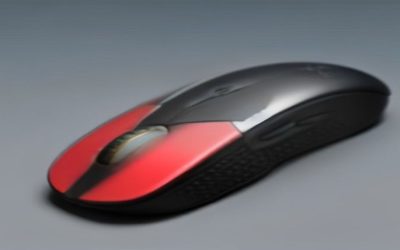
- Mouse: A lightweight mouse with a reliable optical sensor beats a heavy “gamer” mouse loaded with buttons you won’t use.
- Keyboard: Any responsive keyboard works to start; a compact mechanical board is a nice upgrade once you know your preferences.
- Desk space: Leave enough room to swing the mouse freely and add a large mouse pad, which does more for aim than most people expect.
What's inside
Putting together your first gaming setup is exciting, but it’s easy to overspend on the wrong things and end up with a desk that looks the part yet feels frustrating to use. A good beginner setup isn’t about the flashiest gear; it’s about the handful of pieces that genuinely improve how you play and how long you can play comfortably.
This guide breaks a first setup into the parts that matter most, from the display and audio to the seat you’ll spend hours in, so you can spend confidently instead of guessing. Approachable, well-reviewed picks like the Razer BlackShark V2 X and the Logitech G432 headsets show what dependable entry-level gear looks like without the premium price tag.
As an Amazon Associate we earn from qualifying purchases at no extra cost to you. Product prices and availability are accurate as of the date shown and are subject to change.








⚡ Save on Your Next PC — Amazon Prime
Prime members get fast free shipping on the systems above, plus early access to Prime Day & Black Friday PC deals. New members get a 30-day free trial.
Watch: Best Gaming Setup for Beginners (2026 Guide) — Video Review
Get the Display Right First
Your monitor shapes every second of play, so it deserves the first slice of your budget after the PC or console itself. A 24 to 27-inch 1080p screen at 144Hz is the ideal beginner target: sharp enough, fast enough to feel smooth, and easy for entry-level hardware to drive. Refresh rate and low input lag matter more here than fancy HDR you can’t yet take advantage of.
Choose a Comfortable Headset
Audio is where beginners get the most enjoyment per dollar. A clear headset lets you hear footsteps and directional cues while keeping the noise down for everyone around you. Wired options like the Razer BlackShark V2 X and Logitech G432 deliver strong positional sound and a usable mic without the cost or battery worries of wireless, making them ideal first headsets.
Mouse, Keyboard, and Desk Space
- Mouse: A lightweight mouse with a reliable optical sensor beats a heavy “gamer” mouse loaded with buttons you won’t use.
- Keyboard: Any responsive keyboard works to start; a compact mechanical board is a nice upgrade once you know your preferences.
- Desk space: Leave enough room to swing the mouse freely and add a large mouse pad, which does more for aim than most people expect.
Don’t Ignore the Chair and Posture
The piece beginners skip most often is the one their body notices first. You’ll spend hours in your seat, so a chair with real lumbar support and a screen positioned at eye level prevent the back and neck strain that cuts sessions short. You don’t need a pricey racing chair; you need proper height, support, and a monitor at the right level.
Lighting, Cables, and Room to Grow
Once the essentials are sorted, small touches make the setup pleasant to sit at every day: bias lighting behind the monitor to ease eye strain, tidy cable management so nothing tugs mid-game, and a little desk headroom for the upgrades you’ll inevitably want. Build the foundation well and everything you add later simply slots in.
Tips
- Spend on the monitor and headset first; they affect your experience more than RGB accessories.
- Start wired to avoid battery management, then go wireless later once you know what you like.
- Set your monitor so the top of the screen sits at or just below eye level to protect your neck.
- Buy one good large mouse pad; it improves aim consistency more than a new mouse for most beginners.
Frequently Asked Questions
What should I buy first for a gaming setup?
After the PC or console, prioritize a fast 1080p monitor and a comfortable headset. Those two pieces shape how the setup feels day to day far more than keyboards, mice, or lighting.
Do I need a mechanical keyboard to start?
No. Any responsive keyboard is fine for beginners. A mechanical board is a worthwhile upgrade later, once you’ve figured out the switch feel and layout you actually prefer.
Is a wired or wireless headset better for beginners?
Wired is the easier starting point: lower cost, no batteries, and consistent quality. Wireless is a great later upgrade once you value the freedom of movement enough to manage charging.
How important is the chair?
Very. It’s the piece your body feels most during long sessions. Proper lumbar support and a monitor at eye level prevent the aches that end sessions early, and they matter more than the chair’s brand or looks.
Conclusion
A great first gaming setup comes from spending on the right essentials rather than the most eye-catching ones: a fast 1080p monitor, a comfortable headset, sensible peripherals, and a seat that supports you through long sessions. Nail those, add small comfort touches, and leave room to grow. Start with dependable gear like the headsets above and build outward as you learn what you love.