Key takeaways
- Power draw: Club386 measured system draw of 98-362 W for the 270K Plus and 132-262 W for the 9800X3D, with Intel drawing about 38% more at peak load.
- Temperatures: under Cinebench 2026 load, Club386 recorded a 57 degree delta over ambient for the Intel chip and 48 degrees for the AMD chip.
- Gaming power: in games neither chip approaches its limit, but the 9800X3D is generally the more efficient per frame.
- Upgrade path: AMD has continued to launch new AM5 processors, including the 9850X3D and 9950X3D2 in 2026. Intel has not announced further desktop chips for LGA1851, and its next desktop family is widely reported to move to a new socket.
- Storage: Club386 reported Gen 5 SSD throughput falling short of full speed in some synthetic runs on its Z890 setup, so check board lane allocation if you plan to use a top Gen 5 drive.
If your PC is mainly for games, the Ryzen 7 9800X3D is still the faster chip: Club386 measured it 8% to 25% ahead of the Core Ultra 7 270K Plus across its 1080p game suite with an RTX 5090. If you also render, edit, compile or stream, the 270K Plus is the better all-rounder, with 24 cores that beat the 9800X3D by up to 80% in multi-threaded work for a noticeably lower price tier.
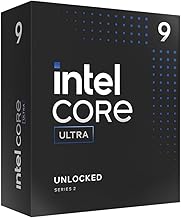
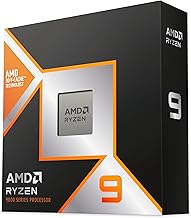
Intel’s Arrow Lake Refresh, sold as Core Ultra 200S Plus, landed in March 2026 with the 270K Plus as its value star. It adds four E-cores over the Core Ultra 7 265K, raises official memory support to DDR5-7200 and speeds up the die-to-die link that hurt the original Arrow Lake chips in games. AMD’s 9800X3D, meanwhile, has held the gaming crown since late 2024 thanks to its 96 MB of 3D V-Cache. This guide lays out where each chip wins, what the platforms cost you, and how to choose.
Verdict at a glance
| If you want… | Pick | Why |
|---|---|---|
| The highest frame rates, especially at 1080p high refresh | Ryzen 7 9800X3D | Leads every game in Club386’s suite except Civilization VI turn times |
| Gaming plus video editing, rendering or code | Core Ultra 7 270K Plus | 24 cores; 54% faster in 7-Zip and 80% faster in Cinebench 2026 per Club386 |
| The best value per dollar overall | Core Ultra 7 270K Plus | Launched in a lower price tier with near-flagship multi-thread speed |
| A future upgrade path | Ryzen 7 9800X3D | AM5 is still receiving new CPUs; LGA1851 has no announced successor chips |
| Low power and a quiet build | Ryzen 7 9800X3D | 120 W TDP; Club386 saw 38% lower peak system draw |
Specifications compared
These two chips take opposite routes to performance. Intel throws more cores at the problem with a hybrid design, while AMD relies on a huge stacked cache to keep its eight cores fed.
| Spec | Core Ultra 7 270K Plus | Ryzen 7 9800X3D |
|---|---|---|
| Architecture | Arrow Lake Refresh (Lion Cove P + Skymont E) | Zen 5 with 2nd-gen 3D V-Cache |
| Cores / threads | 24 (8P + 16E) / 24 | 8 / 16 |
| Max boost | 5.5 GHz (Turbo Boost Max 3.0), 4.7 GHz E-core | 5.2 GHz |
| Base clock | 3.7 GHz P / 3.2 GHz E | 4.7 GHz |
| Cache | 40 MB L2 + 36 MB L3 | 8 MB L2 + 96 MB L3 |
| Power | 125 W base / 250 W turbo | 120 W TDP |
| Official memory | DDR5-7200 | DDR5-5600 (6000 CL30 is the common sweet spot) |
| Socket / chipsets | LGA1851 / Intel 800 series (Z890, B860) | AM5 / X870E, X870, B850, B650 |
| Integrated graphics | Xe-based iGPU with 4 Xe cores | RDNA 2 iGPU with 2 CUs |
| NPU | Yes (13 TOPS NPU, 36 TOPS platform total per Intel) | No |
| Process | TSMC N3B compute tile | TSMC N4P CCD |
| Launch | March 2026 | November 2024 |
Two refresh changes matter most for gaming. First, Intel raised the die-to-die interconnect frequency by 900 MHz over the 265K, which HotHardware and XDA both flagged as the main reason Arrow Lake Refresh games better than the originals. Second, official DDR5-7200 support makes faster memory a supported configuration rather than an overclock. Neither change touches the fundamental cache gap, though: 36 MB of L3 against 96 MB is still a big difference when a game’s working set is large.
Gaming performance
Club386 ran the most direct comparison, pairing both chips with an RTX 5090 at 1080p High. The 270K Plus used an MSI MAG Z890 Tomahawk WiFi II with 32 GB of DDR5-7200 CL34, while the 9800X3D used an MSI MEG X870E Ace Max with 32 GB of DDR5-6000 CL32.
| Game (Club386, 1080p High, RTX 5090) | Ryzen 7 9800X3D | Core Ultra 7 270K Plus | Gap |
|---|---|---|---|
| Cyberpunk 2077 (min-avg) | 195-243 fps | 177-217 fps | AMD +10-12% |
| F1 25 (min-avg) | 116-326 fps | 96-275 fps | AMD +19-21% |
| Final Fantasy XIV: Dawntrail (min-avg) | 126-298 fps | 93-273 fps | AMD +9% average |
| Rainbow Six Siege (min-avg) | 426-480 fps | 389-443 fps | AMD +8-10% |
| Total War: Warhammer III (min-avg) | 143-205 fps | 134-164 fps | AMD +25% |
| Civilization VI (turn time, lower is better) | 23.5 s | 22.6 s | Intel faster |
Other sources point the same way, with varying margins. HowManyFPS, an aggregator that compiles results across more than 100 games, rates the 9800X3D about 29% faster on average. CPU-Monkey says the 9800X3D’s cache often delivers 20% or more extra frames, especially at high frame rates in Full HD. GameGPU did find one notable exception: in 007 First Light, the 270K Plus came close to matching the 9800X3D and beat both the Core i9-14900K and the Ryzen 9 9950X.
The takeaway is that the gap depends heavily on the game and on how CPU-bound you are. Strategy titles, simulation racers and MMOs with busy hubs favour the X3D chip strongly. Fast shooters at 1440p or 4K with a mid-range GPU will often show no difference at all, because the graphics card is the bottleneck.
What about 1440p and 4K?
With an RTX 5070 or RX 9070-class card at 1440p, both processors will usually be GPU-limited in demanding games, and the measured gap narrows to single digits or disappears. At 4K the two are effectively tied in most titles. The 9800X3D’s lead is most valuable for competitive players on 240 Hz to 500 Hz monitors and for anyone pairing a flagship GPU.
Productivity and creative work
Here the tables turn decisively. The 270K Plus has three times as many cores and it shows.
| Benchmark (Club386) | Core Ultra 7 270K Plus | Ryzen 7 9800X3D | Gap |
|---|---|---|---|
| Cinebench 2026 multi-thread | 9,896 pts | 5,505 pts | Intel +80% |
| Cinebench 2026 single-thread | About 9% ahead | Baseline | Intel +9% |
| 7-Zip compression | 198,463 MIPS | 128,790 MIPS | Intel +54% |
| Geekbench 6 multi-core | 24,233 | 18,372 | Intel +32% |
| Corona 10 render | 14.2M rays/s | 8.4M rays/s | Intel +70% |
| Premiere Pro (PugetBench) | About 8% ahead | Baseline | Intel +8% |
| Photoshop (PugetBench) | Baseline | About 18% ahead | AMD +18% |
Photoshop is the interesting outlier, where the 9800X3D’s cache and strong single-chiplet latency give it an edge. Everywhere else that scales with cores, the Intel chip pulls far ahead. Puget Systems also found the 270K Plus faster than even AMD’s 16-core Ryzen 9 9950X3D2 in Lightroom Classic. Phoronix’s large Linux suite of more than 340 benchmarks called it a very interesting processor for its price point.
Intel also ships Binary Performance Optimisation (BPO), a tool that rewrites certain application binaries to run better on Arrow Lake’s hybrid cores. Club386 noted it gives a small boost in select benchmarks, though Primate Labs, the developer of Geekbench, does not consider BPO-assisted results valid for its leaderboard.
Power, thermals and platform
- Power draw: Club386 measured system draw of 98-362 W for the 270K Plus and 132-262 W for the 9800X3D, with Intel drawing about 38% more at peak load.
- Temperatures: under Cinebench 2026 load, Club386 recorded a 57 degree delta over ambient for the Intel chip and 48 degrees for the AMD chip.
- Gaming power: in games neither chip approaches its limit, but the 9800X3D is generally the more efficient per frame.
- Upgrade path: AMD has continued to launch new AM5 processors, including the 9850X3D and 9950X3D2 in 2026. Intel has not announced further desktop chips for LGA1851, and its next desktop family is widely reported to move to a new socket.
- Storage: Club386 reported Gen 5 SSD throughput falling short of full speed in some synthetic runs on its Z890 setup, so check board lane allocation if you plan to use a top Gen 5 drive.
Core Ultra 7 270K Plus: reasons to pick and skip
Reasons to pick:
- Huge multi-threaded advantage for rendering, encoding and compiling
- Lower price tier than the 9800X3D at launch
- Official DDR5-7200 support and an NPU for local AI features
- Stronger integrated graphics, handy for troubleshooting or QuickSync encoding
- Close to the Core Ultra 9 285K in many workloads according to HotHardware
Reasons to skip:
- Clearly slower in CPU-bound games, by up to 25% in Club386’s results
- Higher peak power and heat under all-core load
- LGA1851 looks like a dead-end socket for future upgrades
- Z890 boards tend to cost more than equivalent B850 boards
The catch: it is the better processor overall, but if frame rate is what you are buying for, it is not the better gaming processor.
Ryzen 7 9800X3D: reasons to pick and skip
Reasons to pick:
- Fastest gaming results in nearly every title in Club386’s comparison
- Low power and easy cooling with a good air cooler
- AM5 platform with continued CPU releases
- Less sensitive to RAM speed, so DDR5-6000 CL30 is enough
Reasons to skip:
- Eight cores fall far behind in rendering and compression
- Higher price tier than the 270K Plus
- No NPU and a weak integrated GPU
The catch: you pay more for a chip that only shows its advantage when the CPU, not the GPU, is the limit.
How to choose
- Check your GPU and resolution. With a mid-range card at 1440p or above, the two chips will feel identical in most games. The 270K Plus then wins on value and multi-threading.
- Check your games. If you play strategy, simulation, MMO or esports titles at very high frame rates, the 9800X3D’s cache is worth paying for.
- Check your other work. If you edit 4K video, render in Blender, compile large projects or run VMs, the 270K Plus saves you real time every day.
- Think about the next five years. AM5 gives you a drop-in upgrade path; LGA1851 probably does not.
Setup tips for each platform
- 270K Plus: enable the Intel Default Settings or Performance profile in BIOS, use DDR5-7200 if your board supports it, and install the latest Intel PPM and chipset drivers so Windows schedules threads to the right cores. If your board offers Intel’s optional memory and interconnect boost profiles, read the board manual first and keep stability checks in mind.
- 9800X3D: enable EXPO for DDR5-6000 CL30, keep the memory controller at 1:1, and consider PBO with a modest negative Curve Optimizer offset for lower temperatures.
- Both: update the BIOS before installing Windows, and use a 240 mm AIO or a dual-tower air cooler at minimum for the 270K Plus.
Common mistakes
- Judging gaming performance from 4K charts, where every modern CPU looks the same.
- Pairing the 270K Plus with slow DDR5-5600; Arrow Lake benefits more from fast memory than Zen 5 X3D does.
- Buying a Z890 flagship board for a value CPU; a solid mid-range Z890 or B860 board is enough.
- Expecting the 9800X3D to keep up in long renders; it will not.
Real-world scenarios: which chip fits which build
Benchmarks are averages. The right choice depends on what your PC actually does each day, so here are the most common builds we see readers planning and how each chip fits.
| Build | Better pick | Reasoning |
|---|---|---|
| 1080p esports rig with a 360 Hz or 480 Hz monitor | Ryzen 7 9800X3D | CPU-bound frame rates are where the 3D V-Cache lead is largest |
| 1440p AAA gaming with an RTX 5070 or RX 9070 | Either; 270K Plus for value | The GPU is usually the limit, so the cheaper chip gives the same experience |
| 4K gaming with an RTX 5080 or 5090 | Either | Both are GPU-limited at 4K in nearly all games |
| Streaming plus gaming on one PC | 270K Plus | Spare E-cores absorb OBS, chat and browser load |
| Video editing and 3D rendering | 270K Plus | Up to 70-80% faster in Club386’s render and Cinebench runs |
| Strategy, simulation and MMO focus | Ryzen 7 9800X3D | Total War showed a 25% gap in Club386’s results; large caches help these genres most |
| Small form factor build | Ryzen 7 9800X3D | Lower heat output and power draw suit compact coolers |
Motherboard and memory pairing
Platform costs can swing the value comparison. For the 270K Plus, a mid-range Z890 board gives you memory overclocking and full CPU tuning, while B860 boards are cheaper but lock CPU overclocking. Either chipset supports the chip’s official DDR5-7200, though cheaper boards with weaker memory trace layouts may only run 6400 or 6800 reliably. A 32 GB kit of DDR5-6400 to 7200 is the sensible target for gaming.
For the 9800X3D, a B850 board covers everything most gamers need, including PCIe 5.0 for the graphics slot on many models and EXPO memory profiles. X870 and X870E boards add USB4 and more PCIe 5.0 lanes for storage. A 32 GB kit of DDR5-6000 CL30 is the widely recommended pairing, because it lets the memory controller run at a 1:1 ratio and the large cache masks most of the remaining latency.
Cooling needs differ too. The 9800X3D runs comfortably under a good single or dual-tower air cooler. The 270K Plus can pull far more power under all-core loads, so a 240 mm or 280 mm AIO, or a large dual-tower air cooler, keeps it from hitting thermal limits during long renders. In games, both chips draw much less than their rated limits.
Upgrade timing
If you already own an AM5 board with a Ryzen 7000 chip, the 9800X3D is a straight drop-in upgrade that needs only a BIOS update. If you own a Z890 board with a Core Ultra 200S chip, the 270K Plus is likewise a drop-in swap and a solid step up from the 245K or 265K. Switching platforms entirely only makes sense if you are building fresh or your current platform is several generations old.
How we compared
We compared these processors using Intel and AMD specifications, independent lab measurements from Club386, HotHardware, Tom’s Guide, Puget Systems, Phoronix, XDA and GameGPU, and aggregate data from HowManyFPS and CPU-Monkey. We did not bench-run these units ourselves. Aggregator figures are labelled as such because they combine results from many systems.
Sources
- Club386: Intel Core Ultra 7 270K Plus vs AMD Ryzen 7 9800X3D
- HotHardware: Core Ultra 7 270K Plus and Ultra 5 250K Plus review
- XDA Developers: Arrow Lake Refresh review
- Tom’s Guide: Intel Core Ultra 7 270K Plus and Ultra 5 250K Plus review
- Phoronix: Intel Core Ultra 7 270K Plus Linux benchmarks
- Puget Systems: Ryzen 9 9950X3D2 review (Lightroom comparison with the 270K Plus)
- GameGPU: 007 First Light CPU results
- HowManyFPS and CPU-Monkey comparison pages
- Intel and AMD product specification pages
Frequently Asked Questions
Is the Core Ultra 7 270K Plus good for gaming?
Yes. It is a fast gaming CPU and a clear step up from the original Core Ultra 7 265K. It simply trails the 9800X3D, by 8% to 25% in Club386’s 1080p suite.
Which is better for streaming while gaming?
The 270K Plus, if you encode on the CPU, because its 16 E-cores absorb background work. If you use the GPU’s hardware encoder, both chips handle streaming well.
Does the 270K Plus need DDR5-7200?
It does not need it, but it is officially supported and Arrow Lake gains more from fast memory than Ryzen X3D chips do. DDR5-6400 to 7200 is a sensible target.
Will the 9800X3D bottleneck an RTX 5090?
Less than almost any other CPU. Reviewers use it as the reference chip for GPU testing precisely because it minimises CPU limits.
Can I reuse my Core Ultra 200S motherboard?
Yes. The 270K Plus uses LGA1851 and works in Intel 800-series boards after a BIOS update.
Which runs cooler?
The 9800X3D. Club386 measured lower temperatures and about 38% less peak system power than the 270K Plus.
Is the price gap worth it for the 9800X3D?
Only if you are CPU-limited in the games you play, typically at 1080p or 1440p with a high-end GPU and a high refresh monitor.
What about the Core Ultra 9 285K?
HotHardware found the 270K Plus approaches the 285K in many workloads for far less money, which makes the older flagship hard to recommend for most builders.