Key takeaways
- Pick a flight yoke if you mostly fly airliners and general aviation aircraft that use a control wheel in the real cockpit.
Pick a flight yoke if you mostly fly airliners and general aviation aircraft that use a control wheel in the real cockpit. Pick a joystick if you fly fighters, helicopters-with-a-stick setups, space titles, or want one controller that works across many genres on a small desk. The right choice depends on which aircraft you fly most, how much desk space you have, and whether you plan to add rudder pedals and a throttle quadrant.
Both controllers do the same basic job: they translate your hand movement into pitch and roll. The difference is in how that movement feels, how precise it is for different aircraft, and what else you need to buy for a complete setup in 2026. The sections below break down those differences so you can decide before spending your budget.
How Each Controller Works
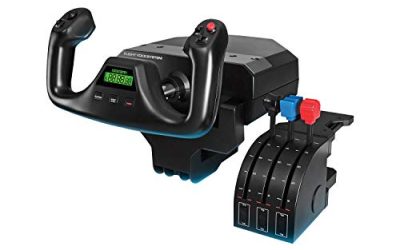
A yoke is a wheel mounted on a column that you push and pull for pitch and turn left or right for roll. It mimics the control layout of many light aircraft and airliners. A joystick is a single stick, usually with a base that sits on the desk, that you tilt forward, back, left and right. Many sticks also twist for rudder control, and most carry multiple buttons and hat switches near the top.
Because the motion differs, so does the learning curve. Yoke users coordinate wrist and forearm movement across a wider throw, while stick users make smaller, quicker inputs with the wrist and fingers.
Yoke vs Joystick Comparison
| Factor | Flight Yoke | Joystick |
|---|---|---|
| Best aircraft | Airliners, trainers, general aviation | Fighters, aerobatic planes, combat and space titles |
| Realism for civil cockpits | High, matches wheel layouts | Lower, but widely used |
| Desk footprint | Large, needs clamp or heavy base and forward space | Small, fits on most desks |
| Button count | Usually fewer, with some switches on the horns | Often many, including hat switches and triggers |
| Precision for quick inputs | Good for smooth flying, less for twitch moves | Strong for rapid, small corrections |
| Versatility | Mostly flight simulation | Flight, space and some driving or mech games |
| Typical budget tier | Mid-range to premium | Budget to premium |
Choosing Based on How You Fly
If You Fly Civil Aircraft
Airliner and light-plane simulation is the strongest case for a yoke. The wheel layout matches what you see on screen, which helps with procedure learning and muscle memory. A yoke also tends to make smooth, gentle control inputs feel natural, which suits long cruise segments and instrument approaches. If your hangar is full of single-engine trainers and twin-aisle jets, a yoke is the closer match.
If You Fly Fighters, Helicopters or Space Titles
A joystick is the standard tool for combat flight and space games. The many buttons let you map weapons, countermeasures, radar modes and view controls without reaching for the keyboard. Helicopter pilots often prefer a stick because the cyclic in a real helicopter is a stick, though a dedicated collective lever helps too. If you switch genres often, one stick can serve all of them.
If You Have a Small Desk
A yoke needs room in front of your keyboard and a secure way to mount it, typically a clamp or a heavy base. A stick can sit on the desk edge or in a dedicated corner, and many models are compact enough for a shared workspace. If you share a room or play on a small table, stick footprint is a real advantage.
If You Plan to Expand Later
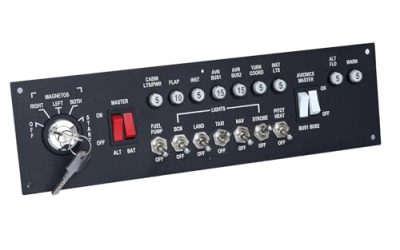
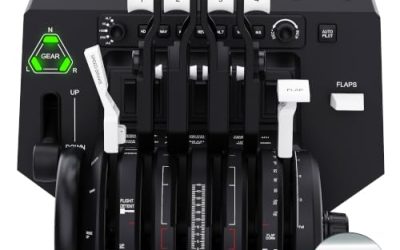
Both controller types work with separate throttle quadrants, rudder pedals and switch panels. Check compatibility before buying, since some bundles use proprietary connectors and others use standard USB. A modular approach lets you start with the controller that matches your main aircraft and add pedals or a throttle once you know how deeply you want to go.
Features That Matter More Than Marketing
- Build and sensors: metal or reinforced parts and non-contact sensors typically feel smoother and last longer than basic potentiometer designs, though listings do not always say which is used.
- Centering and tension: adjustable spring force or a smooth center feel helps with fine control.
- Mounting: clamps, suction cups or weighted bases decide whether the device stays put during aggressive maneuvers.
- Software support: verify that the simulator you play recognizes the device and lets you remap buttons.
- Cable and port type: confirm the connection matches your computer’s ports, and whether you need a hub for extra devices.
Before You Buy Checklist
- Write down the three aircraft you fly most and match them to the controller type.
- Measure your desk depth and check the mounting method.
- Count the buttons and axes you want to map.
- Check whether your simulator and any add-ons support the device.
- Decide whether you will add pedals or a throttle later and verify they connect to the same system.
- Confirm the warranty and return terms.
Common Mistakes
The biggest mistake is buying a yoke for combat flying or a stick for airliner realism without thinking about aircraft types. Another common error is forgetting rudder control: many yokes have no twist axis, so you may need pedals sooner than expected, while many sticks include a twist handle that covers basic needs.
Budget shoppers sometimes pick the model with the most buttons instead of the best sensor and build. Others underestimate desk space and end up with a controller that slides around. A final trap is ignoring software compatibility, then spending hours on configuration instead of flying.
Related guides
- Gaming Headset Noise Isolation Vs Active Noise Cancellation
- Does Gaming Headset Noise Cancellation Work On Microphone
- How Much Does It Cost To Run A Gaming Pc Per Month
Frequently Asked Questions
Can I use a joystick for airliners?
Yes, many players do. It lacks the wheel feel of a real airliner, but the control inputs map the same way. If you prefer a small footprint or fly several types of aircraft, a stick is a workable choice.
Do I need rudder pedals with either one?
They help with both, especially for ground steering and coordinated turns. A twist-handle stick can substitute at a basic level, while yoke owners often add pedals first as an upgrade.
Is a yoke harder to learn than a joystick?
The learning curve is different rather than steeper. Yoke inputs are larger and slower, which suits smooth flying, while sticks reward small, precise movements. Most players adapt within a few sessions.
Can I use one controller for several simulators?
Generally yes, as long as the simulator supports standard game controllers and lets you remap axes and buttons. Check the profile options in each title before you commit.
FAQ
Can I use a joystick for airliners?
Do I need rudder pedals with either one?
Is a yoke harder to learn than a joystick?
Can I use one controller for several simulators?
More from Amazon
Programs that pair well with the guide above. Offers and eligibility are set by Amazon and may change.
Free shipping on eligible items, Prime Video and more. Eligible new members can start with a free trial.
Start a Prime free trialAd-free music streaming. Eligible new subscribers can start with a free trial.
Try Music Unlimited freeA Prime membership for ages 18-24 with a trial period. Eligibility is set by Amazon.
See Prime for Young AdultsAudiobooks and podcasts to listen to on the go. Eligible new members can start with a free trial.
Try Audible freeAs an Amazon Associate we earn from qualifying purchases.