Key takeaways
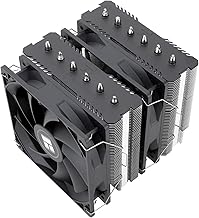
- Air coolers: A quality dual-fan tower like the Thermalright Peerless Assassin 120 SE handles all but the hottest CPUs, is dead simple, and never risks a leak. Best for most builds.
- Liquid (AIO): A 360mm all-in-one such as the ARCTIC Liquid Freezer III Pro 360 moves more heat and clears tall RAM, making it the pick for high-core-count chips or compact, airflow-limited cases.
What's inside
Heat is the quiet enemy of every gaming PC. When components run too hot they throttle, dropping clock speeds to protect themselves, and the result is the stutter and frame drops you feel mid-match without ever seeing a warning. Keeping temperatures in check is the difference between a rig that holds its boost clocks and one that quietly gives up performance you paid for.
This guide covers how PC cooling actually works and the practical steps to tame your temperatures, from choosing between air and liquid coolers to fixing airflow and maintenance habits. Along the way, proven coolers like the Thermalright Peerless Assassin 120 SE and the ARCTIC Liquid Freezer III Pro 360 serve as reference points for what effective, well-priced cooling looks like in 2026.
As an Amazon Associate we earn from qualifying purchases at no extra cost to you. Product prices and availability are accurate as of the date shown and are subject to change.






⚡ Save on Your Next PC — Amazon Prime
Prime members get fast free shipping on the systems above, plus early access to Prime Day & Black Friday PC deals. New members get a 30-day free trial.
Watch: How to Cool Your Gaming PC (2026 Guide) — Video Review
Understand Where the Heat Comes From
The CPU and GPU are the two biggest heat sources in any gaming PC, and they behave differently. The GPU usually has its own cooler built in, so your job is mostly feeding it cool air and exhausting the hot air it produces. The CPU, on the other hand, relies entirely on the cooler you choose, which is why picking the right heatsink or AIO is the most impactful cooling decision you’ll make.
Air vs. Liquid Cooling
- Air coolers: A quality dual-fan tower like the Thermalright Peerless Assassin 120 SE handles all but the hottest CPUs, is dead simple, and never risks a leak. Best for most builds.
- Liquid (AIO): A 360mm all-in-one such as the ARCTIC Liquid Freezer III Pro 360 moves more heat and clears tall RAM, making it the pick for high-core-count chips or compact, airflow-limited cases.
Airflow Is Half the Battle
Even the best cooler struggles inside a case full of stagnant hot air. Aim for a clear front-to-back path: intake fans at the front (and bottom, if available) pulling cool air in, and exhaust at the rear and top pushing hot air out. A slight positive pressure, with a touch more intake than exhaust, keeps dust from being sucked in through every gap.
Thermal Paste and Contact
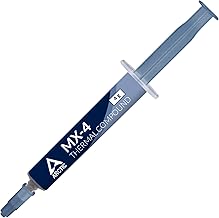
A cooler is only as good as its contact with the chip. Fresh, evenly applied thermal paste can drop CPU temperatures by several degrees, and paste degrades over a few years. If your temperatures have crept up over time, reseating the cooler with a new pea-sized application is one of the cheapest, most effective fixes available.
Maintenance and Monitoring
Dust is an insulator, and clogged fans and filters raise temperatures gradually until throttling appears. Blow out filters and fans every few months, and keep a monitoring tool running so you know your normal idle and load temperatures. As a rough guide, keeping the CPU and GPU under about 85 C during gaming leaves comfortable headroom.
Tips
- Set a custom fan curve so fans ramp up under load instead of running loud all the time.
- Mount case fans for a clear front-intake, rear/top-exhaust path before adding more fans.
- Clean dust filters every two to three months; it is the easiest temperature win there is.
- Reapply thermal paste every couple of years, or sooner if load temperatures start climbing.
Frequently Asked Questions
Is liquid cooling better than air cooling?
Not automatically. A good 360mm AIO cools more than most air coolers and clears tall memory, but a premium dual-tower air cooler matches many AIOs for less money and with zero leak risk. Match the cooler to your CPU and case, not to hype.
What temperature is too hot for gaming?
Modern CPUs and GPUs tolerate high temperatures, but sustained readings above roughly 90 C mean you’re throttling. Aiming to stay under 85 C during gaming gives you a healthy safety margin and steadier clocks.
How many case fans do I need?
Three is a sensible baseline: two intake at the front and one exhaust at the rear. Add top exhaust fans if your case supports them and your components run warm under load.
Does thermal paste really make a difference?
Yes. Old, dried, or poorly applied paste can add several degrees. A clean reapplication is inexpensive and often the single most cost-effective way to lower CPU temperatures.
Conclusion
Good cooling is a system, not a single part: the right CPU cooler, a clear airflow path, fresh thermal paste, and regular dust maintenance all work together. Get those fundamentals right and your PC holds its boost clocks, runs quieter, and lasts longer. Start by matching a capable cooler like the ones above to your CPU, then dial in airflow and upkeep from there.