Key takeaways
- Hold each fan blade still with a finger before blowing air through it, because letting a fan spin freely from compressed air can generate voltage that harms the motor.
- Use short bursts of compressed air to dislodge dust from the blades and the surrounding shroud.
- Wipe each blade with a lightly dampened microfiber cloth for caked-on dust, then let it dry.
- Do the same for CPU cooler and GPU fans, which trap the most dust because they run hardest.
Dust is the silent enemy of every gaming PC. Over months of operation, your fans pull air through the case and, with it, a steady stream of dust that settles on blades, heatsink fins, and filters. That buildup insulates components, chokes airflow, and forces your fans to spin faster and louder to compensate. Left unchecked, a dusty PC runs hotter, throttles more, and can shorten the life of your parts. The fix is simple, regular cleaning.
Cleaning your PC fans and filters is a 20 to 30 minute job you should do every few months, and it requires almost no special equipment. This guide covers the safe, proper way to clean fans without damaging them, how to maintain dust filters, and how to keep dust out in the first place so your gaming rig stays cool, quiet, and reliable throughout 2026.
Our top picks


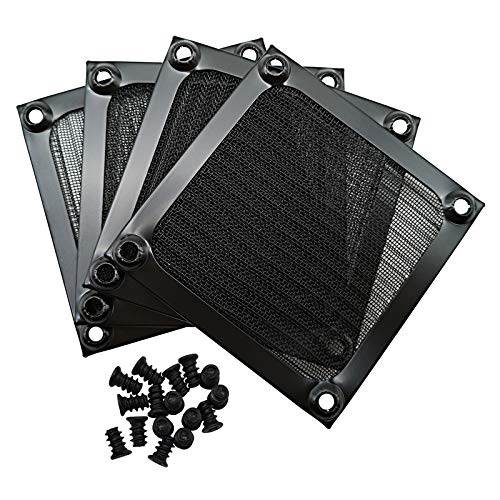
![MoKo 400x300mm DIY PC Case Dust Mesh Filter, [4 Pack] PVC Dustproof Magnetic Dust Filter Cover, PC Mesh Grill with Magnetic Frame Strip Computer Cooler Fan Dust Filter for Computer PC Case, Black](https://m.media-amazon.com/images/I/51YgJYNN2-L._SL500_.jpg)

As an Amazon Associate we earn from qualifying purchases at no extra cost to you. Ratings are shown as listed on Amazon.
⚡ Save on Your Next PC — Amazon Prime
Prime members get fast free shipping on the systems above, plus early access to Prime Day & Black Friday PC deals. New members get a 30-day free trial.
Watch: How to Clean Your PC Fans and Filters — Video Review
Gather the Right Supplies
You need a can of compressed air or an electric air blower, a microfiber cloth, and optionally a few cotton swabs and isopropyl alcohol for stubborn grime. Avoid a household vacuum directly on components, as it can generate static electricity that damages parts. Work in a well-ventilated area or outdoors, since you are about to send a cloud of dust into the air, and have your PC fully powered down and unplugged before you begin.
Clean the Fans Safely
- Hold each fan blade still with a finger before blowing air through it, because letting a fan spin freely from compressed air can generate voltage that harms the motor.
- Use short bursts of compressed air to dislodge dust from the blades and the surrounding shroud.
- Wipe each blade with a lightly dampened microfiber cloth for caked-on dust, then let it dry.
- Do the same for CPU cooler and GPU fans, which trap the most dust because they run hardest.
Blow Out the Heatsinks
The fins of your CPU cooler and the heatsink inside your GPU accumulate a felt-like layer of dust that seriously hurts cooling. Direct compressed air through the fins in the direction they run, from one side straight through to the other, to push the dust out rather than deeper in. Pay attention to the CPU tower or radiator and the GPU’s fin stack, as these are where clogging causes the biggest temperature increases.
Clean and Reinstall Filters
Most cases have removable magnetic or clip-in dust filters at the intakes and under the power supply. Pop them out, and if they are only lightly dusty, blow or brush them clean; if they are caked, rinse them under water and let them dry completely before reinstalling. Clean filters are your first line of defense, so keeping them clear dramatically slows how fast the interior gets dirty again.
Tips
- Never let fans spin freely under compressed air; always hold the blades still first.
- Keep your PC off the floor and out from under a desk if possible, as ground-level intakes suck in far more dust.
- Positive air pressure, more intake than exhaust with filtered intakes, pushes dust out through unfiltered gaps instead of pulling it in.
- Set a recurring reminder to clean every two to three months, more often with pets in the home.
Frequently Asked Questions
How often should I clean my PC?
Every two to three months for most setups, and monthly if you have pets or a dusty environment. A quick check of the filters and fan blades tells you if it is time; visible dust buildup means clean now.
Can I use a vacuum cleaner?
Avoid holding a standard vacuum nozzle directly against components because it can build up static that damages sensitive electronics. Compressed air or a dedicated electric air blower is the safe choice. Some anti-static electronics vacuums exist but are not necessary.
Why should I hold fans still while cleaning?
Spinning a fan faster than its rated speed with an air blast can turn the motor into a small generator, producing a voltage spike that may damage the fan or connected components. Holding the blades still prevents this entirely.
Do dust filters reduce airflow?
Clean filters have a minimal airflow cost that is well worth the dust protection. Clogged filters, however, choke airflow badly, which is exactly why regular filter cleaning matters so much for maintaining good temperatures.
Conclusion
Regular fan and filter cleaning is the cheapest, easiest maintenance that keeps your gaming PC cool, quiet, and long-lived. Power down, hold each fan still while you blow it clean, clear the heatsink fins, and wash or dust the intake filters. Do this every couple of months and manage your case airflow to keep dust out, and your PC will reward you with stable temperatures and whisper-quiet fans.