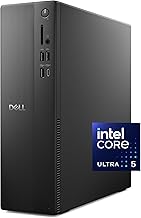
The best stick mini PC in 2026 is the MeLE PCG02 Pro, an Intel N100 fanless stick with 8GB or 16GB of RAM and two HDMI 2.0 ports. The Azulle Access Pro is the alternative if you want Wi-Fi 6 and a simple single-HDMI design. Both are for office work, streaming and signage, not for PC games, so if gaming matters, jump to the step-up options near the end.
What a Stick PC Can and Cannot Do
A stick PC is a full Windows computer in a case about the size of a candy bar. It plugs into an HDMI port, takes power through USB-C or a wall adapter, and has no fan. The Intel N100 chip inside has four cores and a 6W TDP, so it handles web browsing, video, office apps and Plex, and is generally suited to light retro emulation. It does not have the graphics power for modern 3D games. Do not buy one as a gaming PC, but it can be a good cloud gaming or game streaming client.
Quick Comparison of Stick PC Picks
| Pick | Best for | Processor | Memory and storage | Video outputs | Price range |
|---|---|---|---|---|---|
| MeLE PCG02 Pro | Best overall stick | Intel N100, up to 3.4GHz | 8GB or 16GB LPDDR4x, 128GB or 256GB eMMC, microSD | 2 x HDMI 2.0, 4K60 | Budget to mid-range |
| Azulle Access Pro | Best for Wi-Fi 6 and simplicity | Intel N100, 4 cores | 4GB LPDDR4 or 8GB LPDDR5, 64GB or 128GB eMMC, microSD | 1 x HDMI 2.0 | Budget to mid-range |
| Beelink EQ14 (step up) | Best small box if a stick is too slow | Intel N150 | 16GB DDR4-3200, upgradeable SSD | 2 x HDMI 2.0, 4K60 | Budget |
| Azulle Access Plus (older) | Avoid unless you need Windows 10 legacy | Cherry Trail Z8300 | 4GB, 64GB | 1 x HDMI | Budget |
Prices change often, so check current listings and the exact configuration on each page, because RAM and storage options vary.
Best Overall: MeLE PCG02 Pro
The PCG02 Pro with the Intel N100 is a quad-core Alder Lake-N chip at up to 3.4GHz and a 6W TDP, available with 8GB or 16GB of LPDDR4x-4266 and 128GB or 256GB of eMMC storage plus a microSD slot. It has two HDMI 2.0 ports for 4K at 60Hz, two USB 3.2 ports, a USB-C port used for power, and a Gigabit Ethernet port with Wake-on-LAN. It measures about 146 x 61 x 20 mm, weighs about 182g and is fanless. Trade-off: spec sheets disagree about wireless on some listings, so confirm Wi-Fi and Bluetooth versions on the page you buy from. Also, the plain PCG02 N100 is a different product with one HDMI port, so match the full name.
Best for Wi-Fi 6: Azulle Access Pro
The Azulle Access Pro (Alder Lake N100) is a fanless stick that measures 114.3 x 50.8 x 20.32 mm and weighs 58g, per TechRadar’s review details. Listings show 4GB LPDDR4 or 8GB LPDDR5, 64GB or 128GB eMMC, one HDMI 2.0 port, USB-A and USB-C ports, Gigabit Ethernet, Wi-Fi 6 and Bluetooth 5.2. The memory is soldered. A TV’s USB port cannot power it, so you need a wall adapter. Choose it for digital signage, conference rooms and a clean TV setup.
Step Up if a Stick Is Too Slow: Beelink EQ14
If you want the same budget class with more flexibility, the Beelink EQ14 uses the Intel N150, a successor to the N100 with roughly 10% faster single-core performance per one 2026 review. It has 16GB of DDR4-3200 in a SO-DIMM slot, a second M.2 slot, two HDMI 2.0 outputs, dual LAN, Wi-Fi 6, Bluetooth 5.2 and a built-in power supply, in a 126 x 126 x 39 mm case. It is bigger than a stick, but easier to upgrade and better cooled.
Avoid: Azulle Access Plus
The older Azulle Access Plus uses a Cherry Trail processor, 4GB of DDR3L and 64GB storage, ships with Windows 10 and, according to reviews, runs hot. It is a legacy design. Newer Azulle sticks also include ARM-based models using a Rockchip RK3576 that do not run standard x86 Windows, so check the processor before you assume Windows software will work.
Worked Example: Is a Stick Fast Enough for Your Task?
Streaming 4K video typically needs on the order of 25 Mbps of bandwidth plus hardware decoding, which the N100’s integrated graphics offer. Game streaming from your gaming PC with Steam Link or Moonlight at 1080p60 is often configured around 20 to 50 Mbps, so a Gigabit Ethernet port, like the one on both sticks, is more reliable than Wi-Fi. Cloud gaming services typically recommend a connection of 15 to 35 Mbps depending on resolution. Memory is the other limit: Windows 11 commonly idles around 3 to 4GB (an estimate that varies by setup), so an 8GB stick leaves roughly 4 to 5GB for the browser and apps. If you keep many tabs open, choose the 16GB configuration.
Stick PC vs Mini PC vs Streaming Device
| Need | Best option | Reason |
|---|---|---|
| Windows desktop on a TV | Stick PC | Runs real Windows apps |
| Plex client or Netflix only | Streaming device | Cheaper, simpler |
| Emulation of PS2 or newer | Mini PC with Ryzen graphics | Sticks are too slow |
| PC gaming | Mini PC or gaming PC | Needs real graphics |
| Game streaming client | Stick PC with Ethernet | Low power, decodes video well |
How to Choose a Stick PC
Pick the right processor
Intel N100 or N150 is the 2026 baseline. Avoid Atom and Cherry Trail chips in new purchases.
Choose memory with care
RAM is soldered. Take 8GB at minimum, and 16GB if you use many browser tabs.
Look at the power input
Most sticks need a wall adapter. TV USB ports often cannot supply enough power.
Check ports
Gigabit Ethernet is better than Wi-Fi for streaming. Two HDMI ports are useful for dual-display signage.
Frequently Asked Questions
Can a stick PC run games?
Only light and older games, emulators and browser games. For modern PC games, use a mini PC with Radeon 780M or better, or stream games from another PC.
Do stick PCs overheat?
Fanless sticks can get hot, but the N100 has a 6W TDP, so heat stays manageable with open airflow. Avoid enclosed shelves.
Do stick PCs come with Windows?
Many ship with Windows 11 Pro, and some are sold with Linux or no OS. Check the product page for the operating system listed.
Can I upgrade the RAM or storage?
Usually not for RAM, which is soldered. Storage is often eMMC, with a microSD slot as the only expansion path.
Is a stick PC better than a Fire TV Stick?
For Windows software, yes. For simple streaming apps, a streaming stick is cheaper and easier.
Bottom Line
Buy the MeLE PCG02 Pro for the best-equipped N100 stick, the Azulle Access Pro for a simple Wi-Fi 6 option, and the Beelink EQ14 if you want something faster and easier to upgrade. If you want to play games natively, skip the stick and choose a Ryzen mini PC.