Key takeaways
- Dedicated GPU is non-negotiable: At this budget, the graphics card determines everything. Look for a real discrete card — an RX 580, RTX 2060, or newer entry-level RTX part — and be wary of listings leading with a GT 1030 or integrated graphics, which are display adapters rather than gaming GPUs.
- 16GB of RAM should be your floor: Modern titles and background apps routinely exceed 8GB. Sixteen gigabytes is standard even at $500 now, so there’s no reason to settle for less unless the GPU is exceptional.
- SSD over capacity: A 512GB NVMe SSD beats a 1TB hard drive for load times and general responsiveness. If a system offers a smaller SSD, budget for a cheap secondary drive later rather than sacrificing speed now.
- Understand “renewed” and refurbished listings: Renewed units can be excellent value, but confirm the return window and warranty coverage. Older Intel 7th-gen platforms in particular limit future CPU upgrades.
- Check the upgrade path: Look for a standard ATX case, a decent power supply, and free RAM slots. A machine you can drop a better GPU into in two years is worth more than one that’s maxed out on day one.
What's inside
Shopping for a gaming PC under $500 in 2026 means navigating a market full of vague specs, recycled office towers dressed up with RGB fans, and listings that quietly swap in weaker GPUs than the photos suggest. The frustrating part is that the difference between a genuinely capable budget rig and an overpriced paperweight often comes down to a single component — the graphics card — and that detail is frequently buried at the bottom of a bullet list.
This guide cuts through that noise. We’ve focused on prebuilt desktops that realistically land at or near the $500 mark, prioritizing systems with dedicated graphics, enough RAM for modern titles, and SSD storage as standard. Below you’ll find our picks, a practical buying checklist, and honest notes on what each machine can and can’t do at this price.
As an Amazon Associate we earn from qualifying purchases at no extra cost to you. Product prices and availability are accurate as of the date shown and are subject to change.




⚡ Save on Your Next PC — Amazon Prime
Prime members get fast free shipping on the systems above, plus early access to Prime Day & Black Friday PC deals. New members get a 30-day free trial.
Watch: Best Gaming PC Under $500 — Video Review
How to Choose Gaming PC Under $500
- Dedicated GPU is non-negotiable: At this budget, the graphics card determines everything. Look for a real discrete card — an RX 580, RTX 2060, or newer entry-level RTX part — and be wary of listings leading with a GT 1030 or integrated graphics, which are display adapters rather than gaming GPUs.
- 16GB of RAM should be your floor: Modern titles and background apps routinely exceed 8GB. Sixteen gigabytes is standard even at $500 now, so there’s no reason to settle for less unless the GPU is exceptional.
- SSD over capacity: A 512GB NVMe SSD beats a 1TB hard drive for load times and general responsiveness. If a system offers a smaller SSD, budget for a cheap secondary drive later rather than sacrificing speed now.
- Understand “renewed” and refurbished listings: Renewed units can be excellent value, but confirm the return window and warranty coverage. Older Intel 7th-gen platforms in particular limit future CPU upgrades.
- Check the upgrade path: Look for a standard ATX case, a decent power supply, and free RAM slots. A machine you can drop a better GPU into in two years is worth more than one that’s maxed out on day one.
The Best Picks Reviewed
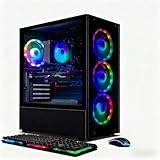
STGAubron Core i7 with RX 580 8GB
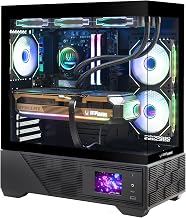
This is the sweet spot for the money: a genuine 8GB RX 580 paired with a Core i7 handles 1080p esports titles at high frame rates and most AAA games at medium settings. The 512GB SSD and 16GB of RAM mean nothing needs immediate upgrading, making it the most complete package in this bracket.
STGAubron Ryzen 5 2600 with RTX 2060 6GB
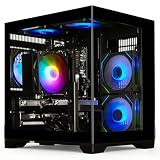
If you want ray tracing and DLSS support on a budget, the RTX 2060 is the cheapest sensible entry point, and it still comfortably outpaces the RX 580 in newer engines. The Ryzen 5 2600 is showing its age in CPU-heavy games, but for 1080p gaming it rarely becomes the bottleneck.
YAWYORE Ryzen 5 5600GT with 1TB NVMe
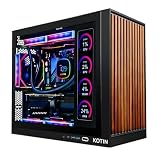
Built around a modern AM4 platform with 16GB of RAM and a roomy 1TB NVMe drive, this system is the smartest long-term buy if you’re planning to add a graphics card later. Out of the box you’re relying on the 5600GT’s integrated graphics, so treat it as a strong foundation rather than a finished gaming rig.
YAWYORE Ryzen 7 5700X with RTX 5060
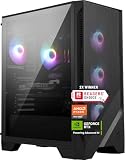
This is the most capable configuration on the list and typically sits at the very top of — or slightly above — a $500 budget, so watch for sales. The RTX 5060 with DLSS 4 delivers a genuine leap in modern titles, and the eight-core 5700X gives it real headroom for streaming and multitasking.
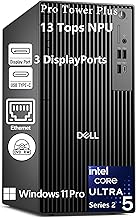
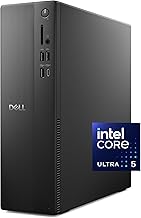
Dell Gaming Tower i5-7500 (Renewed)
A well-built business-class chassis with 16GB of RAM and a 256GB SSD, offered at a low enough price that the included peripherals feel like a bonus. Be clear-eyed about the GT 1030, though — it’s suitable for older and lightweight titles only, and this machine really becomes a gaming PC once you install a proper GPU.
Frequently Asked Questions
Can a $500 PC really play modern games?
Yes, at 1080p with realistic expectations. Systems with an RX 580 or RTX 2060 will run competitive titles like Valorant, CS2, and Fortnite at high frame rates, and handle recent AAA releases at medium settings with upscaling enabled.
Should I buy prebuilt or build my own at this price?
Building can stretch your money further, but in 2026 prebuilts using older-generation GPUs are often priced below the sum of their parts. If you’re not comfortable troubleshooting hardware, a prebuilt with a warranty is the safer choice.
Is a renewed gaming PC worth the risk?
Renewed units are generally reliable when purchased through a program with a return guarantee. The main trade-off is an older platform with limited upgrade options, not reliability itself.
What should I upgrade first?
The graphics card, almost always. After that, add a second SSD for storage, and only then consider the CPU — and check that your motherboard socket supports a worthwhile upgrade before spending.
Final Thoughts
For most buyers, the STGAubron Core i7 with RX 580 offers the best straightforward value under $500, with everything you need to game on day one. If ray tracing and modern upscaling matter to you, the STGAubron Ryzen 5 2600 with RTX 2060 is the smarter pick, while the YAWYORE Ryzen 7 5700X with RTX 5060 is worth stretching for if your budget has any flexibility at all.