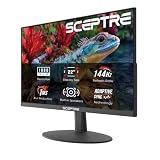
Shopping for a gaming monitor under $500 is deceptively difficult. The sub-$500 bracket is where marketing language gets loudest: panels advertise “1ms” response times that only apply in an overdrive mode with visible overshoot, “HDR” badges that certify little more than the ability to accept an HDR signal, and refresh rates that outrun what most GPUs can realistically feed at native resolution. Meanwhile, the genuinely meaningful differences — panel type, real-world motion clarity, color coverage, and connectivity — are buried in spec sheets that all look roughly identical at a glance.
This guide cuts through that. We’ve focused on 27-inch 1440p monitors, which in 2026 remain the sweet spot for value: high enough resolution to look sharp at a normal desk distance, but light enough on your GPU that 144Hz to 180Hz is actually achievable with a mid-range card. Below you’ll find our top picks, a short buying framework covering the specs that matter, honest reviews of each recommendation, and answers to the questions we see most often. Every monitor here sits comfortably within the $500 ceiling.
Our top picks
 Samsung 27" Odyssey G5
- QHD Resolution (2560 x 1440) has 1.7 times…
- HDR10 provides brighter highlights and nuanced shadow for…
- The 180Hz refresh rate minimizes lag for gameplay…
 Acer Nitro 27in QHD 2560x1440 IPS 180Hz
- Quality Visuals: The KG271U 27" IPS monitor with…
- AMD FreeSync Technology: Say “goodbye” to stuttering and…
- Up to 180Hz: The 180Hz refresh rate speeds…
 ASUS TUF Gaming 27” 1440P HDR Monitor
- High-Resolution QHD Gaming Display: 27-inch QHD (2560 x…
- ASUS Extreme Low Motion Blur Sync Technology: ELMB…
- Advanced Synchronization Technologies: FreeSync Premium, G-Sync compatible and…
| Product | Key specs | |
|---|---|---|
| Samsung 27" Odyssey G5 | QHD Resolution (2560 x 1440) has 1.7 times… HDR10 provides brighter highlights and nuanced shadow for… The 180Hz refresh rate minimizes lag for gameplay… | Check price |
| Acer Nitro 27in QHD 2560x1440 IPS 180Hz | Quality Visuals: The KG271U 27" IPS monitor with… AMD FreeSync Technology: Say “goodbye” to stuttering and… Up to 180Hz: The 180Hz refresh rate speeds… | Check price |
| ASUS TUF Gaming 27” 1440P HDR Monitor | High-Resolution QHD Gaming Display: 27-inch QHD (2560 x… ASUS Extreme Low Motion Blur Sync Technology: ELMB… Advanced Synchronization Technologies: FreeSync Premium, G-Sync compatible and… | Check price |
 KTC H27S5C 27 Inch Curved Gaming Monitor KTC H27S5C 27 Inch Curved Gaming Monitor | Immersive Curved Design: The KTC 27 inch curved… Stunning 2K QHD Resolution: Enjoy crisp, vivid images… Smooth 144Hz Refresh Rate: Experience seamless motion and… | Check price |
 Samsung 27" Odyssey OLED G6 Samsung 27" Odyssey OLED G6 | Samsung’s 27” Odyssey OLED G6 Gaming Monitor is… OLED Safeguard technology supports performance by actively helping… Glare Free Technology keeps screen clear of reflection… | Check price |
 ASUS ROG XG27ACS 27 Inch 1440p 180Hz ASUS ROG XG27ACS 27 Inch 1440p 180Hz | 27-inch 2560 x 1440 HDR gaming monitor with… ASUS Fast IPS technology enables a 1ms response… ASUS Extreme Low Motion Blur Sync (ELMB SYNC)… | Check price |
 SANSUI 27 Inch WQHD 2560 x 1440 SANSUI 27 Inch WQHD 2560 x 1440 | - 27 inch WQHD 2560x1440 gaming monitor, fast… - Response time: 1ms, IPS display, HDR, 120%sRGB… - Multiple Ports: HDMI 2.0 (up to 144Hz… | Check price |
 AOC 27 Inch Gaming Monitor 2K QHD AOC 27 Inch Gaming Monitor 2K QHD | With 2K QHD (2560x1440) resolution, this monitor boasts… Lightning-fast 180Hz (via DP1.4) refresh rate and rapid… Adaptive-Sync ensures ultra-smooth, tear-free team fights for flawless… | Check price |
As an Amazon Associate we earn from qualifying purchases at no extra cost to you.
⚡ Save on Your Next PC — Amazon Prime
Prime members get fast free shipping on the systems above, plus early access to Prime Day & Black Friday PC deals. New members get a 30-day free trial.
Watch: Best Gaming Monitor Under $500 — Video Review
How to Choose Gaming Monitor Under $500
- Resolution and size: 27 inches at 1440p is the value sweet spot in this budget. It delivers a noticeably sharper image than 1080p at the same size without the GPU cost of 4K, and you won’t need display scaling for desktop work.
- Refresh rate vs. your GPU: A 180Hz panel only helps if your graphics card can push those frames. Mid-range cards handle 1440p at 120–180fps in competitive titles but will fall well short in demanding single-player games — buy for the games you actually play most.
- Panel type: IPS is the default choice for balanced color and viewing angles. VA panels offer deeper contrast for dark, atmospheric games but can smear in fast motion. QD-OLED delivers genuinely superior contrast and response times, and has finally reached this price bracket.
- Adaptive sync: FreeSync Premium or G-SYNC Compatible certification eliminates screen tearing and is effectively standard at this price. Verify the variable refresh range covers the framerates you typically hit, not just the peak.
- Connectivity and extras: Check that DisplayPort 1.4 is present for full refresh rate, and consider whether USB-C with power delivery, built-in speakers, or a genuinely adjustable stand matter to your setup. These are often the real differentiators between similarly specced panels.
The Best Picks Reviewed
ASUS TUF Gaming VG27AQ3A
This is the most complete all-rounder in the category: a 180Hz Fast IPS panel with 130% sRGB coverage, both FreeSync Premium and G-SYNC Compatible certification, and ASUS’s Extreme Low Motion Blur Sync for genuinely improved motion clarity. The ergonomic stand and built-in speakers are welcome additions that competitors at this price frequently omit.
Samsung Odyssey OLED G6 (G61SH)
The QD-OLED panel here is a different class of image quality entirely — perfect blacks, near-instantaneous pixel response, and vivid color that no IPS monitor in this bracket can match. It sits at the top of the budget and demands attention to burn-in mitigation with static UI elements, but for immersive single-player gaming it’s the most impressive display here.
ASUS ROG XG27ACS
Effectively the VG27AQ3A with a connectivity upgrade, this 180Hz 1440p panel adds USB-C with power delivery, making it an excellent single-cable solution if you game on a desktop but work from a laptop. G-SYNC Compatible certification and a solid Fast IPS panel round out a genuinely versatile pick.
Acer Nitro KG271U N3bmiipx
The best pure value proposition on this list: a 180Hz 1440p IPS panel with adaptive sync at a price that regularly undercuts the competition by a meaningful margin. The stand is tilt-only and the build is plainer than the ASUS options, but the panel itself competes directly with monitors costing considerably more.
Samsung Odyssey G5 (G51F)
Samsung’s VA-based G5 trades the IPS crowd’s viewing angles for substantially deeper contrast, which pays off in dark, atmospheric games where IPS black levels look washed out. Expect slightly more motion smearing in fast-paced competitive play — this is a monitor for immersion rather than esports.
Frequently Asked Questions
Is 1440p worth it over 1080p for gaming?
At 27 inches, yes. 1080p at that size results in visibly large pixels and a softer image, while 1440p delivers a clear sharpness upgrade without the heavy GPU demands of 4K. If your card is several generations old, you can always run games at 1080p on a 1440p panel and upgrade the GPU later.
Do I need 180Hz, or is 144Hz enough?
144Hz is already a transformative upgrade over 60Hz, and the jump from 144Hz to 180Hz is far subtler. Prioritize panel quality, adaptive sync range, and build over that extra 36Hz unless you play competitive shooters at a high level.
Is OLED worth the burn-in risk at this price?
For mixed use with static taskbars and HUDs, modern QD-OLED panels include pixel shifting and refresh cycles that substantially mitigate the risk, and warranties increasingly cover burn-in. If your monitor doubles as a productivity display for eight hours a day, an IPS panel remains the safer long-term choice.
Does a curved monitor actually help?
On a 27-inch panel, curvature makes a modest difference — it’s more impactful at 32 inches and above, or on ultrawides. Options like the KTC H27S5C offer a slight immersion benefit, but don’t treat curve as a decisive factor at this size.
Final Thoughts
For most buyers, the ASUS TUF Gaming VG27AQ3A is the pick we’d make: it combines a genuinely good 180Hz Fast IPS panel with the ergonomics, connectivity, and adaptive sync support that cheaper competitors cut. If image quality matters more than anything else and you can stretch to the top of the budget, the Samsung Odyssey OLED G6 offers a contrast and response-time advantage that no LCD here can match. And if you simply want the most performance per dollar, the Acer Nitro KG271U delivers the same core 1440p 180Hz experience for meaningfully less money.