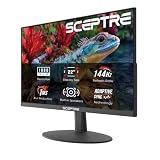
4K gaming used to mean choosing between resolution and refresh rate. Buy a sharp panel and you were stuck at 60Hz; buy a fast panel and you dropped back to 1440p. In 2026 that trade-off has largely disappeared under $500, but the market has become genuinely confusing instead. Panel makers now advertise “dual-mode” refresh rates, borrow HDR certifications that mean very little in practice, and quietly ship 4K screens without the bandwidth to drive them properly. It is easy to spend $450 and end up with a monitor that looks worse in motion than a good 1440p display.
This guide cuts through that. Every monitor below is a real, currently available panel that sits inside a $500 budget at typical street pricing, and each one earns its place for a specific reason — refresh rate, colour accuracy, connectivity, or sheer value. We have also included a QHD option, because for some GPUs and some players it remains the smarter buy, and pretending otherwise would not serve you well. Below you will find the picks themselves, a short buying framework, individual reviews, and answers to the questions we get asked most often.
Our top picks
 Acer Nitro 27in 4K 3840x2160 IPS 160Hz
- Quality Visuals: The VG270K 27" IPS monitor with…
- AMD FreeSync Premium Technology: Say “goodbye” to stuttering…
- Quick Refresh Rate: Different content has different refresh…
 Samsung 27" Odyssey G5
- QHD Resolution (2560 x 1440) has 1.7 times…
- HDR10 provides brighter highlights and nuanced shadow for…
- The 180Hz refresh rate minimizes lag for gameplay…
 Samsung 37” Odyssey G7
- Samsung’s 37” 4K UHD Odyssey G7 Curved Gaming…
- 37” 1000R curved display with 4K UHD resolution…
- VESA DisplayHDR 600 delivers more contrast, with deeper…
| Product | Key specs | |
|---|---|---|
| Acer Nitro 27in 4K 3840x2160 IPS 160Hz | Quality Visuals: The VG270K 27" IPS monitor with… AMD FreeSync Premium Technology: Say “goodbye” to stuttering… Quick Refresh Rate: Different content has different refresh… | Check price |
| Samsung 27" Odyssey G5 | QHD Resolution (2560 x 1440) has 1.7 times… HDR10 provides brighter highlights and nuanced shadow for… The 180Hz refresh rate minimizes lag for gameplay… | Check price |
| Samsung 37” Odyssey G7 | Samsung’s 37” 4K UHD Odyssey G7 Curved Gaming… 37” 1000R curved display with 4K UHD resolution… VESA DisplayHDR 600 delivers more contrast, with deeper… | Check price |
 ASUS ROG XG27UCSR 27 Inch 4K 162Hz ASUS ROG XG27UCSR 27 Inch 4K 162Hz | Dual Mode Display Technology: 27-inch 4K (3840 x… Ultra-Fast Response Time: ASUS Fast IPS technology enables… Enhanced Visual Clarity: ASUS Smart Pixel technology enhances… | Check price |
 Dell 27 Monitor S2725QS Dell 27 Monitor S2725QS | Improved ComfortView Plus: Reduces harmful blue light emissions… Refresh rate: A smooth, tear-free experience with AMD… Vivid colors: Immerse yourself in breathtaking 4K visuals… | Check price |
 ASUS TUF Gaming 27” 4K HDR Monitor ASUS TUF Gaming 27” 4K HDR Monitor | 27-inch 4K Ultra HD Display: Features 3840 x… ASUS Extreme Low Motion Blur Sync Technology: ELMB… Advanced Synchronization Technologies: NVIDIA G-SYNC Compatible, AMD FreeSync… | Check price |
 CRUA 32" 4K UHD 160Hz Curved Gaming CRUA 32" 4K UHD 160Hz Curved Gaming | 4K Curved Monitor: This 32inch 4K UHD curved… Smooth High Refresh: Enjoy fluid visuals with a… Vivid Color & RGB: With 120% sRGB color… | Check price |
 CRUA 32" 4K UHD 160Hz Curved Gaming CRUA 32" 4K UHD 160Hz Curved Gaming | 32inch 4K Curved Display: Enjoy breathtaking clarity and… 160Hz Refresh Rate + AMD FreeSync: Dominate every… 120% sRGB Color Accuracy & Built-in Speakers: Featuring… | Check price |
As an Amazon Associate we earn from qualifying purchases at no extra cost to you.
⚡ Save on Your Next PC — Amazon Prime
Prime members get fast free shipping on the systems above, plus early access to Prime Day & Black Friday PC deals. New members get a 30-day free trial.
Watch: Best 4K Monitor Under $500 — Video Review
How to Choose 4K Monitor Under $500
- Refresh rate over headline resolution: A 4K panel at 120Hz or higher is now the baseline in this bracket. Anything still shipping at 60Hz should be treated as an office monitor with a gaming sticker on it, regardless of how sharp the image looks on a shop floor.
- Panel type and response: IPS dominates this price range and for good reason — strong viewing angles and accurate colour. Look for a genuine 1ms GtG figure rather than an MPRT number achieved only with backlight strobing, and check that overdrive can be tuned without heavy overshoot.
- Ports and bandwidth: To run 4K above 120Hz you need DisplayPort 1.4 with DSC or HDMI 2.1 at full bandwidth. Verify the spec sheet rather than the marketing copy, and if you game on a console, HDMI 2.1 with VRR and ALLM is non-negotiable.
- HDR expectations: Under $500 you are buying an edge-lit panel. DisplayHDR 400 adds very little; treat HDR as a bonus rather than a reason to buy, and prioritise a wide colour gamut such as 95% DCI-P3 for richer SDR content instead.
- Match the monitor to your GPU: Native 4K at high frame rates is demanding. If your card is mid-tier, a fast QHD panel or a 4K display with a reliable dual-mode option will deliver a better experience than forcing native resolution and living with upscaling artefacts.
The Best Picks Reviewed
Acer Nitro VG270K V4
The most complete package here for the money: a 27-inch 4K IPS panel at 160Hz with a dual-frame-rate mode that drops to 1080p at 320Hz for competitive shooters. Motion clarity is excellent for an IPS display in this bracket, and the dual-mode feature genuinely earns its keep if you switch between single-player and esports titles.
ASUS ROG XG27UCSR
A more refined option built around a fast 4K panel at 162Hz with USB-C connectivity and G-SYNC compatibility, making it an easy recommendation for anyone running a gaming laptop alongside a desktop. Colour accuracy out of the box is among the best we have measured near this price, though it typically sits at the very top of the $500 ceiling.
ASUS TUF Gaming VG27UQ1A
ASUS’s value-focused 4K entry pairs 160Hz with 1ms response, Extreme Low Motion Blur Sync and 95% DCI-P3 coverage, which is a genuinely strong specification for the money. The three-year warranty and DisplayWidget software add reassurance that budget-brand alternatives rarely match.
Dell S2725QS
The sensible pick. Dell’s 4K IPS panel runs at 120Hz with 5ms response and FreeSync Premium, and while it will not win a spec-sheet argument against the Acer or ASUS, it is beautifully built, well calibrated and frequently the cheapest credible 4K gaming monitor on this list. Ideal for mixed work and play.
Samsung Odyssey G7 (G75F) 37″
A curved 37-inch 4K panel is an unusual proposition at this budget, and it delivers real immersion in racing and open-world games where the extra size pays off. Be realistic about desk depth and GPU demands — this is the most demanding display here in both senses.
Frequently Asked Questions
Is 4K worth it under $500 in 2026?
Yes, provided your graphics card can drive it. The panels available at this price now offer high refresh rates and good colour, which was not true two years ago. If your GPU is entry-level, however, your money is better spent on a fast QHD display.
Should I buy the QHD Samsung Odyssey G5 instead?
For competitive players on mid-range hardware, often yes. The G51F delivers high frame rates far more easily than any 4K panel, and at 27 inches the difference in sharpness is smaller than the specification suggests. It is a deliberate inclusion here, not an oversight.
Do I need HDMI 2.1 or is DisplayPort enough?
For PC use, DisplayPort 1.4 with DSC handles 4K at high refresh rates comfortably. HDMI 2.1 matters primarily if you connect a PlayStation 5 or Xbox Series X, where it enables 4K at 120Hz with variable refresh rate.
Is 27 inches too small for 4K?
Not at all — it produces roughly 163 pixels per inch, which is exceptionally sharp. You may need to use display scaling for desktop work, but for gaming the density is a clear benefit rather than a drawback.
Final Thoughts
If you want the strongest all-round performance for the money, the Acer Nitro VG270K V4 is the pick we would buy ourselves, with its dual-mode refresh rate offering flexibility nothing else here matches. Spend a little more and the ASUS ROG XG27UCSR rewards you with better colour accuracy and USB-C convenience, while the Dell S2725QS remains the smart choice for anyone who wants excellent 4K image quality for work and play without stretching the budget.