Shopping for a gaming monitor under $300 in 2026 should be simple, but it rarely is. Spec sheets are crowded with overclocked refresh rates, “1ms” claims measured under conditions you’ll never replicate, and HDR badges that mean almost nothing on a panel this affordable. The result is that two monitors with nearly identical listings can feel completely different in an actual match — one crisp and responsive, the other smeared and washed out.
This guide cuts through that. We’ve focused on the sub-$300 bracket where the real competition happens: 22-inch to 27-inch 1080p panels running at 144Hz, with adaptive sync that actually works and image quality that holds up outside of a showroom. Below you’ll find our top picks, a short checklist of what genuinely matters at this price, honest reviews of each model, and answers to the questions buyers ask most.
Our top picks
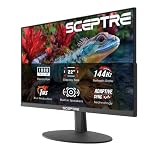
 Sceptre New 22-Inch Gaming Monitor
- 【INTEGRATED SPEAKERS】Whether you're at work or in the…
- 【EASY ON THE EYES】 Protect your eyes and…
- 【WIDEN YOUR PERSPECTIVE】Our sleek minimal bezel design ensures…
 LG 24G411A-B 24-inch Ultragear Full HD
- Vivid Color, Fast Response, Total Control - The…
- Vivid Color That Puts You in the Action…
- 120Hz Native Speed (144Hz Overclock) - Enjoy fluid,…
 msi PRO MP243L E14 24-inch IPS 1920
- MSI's 23.8-inch Full HD IPS gaming monitor (1920×1080)…
- TÜV Rheinland certified Flicker Free and Low Blue…
- 144Hz high refresh rate delivers ultra-smooth motion and…
| Product | Key specs | |
|---|---|---|
| Sceptre New 22-Inch Gaming Monitor | 【INTEGRATED SPEAKERS】Whether you're at work or in the… 【EASY ON THE EYES】 Protect your eyes and… 【WIDEN YOUR PERSPECTIVE】Our sleek minimal bezel design ensures… | Check price |
| LG 24G411A-B 24-inch Ultragear Full HD | Vivid Color, Fast Response, Total Control - The… Vivid Color That Puts You in the Action… 120Hz Native Speed (144Hz Overclock) - Enjoy fluid,… | Check price |
| msi PRO MP243L E14 24-inch IPS 1920 | MSI's 23.8-inch Full HD IPS gaming monitor (1920×1080)… TÜV Rheinland certified Flicker Free and Low Blue… 144Hz high refresh rate delivers ultra-smooth motion and… | Check price |
 LG 27G414B-B 27-inch Ultragear Full HD | Vivid Color, Fast Response, Total Control - The… 144Hz Refresh Rate - Enjoy fluid, gameplay with… 1ms MBR: Fast-Paced Speed to Victory - 1ms… | Check price |
 ArcticPro 22 Inch Gaming Monitor 144Hz | [Full HD Resolution] Enjoy the crystal-clear image quality… [Smooth Performance] The monitor features a maximum refresh… [178° Wide Perspective and Tilt Angles] With 178°… | Check price |
 ASUS TUF Gaming 24” | 23.8-inch Full HD(1920x1080) gaming monitor with 146Hz (OC)… ASUS Extreme Low Motion Blur Sync (ELMB Sync)… DisplayWidget Center enables easy monitor settings adjustments with… | Check price |
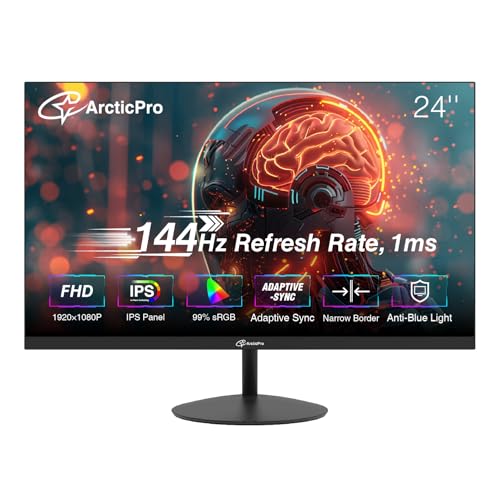 ArcticPro 24 Inch Gmaing Monitor 144Hz | [Full HD Resolution] Enjoy the crystal-clear image quality… [Smooth Performance] With a 144Hz refresh rate, fast… [IPS and Wide Color Gamut] With Wide color… | Check price |
 New! Sceptre 24-inch Prime Gaming Monitor DisplayPort | 【TRUE TO LIFE COLORS】Experience vibrant and true-to-life colors… 【SEAMLESS CONNECTIVITY & PERFORMANCE】 Seamlessly link your devices… 【EASY ON THE EYES】 Protect your eyes and… | Check price |
As an Amazon Associate we earn from qualifying purchases at no extra cost to you.
⚡ Save on Your Next PC — Amazon Prime
Prime members get fast free shipping on the systems above, plus early access to Prime Day & Black Friday PC deals. New members get a 30-day free trial.
Watch: Best Gaming Monitor Under $300 — Video Review
How to Choose Gaming Monitor Under $300
- Refresh rate over resolution: At this budget, 1080p at 144Hz beats 1440p at 60Hz for competitive play. Higher refresh rates reduce motion blur and shorten the gap between your input and what appears on screen — a difference you feel immediately in shooters and fighting games.
- Panel type matters more than you think: IPS panels deliver noticeably better colour accuracy and viewing angles than budget TN or VA alternatives. Unless you play exclusively in a pitch-black room and care most about contrast, IPS is the safer choice in 2026.
- Adaptive sync is non-negotiable: FreeSync and G-Sync Compatible certification eliminate screen tearing without the input lag penalty of traditional V-Sync. Confirm the sync range covers the framerates you actually hit — a 48–144Hz window is ideal.
- Read the response time claim carefully: “1ms MBR” or “1ms MPRT” is a backlight strobing figure, not true grey-to-grey pixel response. It’s still useful for clarity in motion, but treat it as a feature rather than a raw speed measurement.
- Check the stand and ports before you buy: Many sub-$300 monitors ship with tilt-only stands and a single DisplayPort. If you need height adjustment or plan to use a monitor arm, verify VESA compatibility and connector count rather than assuming it’s included.
The Best Picks Reviewed
LG 27G414B-B UltraGear 27-Inch
This is the most complete package under $300 — a 27-inch IPS panel at 144Hz with G-Sync Compatible and FreeSync support, plus a height-adjustable stand that most rivals omit entirely. The larger screen makes 1080p slightly less sharp than on a 24-inch, but for immersion and desk presence at this price, it’s hard to argue against.
ASUS TUF Gaming VG249QE5A 24-Inch
ASUS pairs a fast IPS panel with Extreme Low Motion Blur Sync and Variable Overdrive, which keeps ghosting under control across the full refresh range rather than only at peak framerates. The three-year warranty and DisplayWidget Center software make this the pick for anyone who wants to tune settings properly and keep the monitor for years.
LG 24G411A-B UltraGear 24-Inch
A leaner, cheaper sibling to the 27-inch model, this one keeps the IPS panel, 144Hz overclock and dual adaptive-sync certification while trimming the stand down to a slim tilt-only design. If your budget is tighter or you already own a monitor arm, it delivers nearly the same gaming experience for meaningfully less.
MSI PRO MP243L E14 24-Inch
The most versatile dual-purpose option here, combining a 144Hz IPS panel with a legacy VGA port that makes it genuinely useful for older office hardware or a secondary work machine. Colour performance is respectable out of the box, and the four-side slim bezel makes it a tidy choice for a multi-monitor setup.
Sceptre E225W-FW144 22-Inch
At 22 inches this is the compact, budget-first entry — 1080p at up to 144Hz with built-in speakers and both HDMI and DisplayPort inputs. Image quality won’t match the IPS options above, but for a dorm desk, a small secondary display or a first gaming monitor on a strict budget, the value is difficult to beat.
Frequently Asked Questions
Is 1080p still worth buying in 2026?
For gaming under $300, yes. A 1080p 144Hz IPS panel will consistently outperform a 1440p monitor at the same price, because manufacturers have to compromise elsewhere — usually on refresh rate, panel quality or adaptive sync — to hit the higher resolution. It’s also far less demanding on a mid-range GPU.
Do I need G-Sync or is FreeSync enough?
FreeSync is enough for the vast majority of buyers, and several monitors in this guide carry both FreeSync and NVIDIA G-Sync Compatible certification, meaning they work properly with either brand of graphics card. Dedicated G-Sync modules add cost without a proportionate benefit at 1080p.
Should I choose 24-inch or 27-inch?
At 1080p, 24 inches gives a sharper, denser image and keeps the whole screen within easy eye movement — which is why it remains the competitive standard. A 27-inch panel trades some sharpness for immersion, and works well if you sit further back or play mostly single-player titles.
Does HDR matter on a budget monitor?
Not significantly. “HDR10 support” on a sub-$300 monitor usually means the panel accepts an HDR signal, not that it can display the brightness and contrast range HDR was designed for. Judge these monitors on their SDR performance and treat HDR as a minor bonus.
Final Thoughts
If you want the best all-round monitor under $300, the LG 27G414B-B UltraGear is the one to beat — it’s the rare budget model that includes a proper height-adjustable stand alongside a fast IPS panel and dual adaptive-sync support. Competitive players who prioritise motion clarity and long-term support should look at the ASUS TUF Gaming VG249QE5A, while anyone building a setup on the tightest possible budget will find the Sceptre E225W-FW144 delivers a genuine 144Hz experience for far less than the rest of this list.