Key takeaways
- A productive home office desk comes down to three things: a work surface at the right height, a screen at the right distance.
A productive home office desk comes down to three things: a work surface at the right height, a screen at the right distance, and a layout that keeps the things you touch every hour within easy reach. Everything else, from cable trays to desk mats, is secondary to those three and can be added later.
This guide walks through the setup in the order that matters, starting with the physical ergonomics and moving out to monitors, lighting, cables and daily habits. It suits anyone who splits time between spreadsheets, video calls and the occasional gaming session on the same desk, and it works whether you have a dedicated room or a corner of the living space.
Start With Posture, Not Gadgets
Most desk discomfort traces back to a handful of geometry problems, and they are cheaper to fix than to buy your way around. Before moving any equipment, sit in your chair as you normally would and check where your body lands.
Set the Height From Your Elbows
With your feet flat on the floor and your upper arms relaxed at your sides, your forearms should rest roughly level with the desk surface, with elbows near a right angle. If the desk is too high, raise the chair and use a footrest. If it is too low, check whether the desk legs can be adjusted or raised with sturdy risers. A sit-stand desk helps, but only if you actually vary your position through the day.
Position the Chair for Your Lower Back
The seat should let your knees sit slightly below hip level with a small gap between the seat edge and the back of your knees. Lumbar support should meet the natural curve of your lower back. A rolled towel is a reasonable stand-in while you decide whether a different chair is worth buying.
Leave Room for Your Arms to Move
Keep the keyboard and mouse close enough that you are not reaching forward. If your desk is deep, push the keyboard toward you and leave the far side for the monitor. A wrist that floats at a neutral angle is better than one resting hard on the desk edge.
Place the Monitor Where Your Neck Wants It
The top edge of the screen should sit at or just below eye level, and the display should be about an arm’s length away. People who sit closer often squint, and people who sit too far tend to lean forward without noticing.
- Tilt the screen back a few degrees so it faces your eyes rather than the ceiling.
- With two monitors, center the one you use most and angle the second inward. If you use both equally, make them meet in the middle.
- Place a laptop on a stand and add a separate keyboard and mouse so screen height and typing height can be set independently.
- Use a monitor arm if the stand is too short, since stacked books are unstable and hard to adjust.
Layout Zones That Keep the Desk Usable
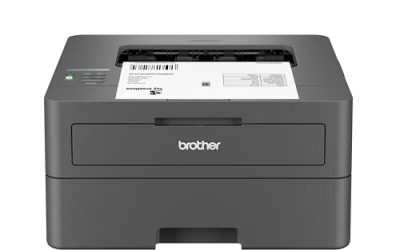
Think of the surface in three areas. The primary zone is what your hands reach without leaning: keyboard, mouse, a notepad. The secondary zone is a forearm’s length away: phone, water, headset. The tertiary zone is anything that needs a full stretch, such as a printer or spare drives, and it belongs on a shelf or side table rather than on the desk.
| Zone | Reach | What belongs there | What to move out |
|---|---|---|---|
| Primary | Hands only, no leaning | Keyboard, mouse, notepad, pen | Cables, snacks, loose chargers |
| Secondary | One forearm away | Phone dock, drink, headset, desk lamp | Rarely used accessories |
| Tertiary | Requires standing or stretching | Printer, external drives, reference books | Anything you never touch |
A quick audit helps: for one working day, notice every item you reach for. Anything you touch more than a few times belongs in the primary or secondary zone. Anything you never touch can leave the desk entirely.
Lighting, Sound and Cables
Good lighting reduces eye strain more than most people expect. Put the desk so that a window sits to the side of your screen rather than behind it or directly in front, which avoids glare and silhouetting on video calls. Add a lamp that lights the desk surface without reflecting on the monitor, and match its color warmth to the room in the evening.
For sound, soft surfaces make a bigger difference than expensive gear. A rug, curtains or a fabric-covered panel behind you reduces echo on calls. If you share the room, closed-back headphones keep your focus intact without raising the volume.
Cable management is about keeping the floor and the desk edge clear. Gather the power cords into one run, secure them under the desk with clips or a tray, and leave slack at the plugs so you can move the desk. Label both ends of any cable that is not obvious, because a year from now nobody remembers which black cord feeds the router.
Before You Start Checklist
- Measure the usable depth and width of your desk, including legs and any drawers that limit chair movement.
- Check that you have enough outlets and a power strip with surge protection for the monitor, lamp and chargers.
- Test your chair height against the desk before buying any accessories.
- Decide whether the desk will also serve for gaming or creative work, since that affects how much surface depth you need.
- Clear the area under the desk so your legs have space to move.
- Plan a daily reset: five minutes at the end of the day to clear the surface and wipe it down.
Habits That Make the Setup Work
A well arranged desk still fails if you sit motionless for hours. Set a simple prompt, such as standing during every call or taking a short walk after each task block. Rest your eyes by looking at something distant for a few moments when you finish a section of work. If you have persistent pain in your back, wrists or eyes, a physiotherapist or doctor is the right person to ask, since a desk guide cannot diagnose anything.
Plan to revisit the setup after the first couple of weeks. Small annoyances, like a lamp that glares or a mouse that sits too far left, become obvious with regular use and take minutes to fix. In 2026 more people than ever blend work and play on one desk, so give yourself permission to adjust rather than assuming the first arrangement is final.
Related guides
- Gaming Headset Noise Isolation Vs Active Noise Cancellation
- Does Gaming Headset Noise Cancellation Work On Microphone
- How Much Does It Cost To Run A Gaming Pc Per Month
Frequently Asked Questions
How big should a home office desk be?
For a single monitor, a width of around four feet and a depth of two feet is a workable starting point. Add width if you run two screens, and depth if you sit close to a large display or want a laptop beside your main monitor.
Is a standing desk necessary?
No. It is useful if you tend to stay seated for hours, but the benefit comes from changing position. A fixed desk with scheduled breaks and a good chair can work just as well for many people.
Where should the keyboard sit relative to the monitor?
Center the keyboard with the screen you look at most, so your head and torso face the same direction. A keyboard angled off to the side tends to twist your neck and shoulders over a long day.
How do I stop my desk from getting cluttered again?
Give every item a home, keep the primary zone almost empty, and do a short reset at the end of each day. Clutter returns when items have no assigned place, so adding a small drawer unit or tray often helps more than extra discipline.
FAQ
How big should a home office desk be?
Is a standing desk necessary?
Where should the keyboard sit relative to the monitor?
How do I stop my desk from getting cluttered again?
More from Amazon
Programs that pair well with the guide above. Offers and eligibility are set by Amazon and may change.
Free shipping on eligible items, Prime Video and more. Eligible new members can start with a free trial.
Start a Prime free trialAd-free music streaming. Eligible new subscribers can start with a free trial.
Try Music Unlimited freeA Prime membership for ages 18-24 with a trial period. Eligibility is set by Amazon.
See Prime for Young AdultsAudiobooks and podcasts to listen to on the go. Eligible new members can start with a free trial.
Try Audible freeAs an Amazon Associate we earn from qualifying purchases.