Key takeaways
- Architecture: The 9800X3D uses Zen 5 cores with a redesigned front end and wider execution resources; the 7800X3D uses Zen 4. Per-clock, Zen 5 is roughly 10–15% faster in most workloads.
- Cache placement: AMD’s second-generation 3D V-Cache sits below the compute die on the 9800X3D, improving heat transfer from the cores to the cooler. The 7800X3D’s cache sits on top, which caps clocks and thermals.
- Clock speeds: The 9800X3D boosts to around 5.2GHz versus roughly 5.0GHz on the 7800X3D, with a much higher base clock — the gap widens under sustained multi-core load.
- Overclocking: The 9800X3D is fully unlocked, the first X3D chip to be so. The 7800X3D is limited to Precision Boost Overdrive and Curve Optimizer tuning.
- Power and cooling: The 7800X3D is remarkably efficient, often drawing well under 90W in games and pairing happily with a good air cooler. The 9800X3D pulls noticeably more under load and rewards a 240mm AIO or a premium tower cooler.
- Productivity: In rendering, compilation, and export workloads the 9800X3D leads by a wide margin — the kind of gap you’ll actually notice, not just measure.
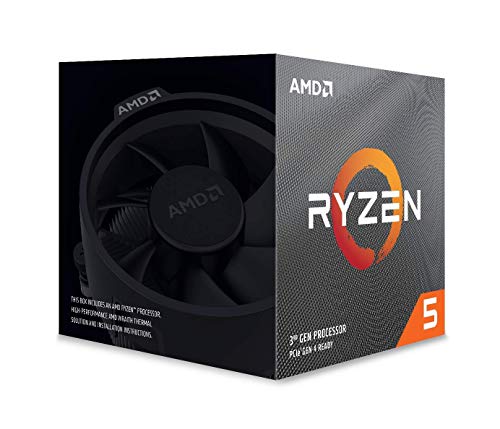
The Ryzen 7 9800X3D and the Ryzen 7 7800X3D are, between them, responsible for most of the best gaming frame rates of the last three years. Both are 8-core, 16-thread AM5 chips built around AMD’s 3D V-Cache technology, and both stack 96MB of L3 cache behind the cores — the single biggest reason X3D parts pull ahead in games that thrash memory, like simulators, strategy titles, and open-world RPGs. The difference is generational: the 7800X3D is Zen 4 with cache stacked on top of the compute die, while the 9800X3D is Zen 5 with the cache moved underneath it.
That layout change matters more than the spec sheet suggests. By 2026 the 7800X3D has settled into the role of the value pick — still excellent, widely bundled, and frequently discounted — while the 9800X3D is the outright fastest 8-core gaming CPU you can buy without stepping up to a 12- or 16-core X3D part. If you’re building on AM5 today, the question isn’t which one is good. It’s whether the newer chip’s extra headroom is worth the premium for your specific resolution, GPU, and workload.
Our top picks
 AMD Ryzen 7 7800X3D 8-Core
- Processor provides dependable and fast execution of tasks…
- Ryzen 7 product line processor for better usability…
- 5 nm process technology for reliable performance with…
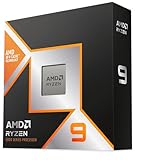
 AMD RYZEN 7 9800X3D 8-Core
- The world’s fastest gaming processor, built on AMD…
- 8 cores and 16 threads, delivering +~16% IPC…
- 96MB L3 cache with better thermal performance vs
 AMD Ryzen 7 7800X3D AM5 Gaming CPU
- [ The Gamers Edge ] Level up your…
- [ The Professional Workstation Standard ] Boost your…
- [ Next-Gen Performance & Efficiency] Experience the pinnacle…
| Product | Key specs | |
|---|---|---|
| AMD Ryzen 7 7800X3D 8-Core | Processor provides dependable and fast execution of tasks… Ryzen 7 product line processor for better usability… 5 nm process technology for reliable performance with… | Check price |
| AMD RYZEN 7 9800X3D 8-Core | The world’s fastest gaming processor, built on AMD… 8 cores and 16 threads, delivering +~16% IPC… 96MB L3 cache with better thermal performance vs | Check price |
| AMD Ryzen 7 7800X3D AM5 Gaming CPU | [ The Gamers Edge ] Level up your… [ The Professional Workstation Standard ] Boost your… [ Next-Gen Performance & Efficiency] Experience the pinnacle… | Check price |
 AMD Ryzen 7 7700X 8-Core AMD Ryzen 7 7700X 8-Core | This dominant gaming processor can deliver fast 100+… 8 Cores and 16 processing threads, based on… 5.4 GHz Max Boost, unlocked for overclocking, 80… | Check price |
 AMD 7800X3D Processor with GIGABYTE B650 AORUS AMD 7800X3D Processor with GIGABYTE B650 AORUS | AMD Ryzen 7 7800X3D Desktop Processor, 8 Cores,… It features AMD 3D V-Cache technology delivers absolute… GIGABYTE B650 AORUS Elite AX ICE Motherboard, ATX… | Check price |
 AMD Ryzen™ 7 9700X 8-Core AMD Ryzen™ 7 9700X 8-Core | This dominant gaming processor can deliver fast 100+… 8 Cores and 16 processing threads, based on… 5.5 GHz Max Boost, unlocked for overclocking, 40… | Check price |
 AMD Ryzen™ 5 9600X 6-Core AMD Ryzen™ 5 9600X 6-Core | Pure gaming performance with smooth 100+ FPS in… 6 Cores and 12 processing threads, based on… 5.4 GHz Max Boost, unlocked for overclocking, 38… | Check price |
As an Amazon Associate we earn from qualifying purchases at no extra cost to you.
⚡ Save on Your Next PC — Amazon Prime
Prime members get fast free shipping on the systems above, plus early access to Prime Day & Black Friday PC deals. New members get a 30-day free trial.
Watch: Ryzen 7 9800X3D vs 7800X3D: Upgrade in 2026? — Video Review
Quick Verdict
Buy the Ryzen 7 9800X3D if you game at 1080p or 1440p with a high-refresh monitor and a top-tier GPU, if you stream or edit alongside gaming, or if you want an unlocked chip you can overclock and keep for five-plus years. Buy the Ryzen 7 7800X3D if you’re building to a budget, gaming at 1440p or 4K where the GPU does the heavy lifting, or if you can find it in a discounted CPU-and-motherboard combo — it delivers roughly 90% of the gaming experience for meaningfully less money.
Key Differences
- Architecture: The 9800X3D uses Zen 5 cores with a redesigned front end and wider execution resources; the 7800X3D uses Zen 4. Per-clock, Zen 5 is roughly 10–15% faster in most workloads.
- Cache placement: AMD’s second-generation 3D V-Cache sits below the compute die on the 9800X3D, improving heat transfer from the cores to the cooler. The 7800X3D’s cache sits on top, which caps clocks and thermals.
- Clock speeds: The 9800X3D boosts to around 5.2GHz versus roughly 5.0GHz on the 7800X3D, with a much higher base clock — the gap widens under sustained multi-core load.
- Overclocking: The 9800X3D is fully unlocked, the first X3D chip to be so. The 7800X3D is limited to Precision Boost Overdrive and Curve Optimizer tuning.
- Power and cooling: The 7800X3D is remarkably efficient, often drawing well under 90W in games and pairing happily with a good air cooler. The 9800X3D pulls noticeably more under load and rewards a 240mm AIO or a premium tower cooler.
- Productivity: In rendering, compilation, and export workloads the 9800X3D leads by a wide margin — the kind of gap you’ll actually notice, not just measure.
AMD Ryzen 7 9800X3D: The New Benchmark
In 1080p testing with a flagship GPU, the 9800X3D typically lands 8–15% ahead of the 7800X3D, with outliers pushing past 20% in cache-sensitive titles. More importantly, its 1% lows are consistently smoother, which is what you feel during a firefight or a busy city sim tick. If you own a high-end graphics card and a 240Hz-class monitor, this is the chip that stops the CPU from being your bottleneck.
The unlocked multiplier is a genuine bonus rather than a footnote. Between PBO, Curve Shaper, and manual tuning, there’s real performance left on the table for anyone willing to spend an evening in BIOS. The trade-off is thermals: this chip runs hotter than its predecessor and deserves proper cooling and a board with a competent VRM. Budget accordingly and it will comfortably outlive two GPU upgrades.
AMD Ryzen 7 7800X3D: Still the Value King
The 7800X3D remains an outstanding gaming CPU, and its efficiency is arguably unmatched — it sips power, runs cool, and is easy to cool quietly. At 1440p with mid-range or upper-mid-range graphics, the difference between it and the 9800X3D shrinks to a handful of frames, and at 4K it often disappears entirely. Spending the savings on a better GPU is frequently the smarter build decision.
It’s also the chip with the best bundle ecosystem. Options like the 7800X3D paired with a Cooler Master Hyper Spectrum V3 air cooler, or Micro Center’s combos with the GIGABYTE B850 Gaming WF or B650 AORUS Elite AX ICE motherboards, often cost little more than the processor alone. Because both chips share the AM5 socket and DDR5 memory, a 7800X3D build can be upgraded later without replacing the platform.
Which Should You Buy?
- For competitive 1080p esports: Pick the 9800X3D — the frame-rate ceiling and 1% lows justify it.
- For 1440p gaming on a budget: Pick the 7800X3D, ideally as part of a CPU-and-motherboard combo.
- For 4K gaming: Either works; the 7800X3D and a stronger GPU is the better use of the same money.
- For streaming, editing, or compiling: Pick the 9800X3D — Zen 5’s multi-threaded lead is decisive.
- For a pure productivity box that games occasionally: Consider the Ryzen 7 7700X, which drops 3D V-Cache and cost while keeping eight Zen 4 cores.
Frequently Asked Questions
Do both CPUs use the same motherboards?
Yes. Both are AM5 and run on B650, X670, B850, and X870 boards with DDR5 memory. Older B650-class boards may need a BIOS update before a 9800X3D will post, so buy from a retailer that ships updated boards or one with BIOS Flashback.
Is the 9800X3D worth the upgrade from a 7800X3D?
Generally no, if you only game. The uplift is real but not transformative, and the money is better spent on a GPU. It’s worth it if you also do heavy multi-threaded work or run a high-refresh display at low resolution.
What cooler do I need?
The 7800X3D is happy with a quality 120mm tower cooler. The 9800X3D runs hotter and performs best with a large dual-tower air cooler or a 240–360mm AIO, especially if you plan to overclock.
How much RAM should I pair with these?
32GB of DDR5-6000 CL30 is the sweet spot for both, running EXPO. Large L3 caches reduce memory sensitivity, so faster kits offer diminishing returns.
Final Verdict
The Ryzen 7 9800X3D is the better processor in every measurable way and the right choice for high-refresh gamers, overclockers, and anyone whose PC does more than play games. The Ryzen 7 7800X3D is the better deal for most builders in 2026, particularly at 1440p and above or when bought as a discounted combo. Both share the same socket and the same upgrade path — so pick based on your GPU and your monitor, not on the calendar.