Key takeaways
- Interface and bandwidth: SATA III is hard-capped near 550 MB/s. M.2 NVMe runs over PCIe lanes — 3,200 MB/s on Gen3, around 7,000 MB/s on Gen4, and up to 14,700 MB/s on Gen5 drives like the Samsung 9100 PRO.
- Real-world load times: In most games the difference is a few seconds, since CPU decompression is often the bottleneck. In DirectStorage titles that bypass the CPU, NVMe pulls meaningfully ahead.
- Physical installation: M.2 drives screw flat onto the motherboard with no cables at all. SATA needs a data cable, a power cable, and a drive bay or mounting bracket.
- Price per terabyte: Once a genuine gap, now largely closed. Value NVMe drives such as the Silicon Power Gen3x4 2TB frequently undercut equivalent SATA models.
- Heat and power draw: SATA runs cool and sips power. High-end Gen4 and Gen5 NVMe drives get hot enough to require a heatsink, which matters in small-form-factor cases and laptops.
- Slot availability: Most boards offer two to four M.2 slots but six or more SATA ports — so SATA remains the practical route once you’re out of slots.
Every gaming build eventually hits the same fork in the road: do you spend on an M.2 NVMe drive, or save money with a 2.5-inch SATA SSD? Both are solid-state, both are dramatically faster than any hard drive, and both will run your games perfectly well. But they sit on completely different interfaces, and in 2026 that gap has widened from “nice to have” into something you can actually feel while playing.
The reason is what modern games do with storage. Open-world titles now stream textures continuously, DirectStorage-enabled engines decompress assets straight to the GPU, and install sizes routinely clear 150GB. SATA tops out at roughly 550 MB/s because the interface itself is the ceiling — a limit set well over a decade ago. An M.2 NVMe drive like the Samsung 990 PRO moves data more than thirteen times faster. Here’s how to decide which one your money should go toward.
Our top picks
 Samsung SSD 990 PRO 2TB
- Consider this a cheat code
- Gen4 steps up with faster transfer speeds and…
- The speed you need for any occasion
 WD_Black SN7100 2TB NVMe SSD
- This product has been replaced by our latest…
- OCTANE GAMING
- BUILT
 Silicon Power 2TB NVMe M.2 PCIe Gen3x4
- PCIe Gen 3x4 interface with read speeds up…
- TBW=1200
- The warranty terms on all of its SSDs…
| Product | Key specs | |
|---|---|---|
| Samsung SSD 990 PRO 2TB | Consider this a cheat code Gen4 steps up with faster transfer speeds and… The speed you need for any occasion | Check price |
| WD_Black SN7100 2TB NVMe SSD | This product has been replaced by our latest… OCTANE GAMING BUILT | Check price |
| Silicon Power 2TB NVMe M.2 PCIe Gen3x4 | PCIe Gen 3x4 interface with read speeds up… TBW=1200 The warranty terms on all of its SSDs… | Check price |
 Samsung SSD 9100 PRO 2TB Samsung SSD 9100 PRO 2TB | BREAKTHROUGH PCIe 5.0 PERFORMANCE: Supercharge your workflow and… EVERY TASK, TURBOCHARGED: Speed past productivity limits THINK FAST, CREATE FASTER: With random read/write speeds… | Check price |
 Western Digital 2TB WD Green SN350 NVMe Western Digital 2TB WD Green SN350 NVMe | Fast NVMe performance for daily computing needs SSDs offer shock-resistance against accidental bumps and drops The slim M.2 2280 form factor is ideal… | Check price |
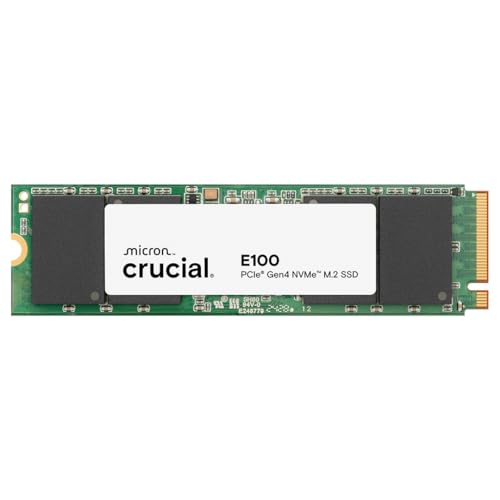 Crucial E100 2TB M.2 NVMe PCIe Gen4 Crucial E100 2TB M.2 NVMe PCIe Gen4 | Gen4 performance at 5,000MB/s is 8x faster4 than… SAVE MORE PHOTOS, VIDEOS AND MORE: Get up… Follow step-by-step instructions for easy installation and cloning | Check price |
 Acer Predator GM7 2TB SSD: M.2 2280 Acer Predator GM7 2TB SSD: M.2 2280 | PCIe 4.0 Gen4: The high-performance Predator GM7 delivers… HMB+SLC Cache: Predator GM7 supports HMB (Host Memory… Powerful controller and NAND Flash: Equipped with the… | Check price |
 Crucial P310 M.2 2280 2TB PCI-Express 4.0 Crucial P310 M.2 2280 2TB PCI-Express 4.0 | M.2 2280 2TB PCI-Express 4.0 x4 NVMe | Check price |
As an Amazon Associate we earn from qualifying purchases at no extra cost to you.
⚡ Save on Your Next PC — Amazon Prime
Prime members get fast free shipping on the systems above, plus early access to Prime Day & Black Friday PC deals. New members get a 30-day free trial.
Watch: M.2 vs SATA SSD: Which to Choose in 2026? — Video Review
Quick Verdict
Buy an M.2 NVMe SSD if your motherboard has a free slot — which, on anything built after roughly 2018, it almost certainly does. Drives like the WD_Black SN7100 or Crucial E100 now cost close to what SATA does per terabyte, so there’s rarely a reason to choose the slower option. SATA still makes sense in one scenario: you’re expanding an older system, you’ve run out of M.2 slots, or you need cheap bulk capacity for a game library you don’t play daily.
Key Differences
- Interface and bandwidth: SATA III is hard-capped near 550 MB/s. M.2 NVMe runs over PCIe lanes — 3,200 MB/s on Gen3, around 7,000 MB/s on Gen4, and up to 14,700 MB/s on Gen5 drives like the Samsung 9100 PRO.
- Real-world load times: In most games the difference is a few seconds, since CPU decompression is often the bottleneck. In DirectStorage titles that bypass the CPU, NVMe pulls meaningfully ahead.
- Physical installation: M.2 drives screw flat onto the motherboard with no cables at all. SATA needs a data cable, a power cable, and a drive bay or mounting bracket.
- Price per terabyte: Once a genuine gap, now largely closed. Value NVMe drives such as the Silicon Power Gen3x4 2TB frequently undercut equivalent SATA models.
- Heat and power draw: SATA runs cool and sips power. High-end Gen4 and Gen5 NVMe drives get hot enough to require a heatsink, which matters in small-form-factor cases and laptops.
- Slot availability: Most boards offer two to four M.2 slots but six or more SATA ports — so SATA remains the practical route once you’re out of slots.
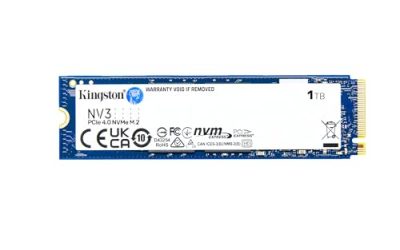
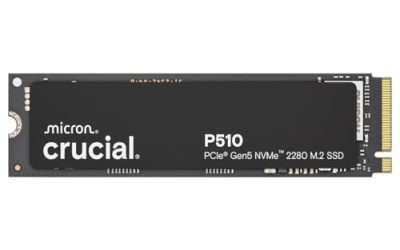
M.2 NVMe SSDs
M.2 is a form factor, not a speed rating, which is where a lot of confusion starts. What makes these drives fast is the NVMe protocol running over PCIe lanes. Generation matters: the WD Green SN350 is a Gen3 drive at around 3,200 MB/s, the Crucial E100 sits at 5,000 MB/s on Gen4, and the Samsung 990 PRO pushes 7,450 MB/s. All of them obliterate SATA’s ceiling, but they’re not equivalent to each other.
For gaming specifically, the sweet spot in 2026 is a good Gen4 drive with a DRAM cache. The Samsung 990 PRO and WD_Black SN7100 both fit that description and handle sustained writes — large game installs, shader compilation, capture footage — without the slowdown you get from cheaper DRAM-less designs. Gen5 drives like the Samsung 9100 PRO are genuinely spectacular on paper, though outside of AI workloads and heavy content creation, games rarely saturate that bandwidth yet.
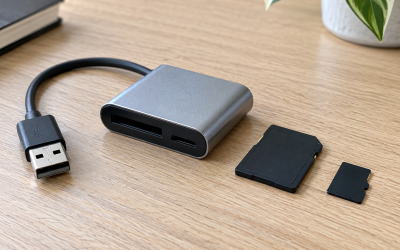
SATA SSDs
A SATA SSD still delivers the single biggest upgrade any system can receive: escaping a mechanical hard drive. Random access is orders of magnitude better, Windows boots in seconds, and games stop stuttering while assets load. If that’s the comparison you’re actually making, buy the SATA drive today and don’t overthink it.
Where SATA earns its keep now is capacity and compatibility. It works in any desktop or laptop with a 2.5-inch bay, including machines far too old for NVMe boot support, and it’s the obvious way to add a second or third drive once your M.2 slots are full. Many builders run a fast NVMe boot and primary-games drive alongside a large SATA archive for older titles, mods, and backups — a sensible split that costs less than an all-NVMe setup.
Which Should You Buy?
- For a new gaming build: pick a Gen4 NVMe drive — the WD_Black SN7100 or Samsung 990 PRO cover you for years.
- For maximum future-proofing: pick the Samsung 9100 PRO on a Gen5-capable board, particularly if you also do AI or video work.
- For a budget upgrade: pick the Silicon Power Gen3x4 2TB or WD Green SN350 — still several times faster than SATA for less money than you’d expect.
- For a laptop or handheld: pick an efficient drive like the Crucial E100 or SN7100, where lower power draw and heat protect battery life.
- For extra library storage: pick SATA once your M.2 slots are occupied, and keep your competitive shooters on the NVMe drive.
Frequently Asked Questions
Will an M.2 SSD improve my frame rate?
Not directly — frame rate is governed by your GPU and CPU. What NVMe improves is load times, fast-travel transitions, and texture-streaming hitches in open-world games, which affects how smooth the experience feels even when the frame counter doesn’t change.
Is every M.2 drive NVMe?
No. A small number of M.2 drives use the SATA protocol and are capped at 550 MB/s despite the identical shape. Check the listing for “NVMe” and “PCIe,” and confirm your motherboard slot supports NVMe keying before buying.
Do I need a heatsink?
Gen3 drives don’t. Gen4 drives run cooler than they used to but benefit from the heatsink most motherboards include. Gen5 drives like the Samsung 9100 PRO should always be cooled to avoid thermal throttling during sustained transfers.
Can I use both types together?
Yes, and it’s a common setup. Boot from NVMe, install your active games there, and use a SATA SSD for overflow storage. Windows handles mixed drive types without any special configuration.
Final Verdict
In 2026, M.2 NVMe is the default choice for gaming, and the price gap no longer justifies settling for SATA in a modern build. Put a Gen4 drive like the Samsung 990 PRO or WD_Black SN7100 in your primary slot, step up to the Samsung 9100 PRO if you need Gen5 headroom, and reserve SATA for cheap secondary capacity or older systems that can’t accept anything else.