Key takeaways
- Display first: Prioritize refresh rate, resolution, and panel quality, since the speakers are a bonus rather than the main event.
- Speaker use case: Built-in speakers suit casual play, calls, and background audio; serious gamers should keep a headset for competitive sessions.
- Refresh rate: Aim for 144Hz or higher for smooth motion, with adaptive sync to eliminate tearing.
- Resolution and size: QHD on a 27-inch panel is a versatile sweet spot; FHD suits smaller screens and tighter budgets.
- Connectivity: Look for HDMI, DisplayPort, and ideally USB-C if you want single-cable convenience for laptops.
What's inside
A gaming monitor with built-in speakers keeps your desk clean and your setup simple, giving you sound without a separate pair of desktop speakers or a headset. While dedicated audio gear still wins for critical listening, integrated speakers are a genuine convenience for casual play, video calls, and everyday use, and modern panels increasingly pair them with excellent gaming performance.
We compared gaming monitors with built-in speakers across sizes, refresh rates, and panel types, weighing display quality alongside audio convenience. Below are our top picks, a buying guide to help you choose, and answers to the questions gamers ask most when shopping for a monitor with speakers.
As an Amazon Associate we earn from qualifying purchases at no extra cost to you. Product prices and availability are accurate as of the date shown and are subject to change.


🎮 Get More From Your Setup — Free
Prime Gaming gives you free PC games every month, in-game loot, and a free Twitch channel sub — plus fast free shipping on all the gear above. New members get a 30-day free trial.
Watch: Best Gaming Monitor With Speakers — Video Review
How to Choose a Gaming Monitor With Speakers
- Display first: Prioritize refresh rate, resolution, and panel quality, since the speakers are a bonus rather than the main event.
- Speaker use case: Built-in speakers suit casual play, calls, and background audio; serious gamers should keep a headset for competitive sessions.
- Refresh rate: Aim for 144Hz or higher for smooth motion, with adaptive sync to eliminate tearing.
- Resolution and size: QHD on a 27-inch panel is a versatile sweet spot; FHD suits smaller screens and tighter budgets.
- Connectivity: Look for HDMI, DisplayPort, and ideally USB-C if you want single-cable convenience for laptops.
The Best Gaming Monitors With Speakers Reviewed
SANSUI 27″ Curved USB-C
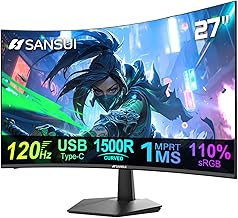
This SANSUI 27-inch curved panel runs 120Hz FHD with built-in speakers, USB-C, and HDR. Its single-cable convenience and integrated audio make it a tidy all-purpose pick.
KTC H27T22C 27″ QHD 220Hz
The KTC H27T22C delivers QHD at 220Hz on a fast IPS panel with speakers and HDR400. It’s our top pick for pairing high-refresh gaming with built-in sound.
SANSUI 24″ Curved 180Hz
The SANSUI 24-inch curved panel offers up to 180Hz, built-in speakers, and 130% sRGB color. It’s a compact, immersive option with the audio convenience of integrated speakers.
LG 27G414B UltraGear 144Hz
The LG UltraGear 27-inch runs FHD at 144Hz with a built-in speaker, G-Sync compatibility, and HDR10. It’s a well-rounded pick from a trusted display brand.
ASUS TUF VG27AQ3A 27″ QHD
The ASUS TUF VG27AQ3A delivers QHD at 180Hz on a fast IPS panel with speakers and 130% sRGB. It’s a premium all-rounder with excellent gaming credentials.
Frequently Asked Questions
Are built-in monitor speakers good enough for gaming?
They’re fine for casual play, video calls, and background audio, offering real convenience. For competitive gaming or immersive experiences, a headset or dedicated speakers still deliver better sound.
Do speakers affect a monitor’s gaming performance?
No. Built-in speakers are a separate feature that doesn’t impact refresh rate, response time, or image quality. Focus on the display specs first and treat speakers as a bonus.
Can I still use a headset with these monitors?
Absolutely. Most monitors with speakers also include a headphone jack or pass audio through your PC, so you can switch to a headset whenever you want better sound.
Is USB-C worth having on a gaming monitor?
USB-C adds single-cable convenience for laptops, carrying video, audio, and sometimes power over one connection. It’s a valuable feature if you connect a laptop to your monitor.
Final Thoughts
The KTC H27T22C is our top pick for pairing fast 220Hz QHD gaming with built-in speakers, while the ASUS TUF VG27AQ3A is a premium all-rounder with excellent image quality. For single-cable simplicity, the USB-C SANSUI 27″ curved is a convenient choice.