Key takeaways
- Resolution and size: 3440×1440 on a 34-inch panel hits the sweet spot for pixel density and GPU load; step up to a 40-inch WUHD or 49-inch super-ultrawide only if your GPU can feed it.
- Refresh rate: 144Hz is the practical floor for competitive play, 165-200Hz is the value zone, and 240Hz is where esports-minded players should aim if the budget allows.
- Panel technology: QD-OLED delivers perfect blacks and instant pixel response but costs more; fast IPS and VA panels are far cheaper and still look excellent for the money.
- Curvature: A 1500R or 1000R curve wraps the image around you and reduces off-axis distortion on wide screens; flatter 1800R is fine for mixed work-and-play use.
- Adaptive sync: Confirm FreeSync Premium or G-Sync Compatible support so you get tear-free frames without the input lag of traditional V-Sync.
What's inside
Ultrawide gaming monitors have gone from niche luxury to mainstream centerpiece in 2026, and the 21:9 aspect ratio is the reason. That extra horizontal real estate pulls your peripheral vision into the game, whether you are drifting through a corner in a sim racer or scanning a wide flank in a tactical shooter. A 3440×1440 panel gives you roughly 34% more pixels than a standard 2560×1440 screen, and modern GPUs finally have the muscle to push those pixels at high refresh rates.
The catch is that “ultrawide” now spans everything from a $250 60Hz office curve to a $1,300 QD-OLED with a 0.03ms response time. To help you spend wisely, we compared panels across the price spectrum and focused on the specs that actually change how a game feels: refresh rate, response time, panel technology, and curvature. Below are our favorite picks for 2026 plus a buying framework so you can match a screen to your rig and your library.
As an Amazon Associate we earn from qualifying purchases at no extra cost to you.


⚡ Save on Your Next PC — Amazon Prime
Prime members get fast free shipping on the systems above, plus early access to Prime Day & Black Friday PC deals. New members get a 30-day free trial.
Watch: Best Ultrawide Gaming Monitor — Video Review
How to Choose
- Resolution and size: 3440×1440 on a 34-inch panel hits the sweet spot for pixel density and GPU load; step up to a 40-inch WUHD or 49-inch super-ultrawide only if your GPU can feed it.
- Refresh rate: 144Hz is the practical floor for competitive play, 165-200Hz is the value zone, and 240Hz is where esports-minded players should aim if the budget allows.
- Panel technology: QD-OLED delivers perfect blacks and instant pixel response but costs more; fast IPS and VA panels are far cheaper and still look excellent for the money.
- Curvature: A 1500R or 1000R curve wraps the image around you and reduces off-axis distortion on wide screens; flatter 1800R is fine for mixed work-and-play use.
- Adaptive sync: Confirm FreeSync Premium or G-Sync Compatible support so you get tear-free frames without the input lag of traditional V-Sync.
The Best Picks Reviewed
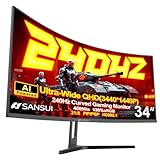
SANSUI 34-Inch Curved 240Hz UWQHD
This is the value shock of the roundup. A 34-inch 3440×1440 curve running at 240Hz for a fraction of what premium brands charge makes it the easiest recommendation for players who want high refresh without a four-figure receipt. Color coverage is solid for the price and the 1500R curve is comfortable at a normal desk distance of around 24 inches.
Alienware 34 QD-OLED Curved (AW3425DW)
The 34.2-inch QD-OLED panel is the picture-quality benchmark here. Blacks are truly off, highlights pop in HDR, and the near-instant response time means zero smearing in fast pans. At 240Hz it satisfies competitive players too, so it is the one to buy if you want a single monitor that does everything and you can stomach the premium.
Samsung 34″ Odyssey G5
Samsung’s aggressive 1000R curve is polarizing but immersive, and the G5 delivers it at a mid-range price. It is a strong pick for single-player and sim titles where the wrap-around effect shines, and the VA panel produces deep contrast that makes dark dungeons and space scenes look great.
Sceptre 34-Inch Curved Ultrawide WQHD
The budget workhorse. A 3440×1440 R1500 panel that undercuts almost everything while still hitting a respectable high refresh rate. If this is your first ultrawide and you are not chasing OLED contrast, the Sceptre gets you into 21:9 gaming for the least money.
Samsung 40″ Odyssey G7 (G75F) WUHD
For desktop maximalists, the 40-inch 5120×2160 WUHD G7 is a genuine step up in workspace. You get ultrawide gaming plus enough vertical height to feel like a proper 4K-class display for productivity. It demands a powerful GPU, so pair it with at least an upper-tier current-gen card.
Frequently Asked Questions
Do I need a high-end GPU to run an ultrawide?
For 3440×1440 at high refresh, a mid-to-high tier current-gen card is ideal. Upscaling tech like DLSS and FSR can bridge the gap, but 49-inch and WUHD panels genuinely need a flagship GPU to stay above 100fps in demanding titles.
Is 21:9 supported in most games?
The overwhelming majority of modern titles support 21:9 natively. A handful of competitive shooters restrict the field of view to keep things fair, and some older games need a community fix, but native support is the norm in 2026.
Curved or flat for an ultrawide?
Curved is generally better for a single ultrawide because it keeps the screen edges equidistant from your eyes, reducing distortion. Flat only makes sense if you also do precise design work where straight reference lines matter.
QD-OLED or IPS for gaming?
QD-OLED wins on contrast, response time, and HDR impact. Fast IPS wins on price and has no burn-in risk. For mixed use with static UI elements all day, IPS is the safer long-term choice; for pure gaming immersion, QD-OLED is worth it.
Final Thoughts
There has never been a better time to jump to 21:9. Budget shoppers can grab a 34-inch high-refresh curve for entry-level money, while enthusiasts finally have QD-OLED options at 240Hz that do double duty for esports and cinematic single-player. Match the panel to your GPU first, prioritize refresh rate and response time over sheer size, and you will land a monitor that makes every game feel bigger.