Key takeaways
- 1080p (1920×1080) 144Hz+: Best for competitive shooters and budget builds. 8GB VRAM is still workable here if you keep textures at High, not Ultra. You need 120-180 fps capability to make a high-refresh monitor worthwhile.
- 1440p (2560×1440) 144-165Hz: The current mainstream for high-quality gaming. Needs 12GB-16GB VRAM for Ultra textures in 2024-2026 titles, especially with ray tracing enabled. This is where most builders get the best performance-per-dollar.
- 4K (3840×2160) 60-144Hz: Requires 16GB+ VRAM and a top-tier GPU if you want native rendering. With DLSS/FSR Performance mode, mid-high tier cards can handle 4K 60, but for native 4K 100+ fps you need flagship power.
- Ray Tracing On vs. Off: If you plan to leave ray tracing on in Cyberpunk 2077, Alan Wake 2, or similar titles, move up one full tier from the list above and prioritize NVIDIA RTX 40/50 series or AMD RX 7000/9000 series with strong RT cores.
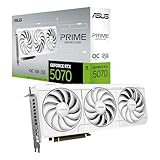
The best graphics cards for your build in 2026 depend on your target resolution and refresh rate: an RTX 4060 or RX 7600 class card is enough for 1080p high-refresh, an RTX 4070 Super / RX 7800 XT or RTX 5070 / RX 9070 class is the sweet spot for 1440p, and an RTX 4080 Super / RX 7900 XTX or RTX 5080 / RTX 5090 is what you need for smooth 4K with ray tracing.
Instead of chasing the most expensive GPU, match VRAM, power supply headroom, and physical size to your monitor and case first, then pick the tier that delivers your desired frame rate without overspending. This guide breaks down the current tiers, what they actually require, and where the value lies for each resolution.
How to Pick Your Tier: Resolution, Ray Tracing, and Frame Rate Target
Resolution dictates pixel load, and pixel load dictates GPU power. Ray tracing and upscaling (DLSS 3/4, FSR 3, XeSS) change the equation, but the baseline still matters. Use this framework before you look at specific cards:
- 1080p (1920×1080) 144Hz+: Best for competitive shooters and budget builds. 8GB VRAM is still workable here if you keep textures at High, not Ultra. You need 120-180 fps capability to make a high-refresh monitor worthwhile.
- 1440p (2560×1440) 144-165Hz: The current mainstream for high-quality gaming. Needs 12GB-16GB VRAM for Ultra textures in 2024-2026 titles, especially with ray tracing enabled. This is where most builders get the best performance-per-dollar.
- 4K (3840×2160) 60-144Hz: Requires 16GB+ VRAM and a top-tier GPU if you want native rendering. With DLSS/FSR Performance mode, mid-high tier cards can handle 4K 60, but for native 4K 100+ fps you need flagship power.
- Ray Tracing On vs. Off: If you plan to leave ray tracing on in Cyberpunk 2077, Alan Wake 2, or similar titles, move up one full tier from the list above and prioritize NVIDIA RTX 40/50 series or AMD RX 7000/9000 series with strong RT cores.
The 2026 GPU Tiers Compared
These are the real classes you will find new at retail in 2026. Prices are given as general market ranges because street pricing fluctuates by cooler model and retailer.
| Tier & Example Models | VRAM | Total Graphics Power (TGP) | Recommended PSU | Best For | General Price Range |
|---|---|---|---|---|---|
| Entry 1080p: GeForce RTX 4060, Radeon RX 7600, Arc A750 | 8GB GDDR6 | 115W – 170W | 550W | 1080p 60-144Hz, eSports maxed | usually $250–$330 |
| Mid 1080p / Entry 1440p: GeForce RTX 4060 Ti 16GB, Radeon RX 7600 XT | 16GB GDDR6 | 160W – 190W | 550W – 650W | 1080p Ultra, 1440p High with upscaling | usually $330–$450 |
| Sweet Spot 1440p: GeForce RTX 4070 Super, RTX 5070, Radeon RX 7800 XT, RX 9070 | 12GB – 16GB GDDR6/X | 220W – 275W | 650W – 750W | 1440p 100-165Hz Ultra, light 4K 60 | usually $500–$650 |
| High-End 1440p / Entry 4K: GeForce RTX 4070 Ti Super, RTX 5070 Ti, Radeon RX 7900 XT, RX 9070 XT | 16GB GDDR6/X | 285W – 330W | 750W – 850W | 1440p 165Hz+ with RT, 4K 60-100Hz | usually $700–$900 |
| Flagship 4K: GeForce RTX 4080 Super, RTX 5080, Radeon RX 7900 XTX | 16GB – 24GB GDDR6X | 320W – 360W | 850W | 4K 100Hz+ Ultra, heavy RT | usually $950–$1300 |
| Enthusiast / No Compromise: GeForce RTX 4090, RTX 5090 | 24GB – 32GB GDDR6X/7 | 450W – 575W | 1000W | 4K 144Hz, 8K, creator workloads | usually $1600 and up |
VRAM: How Much Do You Actually Need?
VRAM stores textures, shadows, and geometry. When you run out, the GPU spills to system RAM and you get stutter, even if average fps looks fine. In 2026, texture packs are larger than spec sheets suggest.
- 8GB: Fine for 1080p High. In 1440p Ultra with 2025-2026 AAA titles, you will see 7.5-8GB+ allocation in games like Alan Wake 2 or Horizon Forbidden West, leading to 1% low drops. Avoid for a new 1440p build if you keep GPUs for 3+ years.
- 12GB: The comfortable minimum for 1440p Ultra with ray tracing off. With ray tracing on + DLSS Quality, still safe for most titles.
- 16GB: The ideal target for 1440p long-term and entry 4K. Cards like the RTX 4070 Ti Super, RTX 5070 Ti, RX 7800 XT, and RX 9070 XT all land here for a reason.
- 24GB+: Only needed for native 4K Ultra textures, heavy modding, or VRAM-heavy creative work (3D, AI, 8K video). Flagships like the RX 7900 XTX, RTX 4090, and RTX 5090 provide it, but you pay a premium.
Power Budget and Case Compatibility: The Checks That Prevent Returns
A GPU that does not fit or trips your power supply is not a good value at any price. Do these two calculations before you buy.
1. Worked Power Budget Calculation
Do not match the GPU TGP to your PSU wattage 1:1. You need headroom for transient spikes, CPU load, and efficiency.
Formula: Required PSU Watts = (GPU TGP + CPU Peak Power + 100W for board/RAM/storage/fans) / 0.6 to 0.7. You want your typical gaming load at 60-70% of the PSU rating for quiet, efficient operation.
Example Build: You are considering an RTX 4070 Super (220W TGP) with a Ryzen 7 7700 or Core i5-14400 class CPU (peak ~90W), B650 board, 2x sticks RAM, 1 NVMe, 4 fans.
- Sum: 220W (GPU) + 90W (CPU) + 100W (system) = 410W continuous gaming load
- Transient spike allowance: NVIDIA 40-series and 50-series can spike 1.3x-1.5x TGP for milliseconds. 220W x 1.4 = ~308W peak. Recalculate worst-case: 308W + 90W + 100W = 498W
- Ideal PSU: 498W / 0.65 = ~766W. So a quality 750W 80 Plus Gold unit is correct, not a 650W. If you were stepping up to an RTX 5070 Ti (300W) or RX 7900 XT (315W), the same math pushes you to 850W.
Also check connectors: RTX 40/50 cards use 12VHPWR (16-pin) or 3x 8-pin adapted. Many RX 7000/9000 cards use 2x or 3x 8-pin PCIe. If your PSU is 4+ years old without native 12VHPWR, budget for a PSU that has it or ensure the card includes a reliable adapter with three separate cables, not daisy-chained.
2. Physical Fit: Length, Thickness, and Airflow
- Length: Budget 1080p cards (RTX 4060, RX 7600) are often 200-240mm and fit any micro-ATX case. High-end cards (RTX 4080 Super, RTX 5080/5090, RX 7900 XTX) are 304-360mm long. Measure from the rear bracket to the front panel or radiator.
- Thickness: Most 1440p and 4K cards are 2.5 to 3.5 slots thick. A 3.5-slot card will block the PCIe slot below it and may choke against a PSU shroud in compact cases. You need at least 15mm clearance below the fans for intake.
- Airflow: Open-air triple-fan coolers need case airflow. If you have a closed-front case with only one intake fan, a 300W+ GPU will thermal throttle. Add at least two front intake fans or choose a GPU with a smaller TGP.
- Riser / Vertical Mount: If you vertically mount, ensure the riser is PCIe 4.0 rated. A PCIe 3.0 riser with a PCIe 4.0 GPU will cut bandwidth in half and can cause instability.
Decision Matrix: Map Your Situation to the Right Card
Use this matrix to narrow to one tier without over-analyzing benchmarks.
| Your Situation | Monitor | Priorities | Recommended Choice | Why |
|---|---|---|---|---|
| Budget build, 1080p 75-144Hz, 550W PSU, small case | 1080p 144Hz | Low power, low price | Radeon RX 7600 or GeForce RTX 4060 | Under 170W, single 8-pin, short cards available, easily drives 1080p Ultra with FSR/DLSS |
| Mainstream gamer keeping GPU 3-4 years | 1440p 144-165Hz | VRAM longevity, value | GeForce RTX 4070 Super / RTX 5070 or Radeon RX 7800 XT / RX 9070 | 12-16GB avoids stutter, 650-750W PSU sufficient, strong ray tracing + upscaling support |
| 1440p high-refresh with max ray tracing | 1440p 240Hz or 3440×1440 ultrawide | Highest frames with RT | GeForce RTX 4070 Ti Super / RTX 5070 Ti or RX 9070 XT | 16GB frame buffer, much stronger RT cores than entry tier, handles ultrawide pixel count (~4.9M pixels) without dropping to Performance upscaling |
| 4K living room or 4K 144Hz desk | 4K 60-144Hz | Native 4K, max settings | GeForce RTX 4080 Super / RTX 5080 or Radeon RX 7900 XTX | Only these tiers sustain 4K 80+ fps Ultra without relying on aggressive upscaling; need 850W PSU and 320mm+ case |
| Creator + gamer, AI/LLM, Blender, 8K | Any 4K | VRAM + compute | GeForce RTX 4090 or RTX 5090 | 24GB-32GB VRAM avoids creator bottlenecks, best NVENC and CUDA support |
Value Tips Most Guides Miss
Beyond raw fps, check bandwidth: A card with a 192-bit bus and 12GB GDDR6X (like RTX 4070 Super) has ~504 GB/s memory bandwidth. A 256-bit 16GB card (like RX 7800 XT) has ~624 GB/s. At 4K, higher bandwidth helps maintain 1% lows when textures stream. If you target 4K, favor 256-bit or wider interfaces.
Resolution x Refresh bandwidth check: Pixel fill requirement = horizontal x vertical x refresh rate. 1440p 165Hz = 2560x1440x165 = ~608 million pixels/sec. 4K 144Hz = 3840x2160x144 = ~1.19 billion pixels/sec, nearly double. That is why a card that is perfect at 1440p 165Hz cannot do 4K 144Hz without upscaling. Factor this before you assume “I can just turn up the resolution.”
Upscaling changes the value curve: DLSS 3 Frame Generation and FSR 3 can double perceived fps, but they add latency and require a base of ~60 fps to feel smooth. Do not buy an 8GB 1080p-class card for 4K planning to “fix it with Frame Generation.” Buy the tier that gives you 60 fps native in your target game, then let DLSS/FSR take you to 90-120.
CPU pairing: At 1080p, you are often CPU-limited. Pairing an RTX 4080 Super with a 4-core i3 or Ryzen 5 3600 wastes the GPU. For 1440p sweet-spot cards, a modern 6-core CPU (Ryzen 5 7600, Core i5-14400) is the minimum to avoid bottlenecks. For 4K, CPU matters less and almost any current 6-core is fine.
Final Buying Checklist
Run through this before checkout to avoid a mismatch:
- Confirm your monitor resolution and refresh target, and buy one tier above if you want ray tracing always on.
- Verify PSU wattage with the calculation above and whether you have the required 2x 8-pin, 3x 8-pin, or 16-pin 12VHPWR cable.
- Measure case GPU clearance: length in mm and thickness in slots, plus airflow under the card.
- Choose 16GB VRAM for any new 1440p or 4K build you plan to keep through 2028. Choose 12GB only if price savings are large and you upgrade often.
- If you are between two tiers, pick the one with more VRAM and lower power rather than 5% more raw fps. It will age better and run quieter.
Frequently Asked Questions
Is 8GB VRAM still enough in 2026?
For 1080p, yes. For new 1440p builds, 8GB is already limiting in Ultra-texture titles with ray tracing. If you buy now and keep the card for three years, 12GB is the practical minimum and 16GB is safer.
Do I need to upgrade my power supply for an RTX 5070 or RX 9070?
Often yes if you are on a 550-600W unit. Both cards sit in the 220-275W range with transient peaks above 350W. A quality 750W Gold PSU with native PCIe 5.0 / 12VHPWR support is the recommended pairing; 650W is the absolute floor only with a low-power CPU.
Which is better for ray tracing, NVIDIA or AMD?
In the same price bracket, NVIDIA RTX 40 and 50 series generally leads in ray tracing performance and has DLSS 3/4 with Frame Generation supported in more titles. AMD RX 7000 and 9000 series is very competitive in rasterization and has improved RT significantly, and FSR 3 is platform-agnostic, but for heavy path tracing you will still get higher frames per dollar on NVIDIA.
Will a PCIe 4.0 GPU work in a PCIe 3.0 motherboard slot?
Yes, it is backward compatible, but you lose some bandwidth. At 1080p/1440p the loss is usually 2-4%, but 8GB cards that spill memory over PCIe suffer more. If you are on PCIe 3.0 and buying an 8GB card, prefer a 16GB model to reduce PCIe traffic from memory swapping.